Browser DLP: investigate and stop data loss
Detect and prevent data loss through the browser — across AI tools, SaaS apps, and browser sessions. File upload controls, clipboard monitoring, and domain-based blocking without network DLP.
- Detect and block sensitive data being submitted to AI tools and unsanctioned apps
- Control file uploads, downloads, and clipboard activity in the browser
- Enforce data handling policy without network proxying or endpoint agents








Why data loss prevention needs to move to the browser
The browser is where data moves in modern enterprises. Employees paste sensitive data into AI tools, upload files to unsanctioned SaaS applications, download corporate data to personal devices, and share information through browser-based collaboration tools that never touch the endpoint file system or corporate network.
Traditional DLP architectures weren't designed for this — endpoint DLP covers file system, USB, and print operations but doesn't see browser-level data interactions. Network DLP inspects traffic at the proxy level but loses visibility when traffic is encrypted or users are on BYOD devices without proxy routing. The gap between where data actually moves and where DLP tools can see it grows with every new SaaS app and AI tool employees adopt.
Monitor and control data shared with AI tools
Push monitors AI interactions at the browser layer — capturing prompts, file uploads, and clipboard activity into AI applications at the point of interaction. AI conversation logs record what employees submit to AI tools (and optionally the responses) across Push-enrolled browsers. Configurable rules flag sensitive data patterns — credentials, code snippets, PII, financial data — and trigger alerts, warnings, or blocking before the data leaves the browser.
This works alongside Push's AI access controls. Push discovers every AI tool in use, blocks unsanctioned AI applications, enforces corporate identity on approved tools, and monitors data shared with sanctioned ones — providing both access governance and data loss prevention from a single deployment. Telemetry feeds into your SIEM for governance reporting and compliance auditing.
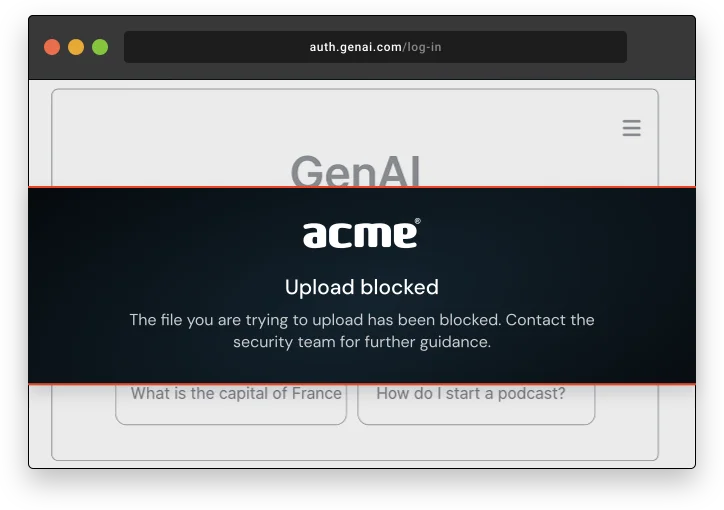
Control file transfers and clipboard activity in the browser
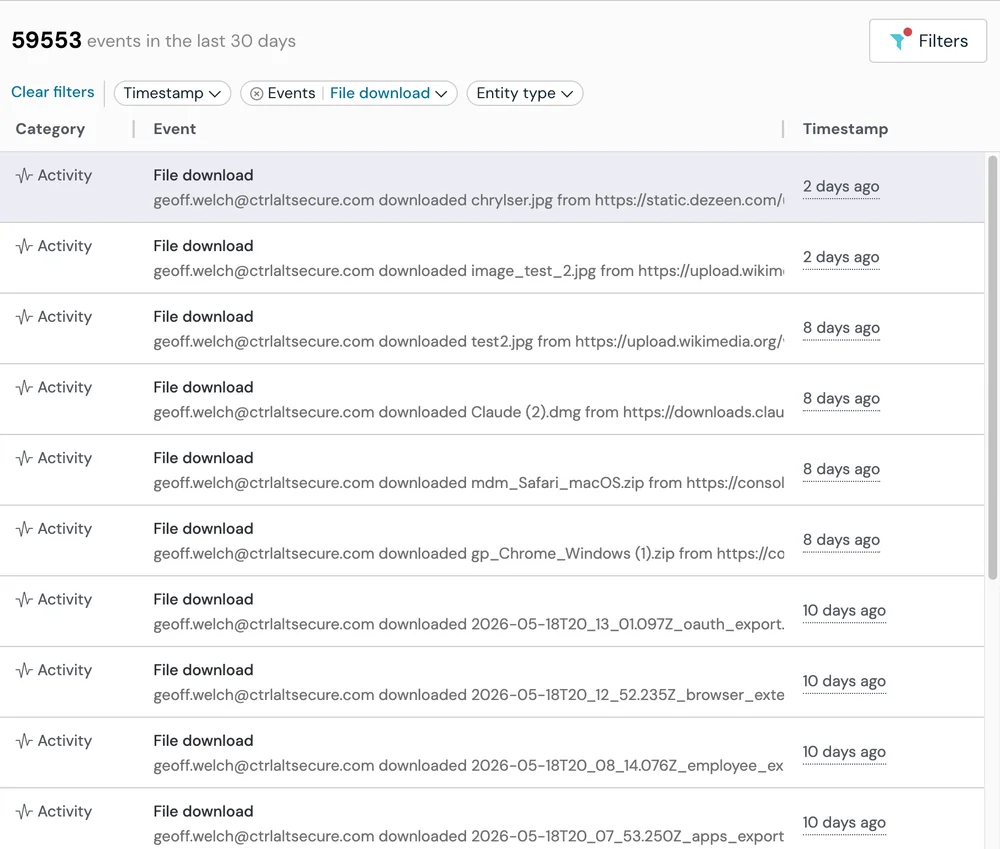
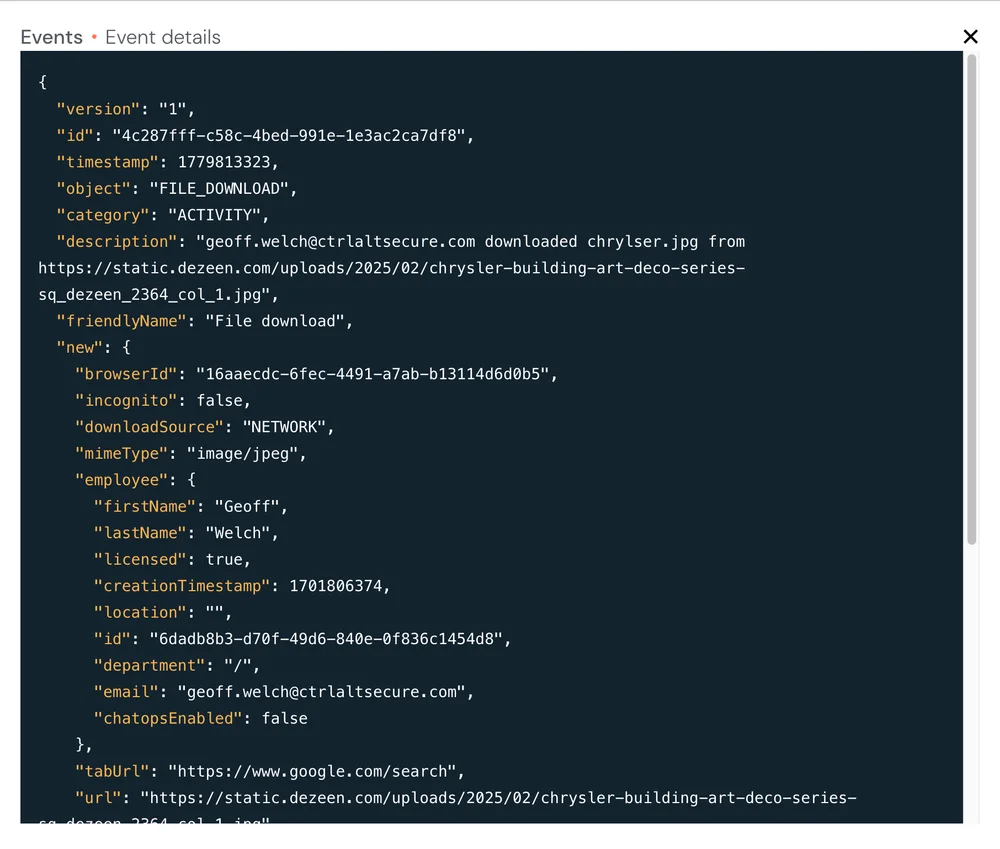
Push provides configurable controls for file uploads and downloads through the browser. Security teams define rules based on user group, browser profile (corporate vs personal), file type, file name, and file name patterns. Rules can monitor, warn, or block — controlling downloads to unmanaged devices before the file reaches the device, and blocking uploads to unapproved cloud storage, AI tools, or personal SaaS accounts.
For clipboard activity, Push provides configurable regex-based rules that flag sensitive data patterns being copied and pasted into browser-based applications — AI tools, messaging platforms, form fields. When a rule matches, Push optionally collects the clipboard content for audit. Clipboard blocking is scoped to malicious actions (ClickFix payloads and similar attacks) rather than blanket copy-paste restriction, which would break legitimate workflows and push users to unmonitored channels.
Block high-risk domains and enforce policy by user group
Push automatically categorizes domains using an 89-category framework and blocks access at the browser layer, configurable by user group. Security teams can restrict high-risk categories — file sharing, personal storage, generative AI — for specific user populations without requiring a network proxy. Graduated enforcement lets teams monitor, warn, or block based on the risk profile of different groups: tighter restrictions for contractor populations, lighter monitoring for employees on managed devices.
These controls work on any device with the browser extension, including BYOD and unmanaged devices where SWG traffic routing isn't possible. Combined with file transfer controls and AI monitoring, this gives security teams a browser-layer DLP framework that complements endpoint and network DLP rather than replacing them.
How Push compares to traditional DLP
| Dimension | Push Security | Traditional DLP |
|---|---|---|
| Coverage | Yes — Covers every app accessed through the browser — sanctioned, unsanctioned, and shadow SaaS | Partial — Endpoint DLP covers the device, not specific apps. Network DLP covers traffic it can proxy. Cloud DLP only covers connected apps — shadow SaaS and unsanctioned tools are invisible |
| AI tool monitoring | Yes — Monitors prompts, file uploads, and clipboard activity into AI tools at the browser layer | No — Endpoint DLP has no visibility into browser-based AI interactions. Network DLP sees AI traffic metadata but not prompt content. Cloud DLP scans connected storage only — doesn't observe the act of sharing |
| File upload/download control | Yes — Configurable by user group, file type, file name, browser profile — controls at the point of interaction, enforced browser-wide | Partial — Endpoint DLP covers USB, print, and network shares. Network DLP blocks by file type at the proxy. Cloud DLP monitors files after they reach connected cloud storage |
| Clipboard monitoring | Yes — Regex-based rules flag sensitive data patterns in browser clipboard events across every app/page; optional content capture for deeper monitoring, configurable for data privacy considerations | Partial — Endpoint DLP provides clipboard monitoring on managed devices. Network and cloud DLP have no clipboard visibility |
| BYOD coverage | Yes — Works on any device with the browser extension — no agent or enrollment | No — Endpoint DLP requires an agent on managed devices. Network DLP requires proxy routing. Cloud DLP monitors connected cloud environments only |
| Content classification | Yes — Pattern matching on configurable rules; DLP integrations in development (Proofpoint, Purview) | Yes — Enterprise content classification — fingerprinting, exact data match, ML-based classification — across endpoint, network, and cloud channels |
| Deployment | Yes — Lightweight browser extension — deploys in minutes on any device, via MDM, email link, or install page to support both managed and unmanaged devices | Partial — Time-consuming deployment with dependencies: Endpoint agent (device management), network proxy (traffic routing), cloud API connectors (per-service integration) |

Frequently asked questions
Data loss prevention (DLP) is the set of tools and policies that prevent sensitive data from leaving the organization through unauthorized channels. Traditional DLP covers endpoint data movement (file copies, USB, print), email (content scanning), network traffic (proxy-based inspection), and cloud storage (API-level monitoring).
Browser DLP extends this coverage to data movement through browser-based applications — file uploads and downloads, clipboard activity, AI tool interactions, and domain-level access. Push provides browser DLP building blocks that complement your existing DLP stack, rather than replacing it.
Traditional DLP operates at three layers, each with structural blind spots in the browser. Endpoint DLP monitors data movement on the device — file copies, USB transfers, print operations — but doesn't see data interactions inside browser sessions (clipboard activity, AI prompts, form submissions). Network DLP inspects traffic at a proxy or gateway via TLS interception, but misses BYOD devices without proxy routing and can't inspect prompt content or clipboard events within encrypted sessions. Cloud DLP connects to specific SaaS applications via API and scans data at rest — but only covers apps with API connectors, leaving shadow SaaS, unsanctioned tools, and any app without an integration invisible.
Browser DLP operates inside the browser session itself. Push sees file uploads and downloads, clipboard events, and data shared with AI tools at the point of interaction — across every app accessed through the browser, regardless of network path, device management status, or whether the app has an API connector. Browser DLP is complementary to the other layers: endpoint DLP covers device-level data movement, network DLP covers traffic inspection, cloud DLP covers data at rest in connected apps, and browser DLP covers the data interactions that happen within browser sessions.
The browser is where employees upload files to personal storage, paste data into AI tools, and share documents with unsanctioned applications. Endpoint DLP and network DLP have limited visibility into these interactions — endpoint agents don't see browser-level data movement, and network proxies can't inspect prompt content or clipboard events.
Push provides browser-layer controls that monitor and restrict data movement at the point of interaction: file upload and download controls (configurable by user group, file type, and file pattern), clipboard monitoring with sensitive data pattern detection, AI interaction monitoring, and domain categorization with access blocking. These controls work on any device with the browser extension, including BYOD and contractor devices where endpoint DLP can't be deployed.
Employees routinely paste source code, customer data, API keys, and internal documents into AI tools without considering the implications. Network-level tools can block AI domains entirely, but they can't inspect clipboard content or distinguish sensitive submissions from benign ones.
Push monitors clipboard activity and text inputs into AI applications at the browser layer. Configurable rules flag specific data patterns — credentials, code snippets, PII, financial data — and trigger alerts, warnings, or blocking. AI conversation logs capture the full interaction for governance reporting. Combined with AI access governance — discovering which tools are in use, blocking unsanctioned ones, and monitoring sanctioned ones — Push provides data loss prevention for AI from a single browser extension.
Traditional DLP tools have limited visibility into AI interactions. Endpoint DLP doesn't see data pasted into browser-based AI tools. Network DLP sees traffic to AI domains but can't inspect prompt content without TLS interception (and many AI tools use certificate pinning).
Push monitors AI interactions at the browser layer — capturing prompts, file uploads, and clipboard activity into AI tools. Rules can flag sensitive data patterns, and AI conversation logs feed into your SIEM. Push also controls AI access at the application level: blocking unsanctioned AI tools and monitoring usage of sanctioned ones.
Endpoint DLP requires an agent and, typically, device enrollment — neither of which is practical on BYOD or contractor devices. Push deploys as a browser extension and provides DLP building blocks (file controls, clipboard monitoring, domain blocking) on any device without agent installation or device management.
This doesn't replicate full endpoint DLP (USB, print, file system controls remain out of scope), but it covers the browser-layer data loss vectors that matter most for unmanaged device scenarios.
Traditional DLP systems work by inspecting data in motion (network traffic), data at rest (stored files), and data in use (endpoint activity) against policy rules. They classify content using pattern matching, exact data match, document fingerprinting, or ML-based classification, and enforce actions (block, warn, encrypt, audit) when policy violations are detected.
Push provides the browser-layer component of this architecture: monitoring data movement through browser sessions (file transfers, clipboard activity, AI interactions) and enforcing policy at the point of interaction. Push uses configurable pattern-matching rules rather than enterprise content classification — it's a browser DLP building block, not a full DLP replacement.
Latest resources


