BYOD security: secure unmanaged devices without MDM
Personal laptops, contractor machines, and home environments connect to corporate SaaS every day. Traditional tools can't see that access. Push operates in the browser, so coverage follows the user, not the device.
- Protect users from browser-based attacks on personal devices
- Deploy as a browser extension — no MDM, VPN, or endpoint agents
- Apply consistent security policy across managed and BYOD








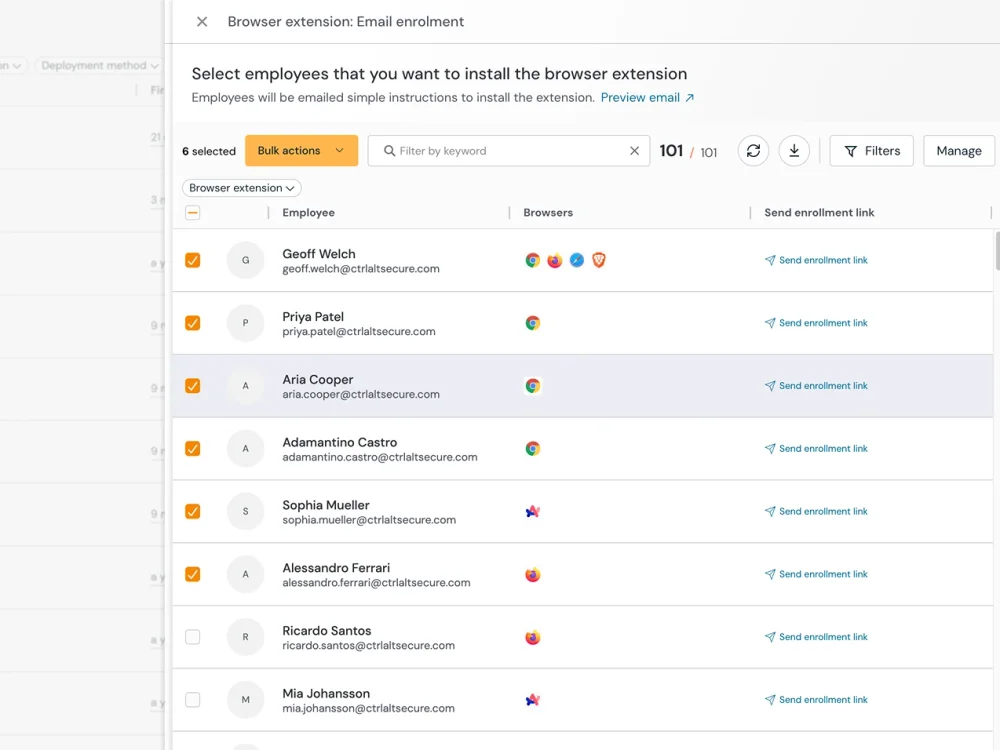
Secure any device, including unmanaged BYOD and contractors
Security teams lose visibility when work happens on devices they don’t control. But the risk and threat doesn’t change. Push's browser extension can be deployed without MDM and operates independently of the underlying operating system and device management state.
Once installed, Push provides the same security capabilities on an unmanaged device as on a managed one: behavioral phishing detection across all delivery channels, compromised credential detection at the point of login, session marker injection for stolen token detection, SaaS discovery and authentication monitoring, browser extension inventory and risk assessment, and AI usage visibility and control. Contractors, consultants, employees on personal laptops, and new hires waiting for hardware all get the same detection surface the moment the extension installs.
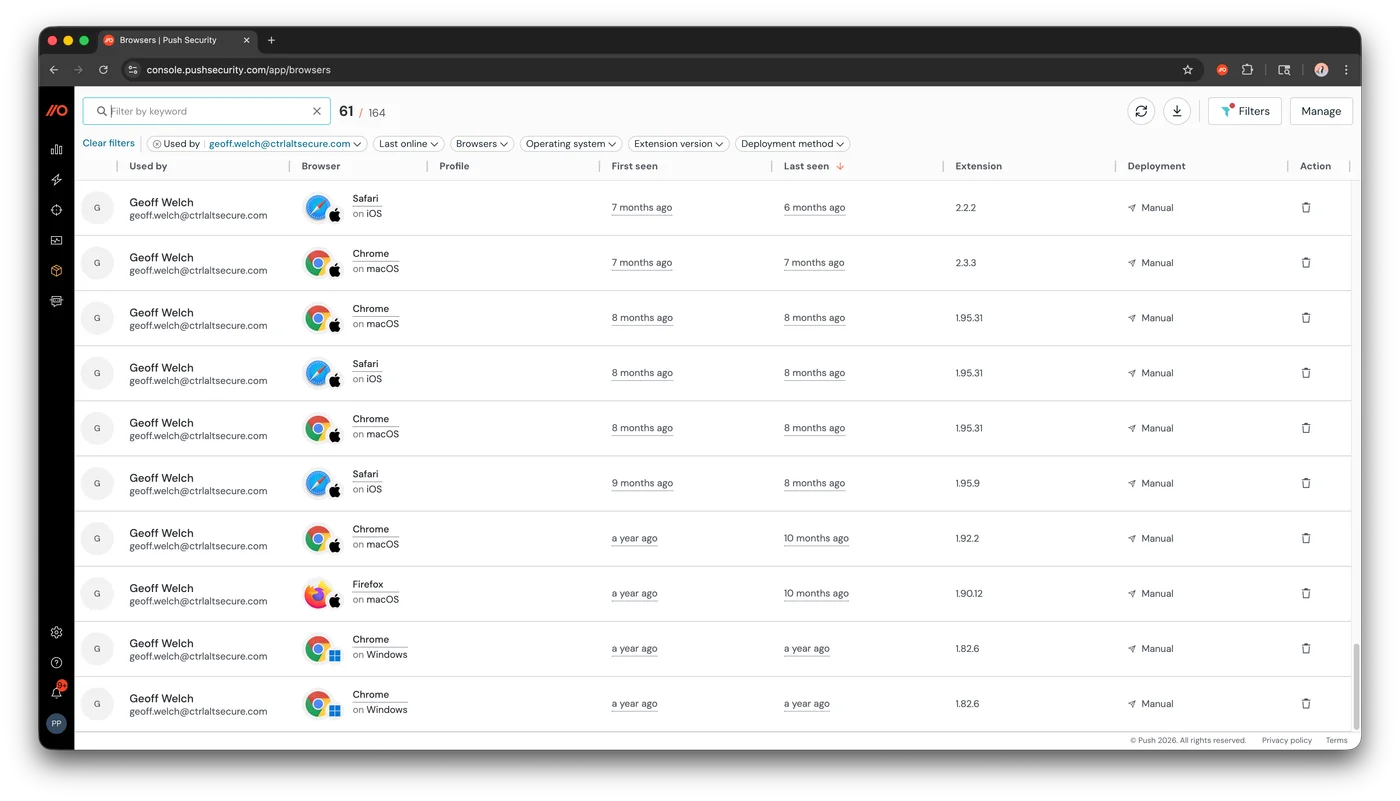
Discover SaaS usage and identities on unmanaged devices
Employees using personal devices are more likely to use personal accounts, sign up for unsanctioned tools, and login to apps using local passwords over SSO.
Push discovers every application and identity from the browser, regardless of device management status or network path. Each discovery includes the authentication method, MFA status, account type (corporate or personal), and password strength.
If deployed into a dedicated browser profile, personal and work use can be separated, with work-related activity governed by appropriate controls without impacting user privacy, giving security teams comprehensive monitoring of work apps and identities while keeping personal browsing entirely separate.
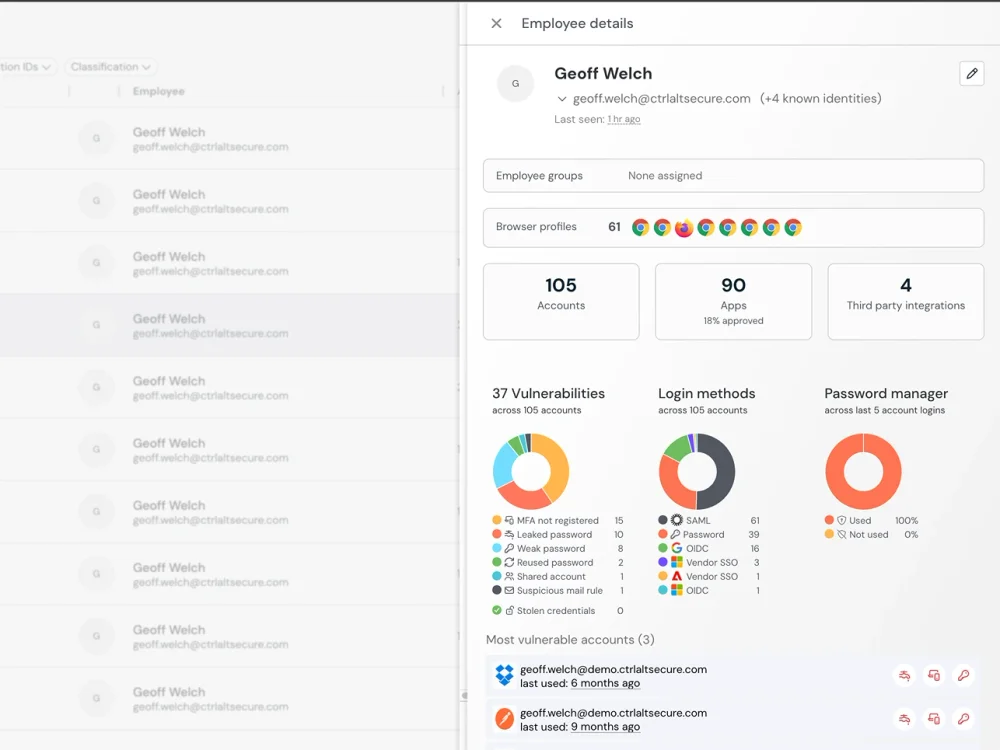
Enforce consistent policy across managed and BYOD
Push's policy enforcement works identically on managed and unmanaged devices. Account condition enforcement requires corporate identity on approved applications, blocks personal account access, and enforces approved login methods — the same rules apply whether the employee is on a corporate laptop or a personal one. Graduated enforcement (monitor, warn, or block) lets security teams calibrate controls to the risk without blanket restrictions.
Browser extension allowlists, SaaS access controls, and in-browser guardrails (prompting users to update weak passwords, enroll in MFA, or switch to SSO) all operate from the extension regardless of device ownership. The security policy follows the user, not the device.
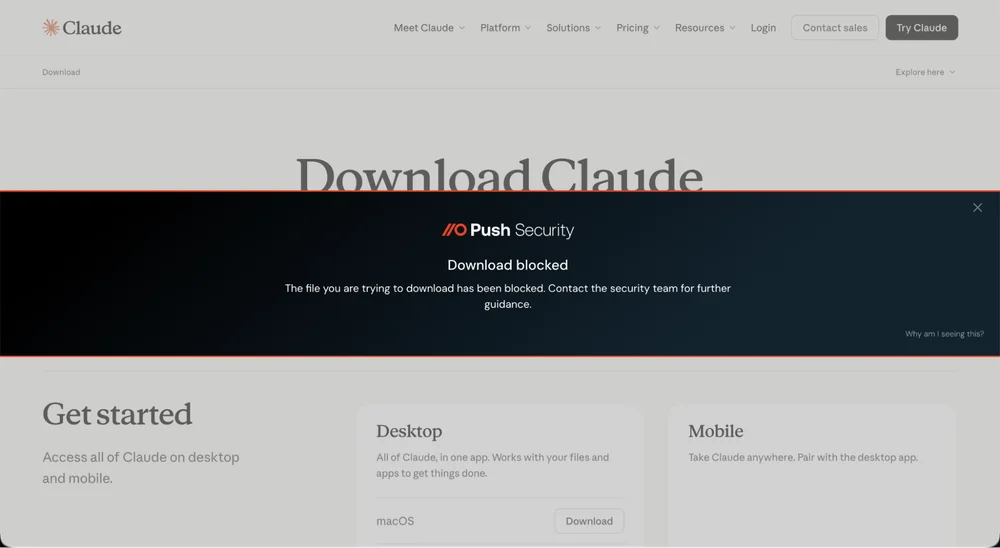
Control data movement on unmanaged devices
Push provides browser-layer data controls that work regardless of device management status: file upload and download policies (configurable by user group, file type, and file name pattern), clipboard monitoring for sensitive data patterns, domain categorization and blocking for high-risk sites, and AI interaction monitoring that captures data shared with AI tools.
These controls enforce policy at the point of interaction in the browser, closing the data movement gap on devices where endpoint DLP can't reach.
How Push overcomes common BYOD security gaps
Device and network-based security controls that require device enrollment are a weak fit for BYOD devices. Here's how Push's extension-based approach overcomes those gaps.
| Dimension | Push Security | Device-based security controls |
|---|---|---|
| Deployment | Yes — Browser extension — installs directly, no device enrollment | No — Requires MDM enrollment to deploy and manage agents |
| BYOD reach | Yes — Works on any device — no device management or enrollment required | No — Dependent on MDM enrollment, which contractors and employees on personal devices routinely resist |
| Phishing detection | Yes — Behavioral detection of AiTM, device code phishing, and cloned login pages at the browser layer | No — Email security and SWG URL filtering catch known-malicious domains and lures — miss fast-changing infrastructure and non-email delivery channels |
| Credential monitoring | Yes — Detects weak, reused, and compromised passwords at the point of login | No — No credential visibility — EDR sees endpoint processes, SWG/CASB sees network traffic, but neither observes authentication behavior or password strength |
| Web session security | Yes — Browser-based attack detection stops attacks before they reach the endpoint, session marker injection detects stolen token replay | No — No EDR means that there's no protection against session-stealing malware |
| SaaS discovery | Yes — Discovers every SaaS app from browser login events with full authentication context | No — SWG sees network traffic to SaaS domains but can't identify logins or distinguish authentication methods or account types |
| Data controls | Yes — Browser-layer file upload/download controls, clipboard monitoring, AI interaction monitoring | No — Endpoint DLP covers USB, print, and file-system data movement — no browser-layer visibility into clipboard or AI interactions |
| Privacy | Yes — Browser session and profile only — no OS-level, file system, or personal app visibility | No — Device-level visibility — processes, apps, file system, network traffic |
| Contractor suitability | Yes — High — deploys and removes without device changes | No — Low — endpoint agents require device enrollment and management infrastructure |

Frequently asked questions
MDM requires device enrollment that employees and contractors routinely resist on personal hardware — and even when they accept, it gives the organization device-level access that creates privacy friction and legal complexity in many jurisdictions.
Push deploys security at the browser layer instead of the device layer. It installs as a browser extension on any device — no MDM, no agent, no device enrollment — and provides phishing detection, credential monitoring, session security, and SaaS visibility on unmanaged devices. Push can also be force-installed in incognito mode (Chrome and Edge, macOS and Windows), ensuring coverage even when users browse privately.
A BYOD security policy should define which security controls are required on personal devices, what applications employees can access from unmanaged hardware, how corporate data is protected, and how security is maintained when the device isn't enrolled in MDM.
Push provides the enforcement mechanism for several BYOD policy requirements: phishing detection (protecting users on any device), credential hygiene (ensuring passwords aren't weak, reused, or compromised), SaaS access controls (blocking unsanctioned apps), and data controls (restricting file uploads and sensitive data sharing). Security teams define the policy; Push enforces it in the browser regardless of device management status.
Without agent installation privileges, organizations lose the endpoint security controls they rely on for managed hardware — EDR, endpoint DLP, device compliance checks. The challenge is recovering meaningful security coverage without requiring device-level access.
Push deploys as a browser extension — no agent installation, no MDM profile, no device enrollment. Users install it in seconds, and it provides phishing detection, credential monitoring, session security, and SaaS discovery immediately. Enterprise browsers offer similar deployment simplicity but require users to switch from their preferred browser, and VDI provides strong isolation at significant infrastructure cost, while still missing the in-browser session visibility that makes enterprise browsers and extensions effective in the context of modern work.
Contractors bring their own hardware, resist device enrollment, and turn over frequently — making traditional device-management approaches impractical. Yet they often access the same sensitive SaaS applications as full-time employees.
Push deploys to contractor browsers without device management infrastructure and provides the same detection and policy enforcement as managed devices: phishing detection, credential monitoring, SaaS access controls, and session security. When the engagement ends, remove the extension — no device wipe needed. Push also provides rotating verification codes visible only in the extension, giving help desks a reliable way to confirm contractor identity during support interactions.
Browser security extensions (Push Security), enterprise browsers (Island, Prisma Access Browser), and VDI/DaaS solutions (Citrix, Azure Virtual Desktop). Of these, browser extensions have the lowest deployment friction — they install directly in the user's existing browser without requiring a browser switch or device enrollment.
Push specifically provides phishing detection, credential monitoring, session security, SaaS discovery, browser extension management, and AI visibility — all from a browser extension that deploys into any browser (no browser replacement required).
Personal devices are prime targets for infostealer malware that harvests saved passwords, session tokens, cookies, and browser data from infected machines. When employees sync browser profiles between personal and work devices, or reuse passwords across personal and corporate accounts, an infostealer infection on a home laptop can expose corporate credentials and active session tokens. This is increasingly how personal devices cause corporate breaches: the compromise happens outside the corporate perimeter, but the stolen credentials provide direct access to corporate SaaS.
Push detects compromised credentials at the point of login — including passwords that appear in known infostealer logs — and flags them before they become attack vectors. Session marker injection detects when a session token created in a Push-enrolled browser is replayed from an uninstrumented one, catching stolen token use. On BYOD devices with the extension installed, Push also provides phishing detection that can prevent the initial malware delivery, and surfaces weak and reused passwords that amplify the blast radius of any single credential compromise.
The cleanest approach is a dedicated browser profile for work. The employee creates a work profile in Chrome or Edge, and all corporate SaaS access happens through that profile. Personal browsing stays in the personal profile — completely separate. The work profile becomes the security boundary: everything inside it is governed, everything outside it is private.
Push installs into the work profile and provides phishing detection, credential monitoring, session security, and policy enforcement within that boundary. With user group controls, security teams can apply tighter policies to BYOD users specifically — blocking file downloads, restricting clipboard activity for sensitive content, controlling which SaaS applications are accessible, and monitoring AI interactions. Custom detections let you tune these controls to your organization's risk tolerance: stricter rules for contractor populations handling sensitive data, lighter guardrails for employees who only need access to collaboration tools.
On unmanaged devices, you can't deploy endpoint DLP agents to control file transfers, clipboard activity, or data movement. The browser is the primary channel through which corporate data leaves the organization on BYOD hardware — uploads to personal cloud storage, pastes into AI tools, file shares to unsanctioned apps.
Push provides browser-layer data controls that work on any device with the extension installed: file upload and download policies (configurable by user group, file type, and file name pattern), clipboard monitoring for sensitive data patterns, domain categorization and blocking, and AI interaction monitoring. For device-level DLP (USB controls, print restrictions, endpoint file monitoring), MDM or an endpoint DLP agent is still required.
Latest resources


