AI security: discover, govern, and secure AI apps
AI tools are everywhere inside your organization — whether you sanctioned them or not.
Employees self-adopt GenAI tools, connect AI apps to corporate accounts, and install AI-powered browser extensions. Push gives security teams the visibility to see what AI is doing across their environment and the controls to intervene before sensitive data leaves or access gets abused.
Push gives security teams the visibility to see what AI is doing across their environment and the controls to intervene before sensitive data leaves or access gets abused.
- Discover every AI app across your workforce
- Detect and stop sensitive data being submitted to AI apps
- Enforce AI policy directly in the browser for real-time control







AI use (and misuse) happens in the browser
The vast majority of enterprise GenAI use happens in the browser. Employees log into ChatGPT, Claude, Gemini, and hundreds of smaller AI tools through their browser. They paste data into AI prompts, upload files to AI assistants, grant OAuth permissions to AI apps that want access to corporate email and documents, and install AI-powered browser extensions that can read every page they visit. To see and control AI usage, you need to be where it happens.
Push captures live telemetry from inside the browser session — identifying every AI app employees access, what data they share with it, how they authenticated, and what permissions they've granted. That visibility covers sanctioned tools, shadow AI, and AI-powered browser extensions, across managed and unmanaged devices. And because Push operates at the point of interaction, it can intervene in real time: warning users, blocking submissions, or enforcing policy before sensitive data leaves the browser.
Discover every AI tool users touch
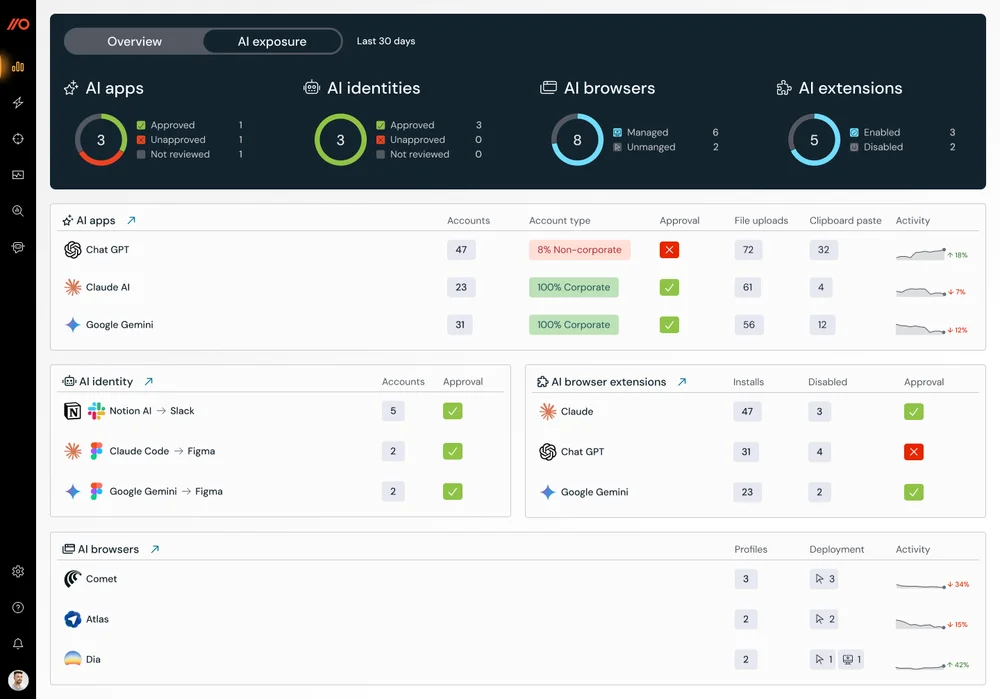
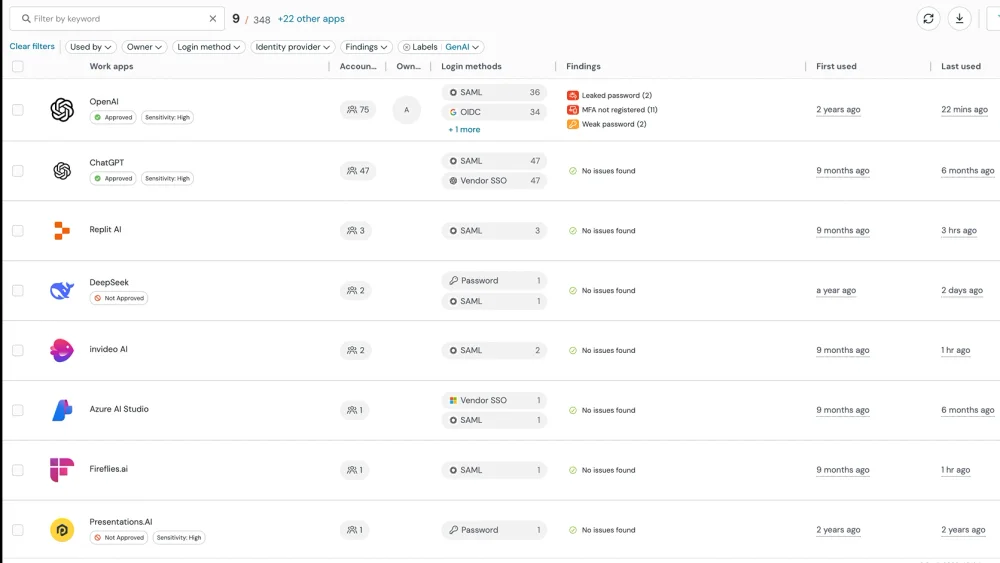
Most organizations are using far more AI than they've approved. Push identifies every AI-native and AI-enhanced application accessed across the workforce — which corporate identities are connected, whether users access tools through personal or organizational accounts, and what new tools appear in the environment. Applications are categorized by risk and policy status so security teams can prioritize exposure before it becomes an incident.
This covers AI apps accessed via the browser, AI browser extensions installed, and AI OAuth integrations connected to corporate accounts. Each discovered tool includes full authentication context — who's using it, how they logged in, whether it's a personal or corporate account, and what permissions they granted.
Prevent sensitive data from reaching unapproved AI tools and accounts
Employees paste credentials, customer data, and internal documents into GenAI tools without realizing the risk. Push detects sensitive data interactions in the browser in real time — file uploads, clipboard activity, and form submissions to unsanctioned or high-risk AI applications. Controls can warn users, require policy acknowledgment, or block the interaction entirely.
Configurable rules flag specific data patterns — source code, API keys, customer data, PII — being submitted to AI tools. AI conversation logs capture prompts and feed into your SIEM for governance reporting and compliance auditing. The result: you allow productive AI usage while monitoring and controlling what data goes in.
Control AI OAuth permissions and integrations
AI apps increasingly request OAuth permissions to access corporate data — calendar access, email reading, document editing. Each consent grant creates a persistent access path that outlives the browsing session and may never be reviewed again.
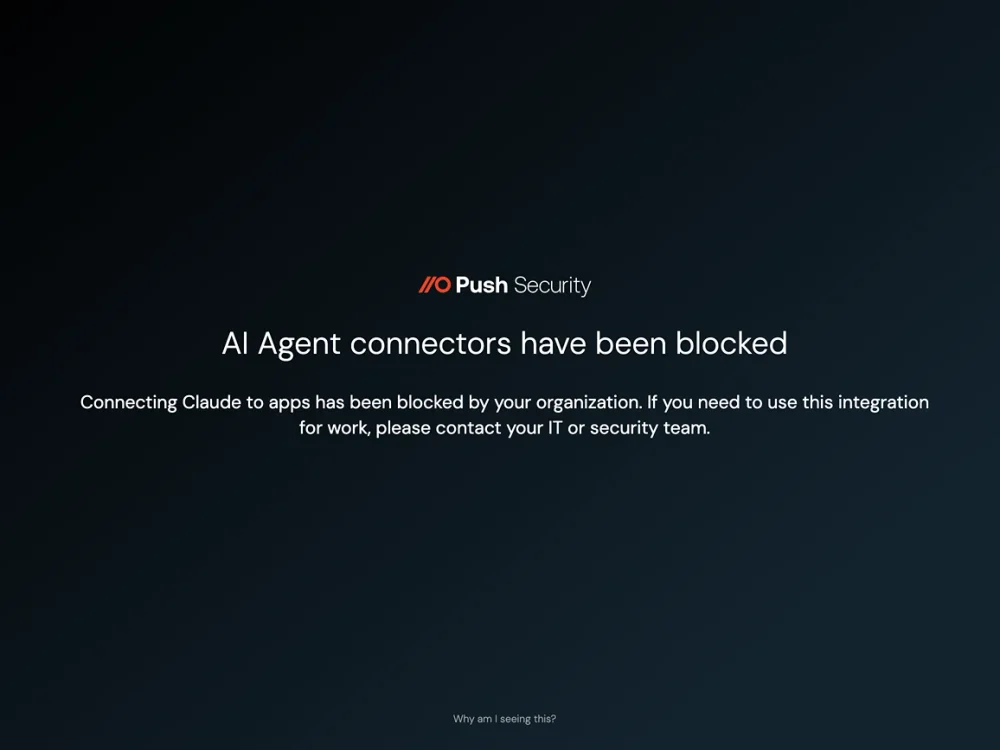
Push captures every OAuth consent flow for AI applications, recording the client ID, authorization server, scopes requested, and who approved the grant. Security teams can monitor, warn on, or block OAuth consent grants for AI tools — and revoke AI app integrations that have already been authorized.
Restrict access to approved work accounts & tenants
When someone logs into ChatGPT or Claude with a personal email, every conversation, file upload, and prompt goes into an unmanaged tenant your security team can't govern, audit, or wipe. The tool is sanctioned — the access path isn't.
Push enforces account conditions at the point of login. Security teams define rules that require corporate identity on approved AI tools, blocking personal account access entirely or requiring acknowledgment before proceeding. Conditions can also enforce approved login methods — SSO via OIDC rather than a local password — and restrict access to approved browsers. Enforcement follows a graduated model: monitor the behavior silently, present an in-browser acknowledgment the employee must accept, or block the session outright. This turns "we approved ChatGPT Enterprise" into a policy that's actually enforced at every login, not just on paper.
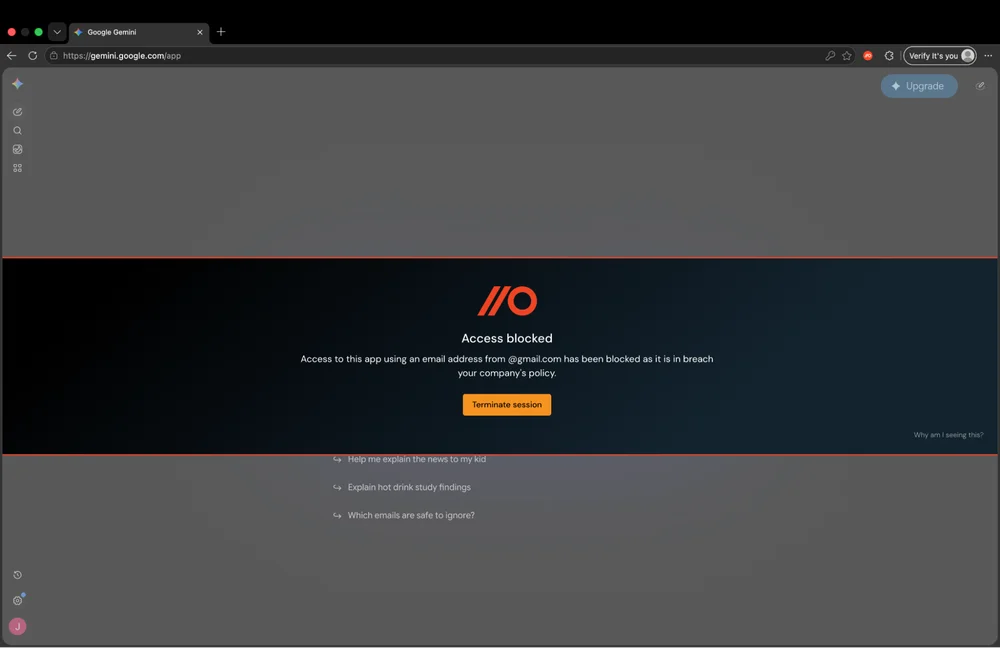
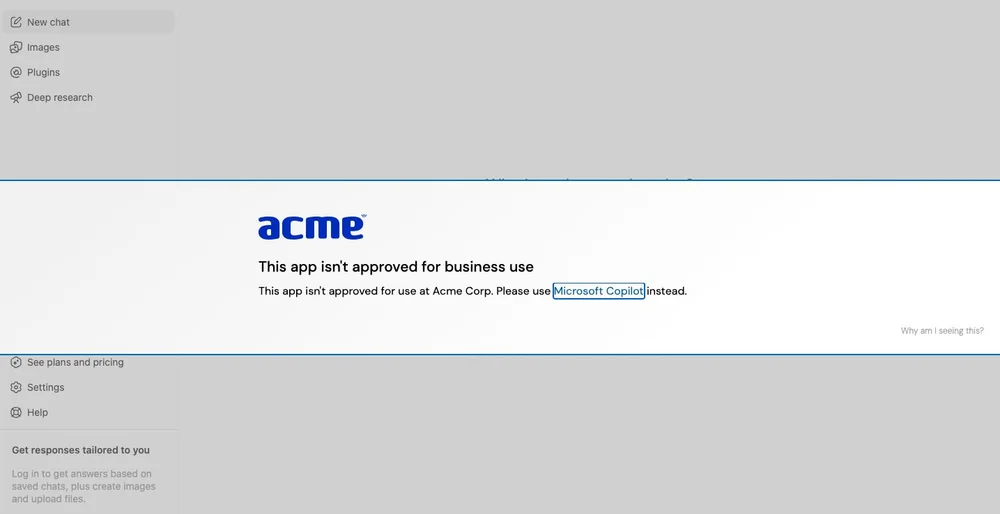
Enforce AI policy without blocking productivity
Most security tools offer a binary choice — block AI domains or allow them. SWGs and firewalls operate at the URL level with no middle ground. Push supports graduated enforcement: discover AI tools in use, monitor what data employees share, guide users with in-browser banners, block selectively where risk justifies it, and enforce an allowlist when your governance program matures. Account condition enforcement extends this to how employees access approved tools — ensuring corporate identity, approved login methods, and sanctioned browsers without removing access entirely.
Policy enforcement follows the user regardless of network path, device type, or whether they're on a managed or personal device. This means security teams can allow sanctioned AI tools with guardrails while blocking the highest-risk applications — and adjust the balance as AI adoption evolves.
How Push compares to traditional security tools for AI governance
| Dimension | Push Security | Network/proxy |
|---|---|---|
| AI app discovery | Yes — Discovers AI tools from browser login events, OAuth flows, and extension installs — including shadow AI on any device | No — Limited to AI traffic visible at the network layer — misses logins, client-side interactions, and BYOD usage |
| Data visibility | Yes — Sees what users paste, upload, and type into AI tools at the browser layer | No — Sees network traffic metadata — limited visibility into actual AI interactions |
| OAuth monitoring | Yes — Captures AI OAuth consent flows with full context: scopes, client ID, authorization server | No — No visibility into browser-initiated OAuth grants |
| AI extension coverage | Yes — Inventories AI-powered browser extensions with permissions analysis and risk assessment | No — No visibility into browser extensions |
| Account access control | Yes — Enforces corporate identity on approved AI tools — blocks personal accounts, requires SSO, restricts browsers | No — No identity-layer controls — can allow or block a domain, but can't distinguish corporate from personal account access |
| Policy enforcement | Yes — Graduated enforcement from monitoring through blocking, with in-browser context at the point of interaction | No — Blocks AI domains at the network layer — all-or-nothing, no context-aware enforcement |
| BYOD and unmanaged devices | Yes — Works on any device with the browser extension — no network routing required | No — Requires traffic routing through proxy — ineffective for unmanaged devices |
| User experience | Yes — In-browser guardrails guide users without disrupting productive AI usage | No — Network-level blocks offer no context or alternatives to the user |

Frequently asked questions
GenAI security covers the practices, tools, and policies that protect an organization from risks introduced by generative AI adoption — including unauthorized GenAI tool usage (shadow AI), data leakage into AI applications, excessive OAuth permissions granted to AI apps, and AI-powered browser extensions with risky permission sets.
For most enterprises, the immediate GenAI security challenge isn't adversarial AI or model security — it's visibility and governance over how employees use AI tools day to day. Push provides that visibility at the browser layer.
Shadow AI is the use of AI tools by employees without the knowledge or approval of security and IT teams. It's the AI-specific version of shadow IT — and it's growing faster because AI tools deliver immediate productivity gains that make them hard to resist.
Common examples include employees using ChatGPT with personal accounts, connecting AI apps to corporate data via OAuth, installing AI-powered browser extensions, and pasting sensitive data into AI coding assistants. Push discovers shadow AI from actual browser activity rather than network traffic patterns, catching tools that network-based discovery misses.
Network-based discovery tools rely on traffic patterns to identify cloud applications, but they miss AI tools accessed directly through the browser — particularly on BYOD devices, personal accounts, and OAuth-connected integrations that don't generate distinctive traffic signatures.
Push discovers AI tools from browser login events, OAuth consent flows, and extension installations — capturing the actual interaction, who logged in, how they authenticated, what permissions they granted, and what data they shared. This works regardless of network path, device management status, or whether the employee is using a corporate or personal account.
AI governance encompasses the policies, processes, and controls that manage how an organization adopts and uses AI. It spans regulatory compliance (EU AI Act, sector-specific requirements), internal policy enforcement, data protection, and vendor risk management.
Push delivers the browser-layer component of AI governance: discovering which AI tools are in use, monitoring data shared with them, controlling access through in-browser policy enforcement, and auditing OAuth permissions. Push doesn't replace a governance framework — it gives you the visibility and control you need to enforce one.
AI governance policies span regulatory compliance (EU AI Act, sector-specific requirements), internal acceptable use enforcement, data protection, and vendor risk management. Writing the policy is the easier part — the challenge is enforcing it across a workforce that adopts AI tools faster than security teams can evaluate them.
Push delivers the browser-layer enforcement mechanism: discovering which AI tools are in use, monitoring data shared with them, controlling access through account condition enforcement and in-browser policy actions, and auditing OAuth permissions. Push doesn't replace a governance framework — it gives you the visibility and control to enforce one.
It depends on your policy. If your organization has sanctioned ChatGPT Enterprise and employees are using it through approved channels, it's not shadow AI. If employees are using ChatGPT with personal accounts, or using the free tier to avoid data governance controls, that's shadow AI — even if "ChatGPT" is technically an approved tool.
Push distinguishes between sanctioned and unsanctioned usage by observing the actual authentication method and account type at the point of login.
When employees access approved AI tools with personal accounts, every conversation and file upload goes into an unmanaged tenant your security team can't govern, audit, or wipe. The tool is sanctioned, but the data is ungoverned — creating compliance exposure even when the organization has paid for enterprise licenses.
Push's account condition enforcement requires that a corporate identity is used to access approved AI applications. When an employee tries to log in with a personal account, Push can monitor the event silently, present an in-browser warning that requires acknowledgment, or block the login entirely. Conditions can also enforce approved login methods (SSO via OIDC rather than local passwords) and restrict access to approved browsers only.
Employees routinely paste source code, customer data, credentials, and internal documents into GenAI tools without considering the data governance implications. Network-level tools can see traffic to AI domains but can't inspect what employees actually submit in their prompts.
Push monitors clipboard activity and text inputs into GenAI applications at the browser layer. AI conversation logs capture prompts and, optionally, responses from AI apps used in Push-enrolled browsers. Configurable rules flag specific data patterns — credentials, code snippets, PII — and trigger alerts or blocking actions, with telemetry feeding into your SIEM for governance reporting and compliance auditing.
AI visibility tells you which AI tools are in use and how they're being used. AI governance is the broader framework of policies, controls, and processes that dictate how AI should be used. Visibility is a prerequisite for governance — you can't enforce a policy you can't observe.
Push provides deep AI visibility (which tools, which users, what data, what permissions) and AI policy enforcement (block, warn, allow with monitoring). Together, these are the operational foundation of an AI governance program.
Most organizations have written an AI acceptable use policy, but enforcing it is the harder problem. Network-level tools can block AI domains entirely, but they can't enforce nuanced policies — allowing a tool with guardrails, restricting personal account access, or monitoring data inputs while permitting usage.
Push enforces AI policy at the point of interaction in the browser. Security teams can block unsanctioned AI tools, warn users who attempt to access restricted AI apps, require corporate identity on approved tools, and monitor data inputs into sanctioned tools. Policy enforcement follows the user across devices and network paths, including BYOD and remote work.
AI-powered browser extensions are proliferating rapidly, and many request broad permissions — page content access, clipboard access, network request visibility — that could expose sensitive data. Traditional endpoint and network tools have no visibility into what extensions are installed or what permissions they've been granted.
Push provides a complete inventory of browser extensions across your organization, including AI-powered extensions, with full permissions analysis. Security teams can define an extension allowlist — blocking everything not explicitly approved — and receive alerts when new AI extensions are installed.
The most effective approach is governed access — making the sanctioned path easier and more visible than the workaround. Block the highest-risk AI tools, allow approved tools with monitoring and guardrails, and give employees a reason to use the governed channel.
Push supports this model by providing real-time visibility into AI usage without blanket blocking. Security teams can monitor AI tool adoption, enforce policies on a per-tool basis, and progressively expand the approved list as governance processes mature. Read our guide to shadow AI governance.
Data Security Posture Management (DSPM) tools discover and classify data at rest across cloud environments. They can identify sensitive data that has already been shared with AI tools via API-connected storage, but they don't observe the act of sharing — an employee pasting data into ChatGPT via the browser is invisible to DSPM.
Push detects shadow AI usage and data exposure at the point of interaction, before the data reaches a storage layer that DSPM can scan.
Latest resources


