Account takeover protection — detect and stop ATO
Account takeover usually looks like a normal login. Push monitors authentication directly in the browser, exposing the access paths attackers rely on, from ghost logins to credential stuffing, before damage is done.
- Identify credential-based ATO as it unfolds
- Surface hijacked sessions and token misuse
- Strengthen authentication security where your IdP can’t








Detect and stop account takeover before the account is compromised
Account takeover isn't a single technique — it's the outcome of several different attack methods, each exploiting a different part of the authentication lifecycle.
Credential stuffing replays stolen username-password pairs from breach datasets against login pages. AiTM phishing captures post-MFA session tokens through reverse proxy pages that look identical to real login screens. Session hijacking replays tokens stolen by infostealers or malicious browser extensions, bypassing the login process entirely. Device code phishing and consent phishing exploit OAuth authorization flows that occur after the user has already authenticated successfully on the real IdP.
Push detects and blocks account takeover at the browser layer, where authentication happens. This means detecting the attack pre-compromise rather than correlating logs and attempting to revoke access after the fact.
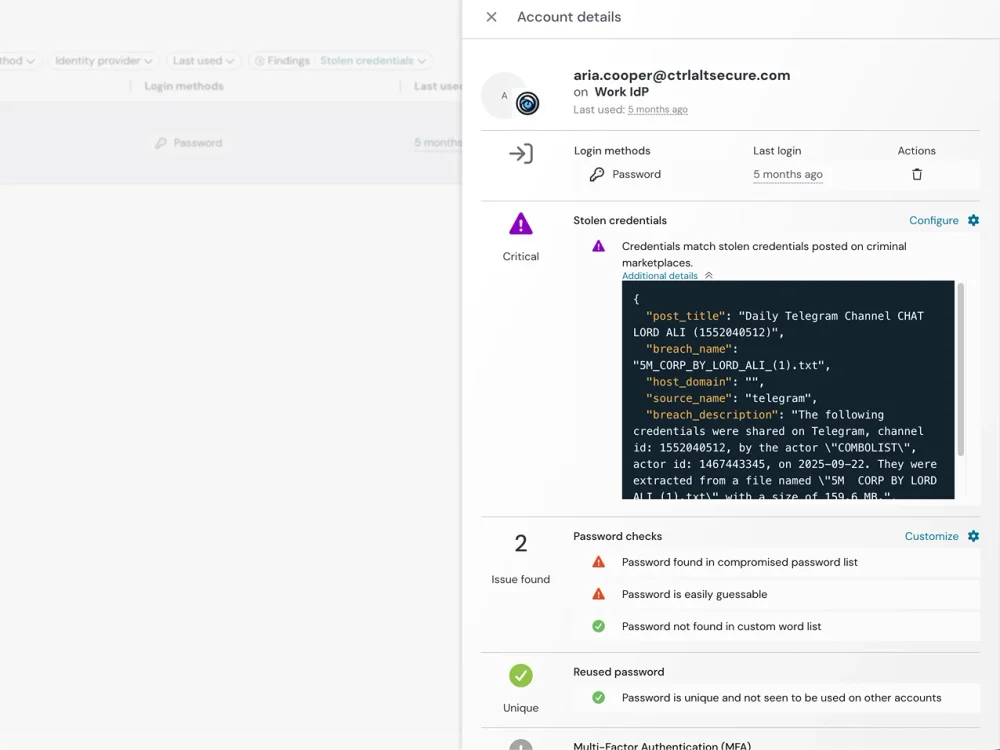
Catch stolen credential use in real time
Push monitors authentication activity as it happens in the browser. When leaked passwords are used, when login flows behave unexpectedly, or when attackers attempt to test credentials across applications, Push detects the activity immediately. Compromised credential detection identifies passwords that appear in known breach datasets or infostealer logs at the point of login — before they become attack vectors.
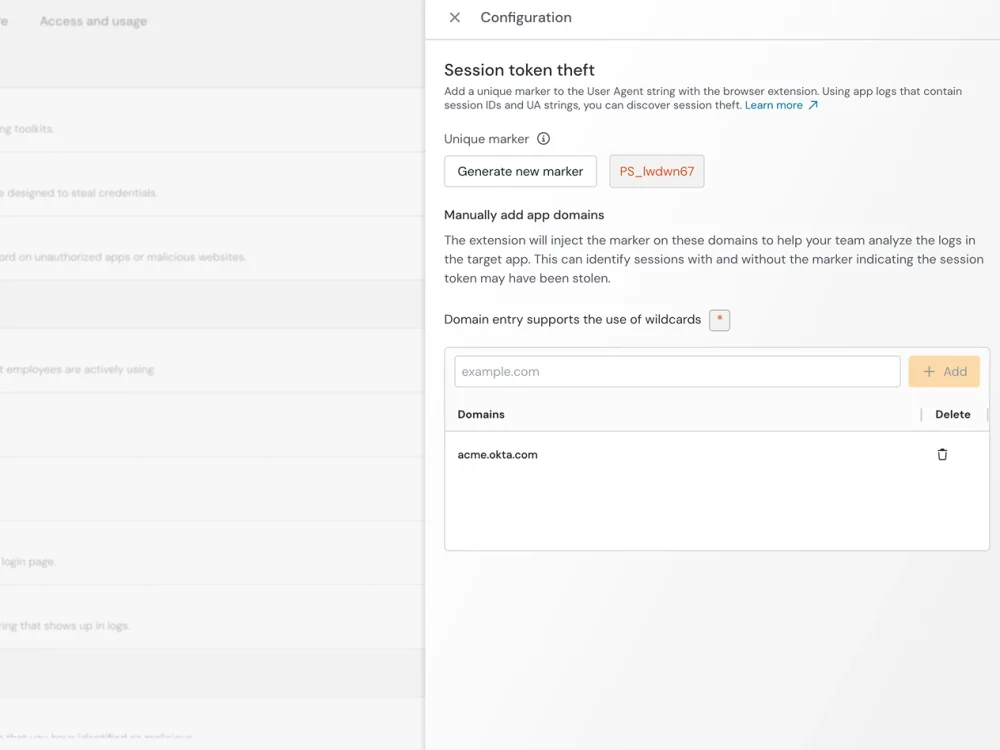
Detect session hijacks and stealth access
Push injects a unique marker into sessions originating in Push-protected browsers. If a session token subsequently appears in an uninstrumented browser, it has been stolen. This marker injection is what enables Push's stolen session detection — a session created in a Push-instrumented browser that appears elsewhere is a confirmed hijack, not a probabilistic anomaly.
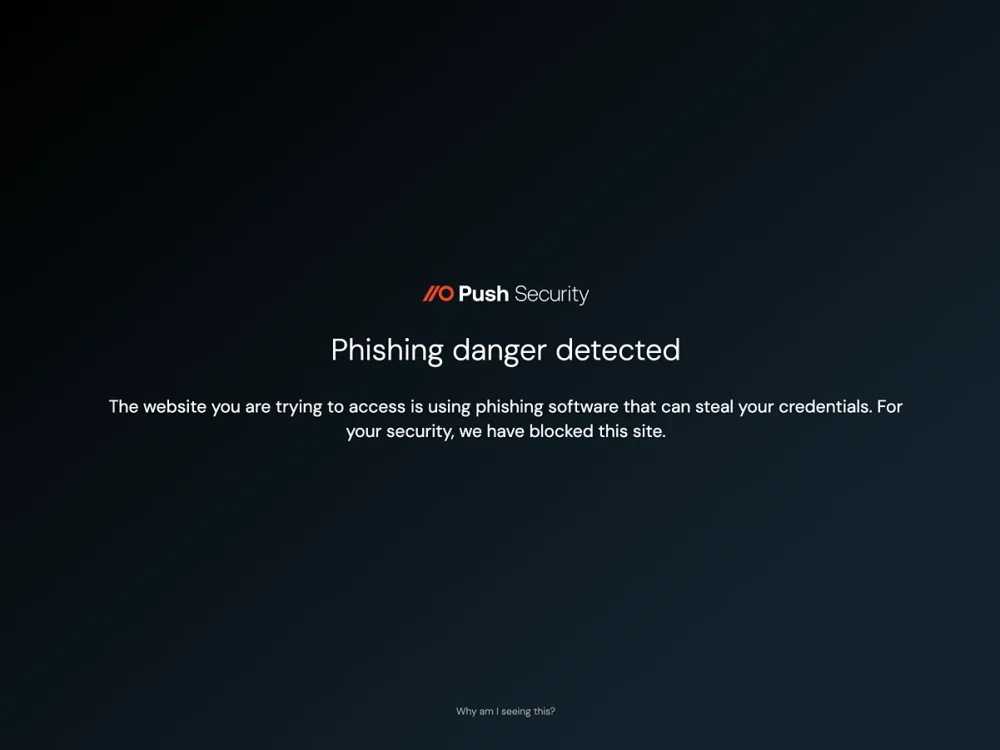
Detect and stop phishing attacks where they execute: inside the browser session
Push detects phishing pages behaviorally — analyzing page structure, script behavior, and credential-harvesting mechanics rather than matching against known domains or IOCs. This catches AiTM kits, device code phishing pages, and cloned login pages before the credential or session is stolen. Detection survives infrastructure rotation because it targets techniques, not domains.
Harden accounts before they’re compromised
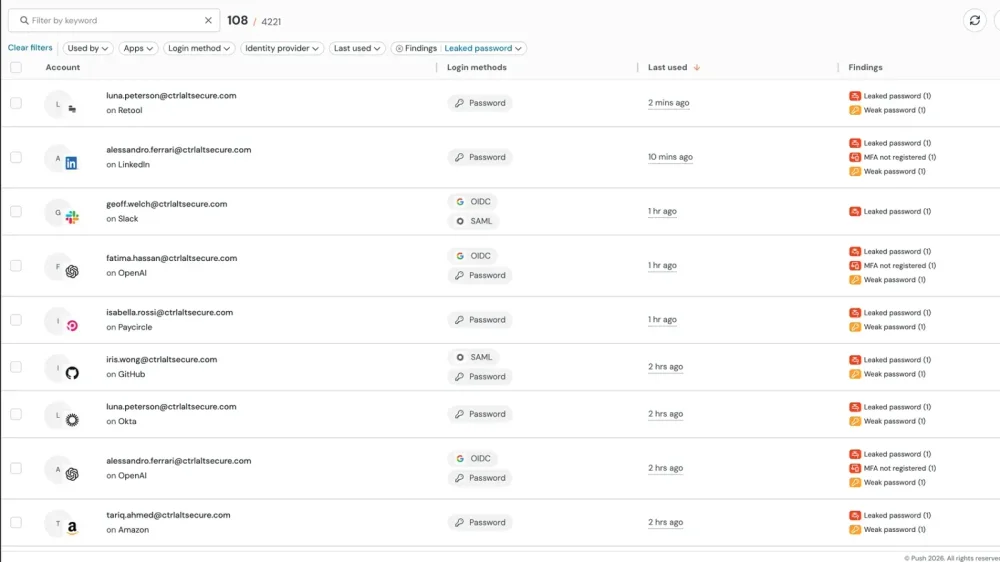
Account takeover succeeds because the conditions that make it possible — weak credentials, missing MFA, ghost logins, password reuse — persist undetected across the SaaS estate. Push identifies these conditions and helps remediate them without manual intervention from the security team.
Push surfaces applications that still accept local logins outside of SSO, highlights accounts missing MFA, and detects credentials that are weak, reused, or already exposed in breach data. Users are prompted directly in the browser to remediate these issues — updating passwords, enrolling in MFA, switching to SSO — closing common attack paths before an attacker can exploit them.
Push vs traditional security tools
Most organizations rely on a patchwork of tools that each cover a fragment of the ATO problem. Email security catches some phishing lures but misses non-email channels and can't detect AiTM pages that blend in using legitimate sites and multi-step redirect chains. MFA blocks credential replay but is bypassed by session hijacking and AiTM. IdP anomaly detection flags suspicious logins after the attacker already has access. SIEMs correlate post-compromise indicators — impossible travel, new devices, data access anomalies — but the operational window between compromise and detection gives attackers time to exfiltrate.
Push stops account takeover with real-time phishing detection (catching the attack before credentials or sessions are stolen), credential monitoring (detecting compromised passwords at the point of login), session integrity monitoring (detecting stolen session replay), and identity hygiene enforcement (reducing the attack surface by closing ghost logins, weak credentials, and MFA gaps).
| Dimension | Push Security | Traditional tools |
|---|---|---|
| Phishing detection | Yes — Detects AiTM, device code phishing, and cloned login pages behaviorally at the browser layer by analyzing the page in real time — before the credential or session is stolen | No — Email security catches some phishing lures but misses non-email channels. SWG/CASB URL filtering blocks known-malicious domains but AiTM pages on clean infrastructure pass reputation checks. |
| Credential monitoring | Yes — Detects compromised, weak, and reused passwords at the point of login in real time | No — IdP may flag known-compromised passwords at login; no visibility into passwords used on non-SSO apps. SWG/CASB sees network traffic, not authentication behavior — no credential visibility |
| Session hijacking detection | Yes — Session marker injection detects stolen token replay with deterministic proof — a session from a Push-enrolled browser appearing elsewhere is a confirmed hijack | No — IdP may flag suspicious sessions probabilistically; sophisticated attackers using residential proxies can evade it. SWG/CASB has no session-level visibility — stolen tokens are replayed without generating proxy-inspectable traffic |
| Ghost login visibility | Yes — Surfaces local login paths that bypass SSO, including password-based fallback authentication the IdP can't see | No — IdP only sees logins that flow through it — ghost logins are invisible. SWG/CASB cannot distinguish SSO from local login at the network layer |
| Time to detection | Yes — Detects at the moment of attack (phishing page visit, compromised credential use, session replay) | No — SWG blocks known-bad domains pre-access but misses novel infrastructure. IdP and SIEM detect post-compromise: impossible travel, new MFA registration, data access anomalies — all fire after the attacker has access |
| Remediation | Yes — In-browser guardrails prompt users to fix weak passwords, enroll in MFA, and switch to SSO without security team intervention | No — Manual remediation workflows; security team must identify and contact affected users. SWG/CASB can block domains post-incident but offers no user-facing remediation |
| Coverage scope | Yes — Works across all SaaS apps — SSO-connected and non-SSO — on managed and unmanaged devices | No — Email security covers email channel only; IdP covers SSO-connected apps only; SWG/CASB requires traffic routing through proxy — misses BYOD and direct connections |

Frequently asked questions
Account takeover (ATO) is unauthorized access to a user's account through stolen credentials, hijacked sessions, or compromised authentication. The attacker gains access as the legitimate user — there's no malware, no exploit, no suspicious process. ATO is the outcome; phishing, credential stuffing, session hijacking, and OAuth abuse are the methods that lead to it.
ATO is particularly difficult to detect with traditional tools because the attacker's activity looks indistinguishable from normal usage. Push detects ATO at the attack stage — the phishing page, the compromised credential, the replayed session — rather than after the attacker is already operating inside the account.
Account takeover fraud is traditionally associated with financial services — attackers gaining access to banking or payment accounts to initiate unauthorized transactions. In the enterprise context, the same techniques (credential theft, session hijacking, MFA bypass) target SaaS accounts for data exfiltration, business email compromise, supply chain attacks, and lateral movement across the organization's cloud environment.
Push detects the account takeover techniques themselves — regardless of whether the attacker's goal is financial fraud or corporate espionage. Credential monitoring, session hijacking detection, and phishing detection apply across both use cases.
Defense at multiple points in the attack chain: detect phishing before credentials or sessions are stolen, identify compromised credentials before they're exploited, and detect session replay when stolen tokens are used. No single control covers all ATO vectors.
Push addresses all three layers from a single browser-based deployment: behavioral phishing detection catches the attack before credentials are compromised, compromised credential detection flags stolen passwords at the point of login, and session marker injection detects stolen token replay. Identity hygiene features (ghost login detection, MFA enforcement, weak password detection) reduce the attack surface that makes ATO possible.
MFA blocks credential replay but doesn't prevent ATO from AiTM phishing (which captures the post-MFA session token), session hijacking (which replays a stolen token without triggering MFA), device code phishing (an authorization-layer attack that occurs after authentication), or MFA downgrade attacks (which force fallback to weaker authentication methods).
Closing these gaps requires browser-layer detection: phishing detection that catches AiTM and device code phishing pages before the session is stolen, session integrity monitoring that detects token replay, and credential monitoring that identifies compromised passwords before they're used. Push provides all three.
Attackers target enterprise SaaS accounts through several methods. Credential stuffing automates login attempts using stolen username-password pairs from breach datasets. AiTM phishing captures post-MFA session tokens through reverse proxy pages. Session hijacking replays tokens stolen by infostealers or malicious browser extensions. Device code phishing and consent phishing exploit OAuth authorization flows. Ghost login exploitation targets local password-based login paths that persist after SSO is configured.
Each method exploits a different part of the authentication lifecycle, which is why single-layer defenses (email security, MFA, IdP anomaly detection) leave gaps. Push detects each method at the browser layer.
Most ATO detection is post-compromise: IdP anomaly detection, impossible travel alerts, and SIEM correlation all fire after the attacker already has a valid session. Real-time detection requires catching the attack at the point of compromise — the phishing page, the compromised credential, the replayed session token — not correlating logs after the fact.
Push detects ATO in real time at the browser layer. Behavioral phishing detection fires when the user encounters an AiTM or credential-harvesting page. Compromised credential alerts fire at the moment a breached password is used. Session replay detection fires when a stolen token appears in an uninstrumented browser. Each detection triggers configurable response: monitor, warn, or block.
Several techniques, each exploiting a different part of the authentication lifecycle. AiTM phishing captures the post-MFA session token through a reverse proxy — the user completes MFA successfully on what they think is the real login page, but the session token is intercepted. Device code phishing and consent phishing are authorization-layer attacks that occur after the user has already authenticated. Session hijacking replays tokens stolen post-authentication by infostealers or malicious extensions. MFA downgrade attacks force fallback from phishing-resistant methods to weaker ones.
The common thread: the attacker obtains a valid token without needing to defeat MFA directly. Push detects all of these in the browser — phishing page detection, device code flow warnings, OAuth consent monitoring, and session marker injection.
Effective account takeover prevention requires coverage across the full attack chain. Email security tools (Proofpoint, Mimecast, Microsoft Defender for Office 365) catch phishing lures delivered by email but miss non-email channels. Identity providers (Okta, Entra ID, Google Workspace) enforce MFA and flag anomalous logins but only see authentication that flows through them. SIEMs (Splunk, Sentinel, Chronicle) correlate post-compromise indicators but introduce detection latency.
Push fills the gap these tools leave: browser-layer phishing detection across all delivery channels, compromised credential detection at the point of login (including non-SSO apps), session hijacking detection via marker injection, and identity hygiene enforcement. Push integrates with your existing stack — sending detections to your SIEM and working alongside your IdP — rather than replacing it.
Corporate account takeover (CATO) traditionally refers to business banking fraud where attackers gain access to an organization's financial accounts. In the broader enterprise security context, corporate ATO encompasses any unauthorized access to employee SaaS accounts — email, collaboration tools, developer platforms, financial systems — through credential theft, session hijacking, or authentication exploitation.
The techniques are the same: phishing, credential stuffing, session token theft, OAuth abuse. Push detects these at the browser layer regardless of which corporate account is being targeted.
A SIEM's visibility depends on the data sources you have connected to it. Most data sources available to a SIEM point to post-compromise anomalies — unusual locations, impossible travel, new devices, suspicious data access. This occurs after the attacker already has access, and the latency between compromise and detection gives the attacker an operational window that's typically measured in minutes, not hours.
Push provides earlier detection: phishing page detection, compromised credential alerts, and session replay detection fire before or at the moment of compromise. Push integrates with your SIEM to provide this browser telemetry, but the real-time detection and blocking happens in the browser — you don't have to wait for log correlation to stop an attack.
Latest resources


