Browser security vs security awareness training
Security awareness training was built to reduce risk by teaching employees to recognize phishing. Modern browser-based attacks are designed to have no recognizable signals to spot.
- Detect and block phishing automatically — no reliance on user judgment
- Stop AiTM, ClickFix, and AI-generated attacks that training can't prepare users for
- Turn every blocked attack into a real-time learning moment







Stop testing users. Protect them where they work.
Security awareness training is designed around the idea that if employees can recognize phishing, they won't fall for it. But the things they're trained to spot are so unrecognizable that no amount of training will provide meaningful prevention.
AiTM phishing pages reverse-proxy the legitimate IdP in real time — the user sees their real organization branding, their real MFA prompt, and a plausible-looking URL. There are no visual cues to spot. ClickFix attacks present fake CAPTCHAs and install prompts that mimic interactions users complete hundreds of times a month. AI-generated lures are grammatically perfect, contextually relevant, and personalized — the traditional red flags (spelling errors, generic greetings, urgency language) that training teaches users to spot are absent.
Training programs and phishing simulations are built around email, but phishing now arrives through SMS, messaging apps, social media, search ads, QR codes, collaboration platforms, and more. Each channel has its own interaction patterns and trust signals that training doesn't cover. An employee trained to scrutinize email links may not apply the same caution to a Teams message from a compromised colleague, a LinkedIn DM from a known contact, or a sponsored search result.
Detect and block phishing attacks without relying on user recognition
Push provides behavioral phishing detection that analyzes page structure, script behavior, and credential-harvesting mechanics — identifying AiTM kits, cloned login pages, device code phishing, and Browser-in-the-Browser attacks regardless of how convincing the lure looks or which channel delivered it. Whether the user clicked a link in an email, a Teams message, an SMS, a QR code, or a search ad, detection fires at the destination page before the user enters credentials.
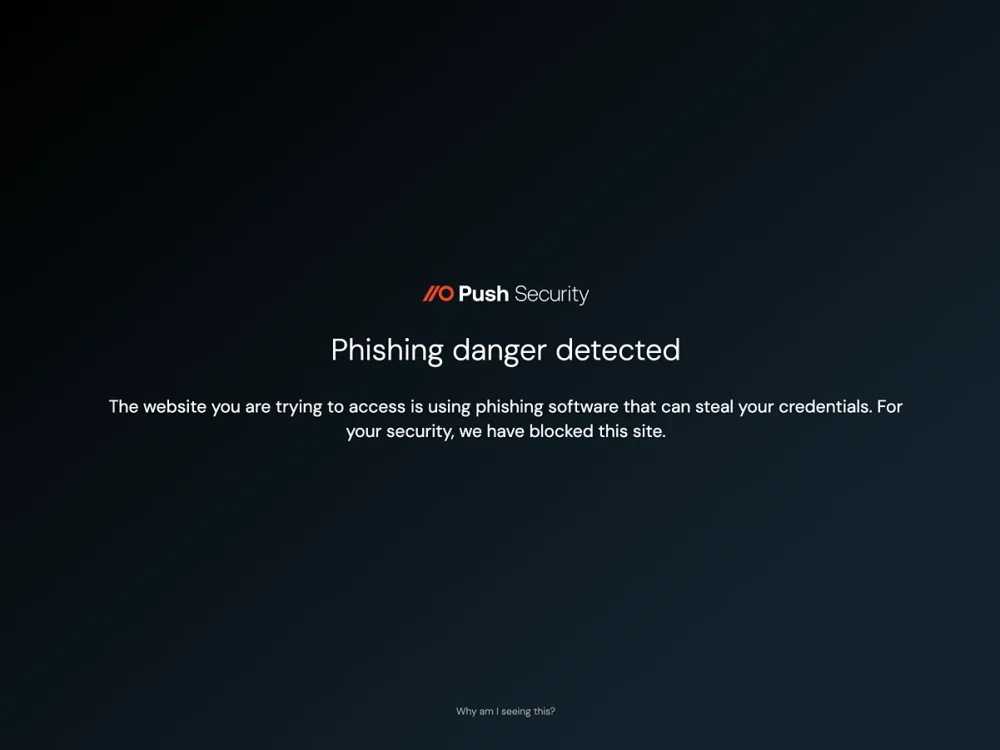
Provide real-time guardrails instead of retroactive test results
Phishing simulations tell you which employees clicked on a test email last month. Push provides in-browser guardrails that prevent the real attack from succeeding right now — warning users when they encounter a suspicious page, blocking malicious clipboard payloads, prompting them to update compromised passwords, and steering them toward SSO when they attempt a local login.
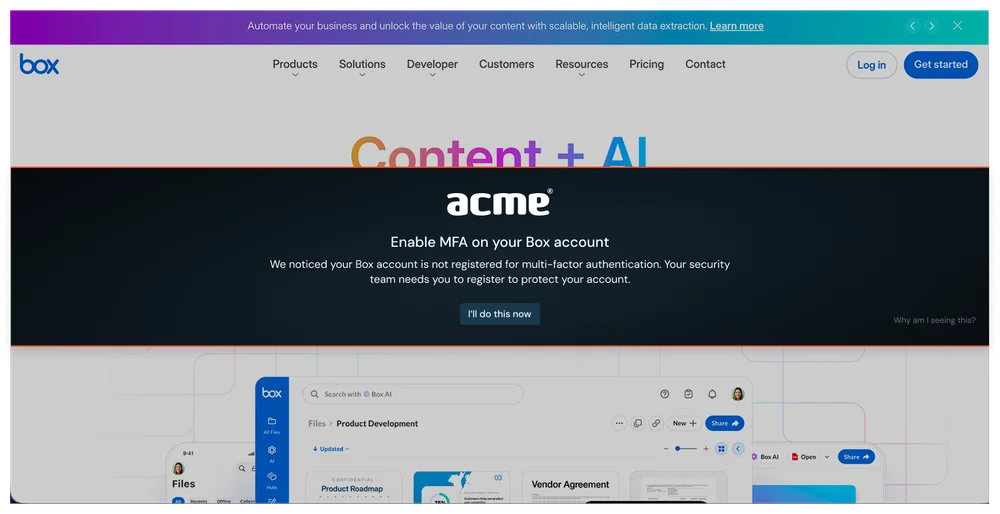
The guardrail model extends beyond phishing. Push flags breached, weak, and reused passwords and missing MFA at the point of login — something training can advise on but can't detect or enforce. You can also intervene to block risky actions like file downloads and clipboard copy events containing sensitive data. These controls reduce phishing risk independently of user judgment, and they create a more constructive dynamic than simulation-based testing — they help employees rather than catching them.
More training won't mean less phishing incidents.
Many regulatory frameworks require security awareness training — NIST 800-53, ISO 27001, PCI DSS, SOC 2, HIPAA. Push doesn't replace the compliance requirement. Organizations can meet their training obligations with their existing SAT provider while deploying Push to stop the attacks training can't prevent.
For the specific security outcome that training aims to achieve — reducing successful phishing — browser-layer detection provides significantly stronger protection than training alone. Push detects phishing pages behaviorally, catches credential compromise in real time, blocks ClickFix payloads, and detects session hijacking that doesn't involve user interaction at all. Training continues to serve its compliance and general awareness function (non-phishing social engineering, physical security, policy compliance), while Push handles the phishing defense that modern attacks have moved beyond user judgment.
| Dimension | Push Security | Security awareness training |
|---|---|---|
| Stop modern phishing | Yes — Behavioral detection analyzes page structure, script behavior, and credential-harvesting mechanics to catch AiTM kits, device code phishing, cloned login pages, and BitB attacks | No — Teaches URL checking and visual cues — unreliable when AiTM pages replicate the real IdP, device code phishing exploits a legitimate OAuth flow, and cloned pages are pixel-perfect |
| Stop ClickFix and social engineering | Yes — Detects malicious clipboard injection at the point of interaction, before the payload executes | No — No training module can meaningfully address habitual interaction patterns — users complete CAPTCHAs and follow install prompts hundreds of times a month |
| Stop AI-generated phishing | Yes — Detects phishing pages regardless of lure quality — detection targets the destination page behavior, not the email that delivered it | No — Teaches red flags (spelling errors, formatting, generic greetings) that AI-generated lures don't contain — the cues training targets have been eliminated |
| Cover all delivery channels | Yes — Detects at the destination page regardless of delivery channel — email, SMS, Teams, social media, search ad, or browser extension | No — Training and simulations focus on email — phishing via SMS, messaging apps, social media, search ads, and collaboration platforms isn't covered by most programs |
| Improve security posture | Yes — Detects weak, reused, and compromised passwords at the point of login in real time, with in-browser guardrails for remediation | No — Can advise on password hygiene but can't detect or enforce it — no visibility into what passwords employees actually use |
| Measure real phishing resilience | Yes — Real-time detection data shows actual phishing pages employees encounter, which are blocked automatically, and which users interact with before detection fires | No — Simulated phishing campaigns measure click rates on test emails — tests known patterns employees have been trained to recognize, not the novel techniques real attacks use |
| Meet compliance requirements | Yes — Does not replace compliance-mandated training, but helps meet compliance requirements for password policy, MFA enforcement, and credential hygiene — and addresses the security gap that training leaves open | No — Satisfies training requirements under NIST, ISO 27001, PCI DSS, SOC 2, HIPAA |

Frequently asked questions
Security awareness training (SAT) is a program designed to educate employees about cybersecurity risks and teach them to recognize common attacks — particularly phishing. SAT typically includes educational content (videos, modules, quizzes) and simulated phishing campaigns that test whether employees click on fake phishing emails. Leading SAT vendors include KnowBe4 and Proofpoint Security Awareness, and most organizations deploy SAT to meet compliance requirements (NIST, ISO 27001, PCI DSS, SOC 2, HIPAA).
Push complements SAT by providing automated phishing detection at the browser layer — stopping the attacks that training can't prepare users for, while SAT continues to serve its compliance and general awareness function.
Training builds general security awareness, and organizations should do it — but it is not a meaningful technical control for stopping phishing attacks. A Purdue University study of 12,511 employees found repeat offenders persisted regardless of training intervention. A UC San Diego study of 19,789 personnel found most users continued to click after multiple sessions. The deeper problem is that modern phishing techniques (AiTM, ClickFix, AI-generated lures) and delivery channels (SMS, messaging apps, QR codes, search ads) are specifically designed to defeat the pattern recognition that training teaches. No amount of training turns a human into a credible defense against attacks engineered to be indistinguishable from legitimate interactions.
Push provides the technical control layer that training can't. Behavioral phishing detection analyzes page structure and credential-harvesting mechanics to stop attacks automatically — regardless of how convincing the lure looks or which channel delivered it.
AI-generated phishing lures contain no spelling errors, no formatting inconsistencies, no generic greetings — the traditional cues that training teaches users to spot. AI produces contextually relevant, grammatically perfect, personalized messages that are indistinguishable from legitimate communications.
Push detects the phishing page, not the lure. Whether the email that delivered the link was AI-generated or manually crafted, Push analyzes the destination page's behavior and structure to identify it as a phishing attack.
Yes — browser-layer detection removes the dependency on users recognizing attacks. The reason user-dependent defense fails against modern phishing is that AiTM pages show the real login interface, ClickFix attacks mimic routine interactions, and AI-generated lures contain none of the traditional red flags. The attacks are designed to be indistinguishable from legitimate interactions, so asking users to distinguish them is not a viable control.
Push detects phishing pages automatically by analyzing page behavior — AiTM kits, cloned login pages, device code phishing, and credential-harvesting pages are caught before the user enters credentials, with no user judgment required. Push also blocks ClickFix clipboard payloads, detects compromised passwords at the point of login, and catches session hijacking via marker injection. These are technical controls that operate independently of whether the user recognizes the threat.
For compliance: likely yes. Most regulatory frameworks require employee security awareness training regardless of what technical controls are in place.
For security: training provides general awareness value (non-phishing social engineering, physical security, policy compliance) that automated tools don't address. But for the specific threat of phishing, browser-layer detection provides significantly stronger protection than training alone — particularly against the AiTM, ClickFix, and AI-powered attacks that training can't address.
Phishing simulations measure click rates on test emails — useful for benchmarking and compliance reporting, but limited as a measure of real phishing resilience. A Purdue University study of 12,511 employees found repeat offenders persisted regardless of training intervention, and a UC San Diego study of 19,789 personnel found most users continued to click after multiple sessions. Simulations test known patterns employees have been trained to recognize, while real attacks use AiTM reverse proxies, AI-generated lures, and delivery channels (SMS, messaging apps, QR codes) that simulations don't cover. The gap between simulation difficulty and real attack sophistication widens each year.
Push provides a more accurate measure of phishing resilience: real-time detection data showing how many actual phishing pages employees encounter, which are blocked automatically, and which users interact with before detection fires. This replaces simulation pass rates with empirical data from real attacks across every delivery channel.
Effective phishing defense requires automated detection and prevention at the points where attacks execute, not just user education. The critical layers are email security (catching lures in the email channel), browser-layer phishing detection (catching attacks regardless of delivery channel), credential monitoring (detecting weak, reused, and compromised passwords), MFA enforcement, and session integrity monitoring (detecting stolen token replay).
Push covers the browser layer: phishing detection across all delivery channels, credential monitoring at the point of login, MFA gap detection, and session marker injection for stolen token detection. Combined with email security and IdP-level MFA enforcement, this closes the gaps that training alone leaves open.
Adding more training modules or increasing simulation frequency hits diminishing returns quickly — the research shows persistent click-through rates regardless of training volume, and the attacks themselves are designed to defeat pattern recognition. Reducing phishing risk requires automated controls at the attack surface rather than additional user education.
Push provides behavioral phishing detection (catching attacks at the page level), credential monitoring (detecting compromised passwords before they're exploited), ClickFix detection (blocking malicious clipboard payloads), session marker injection (detecting stolen sessions), and in-browser guardrails (steering users away from risky actions in real time). These controls reduce phishing risk independently of user behavior.
For security awareness training specifically, Proofpoint Security Awareness is the primary alternative. For the security outcome that training aims to achieve — reducing successful phishing — Push provides browser-layer phishing detection that stops attacks regardless of whether employees recognize them.
Most organizations benefit from both: a SAT platform for compliance and general awareness, and Push for real-time phishing detection and credential security.
Latest resources


