Chromebook security: securing the browser session
Chromebooks can't run traditional security software and minimize the OS attack surface by design. But most modern attacks don't touch the endpoint anyway and happen inside the browser session. Push's secure browser extension closes that gap to defend Chromebooks from web-based threats.
- Detect and stop browser-based attacks on Chromebooks
- Gain visibility and control over SaaS usage and authentication
- Apply security controls directly in the browser with no agents required








Secure the browser, not the device
Chromebooks ship with strong foundational security with a lightweight OS that minimizes the endpoint attack surface. These features make Chrome OS significantly more resistant to traditional endpoint malware than Windows or macOS. But they don't address the threats that target the browser: phishing pages that harvest credentials and session tokens, weak and compromised passwords, session hijacking via stolen tokens, shadow SaaS adoption, and data exfiltration through browser-based channels.
The browser is where Chromebook users spend virtually all of their time, and it's where the security gap exists. Browser-layer security — deployed as a Chrome extension, the native application model for Chrome OS — is the architectural answer.
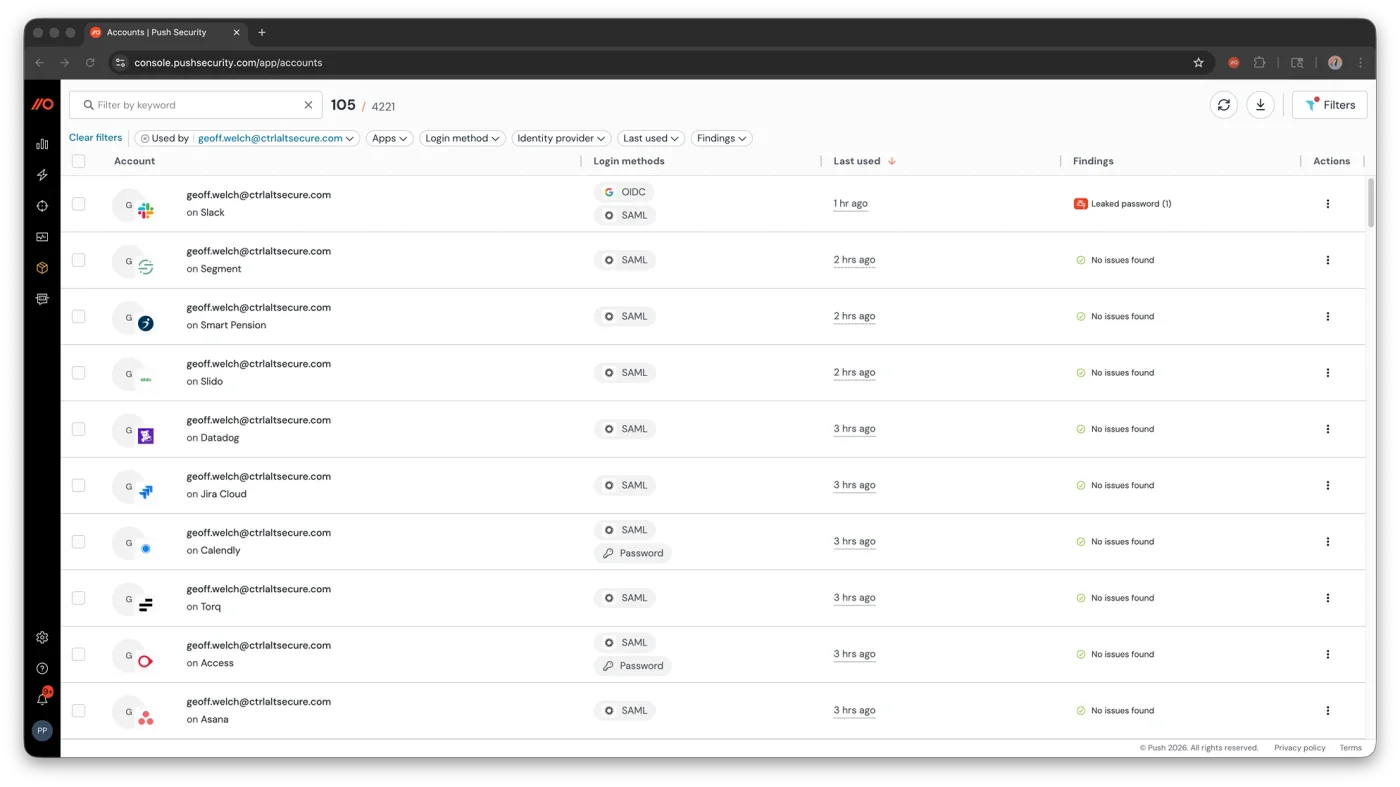
Detect and stop Chromebook attacks in the browser
Push deploys as a Chrome extension and provides the same detection surface on Chromebooks as on Windows and macOS: behavioral phishing detection across all delivery channels (email links, QR codes, search ads, messaging apps), compromised credential detection at the point of login (including passwords found in breach datasets and infostealer logs), and session marker injection that detects stolen token replay.
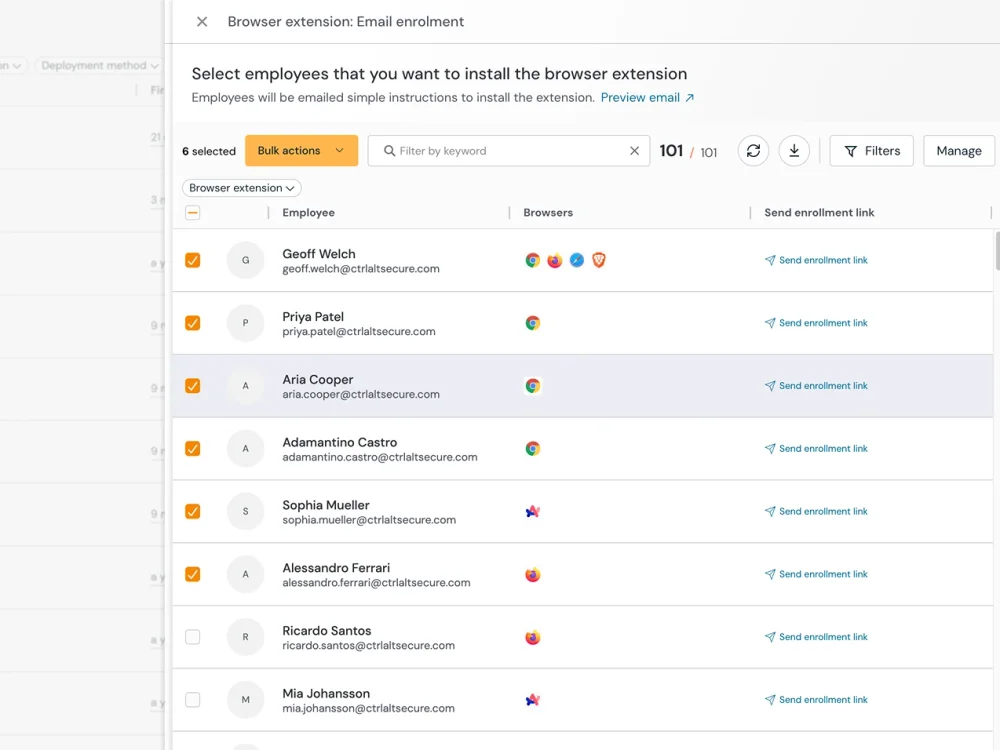
Push can be installed to Chromebook fleets via Google Workspace admin console, the same Chrome management infrastructure organizations already use. No agent, no OS-level access, and no endpoint software to manage.
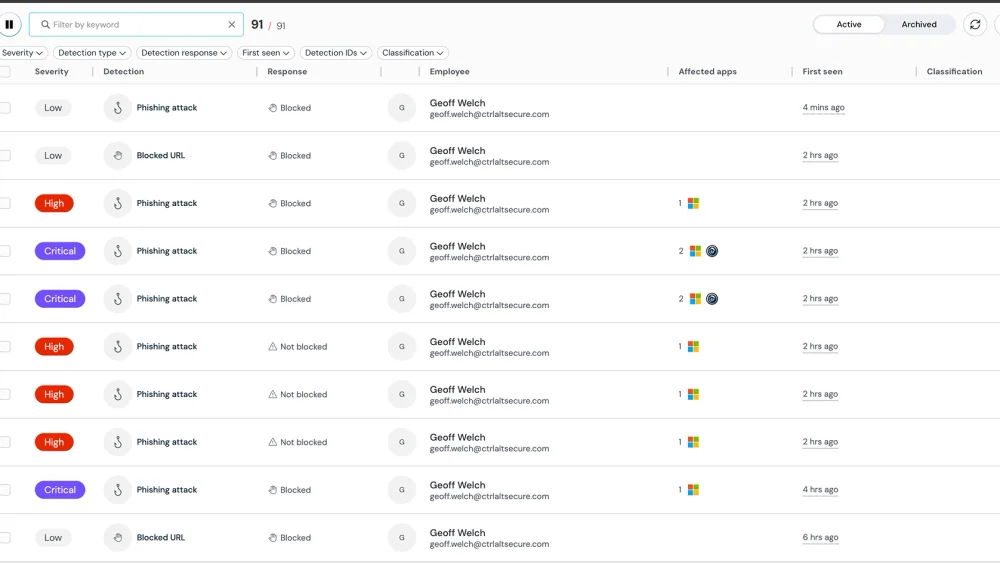
Discover every app and extension across your Chromebook fleet
Push discovers every SaaS application from browser login events — which apps employees are using, how they're authenticating (password, SSO, social login, passkey), whether MFA is enabled, and whether they're using corporate or personal accounts. This covers shadow SaaS, shadow accounts, and ghost logins that bypass SSO — all from the browser, with no network-level discovery infrastructure required.
Push also inventories every browser extension installed across your Chromebook fleet, with full permissions analysis, risk assessment, and supply chain monitoring. Security teams can enforce an extension allowlist — blocking everything not explicitly approved — and receive alerts when new or risky extensions appear. AI-powered extensions get the same visibility: which tools are installed, what permissions they hold, and what data they can access.
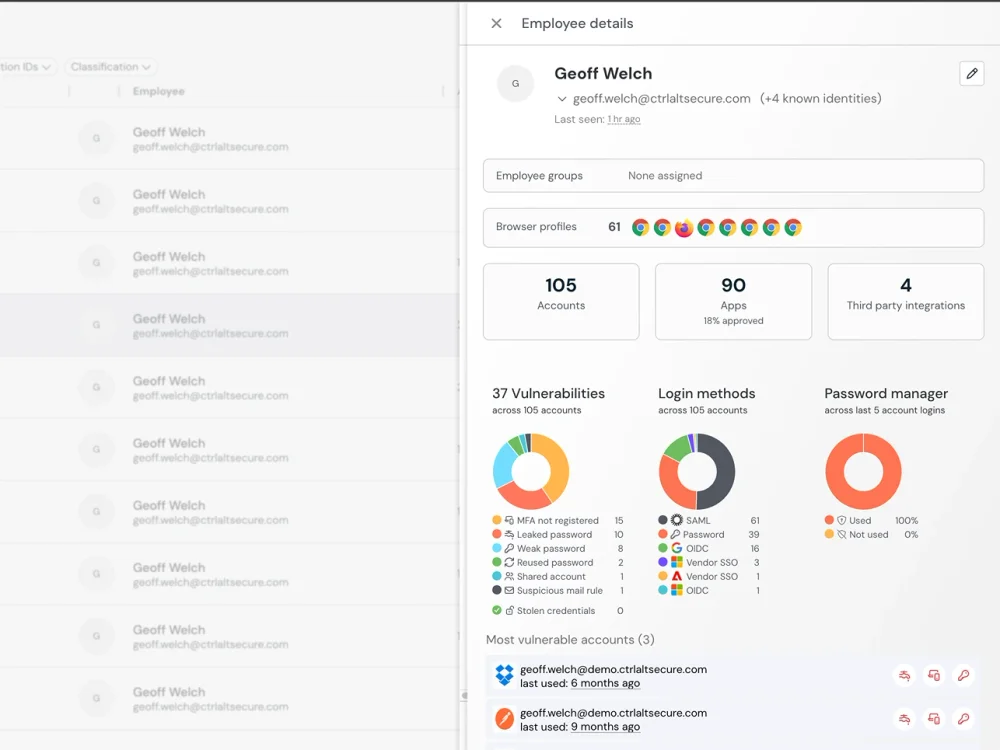
Enforce security policy and data controls on Chromebooks
Push enforces security policy at the browser layer on Chromebooks: account condition enforcement (requiring corporate identity on approved applications, enforcing SSO, restricting browsers), graduated enforcement for SaaS access (monitor, warn, or block), and in-browser guardrails that prompt users to update weak passwords, enroll in MFA, or switch from using a local password to secure SSO.
For data controls, Push provides file upload and download policies (configurable by user group, file type, and file name pattern), clipboard monitoring for sensitive data patterns, domain categorization and blocking, and AI interaction monitoring that captures data shared with AI tools. These controls work on Chromebooks exactly as they do on managed Windows and macOS devices — same policies, same enforcement, same telemetry.
Push vs. native Chrome security controls
| Dimension | Push Security | Native Chrome controls |
|---|---|---|
| Phishing detection | Yes — Behavioral detection — catches AiTM, cloned pages, device code phishing, and credential harvesting by analyzing page behavior | No — URL filtering and Safe Browsing — blocks known-malicious domains but misses fast-changing phishing infrastructure |
| Credential monitoring | Yes — Detects weak, reused, and compromised passwords at the point of login across all apps | Partial — Chrome Password Manager flags some reused passwords; Enterprise Premium alerts on Google Account password reuse only |
| Session security | Yes — Session marker injection detects stolen token replay in browsers not running the Push extension | Partial — Google Device Bound Session Cookies (DBSC) provides session replay protection for supported apps. This does not work against session-strealing phishing attacks like AITM |
| Extension management | Yes — Full inventory, permissions analysis, supply chain monitoring, risk assessment, allowlisting | No — Extension management only via Chrome policies — no permissions analysis or supply chain risk assessment |
| AI visibility | Yes — Discovers AI tools, monitors data sharing, controls AI access with account conditions | No — Enterprise Premium can block specific AI domains at the URL level — no interaction visibility or control |
| Deployment | Yes — Chrome extension — deploys via Google Workspace admin console or direct install | Yes — Built into Chrome OS; Enterprise Premium is a paid tier of Chrome browser management |

Frequently asked questions
Chromebooks have strong foundational security. Verified boot prevents OS tampering, sandboxing isolates browser processes, and automatic updates patch known vulnerabilities. These features make Chrome OS significantly more resistant to traditional endpoint malware than Windows or macOS.
However, Chromebooks aren't immune to browser-based threats: phishing attacks, credential theft, session hijacking, malicious browser extensions, and data exfiltration through SaaS apps all target the browser layer, which is where Chromebook users spend nearly all of their time. Push provides the browser-layer security that Chrome OS's built-in features don't cover.
Chromebooks are secure enough for enterprise deployment from an endpoint hardening perspective. The bigger question is whether your security stack covers browser-based threats on Chrome OS. If your phishing detection, credential monitoring, and DLP require endpoint agents, you have a security gap on every Chromebook in your fleet.
Push closes this gap by deploying as a Chrome extension — providing the same detection surface on Chromebooks as on managed Windows and macOS devices.
Chromebooks don't need traditional antivirus or endpoint protection — Chrome OS's sandboxing and verified boot handle most endpoint-level threats. What Chromebooks do need is browser-layer security: phishing detection, credential monitoring, session security, and SaaS visibility. These capabilities aren't built into Chrome OS and can't be delivered by traditional endpoint security software (which doesn't run on Chrome OS).
Push provides browser-layer security as a Chrome extension — the native application model for Chrome OS.
Yes. Chrome OS includes verified boot (integrity checks on startup), sandboxing (process isolation), automatic updates (transparent patching), data encryption (on-device encryption at rest), and basic extension management. These features provide strong defense against endpoint-level malware and OS tampering.
What's not built in: behavioral phishing detection, compromised credential monitoring, SaaS discovery, session hijacking detection, or granular data loss controls. Push adds these capabilities at the browser layer.
Most traditional endpoint security software doesn't run on Chrome OS. EDR agents, endpoint DLP, and security software that relies on OS-level access (process monitoring, file system hooks, kernel integration) can't deploy on Chromebooks because Chrome OS deliberately restricts this access.
The alternative is browser-layer security. Push deploys as a Chrome extension and provides phishing detection, credential monitoring, session security, and data controls — the enterprise security capabilities that matter most for Chromebook users — without requiring OS-level access.
Chromebooks come with a solid native foundation: Chrome OS built-in security (verified boot, sandboxing, automatic updates), Chrome browser management via Google Workspace admin console, and optionally Chrome Enterprise Premium for URL filtering and browser-level DLP. Google Workspace adds conditional access and DLP for Google apps. These cover endpoint hardening, browser policy management, and basic threat protection.
To build on that foundation with deeper threat detection — behavioral phishing detection, compromised credential monitoring, session hijacking detection, SaaS discovery with authentication context, and browser extension risk assessment — Push deploys as a Chrome extension alongside the native controls. It works with Chrome browser management (deployed via the same admin console) and complements Chrome Enterprise Premium rather than replacing it.
It depends on the threat model. Chrome OS's sandboxing, verified boot, and restricted OS access make it more resistant to traditional endpoint malware than Windows. But those same restrictions mean Chromebooks can't run the endpoint security tools (EDR, endpoint DLP) that Windows supports, and browser-based threats — phishing, credential theft, session hijacking, data exfiltration through SaaS — target both platforms equally. The trade-off is a harder endpoint with a narrower security tooling ecosystem.
Push closes the tooling gap on Chrome OS by providing the browser-layer detection surface — phishing detection, credential monitoring, session security, SaaS discovery — that endpoint tools deliver on Windows but can't deploy on Chromebooks.
Chrome browser management (via Google Workspace admin console) handles basic browser-level policy — extension allowlisting, URL restrictions, and browser settings — but doesn't cover security-specific enforcement like phishing response, credential hygiene, or SaaS access controls. Without MDM, organizations need an alternative enforcement mechanism for these security policies.
Push fills this gap by enforcing security-specific policy at the browser layer: phishing detection response (monitor, warn, or block), credential hygiene enforcement (weak password warnings, MFA enrollment prompts, SSO login guidance), SaaS access controls, and data sharing restrictions. Combined with Chrome browser management, this provides enterprise security policy enforcement on Chromebooks without a separate MDM deployment.
DBSC (Device Bound Session Credentials) binds browser session cookies to hardware. Instead of long-lived cookies that can be stolen and replayed from any device, DBSC issues short-lived cookies (~10 minutes) that the browser continuously refreshes by proving possession of a TPM-bound private key. An attacker who steals a cookie from disk has at most 10 minutes before it expires, and cannot refresh it because they don't have the private key.
However, DBSC requires server-side adoption by each service provider individually — an organization cannot unilaterally protect its sessions. As of September 2026, Google Workspace is the only major SaaS provider that has adopted DBSC server-side. Microsoft has not adopted it for Entra ID or any M365 service, so M365 browser cookies remain long-lived and unbound to hardware despite Edge supporting DBSC client-side.
DBSC was also designed for offline cookie theft and is structurally limited against other vectors: an AITM proxy can strip the registration headers to prevent binding from occurring, or simply capture fresh cookies in real time as they transit the proxy. It is irrelevant to device code phishing and ConsentFix, which exploit OAuth grant flows rather than browser cookies. Even for its primary use case, DBSC does not protect against attackers who inject into the browser process and use the session through the browser's own APIs rather than stealing cookies from disk.
Latest resources


