SWG alternative — browser security vs. secure web gateways
SWGs piece together a picture from traffic. Being in the browser, you just see the picture. Modern attacks execute inside the browser session — after the proxy has allowed the connection.
- Detect attacks that happen inside the browser session
- Get client-side visibility of rendered pages, credentials, clipboard, extensions — where proxy visibility ends
- Get the security outcomes you're paying your SWG for, delivered from the browser








SWGs inspect traffic, but attacks happen in the browser session
A secure web gateway (SWG) inspects traffic between users and the internet — URLs, metadata, and decrypted payload bytes reassembled from network packets. It doesn't see the rendered page, the credentials the user enters, the clipboard content, or the browser extensions running alongside the session. The proxy pieces together a picture from traffic. The browser is the picture.
The attacks driving enterprise compromise in 2026 execute inside the browser session, not in the traffic pipe. AiTM phishing on fresh domains looks like normal authentication traffic to the proxy. ClickFix clipboard injection happens entirely client-side. Credential compromise is invisible at the network layer. Session hijacking generates no proxy-inspectable traffic at all. Browser extensions are completely invisible to any network tool. The gap is structural: SWGs see traffic; the attacks happen in the browser.
Get visibility and control where attacks happen: inside the browser session
Push operates inside the browser — it sees the rendered page, not the traffic. Behavioral phishing detection catches AiTM kits, cloned login pages, device code phishing, and BitB attacks by analyzing what the page does, not where it's hosted. Compromised credential detection flags breached, weak, and reused passwords at the point of login. Session marker injection detects stolen token replay. ClickFix detection catches malicious clipboard injection before the payload executes.
Browser extension inventory, permissions analysis, and supply chain monitoring cover a threat surface entirely invisible to network tools — extensions operate client-side with no traffic signature for a proxy to inspect.

Enforce data controls and access policy at the browser layer
SWG-based DLP requires routing all traffic through the proxy, performing TLS interception to decrypt it, inspecting the reassembled content, and re-encrypting for delivery. This breaks applications that use certificate pinning, adds latency to every session, and doesn't work at all for BYOD devices without MDM-managed proxy profiles. Even with full proxy coverage, the proxy still only sees the traffic — it can't inspect prompt content or clipboard events that happen client-side in the browser, and evasion techniques like HTML smuggling, client-side page assembly, and rapid domain rotation bypass traffic-level detections entirely.
Push enforces data controls inside the browser, where content is already decrypted and the full interaction context is visible. File upload and download policies (configurable by user group, file type, and file name pattern), clipboard monitoring for sensitive data patterns, AI interaction monitoring that captures the actual prompts and file uploads into AI tools — not just traffic to AI domains — and domain categorization with browser-level blocking across an 89-category framework. These controls work on any device with the browser extension, including BYOD devices where proxy routing isn't possible, with no TLS interception, no traffic rerouting, and no latency overhead. Graduated enforcement (monitor, warn, or block) lets security teams calibrate controls by user group rather than choosing between blanket blocking and no visibility.
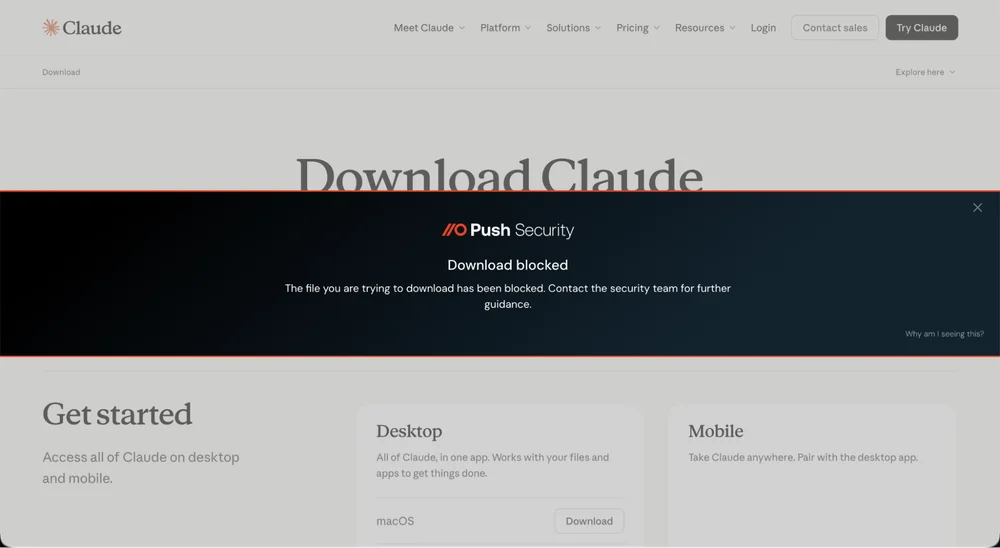
The security outcomes you're paying your SWG for, delivered from the browser
Push covers many of the security outcomes organizations pay their SWG for: domain categorization and blocking, phishing detection, file upload and download controls, malicious file detection, and browser extension governance — delivered from the browser rather than a network proxy, without TLS interception, traffic rerouting, or the per-user cost escalation that comes with unlocking advanced SWG capabilities.
For organizations where the SWG's value is primarily the security use cases — phishing protection, DLP, domain blocking — Push delivers those outcomes from the browser with better detection fidelity, broader device coverage, and significantly less deployment friction. Many teams deploy Push alongside their SWG first, surface what the proxy is missing, and let the data inform the renewal decision.
| Dimension | Push Security | SWG |
|---|---|---|
| Block malicious websites | Yes — Behavioral page analysis catches AiTM kits, cloned login pages, and credential-harvesting pages regardless of domain reputation. Also provides browser-layer domain categorization and blocking — the same outcome without proxy routing | Partial — URL filtering and reputation-based blocking — effective for known-bad domains, but new phishing infrastructure, compromised legitimate sites, and rapid domain rotation pass reputation checks |
| Block phishing attacks | Yes — Behavioral phishing detection analyzes page structure, script behavior, and credential-harvesting mechanics — infrastructure rotation doesn't evade detection, and malicious components on otherwise trusted domains (e.g. compromised websites) are blocked too | No — URL categorization blocks known phishing domains — misses freshly registered infrastructure, cloud-hosted pages, and AiTM kits on uncategorized domains |
| Detect credential compromise | Yes — Detects compromised, weak, and reused passwords at the point of login across every app accessed through the browser | No — No credential visibility — sees network traffic, not what passwords users enter or whether those passwords are weak, reused, or breached |
| Prevent data exfiltration via web | Yes — Browser-layer file controls, clipboard monitoring, and AI interaction monitoring — works on any device, no proxy routing required | No — TLS inspection with content analysis — requires proxy routing, breaks some apps with cert pinning, no coverage on BYOD or personal networks |
| Control AI tool usage | Yes — Monitors prompts, file uploads, and clipboard activity into AI tools at the browser layer — graduated enforcement with content-level visibility | No — Block or allow AI domains at the proxy — can't inspect prompt content without TLS interception, no middle ground between allow and block |
| Secure web access on BYOD | Yes — Browser extension deploys to any device — full detection surface and data controls without proxy routing or device management | No — Requires traffic routing through proxy — impractical on personal devices without MDM-managed VPN or proxy profiles |
| Block malicious file downloads | Yes — Detects malicious file downloads at the browser layer, with file controls configurable by type, source, and user group | No — Scans files in transit for known malware signatures — evasion techniques like HTML smuggling and client-side assembly bypass traffic-level inspection |
| Govern browser extensions | Yes — Full extension inventory, permissions analysis, supply chain monitoring, allowlisting, and blocking | No — No visibility — extensions operate client-side with no traffic signature for a proxy to inspect |
| Detect session hijacking | Yes — Session marker injection provides deterministic proof of stolen sessions — a session created in a Push-protected browser appearing elsewhere is confirmed stolen | No — No visibility — stolen session tokens are replayed in the attacker's browser with no SWG-inspectable traffic |

Frequently asked questions
A secure web gateway (SWG) is a network security tool that filters and inspects web traffic between users and the internet. SWGs provide URL filtering, TLS inspection, malware scanning, DLP, and acceptable use enforcement. They're typically deployed as part of an SSE or SASE platform alongside CASB and ZTNA capabilities, but they don't see inside browser sessions — where phishing, credential compromise, session hijacking, and AI data sharing occur.
Push complements SWGs by operating at the browser layer: detecting phishing pages by behavior rather than URL reputation, monitoring credentials at the point of login, and providing session integrity that network-level tools can't observe.
A SWG intercepts web traffic (typically via proxy or agent-based routing), inspects the connection against URL reputation databases and policy rules, and allows, blocks, or inspects the traffic. For HTTPS traffic, SWGs perform TLS interception — decrypting the connection for content inspection, then re-encrypting for delivery. The inspection operates at the network connection level — once the connection is allowed and the page loads in the browser, the SWG's visibility ends.
Push picks up where the SWG stops: analyzing what happens inside the browser session after the connection is established — credential entry, page behavior, session integrity, and data sharing with AI tools.
A next-generation SWG typically refers to cloud-native SWGs with TLS 1.3 inspection, integrated CASB and ZTNA capabilities (as part of an SSE platform), and improved threat detection at the network layer. Vendors like Zscaler, Netskope, and Palo Alto offer next-generation SWG capabilities.
Browser-layer security (Push) represents a different evolution: instead of improving network-level inspection, extend security to the browser session where the attacks actually execute. Push and next-gen SWGs are complementary — network-level filtering and browser-level detection close different parts of the security gap.
A proxy reconstructs traffic — it sees URLs, metadata, and decrypted payload bytes. The browser sees the actual rendered page: DOM structure, client-side script execution, credential entry events, clipboard content, session creation, browser extension behavior, AI tool prompts, and OAuth consent flows. Everything that happens client-side in the browser is invisible to a proxy because it never crosses the network.
Push operates inside the browser and sees all of it. SWGs operate at the network layer and see none of it. The gap isn't about better TLS inspection or smarter traffic analysis — it's a structural difference in observation layer.
It depends on what you need the SWG for. If your SWG's value is primarily security use cases — phishing protection, domain blocking, file controls, DLP — Push delivers those outcomes from the browser with better detection fidelity and broader device coverage, without proxy routing or TLS interception.
Many organizations deploy Push alongside their SWG, surface what the proxy is missing, and use the data to inform renewal decisions. The question isn't whether to keep network security — it's whether the security outcomes driving most of the SWG cost are better served from the browser.
On-device SWGs move the proxy from the cloud to the endpoint, but they still operate at the network layer — intercepting and inspecting traffic in transit. Push operates inside the browser itself. It sees the rendered page, the DOM, the scripts executing client-side, the credentials being entered, the clipboard content, and the browser extensions running alongside the session. These are all invisible to any proxy, whether it runs in the cloud, on the device, or at the network edge.
The practical difference: an on-device SWG can inspect traffic without routing it through a cloud proxy, but it still can't detect a cloned login page, govern browser extensions, or monitor clipboard activity. Push can, because it operates at the layer where those things happen.
Attackers bypass SWGs in two ways. First, by operating on infrastructure the SWG hasn't categorized: freshly registered domains, compromised legitimate sites, cloud-hosted pages, and URL redirects that resolve to different destinations after the initial check. Second, by assembling malicious content client-side — HTML smuggling, JavaScript-rendered phishing pages, and client-side page assembly produce attacks that never exist in the traffic the proxy inspects. The malicious page is constructed in the browser from benign-looking components.
Push detects these attacks at the page level — analyzing the rendered page and client-side behavior, not the traffic that delivered it — so neither infrastructure rotation nor client-side assembly evades detection.
Latest resources


