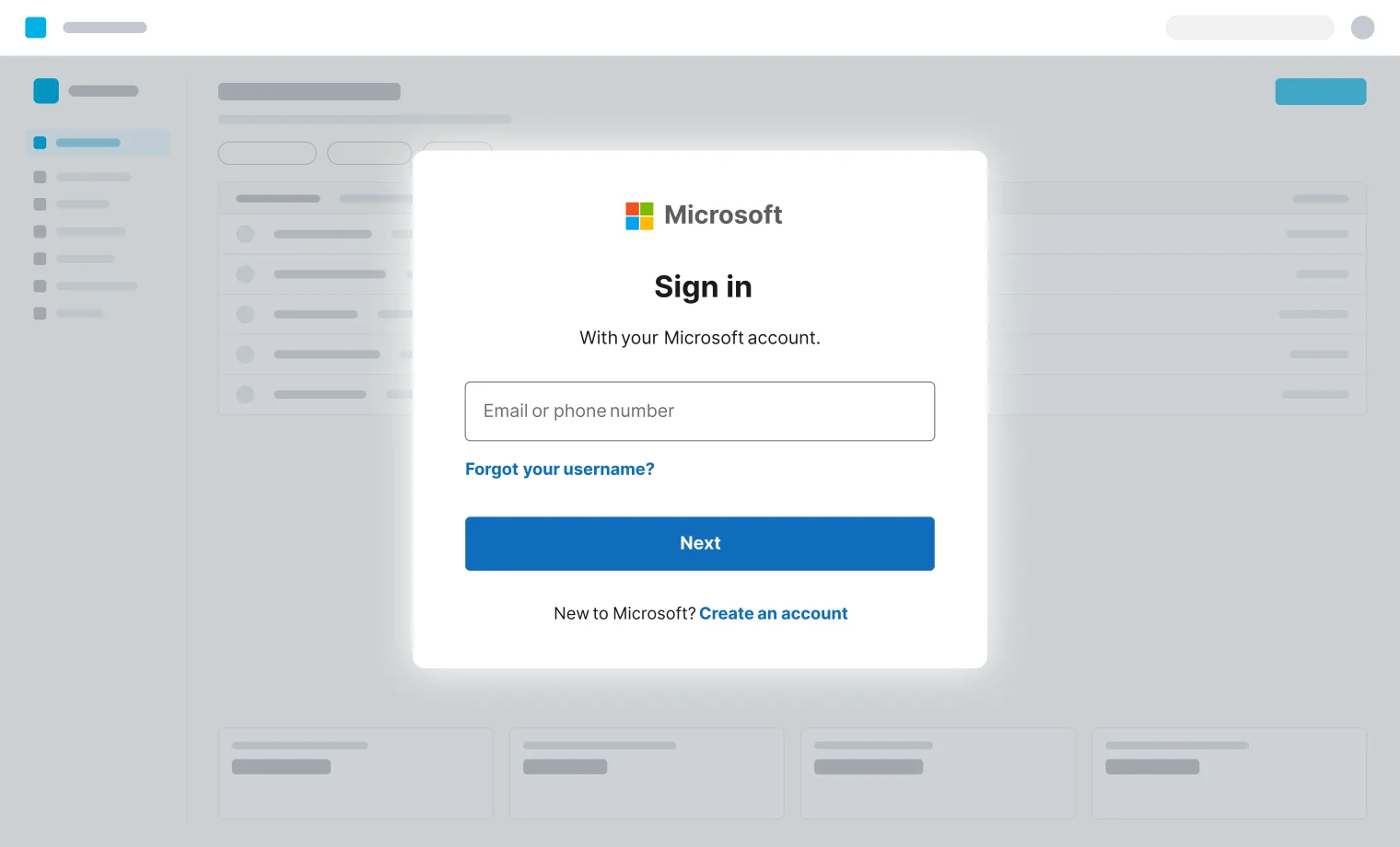


Traffic looks legitimate
- Sites not known bad
- No malware in sandbox
- Requests seem legitimate
This is your 2026 guide to the browser-based attack techniques behind today's biggest breaches, and why traditional security tools don’t detect them until it’s too late.
At the risk of using a few too many buzzwords: we've lived through a paradigm shift. Where we used to talk about novel software exploits and advanced endpoint malware, in 2026 we're talking about cloud apps and identities as the "patient zero" of modern breaches.
But there's more to it. This shift has been accompanied by an evolution in attack paths themselves — one that many security teams haven't adjusted to.
The best way to understand this shift is that the browser is the new endpoint. Once you frame modern attacks as being browser-based, it's easy to see why existing security tools are failing to intercept them — because they have partial visibility at best.

Modern phishing isn’t just credential theft.
Phishing techniques look very different to what they did even a few years ago. Once upon a time, phishing just meant stealing credentials or sending malware via email.
Now, phishing attacks routinely bypass MFA by targeting sessions and tokens, not credentials, and take several different forms — like entering a device code, authorizing a consent grant, installing a browser extension, or even directly running malicious code on your machine by copy and pasting a malicious command.
Users aren’t (and can’t be) trained to spot modern phishing, while typical technical controls weren’t designed for it — creating blind spots on multiple fronts.
Payload variation
30+
new device code phishing kits detected and cataloged this year, up from zero last year.
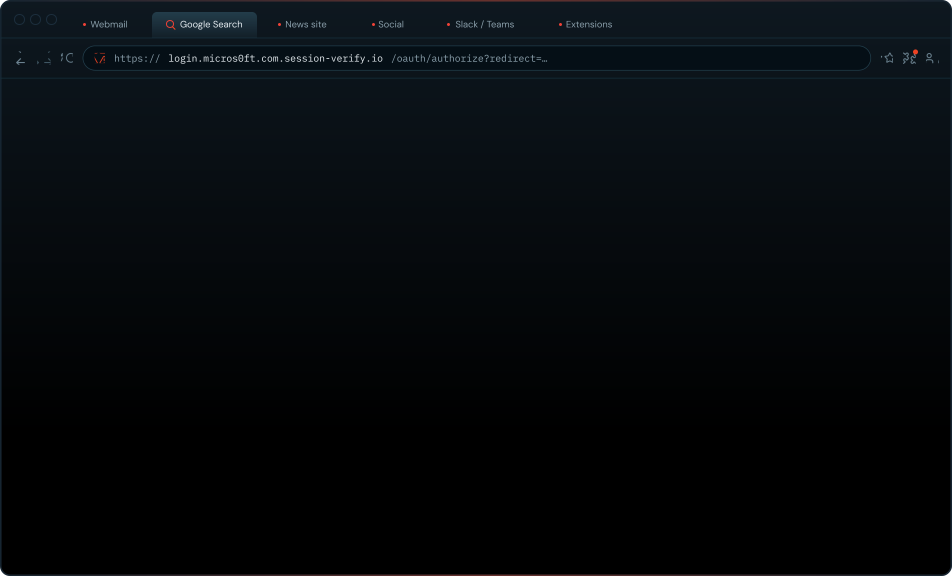

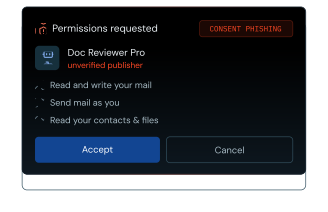
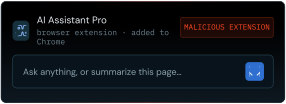
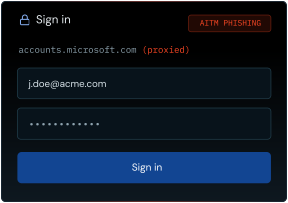
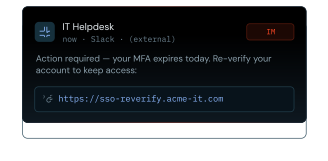
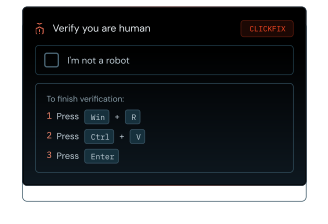
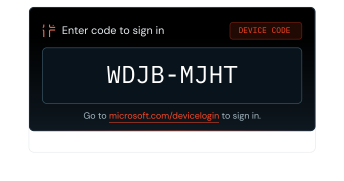
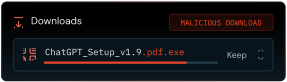
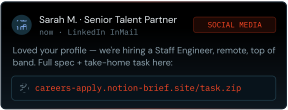
Attackers abuse a wide range of legitimate, trusted services to host malicious content, benign decoy pages, and redirect chains — allowing them to blend in with normal web traffic and fly under the radar.
Services like Microsoft Dynamics, SharePoint, Adobe, Google Firebase, Google Sites, Jotform, Linode, Azure, Cloudflare, Atlassian, and many more are commonly abused.
They’re even using legitimate bot protection tools to bypass other legitimate security tools for web content scanning and analysis, meaning pages go undetected until it’s too late.
Detection evasion
95%
Of in-browser attacks detected by Push used bot-protection services to hide, preventing security tools from analyzing the page.
Detection evasion
95%
Of in-browser attacks detected by Push used bot-protection services to hide, preventing security tools from analyzing the page.
Not only are attackers utilizing trusted sites and bot protection, they’re combining them with detection evasion techniques like rapid domain rotation, complex redirect chains, and screening checks to filter out unwanted visitors.
Meanwhile, modern phishing pages are designed to be disposable. So even if they do get detected, attackers are proactively tearing down and spinning up new pages to stay ahead of blocklists.
If you’re primarily looking at static IoCs, pretty much every attack is a “zero-day” and will catch you off-guard.
Domain rotation
2 days
The time that most phishing domains remain active before being rotated for a fresh one, evading blocked URL detections.
Attackers are reaching their targets in lots of different places, not just email.
Users can stumble upon malicious content pretty much everywhere they work in the browser. Search engines, IM platforms, and social media apps are increasingly popular delivery vectors as an alternative to email. Malicious ads are being delivered across Google Search and Facebook, LinkedIn DM’s and job posts are being used to distribute phishing links.
These channels have virtually no screening of content or messages and are invisible to security tools, while also being places users aren’t trained to suspect foul play.
Modern phishing isn’t obvious or predictable. It can hit your users anywhere they work, comes in many different forms, and exploits normal user behaviors.
Attack channels — email, Slack and Teams, social DMs, SMS, search ads, in-app messages, docs and invites, service desk and vishing — reaching an employee's browser. Only email passes through a secure email gateway; every other channel arrives uninspected.
| Delivery channel | Status | Inspected by |
|---|---|---|
| Inspected | A secure email gateway (SEG) | |
| Social DMs | Uninspected | No security tool |
| Slack / Teams | Uninspected | No security tool |
| SMS | Uninspected | No security tool |
| Docs & Invites | Uninspected | No security tool |
| Search Ads | Uninspected | No security tool |
| In-app messages | Uninspected | No security tool |
| Service Desk | Uninspected | No security tool |
| Vishing | Uninspected | No security tool |
Like your employees, attackers are harnessing the power of AI.
This means better quality phishing messages and AI-powered social engineering scams, but most importantly every attacker has become a way better developer overnight. This means new and improved phishing kits-for-hire, as well as the ability for attackers to simply vibe-code their own tools.
AI adoption also opens up a whole new attack surface of AI apps to target that concentrate application access and integrations, with new “normal” user behaviors to take advantage of around AI use too (as we covered in our LLMShare and InstallFix campaign teardowns).
Overall, this means new techniques can reach mass adoption faster. For example, the explosion of device code phishing attacks this year is enabled by AI-assisted development, as existing phishing tool vendors quickly add it to their existing stack to maintain feature parity with the criminal market.
AI abuse
90%
of phishing kits analyzed by Push in 2026 involve some kind of AI-generated tell.
An attacker vibe-coding their own tools sends a stream of attack traffic into an employee's browser, which connects on to an AI hub and the AI services behind it.
Exploiting the browser itself is way more expensive than buying a set of infostealer logs with stolen credentials and sessions, renting a phishing service, or just vibe-coding your own tool.
AI is making software exploits more accessible, but for well-resourced browser vendors it also makes them much easier to find and fix. This is already happening.
Identities can’t be patched in the same way as a software exploit. There’s a way in to pretty much every account (yes, even if you’re using passkeys). And most identity configurations fall way short of the ideal.
That’s why identity attacks remain one of the most useful tools in the attacker’s toolkit, and why the criminal ecosystem continues to double down on them.
Attacks on the browser are beyond most criminals — but attacks in the browser are within reach for all.
Chrome RCE bug bounty
More delivery channels, more techniques, more payloads, with controls lagging behind.
Most of your existing controls weren't designed with browser-based attacks in mind. Any red teamer will tell you: just because a tool counters an attack on paper, doesn't mean there isn't a way around it in practice.
Browser-based techniques have been behind some of the biggest public cybercriminal campaigns and breaches of recent years. Attacks that make it into the public domain are in the minority, but give an indicator of the patterns of criminal behavior happening behind the scenes.
| Month | Stolen credentials | Phishing* | Help desk vishing | AitM phishing | ClickFix | Consent & device code phishing | OAuth supply chain | Other | Total |
|---|---|---|---|---|---|---|---|---|---|
| January 2024 | 3 | 0 | 0 | 0 | 0 | 0 | 0 | 0 | 3 |
| February 2024 | 1 | 0 | 0 | 0 | 0 | 0 | 0 | 0 | 1 |
| March 2024 | 0 | 0 | 0 | 0 | 0 | 0 | 0 | 0 | 0 |
| April 2024 | 1 | 0 | 0 | 0 | 0 | 0 | 0 | 0 | 1 |
| May 2024 | 2 | 0 | 0 | 0 | 0 | 0 | 0 | 1 | 3 |
| June 2024 | 8 | 0 | 0 | 1 | 0 | 0 | 0 | 0 | 9 |
| July 2024 | 1 | 0 | 0 | 0 | 0 | 0 | 0 | 1 | 2 |
| August 2024 | 0 | 0 | 0 | 0 | 0 | 0 | 0 | 0 | 0 |
| September 2024 | 0 | 0 | 1 | 1 | 0 | 0 | 0 | 0 | 2 |
| October 2024 | 0 | 0 | 0 | 1 | 0 | 0 | 0 | 0 | 1 |
| November 2024 | 2 | 0 | 0 | 0 | 0 | 0 | 0 | 0 | 2 |
| December 2024 | 1 | 0 | 0 | 0 | 0 | 1 | 0 | 0 | 2 |
| January 2025 | 1 | 0 | 0 | 0 | 0 | 0 | 0 | 0 | 1 |
| February 2025 | 1 | 0 | 0 | 0 | 0 | 1 | 0 | 0 | 2 |
| March 2025 | 4 | 0 | 0 | 1 | 0 | 0 | 0 | 0 | 5 |
| April 2025 | 3 | 0 | 3 | 1 | 1 | 0 | 0 | 0 | 8 |
| May 2025 | 2 | 0 | 2 | 0 | 1 | 1 | 0 | 2 | 8 |
| June 2025 | 0 | 0 | 6 | 0 | 0 | 0 | 0 | 0 | 6 |
| July 2025 | 0 | 0 | 0 | 0 | 0 | 4 | 0 | 0 | 4 |
| August 2025 | 0 | 0 | 0 | 0 | 0 | 8 | 15 | 0 | 23 |
| September 2025 | 0 | 0 | 2 | 0 | 0 | 1 | 2 | 0 | 5 |
| October 2025 | 0 | 0 | 0 | 0 | 0 | 0 | 0 | 0 | 0 |
| November 2025 | 1 | 0 | 1 | 1 | 0 | 0 | 1 | 0 | 4 |
| December 2025 | 0 | 0 | 0 | 0 | 0 | 0 | 0 | 0 | 0 |
| January 2026 | 0 | 0 | 0 | 7 | 0 | 0 | 1 | 0 | 8 |
| February 2026 | 0 | 7 | 0 | 0 | 0 | 0 | 0 | 2 | 9 |
| March 2026 | 2 | 2 | 0 | 2 | 0 | 0 | 1 | 2 | 9 |
| April 2026 | 0 | 11 | 0 | 1 | 1 | 0 | 5 | 2 | 20 |
| May 2026 | 1 | 1 | 0 | 1 | 0 | 0 | 0 | 3 | 6 |
| June 2026 | 0 | 1 | 0 | 1 | 0 | 0 | 12 | 2 | 16 |
| Total | 34 | 22 | 15 | 18 | 3 | 16 | 37 | 15 | 160 |
Push intercepts browser attacks in real time, before they hit the user
See how Push stops browser attacks
Adversary-in-the-middle phishing uses a reverse proxy to sit between the victim and a legitimate login page, relaying credentials and MFA challenges in real time to steal the resulting session token.
Blocked by Push
Device code phishing abuses the OAuth 2.0 device authorization flow — the attacker generates a legitimate device code and tricks the victim into entering it, granting the attacker a valid access token without ever touching the victim's credentials.
Blocked by Push
BITM phishing uses screen sharing technology like noVNC to stream an image of their browser to the victim. In this scenario, the victim is tricked into logging in on the attacker's browser: a bit like handing them the laptop and having them sign in
Blocked by Push
Browser-in-the-browser (BITB) attacks render a fake browser popup inside the page — complete with a spoofed address bar showing a legitimate login URL — so victims believe they're signing in through a real login form.
Blocked by Push
Consent phishing tricks users into granting OAuth permissions to a malicious application, giving the attacker persistent API-level access to the victim's data without needing their password.
Blocked by Push
Social media phishing delivers malicious links through trusted platforms like LinkedIn — recruiter outreach, direct messages, and connection requests lead victims to phishing pages, malware downloads, or other payloads entirely outside email security's view.
Blocked by Push
Malvertising uses paid search ads or display ads to place malicious links above legitimate results, directing victims to phishing pages or malware downloads, blending in with legitimate search results.
Blocked by Push
Malicious browser extensions either start as outright malicious or become compromised through supply chain attacks like ownership transfers and permission escalations, gaining broad access to browsing data and credentials.
Blocked by Push
Malicious file downloads deliver malware payloads through the browser via malicious and compromised webpages.
Blocked by Push
ClickFix attacks use a variety of lures, like fake CAPTCHA pages, error messages, or install prompts to silently load malicious commands into the victim's clipboard and instruct them to paste and execute the payload, which typically installs an infostealer or remote access tool.
Blocked by Push
ConsentFix wraps OAuth consent abuse in a ClickFix-style lure — a fake verification page walks the victim through approving a malicious consent grant.
Blocked by Push
Session hijacking occurs when an attacker steals a valid session token, typically via infostealer malware or phishing, and replays it from their own browser to take over an authenticated session.
Blocked by Push
Credential stuffing uses stolen username-password pairs from breached databases and infostealer logs to attempt logins at scale, exploiting password reuse across services.
Blocked by Push
Browser security that detects and blocks the attacks in this report in real time, before compromise.