Today's AiTM kits fall into four classes: reverse proxy, replica page, pixel streaming, and DOM mirroring. This post explains how each one works and why attackers are shifting to DOM mirroring as their method of choice.
AiTM phishing has changed a lot since we first wrote about it. It's also got harder to follow. Security vendors group and describe these attacks in different ways, so the same kit can get a different label depending on whose report you read. In this post, we set out what the AiTM landscape looks like today, and clear up the main points of confusion we come across.
Adversary-in-the-middle (AiTM) phishing is how criminals take over accounts that are protected by MFA. A kit puts attacker infrastructure between the victim and the real sign-in page. It relays the password and the second factor as the victim enters them, and it keeps the session that the service issues at the end.
When we first wrote about AiTM phishing in 2024, it mostly meant a reverse proxy like Evilginx. That's no longer the whole picture. We group today's AiTM kits into four classes, based on how the sign-in page is presented to the victim:
Reverse proxy. The kit passes the vendor's real sign-in page through attacker infrastructure, so the victim sees the real page on the wrong domain. This is classic AiTM, as in the original Evilginx.
Replica page. The kit serves its own copy or lookalike of the sign-in page and relays what the victim enters to the real service. This is the most common class we see today.
Pixel streaming. The attacker runs a real browser and streams it into the phishing page as video frames, so the sign-in completes in the attacker's browser. This is the rarest class.
DOM mirroring. The kit rebuilds a copy of the real sign-in page in the victim's browser, from page data sent by the attacker's remote browser. That remote browser loads the real page and completes the real sign-in. This is the newest and fastest-growing class. We look at why below.
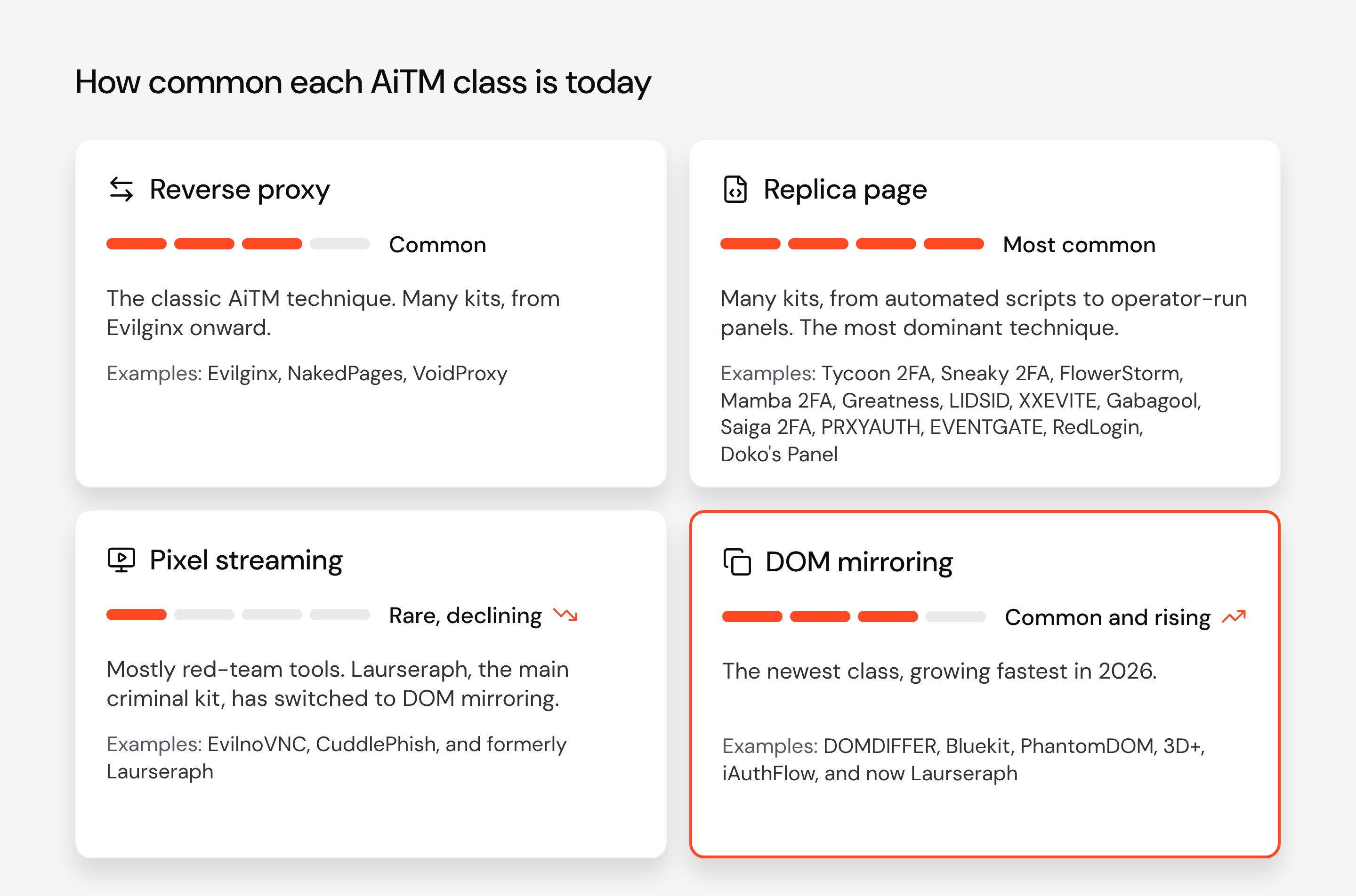
Vendors use plenty of other names for these mechanisms, such as browser-in-the-middle (BitM), MitM phishing, real-time phishing panels, "synchronous relay" and many more. We refer to them all as AiTM.
What about browser-in-the-browser? Another term you might come across is browser-in-the-browser (BitB). BitB is a fake pop-up window drawn inside the phishing page, complete with a fake address bar showing the real vendor's domain. It's a social engineering trick used by many AiTM kits that changes how the sign-in page is presented, not how the sign-in is relayed.
Four ways to sit in the middle of a login
Every AiTM attack has the same three parties: The victim's browser, the attacker's infrastructure, and the real sign-in service. The four classes differ in the exact method used to intercept the login. Even that isn't fixed. A replica page, for example, can relay the sign-in through a script, a human operator, or an attacker's browser. A reverse proxy can use one too, as Evilginx Pro does with EvilPuppet.
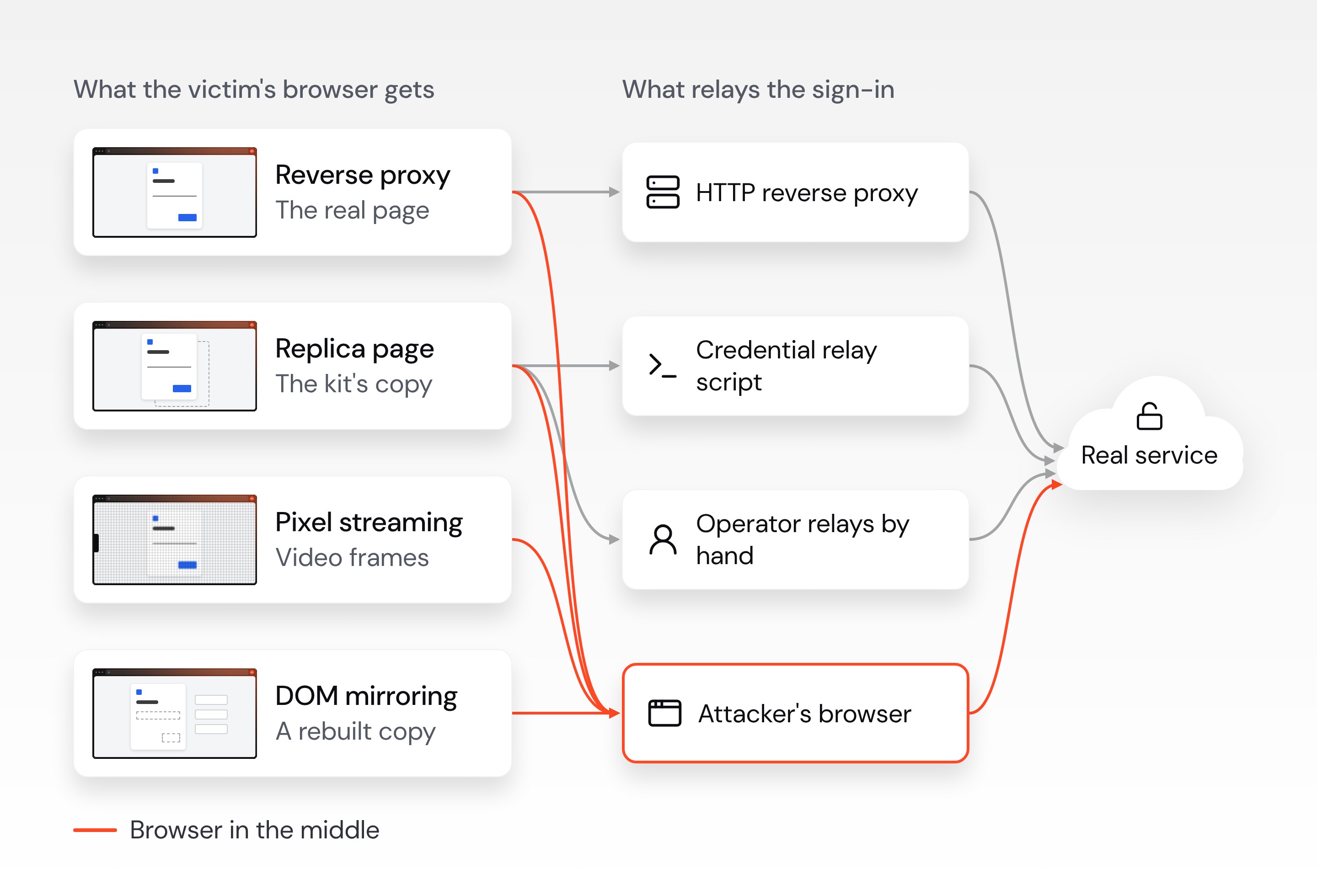
Pixel streaming and DOM mirroring always run through a browser on the attacker's side. The victim never touches the real sign-in page: the attacker's browser loads it, then completes the sign-in with what the victim types.
Replica pages and reverse proxies typically relay the sign-in with a script or manually via an operator, but some kits drive a real browser at the backend instead, as Tycoon 2FA did for Google sign-ins. Evilginx Pro's EvilPuppet module does the same for a reverse proxy: It runs a real browser on the attacker's server and injects its telemetry into the proxied sign-in.
Why are attackers moving to DOM mirroring?
Because it gives attackers the realism of a reverse proxy with the authenticity of a remote browser. That comes down to two decisions: running a real browser at the back end, and then choosing how to show it to the victim.
Why run a remote browser?
Sign-in services now check the browser. Google blocks sign-ins it can't tell apart from a man-in-the-middle attack, using browser telemetry that a proxy or relay script can't fake. A real browser on the real page produces it. That's why Greatness, VoidProxy and DOMDIFFER use one for Google, as Tycoon 2FA did.
It works on any site. A real browser copes with new steps, bot checks and redesigns without any code written for that site, so one engine covers every brand.
The session starts in the attacker's browser. There's no cookie to replay. Controls that tie a session to a device, such as DBSC, tie it to the attacker's device.
Why mirror the DOM?
It doesn't look like a remote screen. Pixel streaming sends a picture, with the lag and blur that go with it. A mirror is real HTML drawn by the victim's own browser. Laurseraph's switch suggests attackers have noticed.
It keeps the vendor's code off the attacker's domain. A reverse proxy runs the vendor's scripts on the attacker's domain, where they can notice something is wrong. A mirror strips them out, so they only run in the attacker's browser, on the real site.
It's cheap to build. It's made from browser automation and open-source libraries such as rrweb and diffDOM, which AI coding tools make easy to put together.
DOM mirroring kit "DOMDIFFER" was by far the #1 kit by breakthrough rate across August, September and October, at two to four times the rate of the second-ranked kit. See DOMDIFFER on our threat intelligence hub, or join our webinar to learn more about breakthrough rate and the kits getting through security controls.
How each class works
Reverse proxy
Also known as: classic AiTM, transparent proxy, MitM phishing
A reverse proxy fetches the vendor's real sign-in page, rewrites the hostnames, and passes the page to the victim. The victim's browser runs the vendor's own code on the attacker's domain, and every request goes through the proxy to the real service. Evilginx set the pattern when it was released in 2017. Evilginx Pro has since added a module called EvilPuppet, which runs a real browser on the attacker's server and injects its telemetry into the proxied sign-in. NakedPages and VoidProxy are current examples. Because the page is the vendor's own, a proxy usually survives a vendor redesign without changes.
Replica page
Also known as: synchronous relay, credential relay, real-time phishing panel, human-in-the-loop phishing
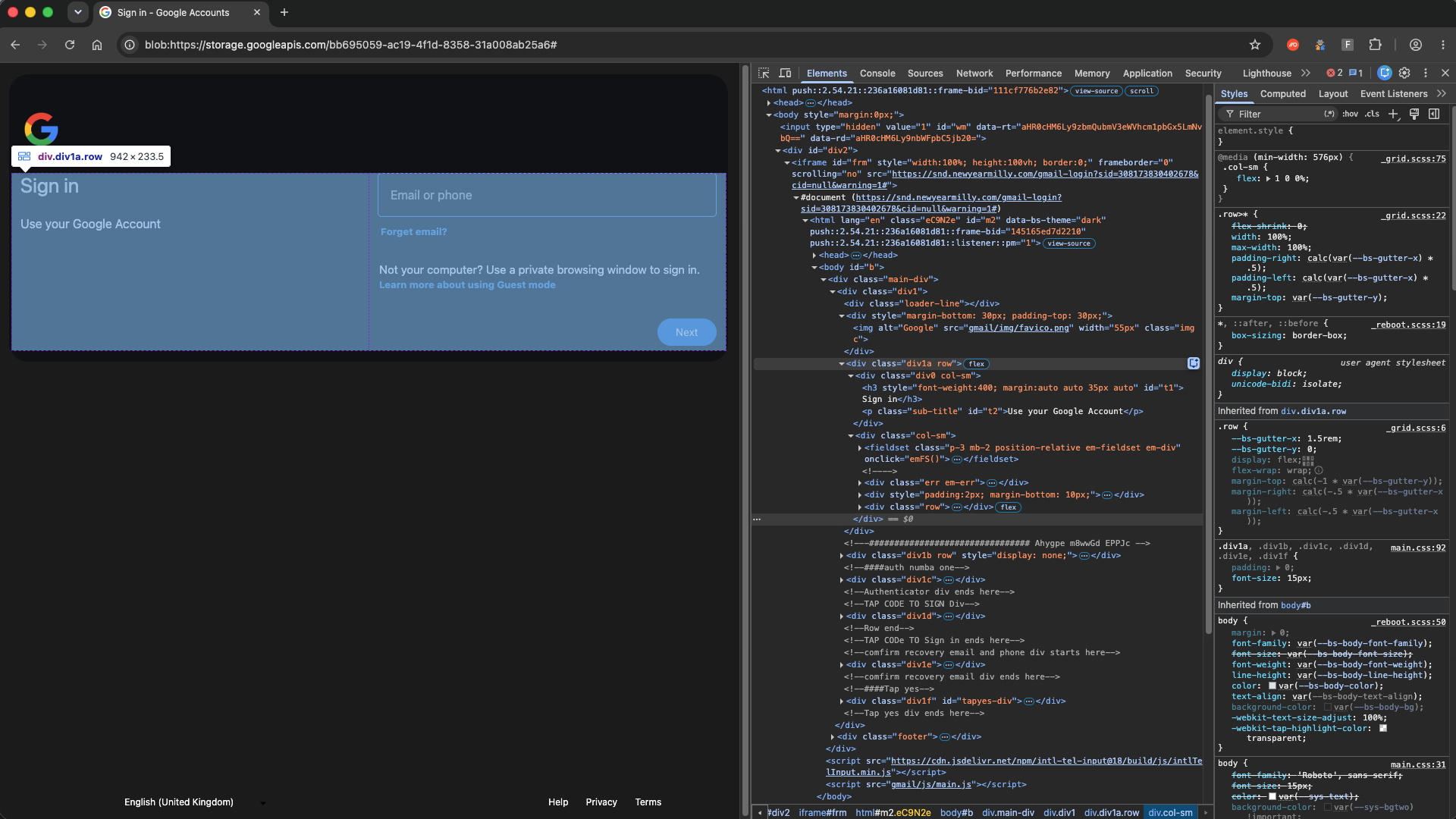
Most current AiTM kits don't proxy the page at all. They serve their own page, which is either a lookalike or a saved copy of the vendor's markup. What the victim types goes to the kit's backend, and the backend replays each step against the real service. When the service asks for a second factor, the kit shows its own MFA prompt. The vendor's scripts never load in the victim's browser directly.
How the kit relays the sign-in varies:
Automated script. Sneaky 2FA and Mamba 2FA replay each step against the real service from the kit's backend, with no human involved.
Backend browser. Some kits drive a real browser at the backend instead. Tycoon 2FA did this for Google sign-ins.
Operator-run panel. With real-time panels such as Doko's Panel, which has been linked to ShinyHunters attacks, an operator runs each stage by hand. The victim waits behind a loading gate until the operator approves them. The operator then enters the credentials at the real service and sends the victim a matching MFA prompt.
Manual relay over Telegram. XXEVITE, which uses fake invitations from brands like Paperless Post and evite, sends credentials to its operators in Telegram, and they appear to enter them by hand.
Pixel streaming
Also known as: browser-in-the-middle (BitM), noVNC phishing, remote browser phishing
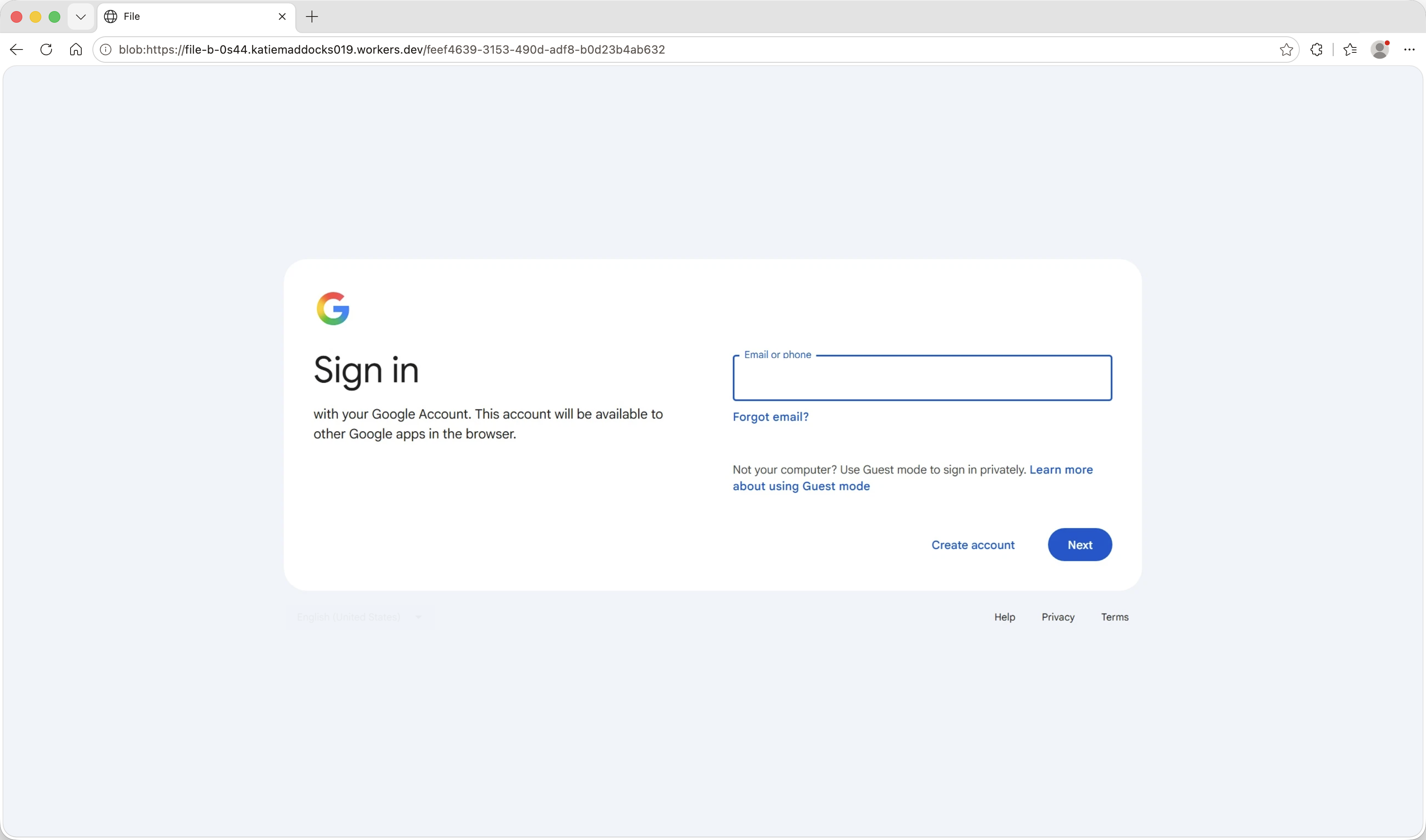
A pixel-streaming kit shows the victim an image or video of the real sign-in page, streamed from the attacker's remote browser. The attacker runs a real browser for each victim, usually in a container, and draws the stream into a canvas on the phishing page. The victim's clicks and keystrokes go back over a WebSocket, and the sign-in completes in the attacker's browser. This is the original browser-in-the-middle (BitM) technique, which the researcher mrd0x first wrote about in 2022.
Laurseraph, also known as GhostFrame, is a recent example that targets Google accounts. There's no sign-in form in the page for a scanner to match, and the kit needs no update when Google changes its pages. The trade-off for the attacker is that the page is visibly a remote screen. Laurseraph has recently switched to DOM mirroring instead, showing how kits can adapt their methods over time.
DOM mirroring
Also known as: browser-in-the-middle (BitM)
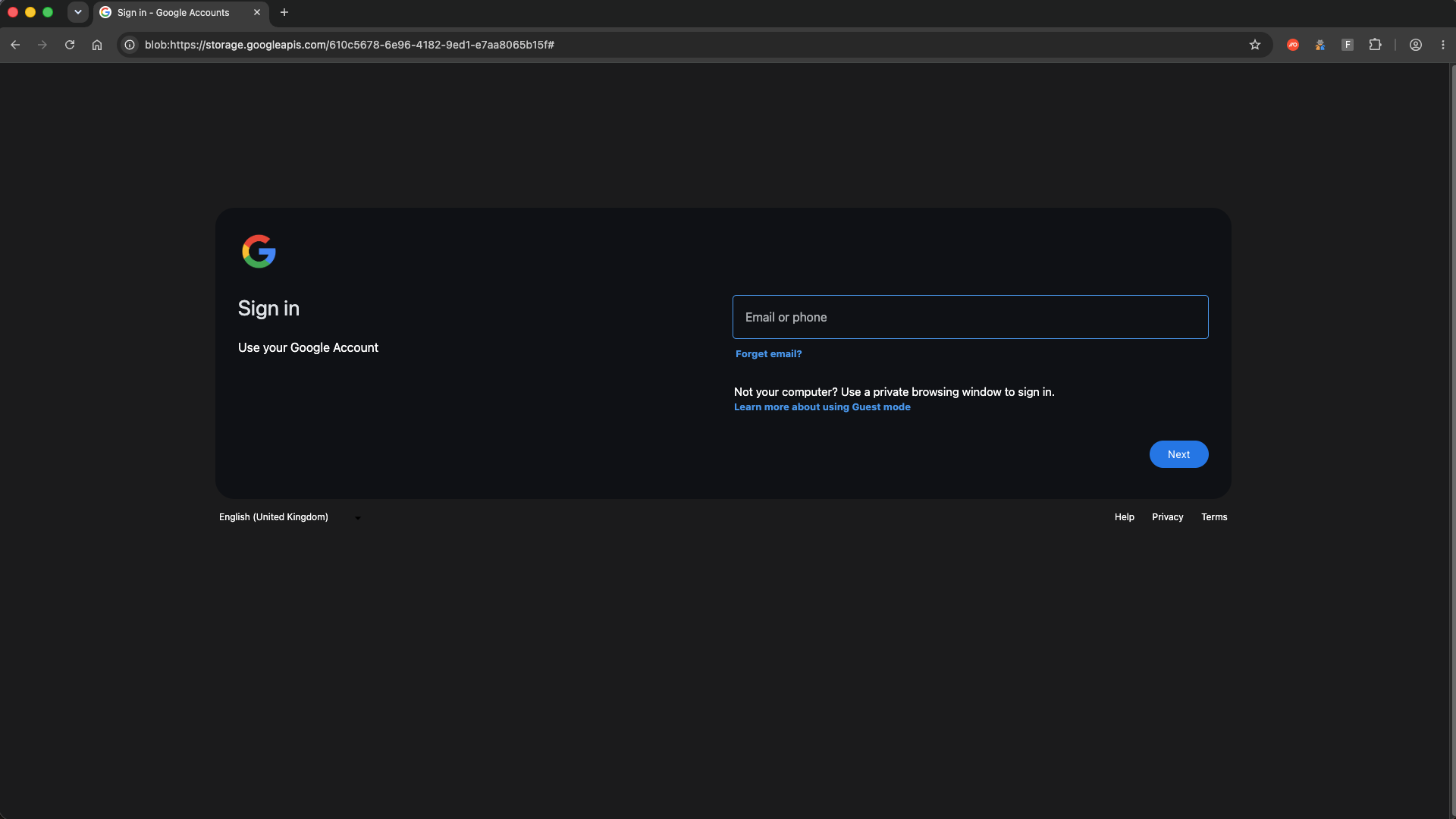
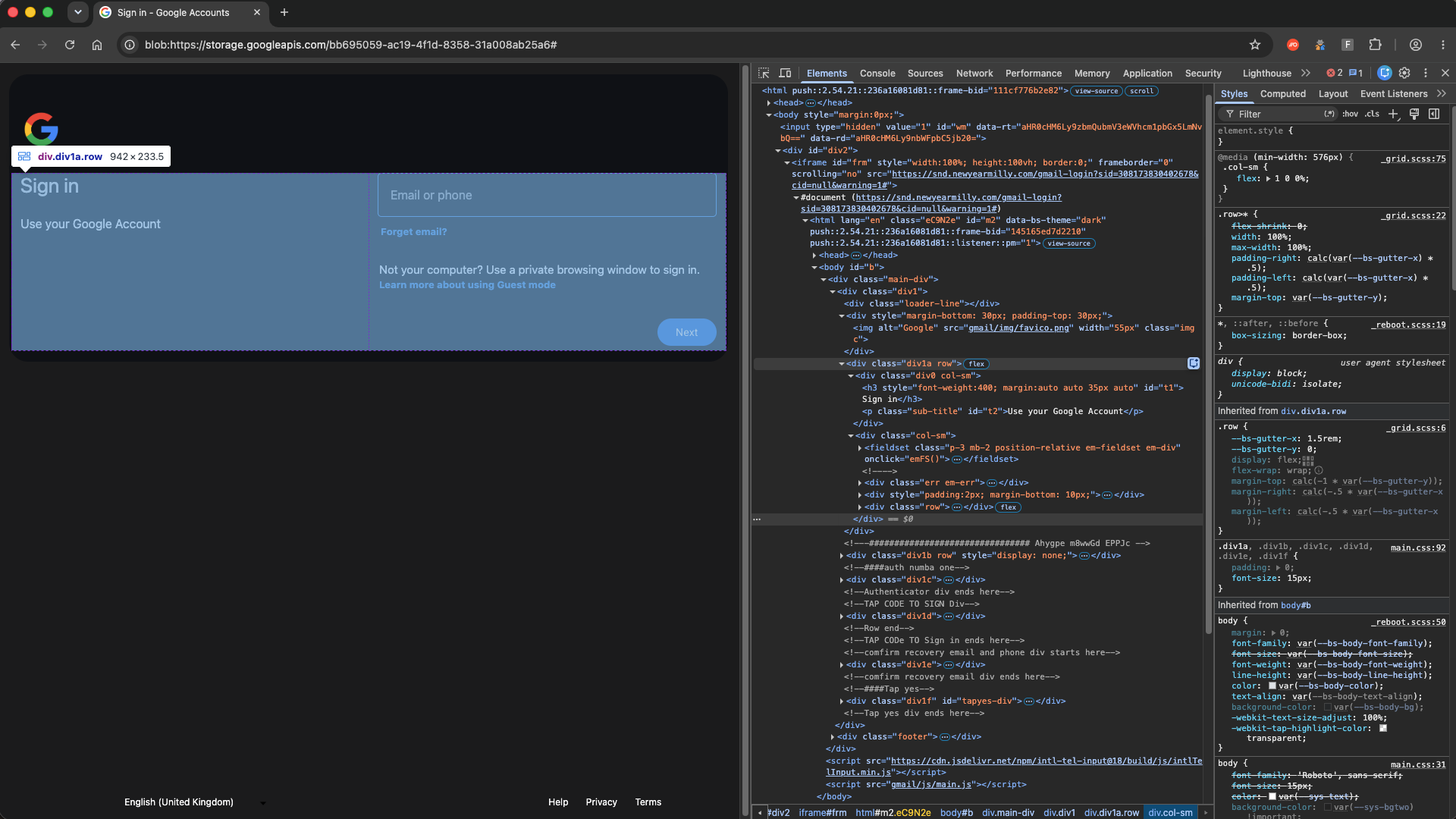
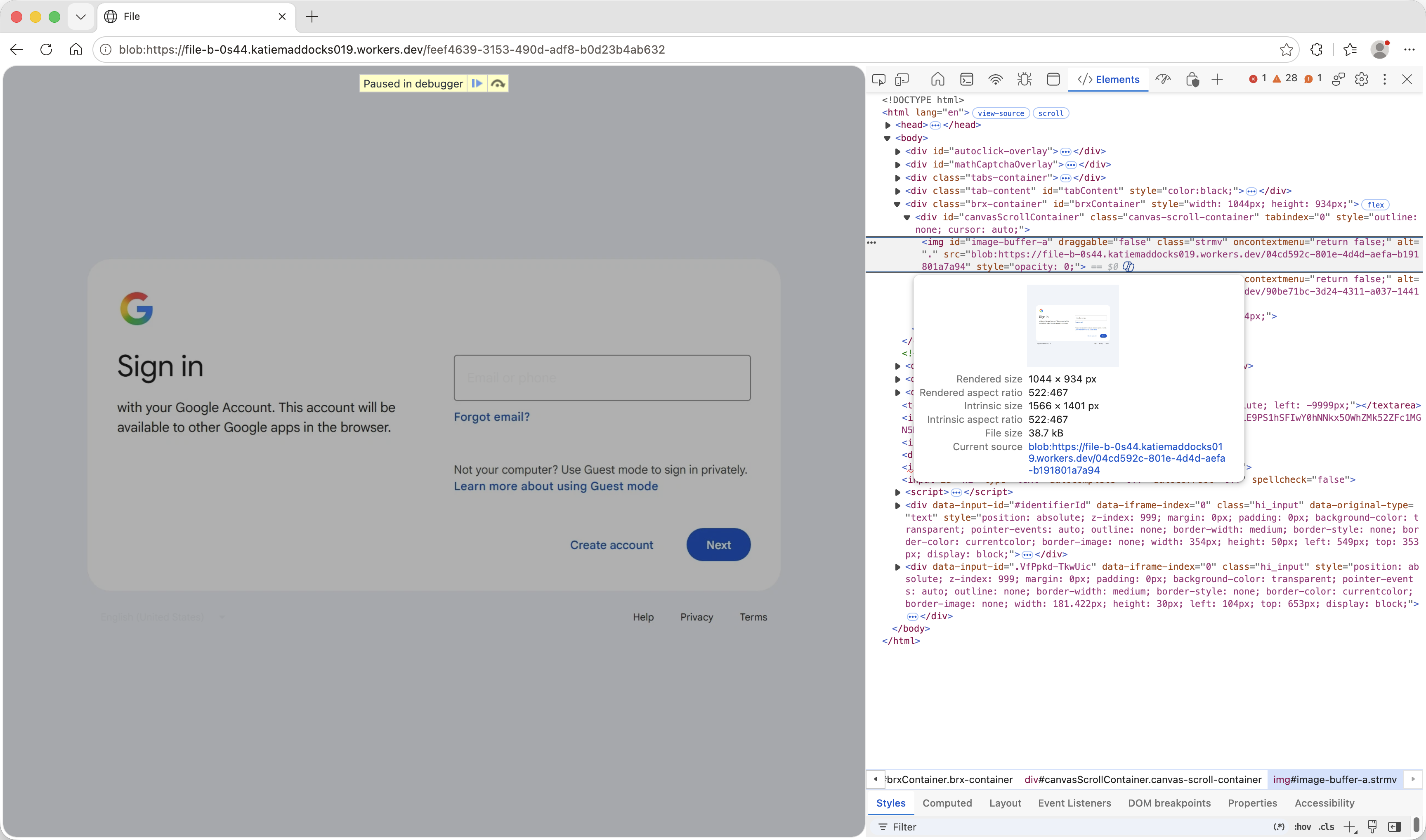
The attacker's browser loads the real sign-in page, turns the page structure (the DOM) into data, and sends the victim's browser a copy of the page, then sends each change as it happens. The victim's browser rebuilds the page with the vendor's scripts removed. The victim types into fields that look and behave like the real ones, and their input goes back to the attacker's browser.
So although a browser sits at the backend, as with pixel streaming, from the victim's side DOM mirroring behaves much more like a reverse proxy. Pixel streaming sends a picture of the page. DOM mirroring sends a working copy, with the vendor's real markup.
DOMDIFFER does this against Google accounts with a renamed copy of the open-source diffDOM library. Bluekit does the same with rrweb, an open-source session-replay library. PhantomDOM, reported on November 5, mirrors a Microsoft 365 sign-in from an operator-controlled browser.
Is DOM mirroring new? Not as a technique. A red team tool, EvilPuppetJS, did it in 2023 (not to be confused with Evilginx Pro's EvilPuppet module). The change is that criminal kits now use it in real attacks. This is a common pattern: Attacks that start as red-team research often turn up in criminal kits later.
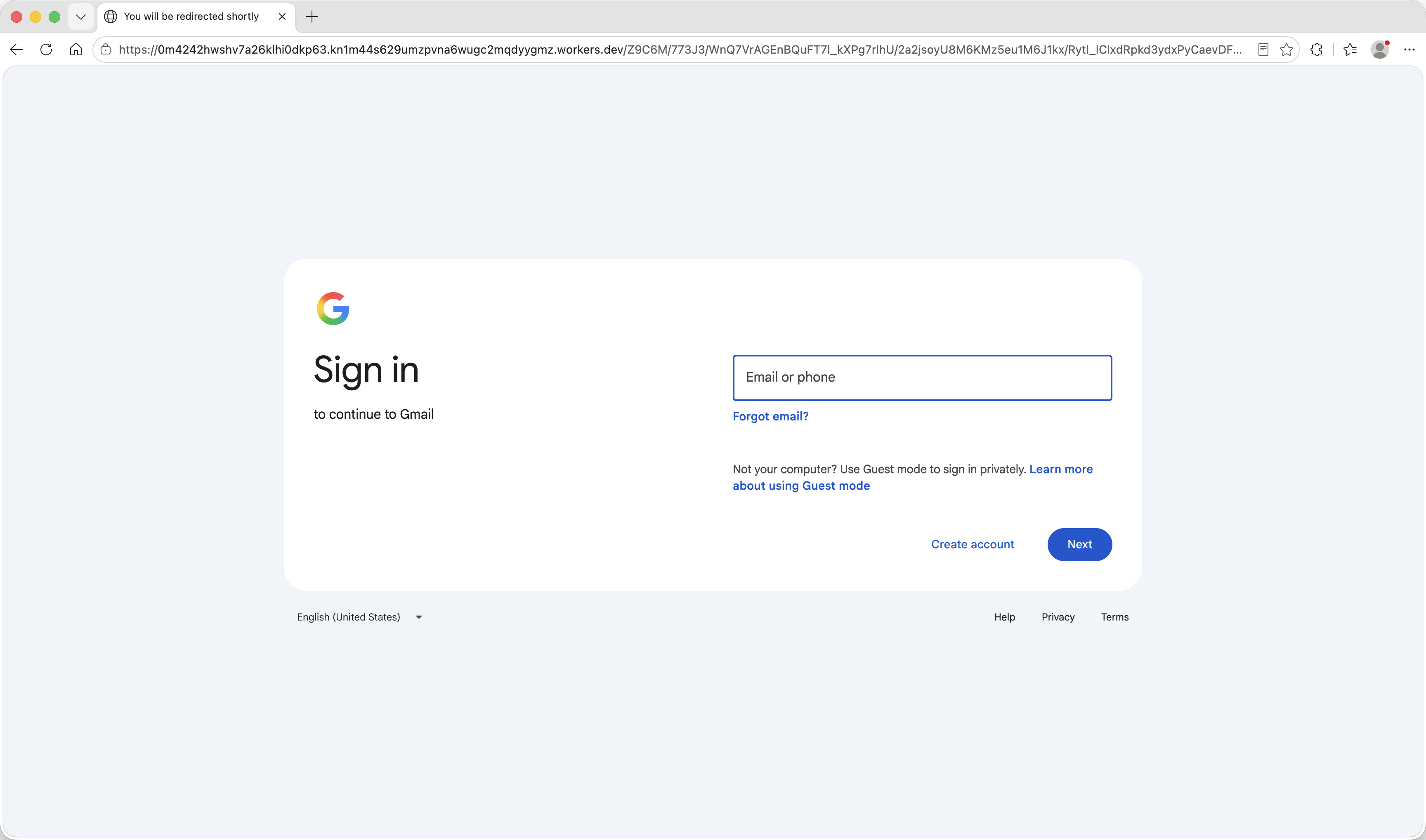
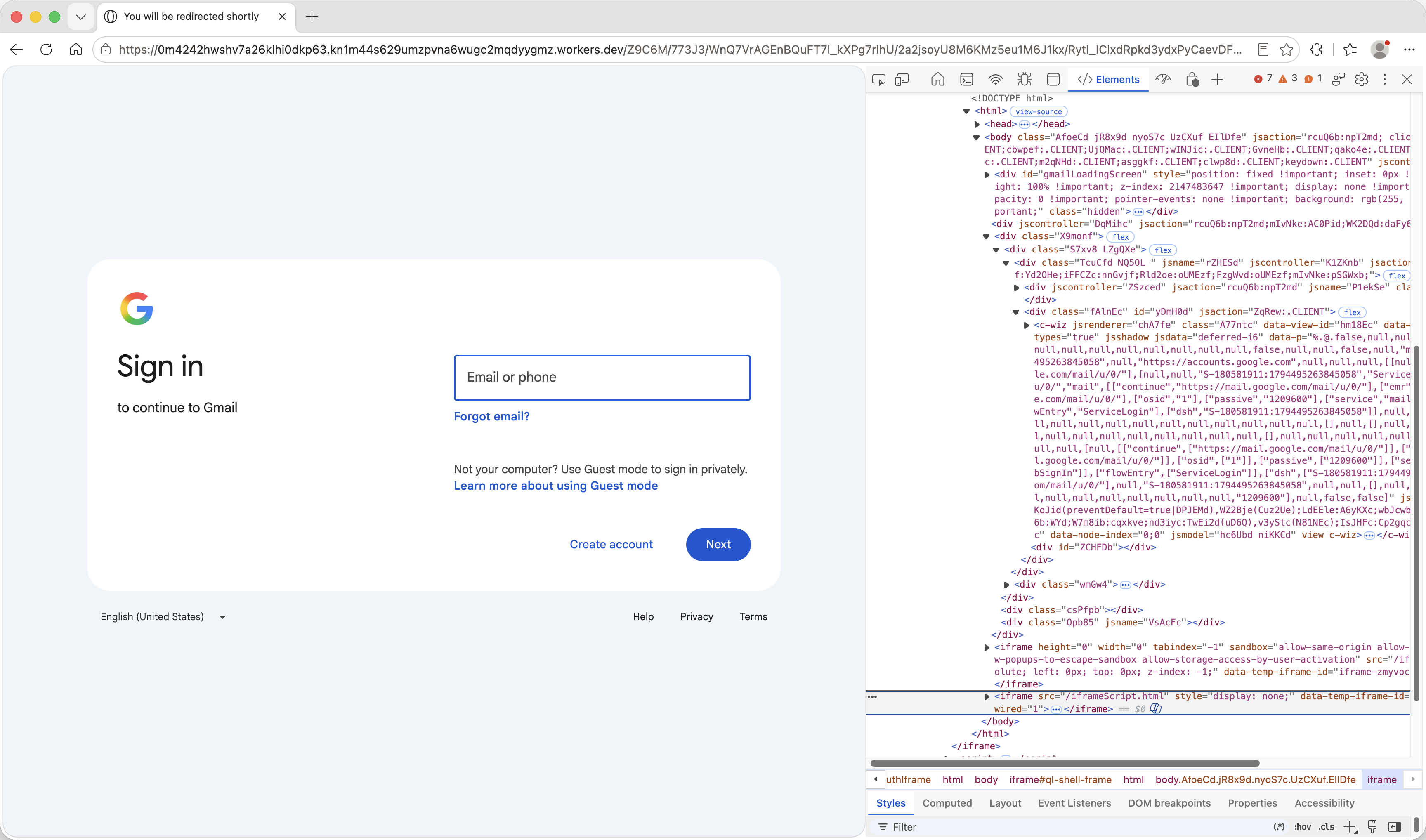
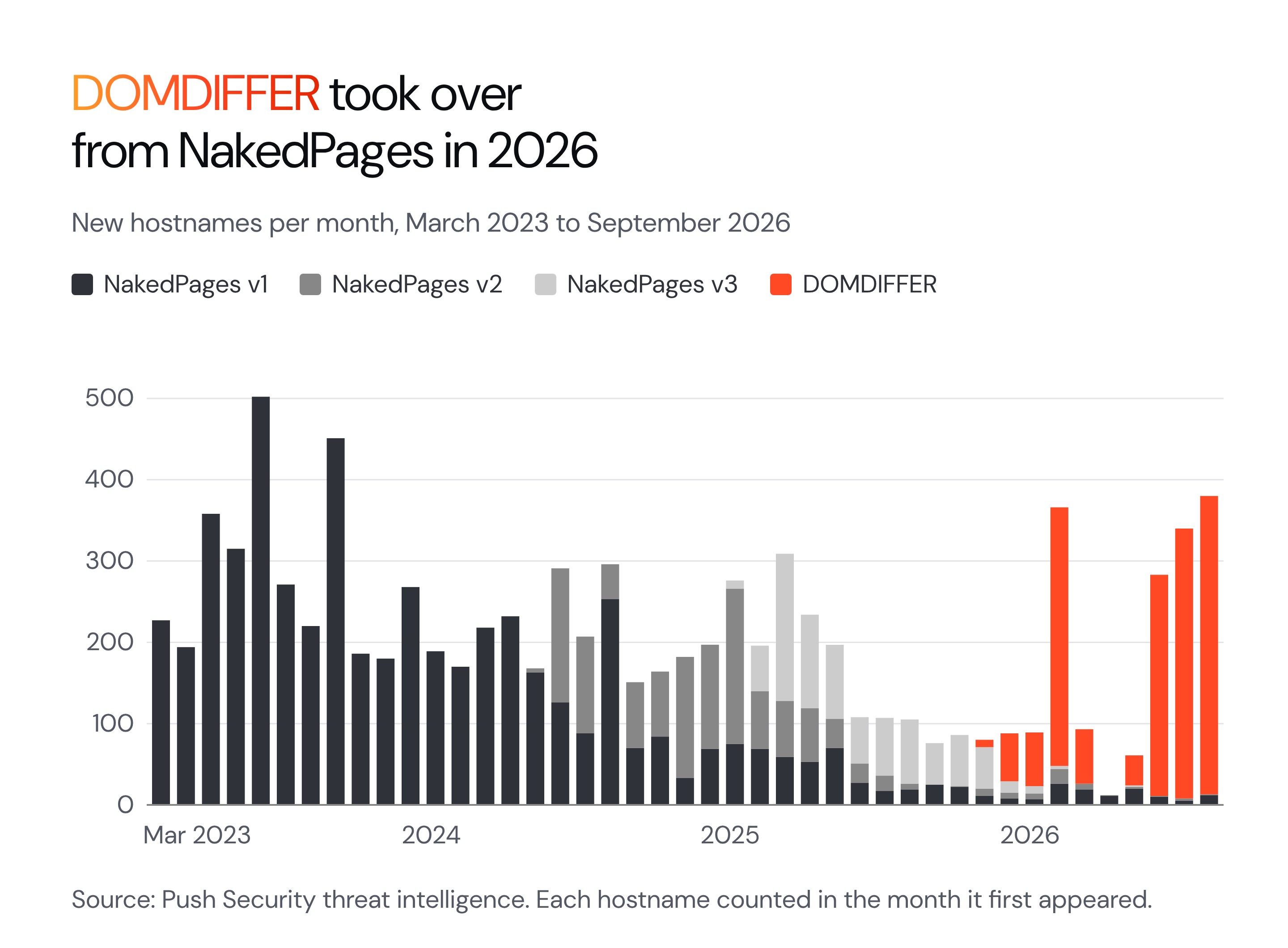
The history of NakedPages (a classic reverse-proxy based kit) provides a strong case study of how attackers are switching to DOM mirroring. DOMDIFFER, which we believe grew out of it, uses DOM mirroring instead, and became the dominant strain in the family from March 2026.
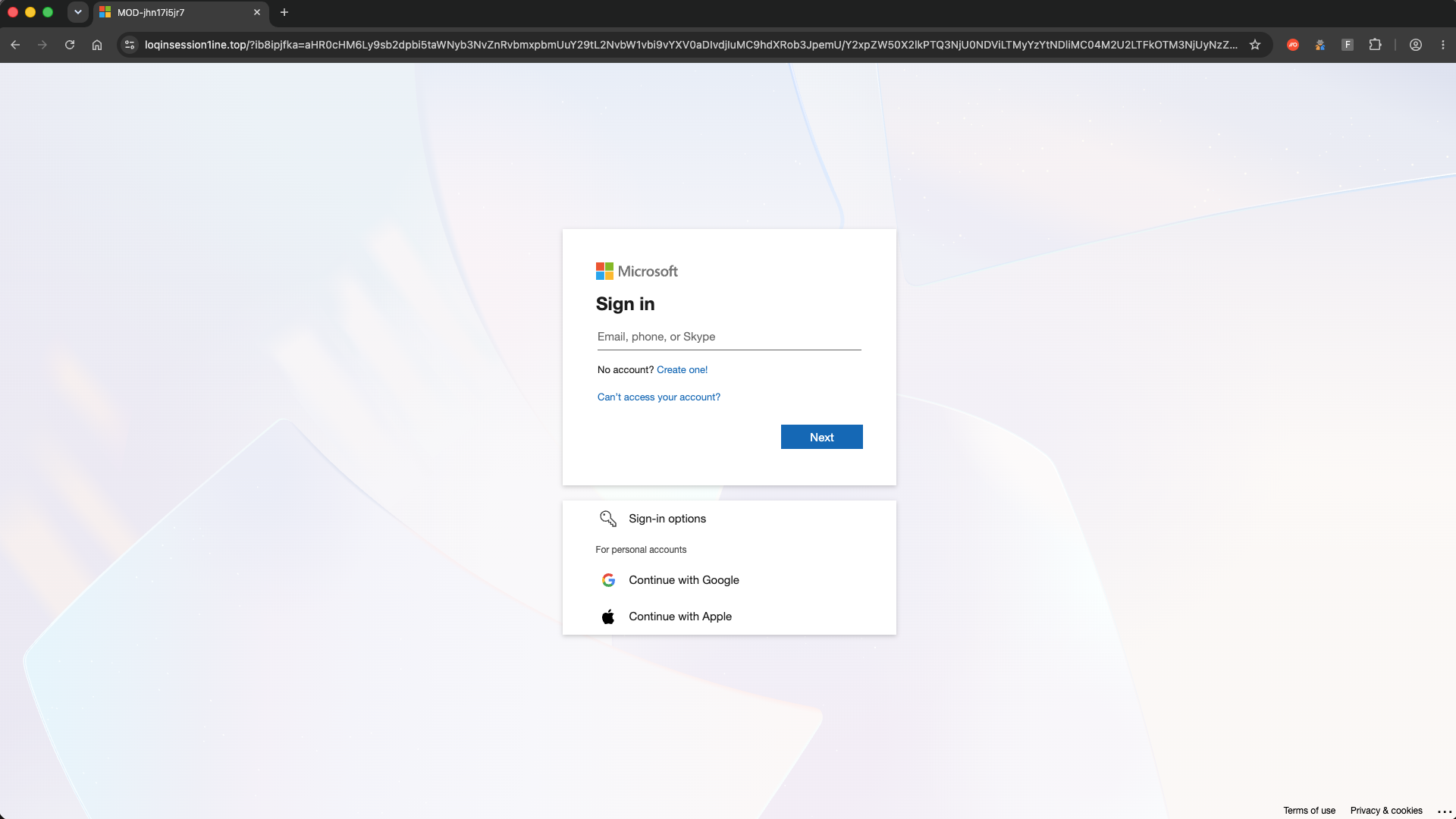
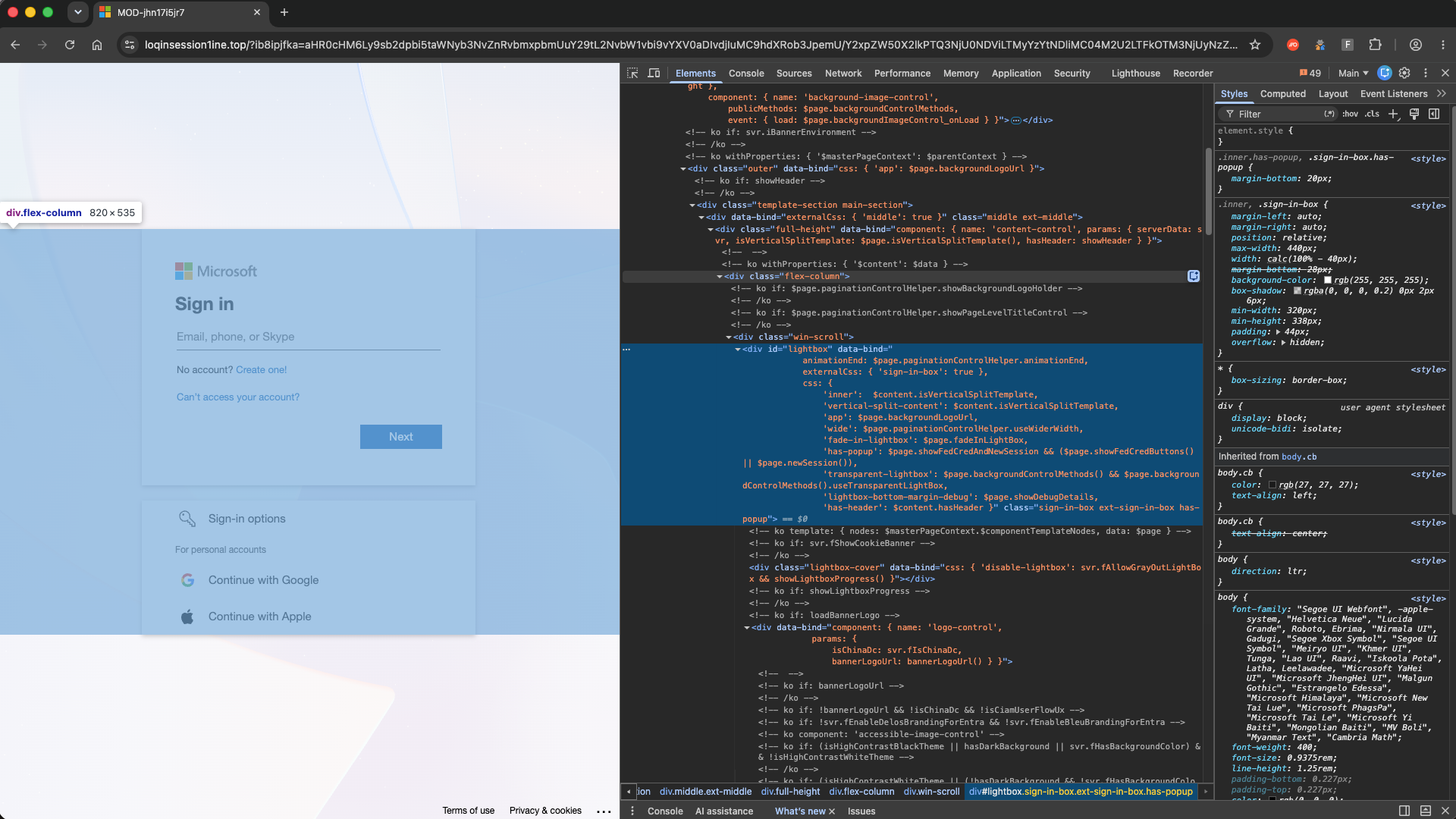
You can see a full DOMDIFFER sign-in starting from a fake voicemail notification lure below.
What all four classes share
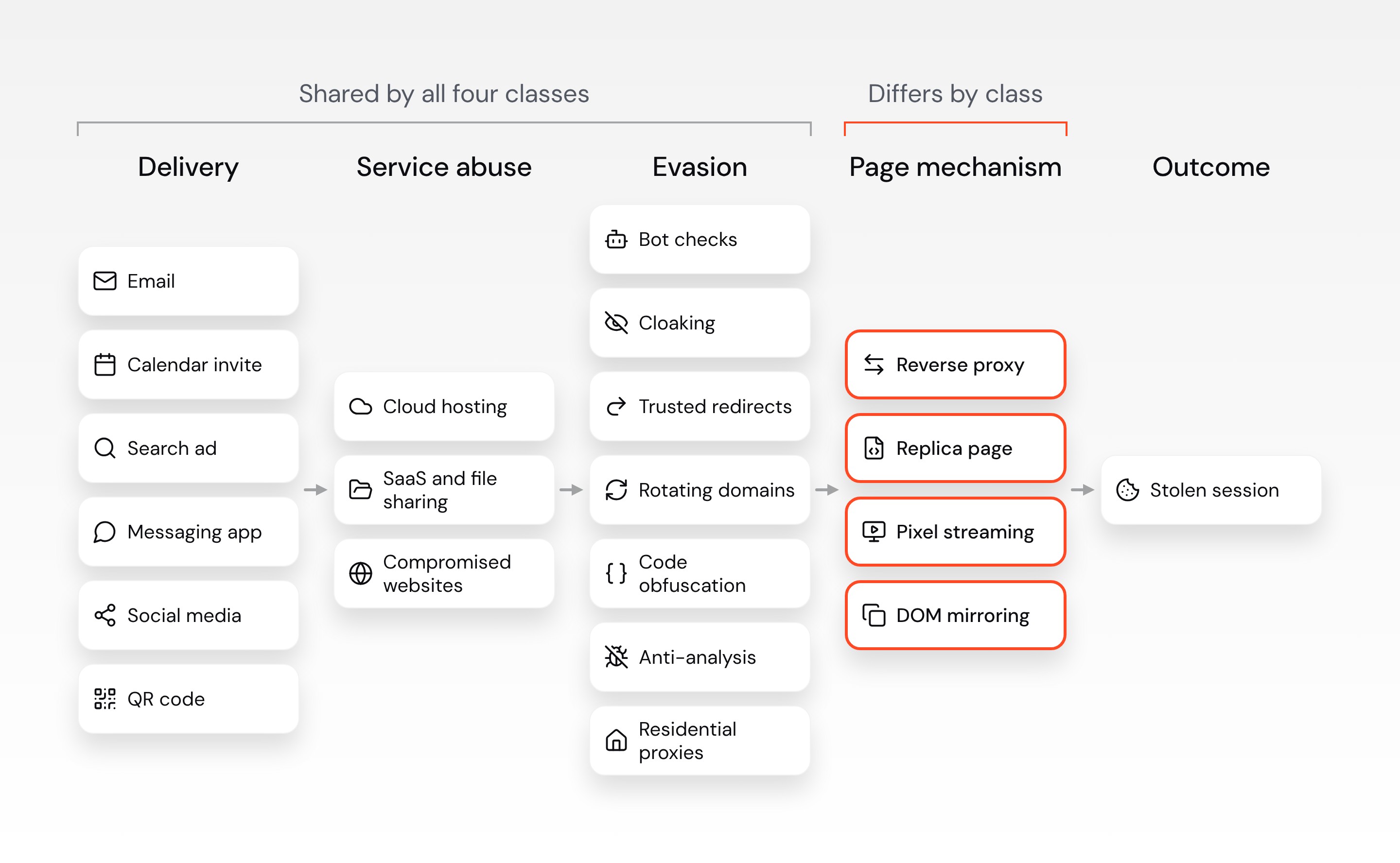
The class only describes how the phishing page reaches the victim's browser. Everything around it is shared across all four. A kit from any class can reach the victim by email, calendar invite, search ad, messaging app, social media, or QR code. It can abuse legitimate services, such as cloud hosting, SaaS and file-sharing platforms, and compromised websites. It can also use the same evasion techniques, both around the page and on it.
Evasion techniques include bot checks, cloaking, trusted redirects, and fast-rotating domains, as well as obfuscated page code and anti-analysis tricks that block developer tools. In every class, the real service sees the sign-in come from the attacker's side rather than the victim's browser, and many kits route it through residential proxies so it looks like an ordinary home connection. So knowing the class tells you how the page is rendered to the victim, but not how the attack reaches them, or how it hides from security tools.
What matters for defenders
You don't need to settle the naming argument to defend against these kits. The four classes differ in how they intercept the login, but none of them removes the need for the victim to load a page and interact with it.
Controls that help tackle AiTM
Passkeys and other FIDO2 methods are a strong defense against all four classes, and they're worth rolling out. Since the browser binds the response to the site that asked for it, the passkey doesn't work. But passkeys only protect what they cover, so don't rely on them alone:
Coverage is rarely complete. Not every app, account, or user can use a passkey yet, and the ones that can't are still exposed.
Passkeys only help if the weaker methods go away. If an account still accepts a password and a one-time code, a kit can downgrade the sign-in to the weaker method.
Passkeys don't stop authorization phishing, and kits can now swap one payload for another. The same fake event pages sent Google users to VoidProxy and Microsoft users to a Kali365 device code flow. If one route is closed, the attacker serves a different one from the same page.
Controls that don't stop AiTM
Some controls that sound relevant don't stop any of the four classes:
Device Bound Session Credentials (DBSC) stops a stolen cookie from working on another device. A proxy can strip the registration and capture an unbound session, and DBSC can't protect against BitM.
Entra Token Protection binds tokens for native apps, not browsers, so it doesn't stop the browser cookie replay that AiTM depends on.
How Push detects and stops AiTM
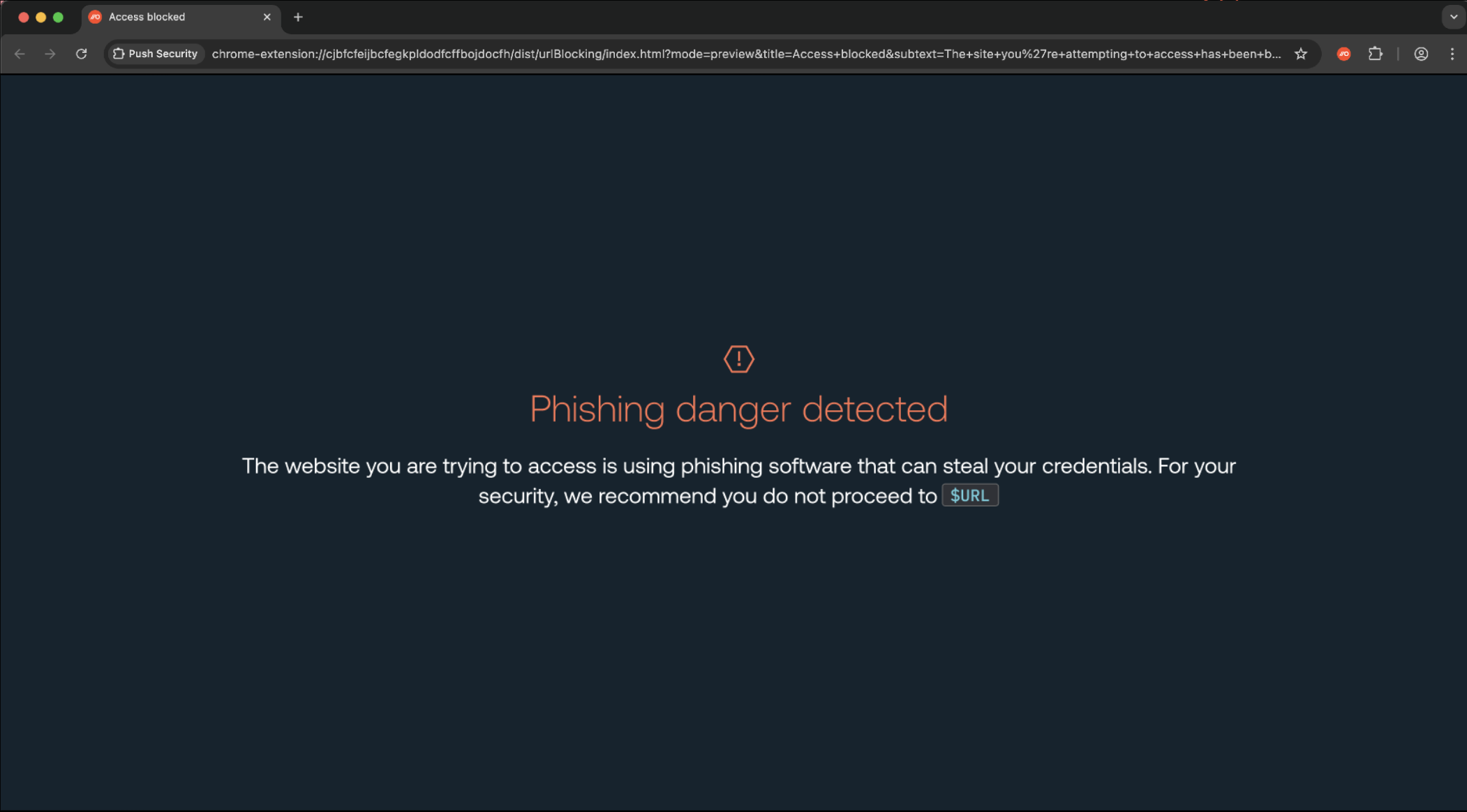
Push detects and blocks AiTM in the browser, on the page itself, whatever channel delivered the link. Its behavioral phishing detection covers all four classes, whatever sub-technique a kit uses. Push analyzes signals from the page as it renders, such as its structure, how its scripts behave, how it handles credentials, and how it responds when the user interacts with it. Push's agentic threat hunting pipeline keeps refining these detections as kits change, so they don't depend on a domain, an IP address, or a named kit.
Summary
AiTM phishing comes in many forms. The labels will keep shifting, but the outcome, a stolen session, and the entry point, a page in the victim's browser, stays the same.
Push Security is the most powerful AI-native security tool in the browser. Think EDR, but for the browser — high-fidelity telemetry and real-time control across every session, on every device, with no browser migration required.
Security teams use Push to detect and stop advanced browser-based attacks like AiTM phishing, ClickFix, and session hijacking; gain visibility and control over AI tool usage across their workforce; harden identities by surfacing credential reuse, SSO gaps, and shadow IT; and support data loss and insider investigations with browser-layer telemetry that other tools can't see.
Book a live demo to learn more.