/
Can Push enforce access conditions for apps?
Yes, you can use Push to enforce required access conditions when employees attempt to access specific AI apps in your environment.
Using the Account condition enforcement control, you can create rules to:
Block logins from non-company domains.
Require logins to specific login methods.
Define allowed browsers for accessing an app.
How to create a configuration rule
To create a rule, go to Controls > Account condition enforcement in the Push admin console.
Create a configuration rule and set the Mode (Allow, Monitor, Warn, Block); the Scope (which employees, which profiles, and which apps); and the Conditions (using company domains, non-company domains, or a specific domain; which login methods; and which browsers).
In Warn or Block modes, you will also specify the page text that end-users will see if they attempt a login matching your conditions.
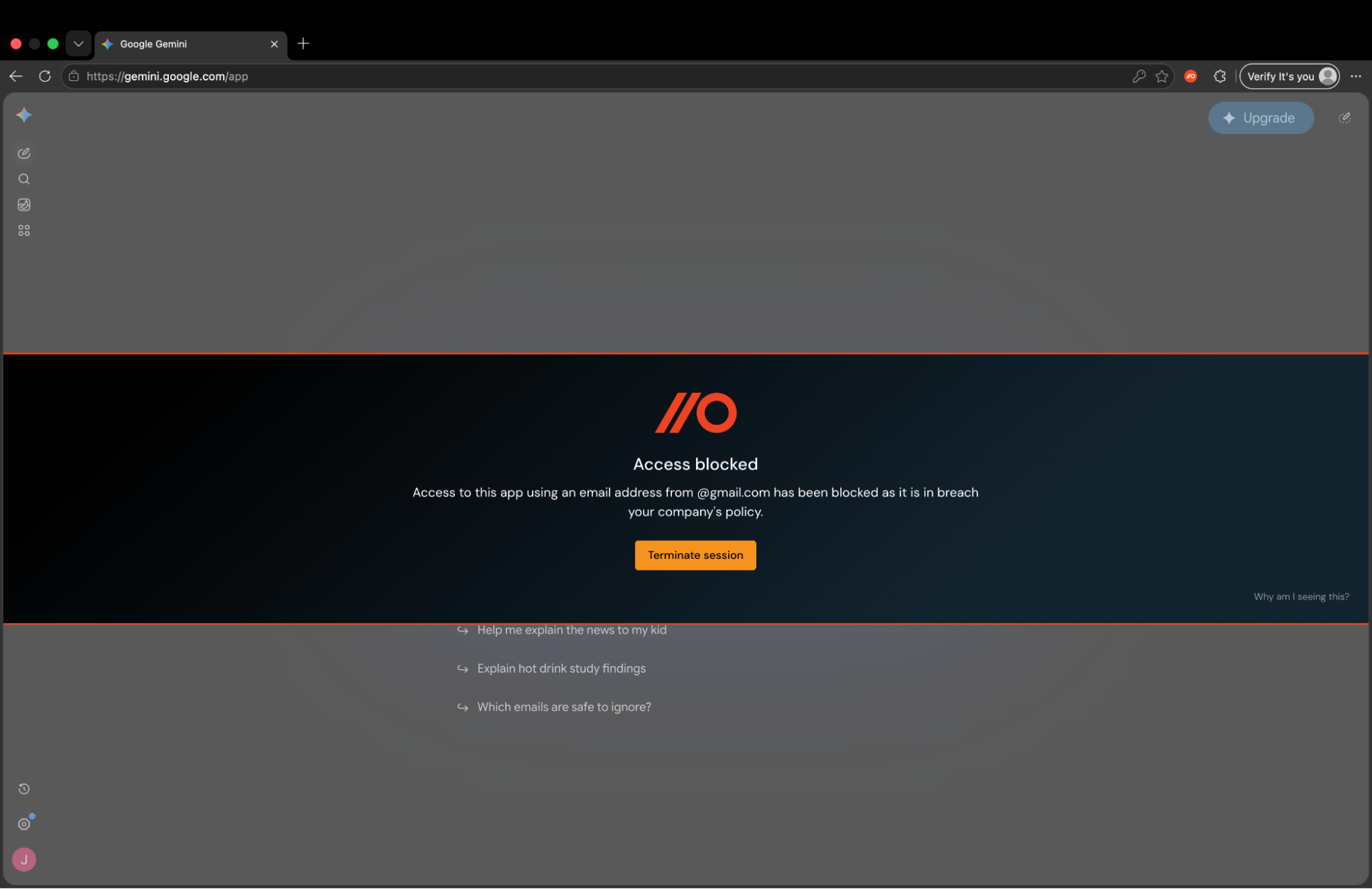
Webhook events will be emitted when the control is triggered so you can audit when employees were warned or blocked for a specific scenario.
End-user experience
In Monitor mode, end-users will not be notified if they log in to an app matching your configured conditions. Push will emit an event for monitoring purposes.
In Warn mode, a user will see your warning banner. They’ll have the option to either end their session in that app by clicking the Terminate session button in the banner to acknowledge the policy violation, or continue their session.
In Block mode, the user will see your blocking banner. Their only option is to click the Terminate session button in the banner to acknowledge the policy violation, and end their session in the app.
Important: In Warn and Block modes, clicking the Terminate session button in the banner will force a logout for that app and clear any active sessions. Users may notice a page refresh before returning to a login or app homepage.
Supported apps
This control initially works with the following AI or AI-augmented apps:
M365 Copilot
Copilot personal
Gemini
Claude
ChatGPT
Grok
Deepseek
Perplexity
Figma