/
Can Push block file uploads?
Yes, you can configure Push to block unauthorized, risky, or unpermitted file uploads.
For example, you may wish to block or warn users when they attempt to upload files that may contain sensitive information, or stop them from uploading files to AI apps that may open up risk for data loss or security incidents.
How to create a configuration rule
To create a rule, go to Controls > File upload blocking in the Push admin console.
Create a configuration rule and set the Mode (Allow, Monitor, Warn, Block), the Scope (all employees, employee groups, or specific individuals; as well as which browser profiles the rule applies to), the Conditions (any file, file extensions, or file name patterns), and the URLs or URL patterns where the upload will be restricted.
Push provides common file types to select from, such as business documents, secrets and credentials, source code, etc.
In Warn or Block modes, you will also specify the page text that end-users will see when they attempt to upload a file matching your conditions.
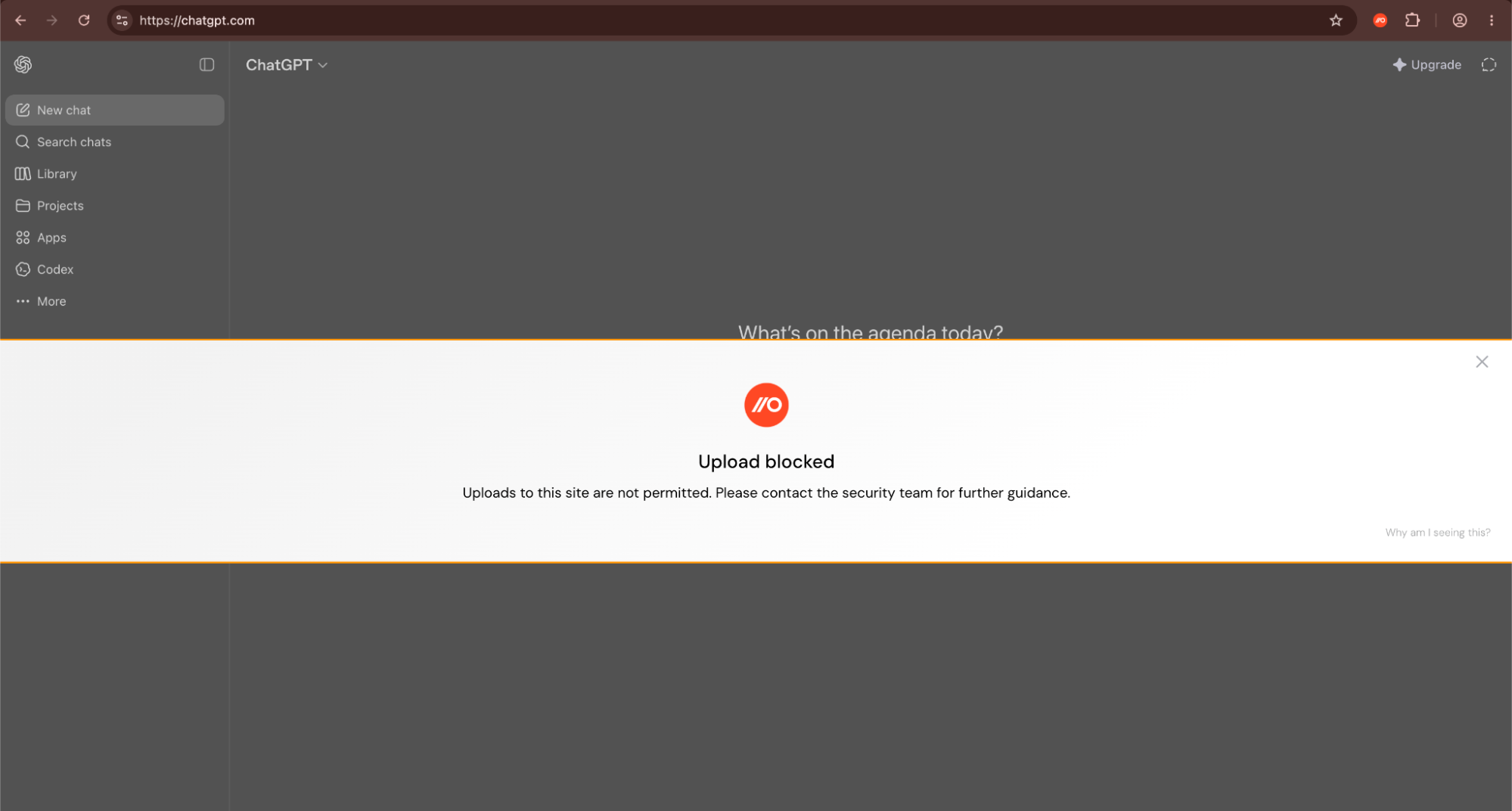
Webhook events will be emitted when the control is triggered so you can easily audit when employees were warned or blocked from uploading a file.
End-user experience
In Monitor mode, end-users will not be notified when an upload is observed. Push will emit an event for monitoring purposes.
In Warn mode, a user will see your warning banner. The user will need to select the acknowledge button in the banner and then manually retry the upload. We recommend you include instructions on how to manually retry the upload in your banner text. For example:
Uploads to this site are restricted and may not conform to policy. To continue, select Allow this upload [or whatever you have named the acknowledge button], and then choose the file again. Please contact the security team for further guidance.
In Block mode, a user’s upload will be prevented and they will see your block banner.
Telemetry stream option
You can also choose to consume a telemetry stream of all file upload events in your environment. See this related help article.
Supported browsers
This feature is available on all browsers that Push supports, except Safari.