/
What is an OAuth app?
In the Push platform, an OAuth app is an application that uses the OAuth authorization standard to connect with your Microsoft 365 or Google Workspace instance to grant some level of access to your deployment’s data.
This can be as simple as sharing an employee’s full name and email address with the SaaS application in order to complete a login using Sign In with Google and Sign In with Microsoft, a mechanism known as a social login.
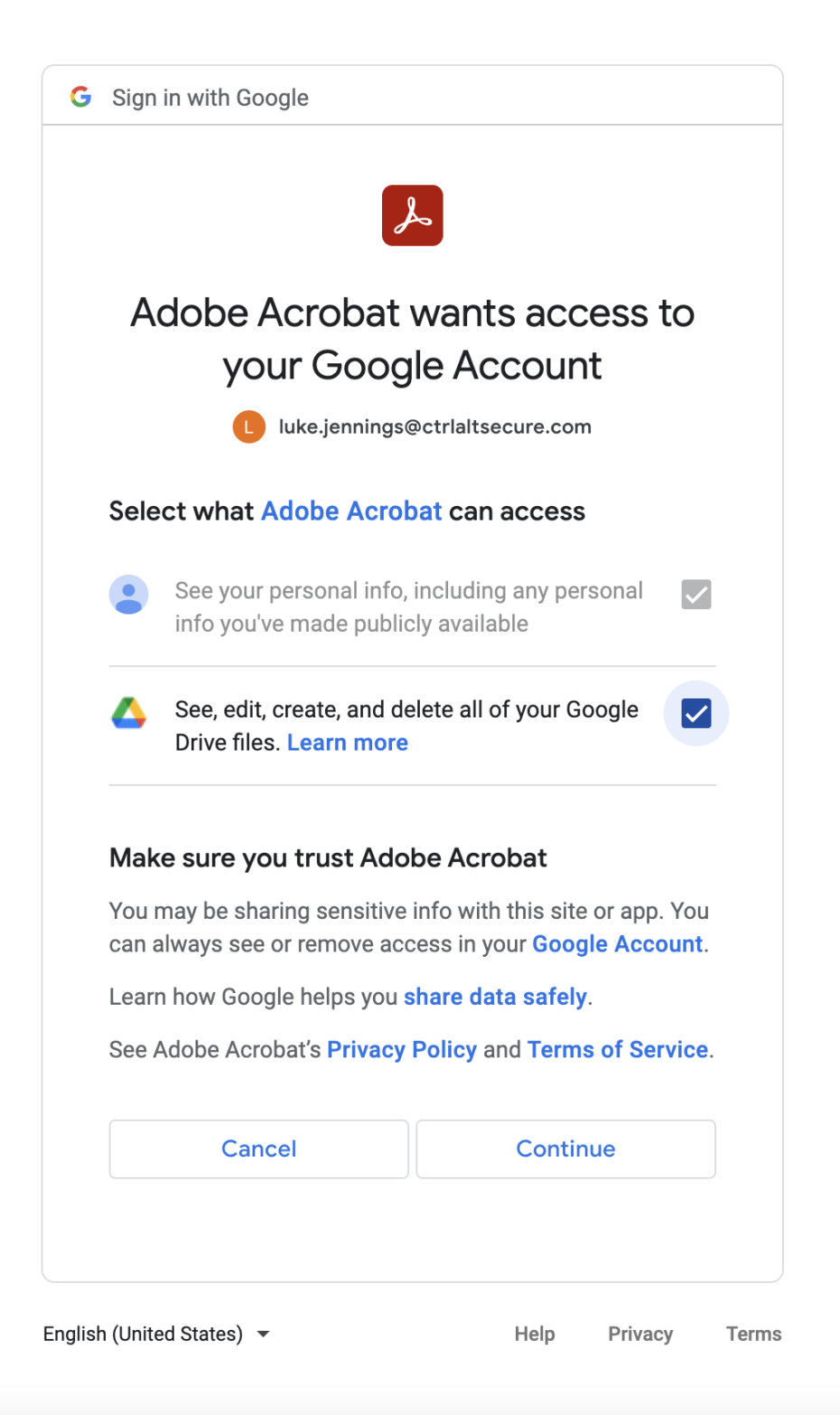
OAuth integrations can also be granted more wide-ranging permissions, such as access to a user’s calendar to add meetings, or the ability to access, edit, create, and delete all of your Google Drive files, for an app that manages file sharing.
What type of OAuth activity does Push capture?
Once you complete an API integration with Push and Microsoft 365 or Google Workspace, you’ll see your OAuth app inventory. This includes the OAuth app name, its consents, its permissions, its publisher, and its app ID.
The Push browser extension also captures social login activity as soon as it's observed.
When is OAuth integration usage recorded?
Usage is recorded when the integration is used. This is often not the same as when the underlying application is used.
For example, if you have granted Google social login scopes to an application, the integration is only used when you click "Sign In with Google." Since many apps go on to cache your identity, it is common for these integrations to not be used for weeks or even months after, even if you regularly use the application you’re logging into.
Are OAuth integrations safe?
OAuth integrations are generally a secure way to connect different applications and boost employee productivity. However, you should consider whether you’re comfortable with the given third party having access to the data that has been granted. Attackers sometimes use OAuth integrations to establish persistence in target environments. You can remove unwanted OAuth integrations using Push by going to Inventory > OAuth apps and then using the option to delete the integration.