Phishing attacks: how to detect and stop modern phishing
Modern phishing attacks evade email security, SWGs, and blocklists. Learn how behavioral phishing detection in the browser catches attacks that traditional tools miss.

Phishing attacks are outpacing the tools built to stop them
Phishing is a social engineering attack that tricks people into revealing credentials, authorizing access, or executing malicious actions by impersonating a trusted entity. For most of its history, phishing meant a fraudulent email containing a link to a fake login page — and the defenses built to stop it reflected that: email gateways scanned messages, URL reputation services flagged known-bad domains, and blocklists catalogued reported phishing infrastructure.
That model no longer matches how phishing works. Modern phishing is multi-channel (delivered through search ads, QR codes, messaging apps, and social platforms as well as email), industrialized (Phishing-as-a-Service platforms automate infrastructure rotation and provide subscription access to AiTM reverse proxies that bypass MFA), and evasive (89% of phishing domains are active for fewer than two days, and 95% of in-browser attacks detected by Push used bot protection to block automated scanning). The defenses built around email gateways and domain reputation address one delivery channel using indicators that attackers rotate faster than defenses can track.
How modern phishing attacks work
Phishing infrastructure is no longer static. Attackers generate new domains, pages, and delivery methods continuously, often for a single campaign or even a single target.
- The attacker creates a phishing page using a kit or AI-generated template
- Infrastructure is spun up on trusted or newly registered domains
- The lure is delivered through email, messaging apps, search ads, or social platforms
- The page is only active when triggered, often disappearing after use
- The attacker rotates infrastructure and repeats the process
The dominant phishing technique is adversary-in-the-middle — a reverse proxy sits between the user and the real login page, capturing credentials, MFA tokens, and session cookies in real time. AiTM kits like Tycoon 2FA, Evilginx, and EvilProxy are sold as PhaaS subscriptions, lowering the barrier to entry and increasing campaign volume.
Phishing is no longer just an email problem. Push data shows one in three phishing payloads originates outside email — through search ads, QR codes, SMS, messaging apps, and social platforms. Many attacks exist for minutes or hours, not days. By the time a domain is identified and blocked, the attacker has already moved on.
Why traditional phishing defenses fall short
Traditional phishing defenses rely on known indicators: domains, URLs, signatures, and reputation. Modern phishing avoids all of them. Domains are newly created or short-lived — 89% of phishing domains are active for fewer than two days. Pages are dynamically generated. Infrastructure is rotated constantly. There is nothing stable to block.
In 2025, 95% of in-browser attacks detected by Push used bot protection services to actively block web scanning tools. The phishing page only appears when the attacker allows it — preventing automated scanning and analysis. Even when a link is analyzed, it may appear harmless; the malicious behavior only occurs when a real user interacts with the page in a browser session.
Email security is structurally limited to one delivery channel. It can't inspect QR codes, SMS links, search ads, or social media messages. Secure web gateways rely on URL categorization and domain reputation that don't exist for zero-day infrastructure, and phishing kits evade scanners by using bot protection tools. The underlying problem is that most phishing defenses analyze indicators rather than behavior.
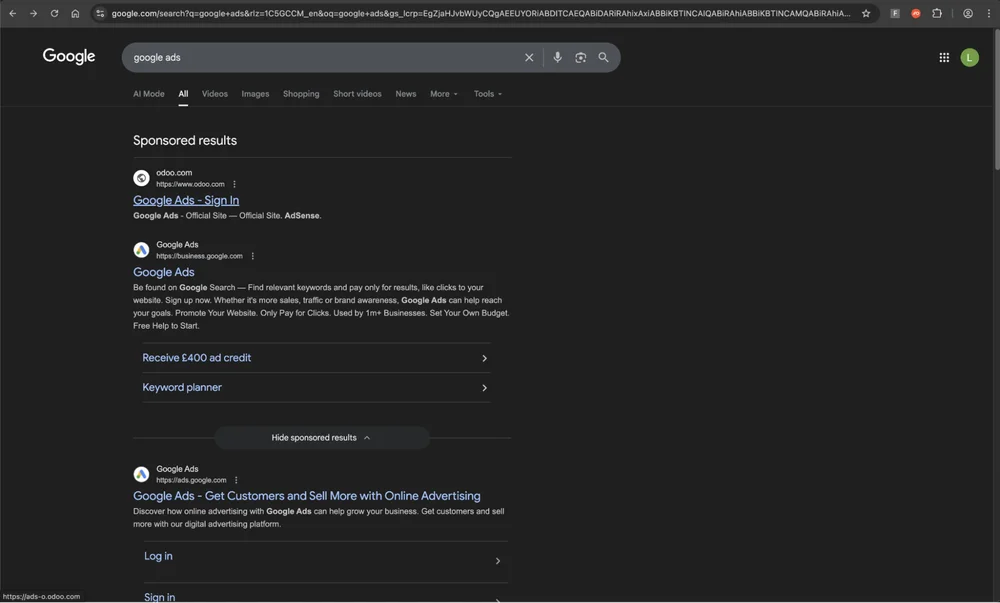
How do you detect and stop modern phishing?
You can't block modern phishing by cataloguing known-bad infrastructure — attackers generate and discard it faster than any feed can track — so detection has to shift from indicators to behavior: analyzing what a page does rather than where it's hosted or how the link was delivered.
Email security, SWGs, and URL reputation services still catch a portion of phishing — particularly campaigns that reuse infrastructure or target organizations without advanced defenses. They're worth keeping as a first layer. But the attacks that get through are the ones using fresh infrastructure, trusted domain hosting, bot protection, and non-email delivery channels. Catching those requires a detection layer that operates at the destination page — inside the browser, where the phishing page renders and where the user interacts with it — rather than at the delivery channel or network layer.
Browser-level behavioral detection is the layer that closes this gap: it sees the page as the user sees it, after JavaScript execution and bot protection checks, and it applies regardless of delivery channel or device management status.
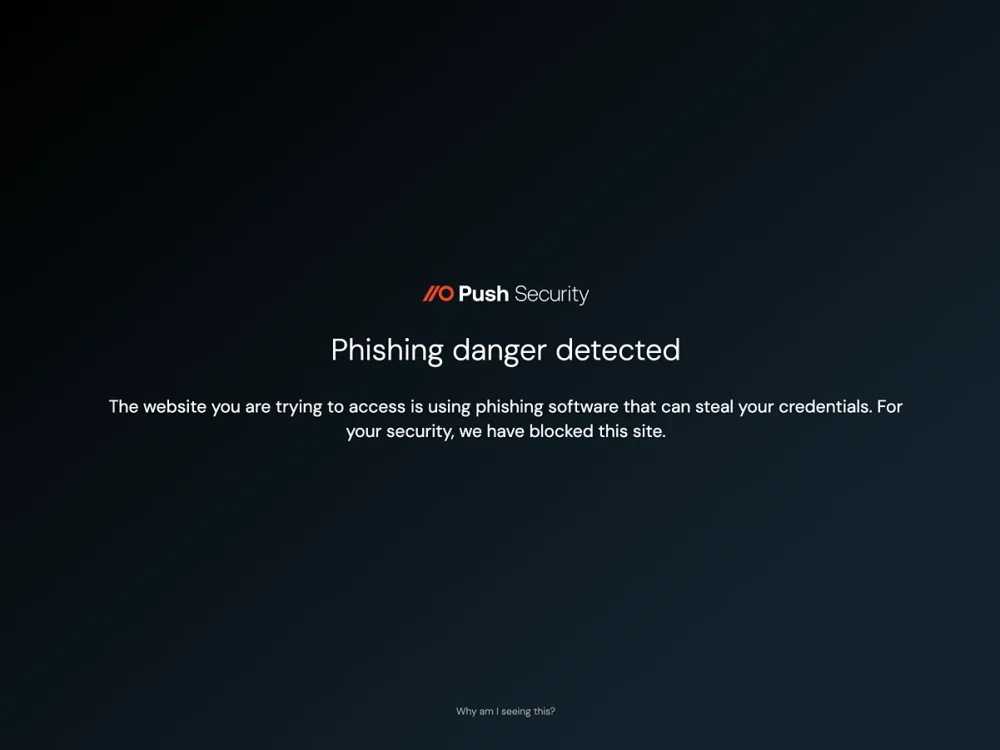
How Push detects and stops phishing, regardless of technique, payload, or delivery channel
Push detects phishing based on behavior, not static indicators. By operating inside the browser, it observes how pages load, how users interact with them, and when the page attempts to capture credentials or session data. Push targets techniques: AiTM reverse proxy behavior, cloned login page construction, Browser-in-the-Browser pop-ups, credential harvesting mechanics, and bot protection/anti-analysis evasion.
Push also detects the phishing-adjacent social engineering techniques that traditional phishing tools miss entirely. Device code phishing — where attackers abuse the OAuth device authorization grant to redirect tokens to attacker-controlled infrastructure — is detected and blocked in real time through behavioral detection of device code phishing kits. ClickFix attacks, which trick users into executing malicious clipboard commands rather than entering credentials, are caught through malicious copy-and-paste detection.
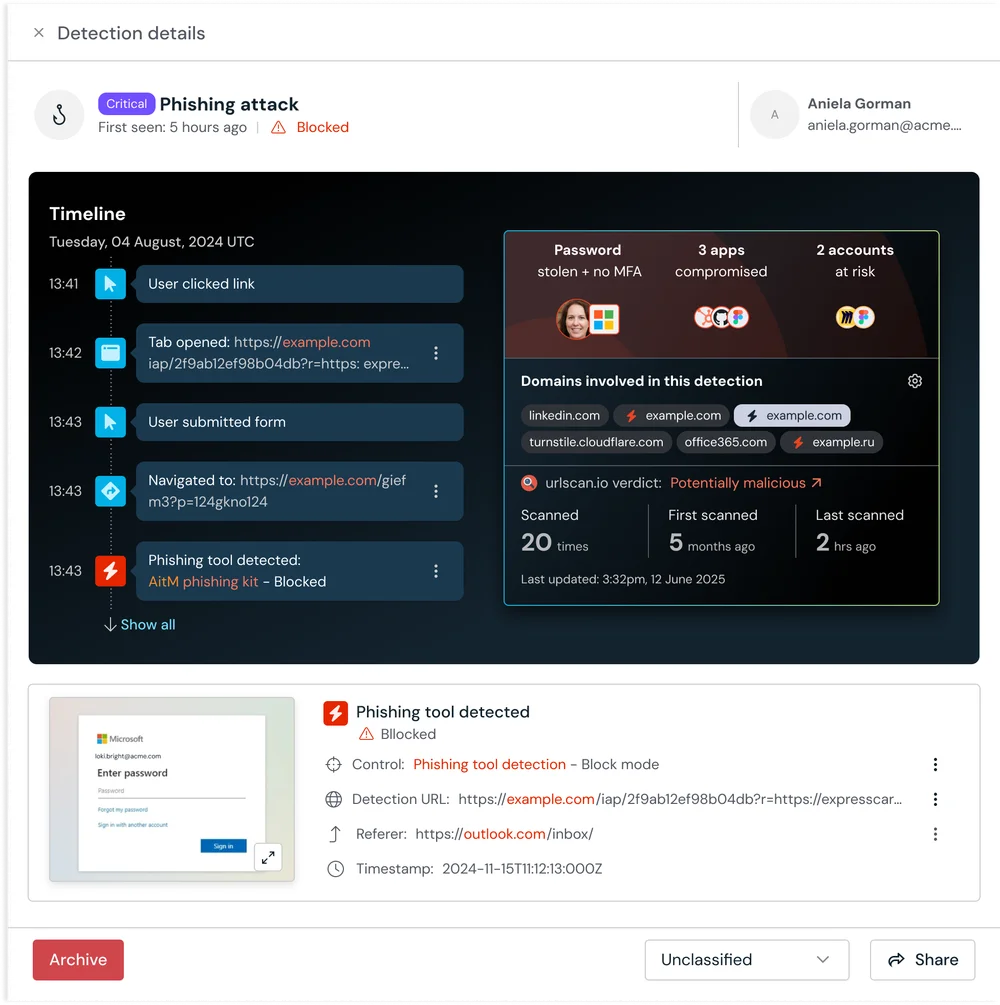
Detection happens at the point of interaction — when the user visits the page, before credentials are entered. This is real-time phishing detection, not after-the-fact alerting. Security teams can view additional information about the detection in the Push platform, and can easily feed these alerts to their SIEM or SOAR of choice via webhook or API.
Frequently asked questions
A pre-packaged toolkit that enables attackers to deploy phishing infrastructure quickly — typically including cloned login page templates, credential capture mechanisms, hosting automation, and anti-detection features. Modern phishing kits operate as Phishing-as-a-Service (PhaaS) platforms with subscription access, customer support, and automated infrastructure rotation.
AiTM kits (such as Tycoon 2FA, Evilginx, Sneaky 2FA) include reverse proxy functionality that captures post-MFA session tokens. ClickFix kits include clipboard hijacking and fake CAPTCHA templates.
Push detects phishing kits at the technique-class level — targeting behavioral signatures (reverse proxy behavior, credential harvesting, clipboard manipulation) — meaning detections remain effective across many kits and configurations.
Phishing attacks using newly created infrastructure — domains, pages, and kits — that haven't been identified or blocklisted by any security vendor. The phishing page is "zero-day" in the sense that no threat intelligence exists for it when the user encounters it.
This isn't a niche problem — 89% of phishing domains are active for fewer than two days. Attackers spin up infrastructure, use it for a campaign, and discard it before blocklists react. Any defense relying on "known-bad" indicators has a structural detection lag. Push detects phishing behaviorally — analyzing page structure and phishing kit mechanics at the rendered-page level.
Phishing succeeds because the defenses most organizations have deployed rely on known indicators — domains, URLs, and file hashes — and modern phishing operations rotate those indicators faster than any blocklist or reputation service can track. The tools aren't failing at what they do; the attack has moved beyond what they were designed to catch.
Infrastructure rotation means phishing domains are discarded and replaced before blocklists react. Trusted domain abuse means attackers host phishing pages on microsoft.com, google.com, chatgpt.com, and other domains that no reputation filter would block. Bot protection means the phishing page only appears to real users — 95% of in-browser attacks detected by Push used anti-analysis services that serve benign content to automated scanners. And multi-channel delivery means phishing arrives through search ads, QR codes, SMS, messaging apps, and social platforms as well as email — but email security only covers one of those channels. The root cause is that most phishing defenses analyze indicators rather than behavior.
Blocklist-based detection requires someone to report a site before it can be blocked — which means every new phishing page gets at least one victim before defenses react. Behavioral phishing detection eliminates that gap by analyzing page behavior in real time, identifying phishing kit mechanics regardless of whether the domain has been seen before.
Push detects unreported phishing sites because phishing kits have behavioral signatures that persist across campaigns, domains, and infrastructure rotation. Even on a brand-new domain with no threat intelligence, the kit's mechanics are recognizable.
No. SWGs rely on URL categorization and domain reputation — indicators that don't exist for zero-day infrastructure. Some SWGs offer real-time URL analysis, but phishing kits with bot protection serve benign content to automated scanners.
Push operates inside the browser as the user sees it, detecting phishing kit behavior at the rendered-page level. The two are complementary: SWGs for known-bad blocking, Push for zero-day behavioral detection. Read about SWG limitations.
Email security can catch some through time-of-click URL analysis and sandboxing, but effectiveness is limited. Phishing kits with bot protection defeat automated scanners. URL reputation checks miss newly created domains. And a growing share of phishing arrives outside email entirely.
Push detects the phishing page itself, regardless of whether the link was already known-bad and regardless of delivery method.
Identifying phishing by analyzing what a page does — its DOM structure, script behavior, credential-harvesting mechanics, and user interaction patterns — rather than matching against known indicators. It detects the technique, not the specific instance.
Push targets technique-class signatures: AiTM reverse proxy behavior, cloned login page construction, Browser-in-the-Browser pop-ups, ClickFix clipboard manipulation, and credential-harvesting patterns. These remain consistent even as attackers rotate infrastructure. Read about the Pyramid of Pain and behavioral detection.
Infrastructure rotation: phishing domains are active fewer than two days, outpacing blocklists. Trusted domain abuse: hosting phishing on microsoft.com, google.com, or chatgpt.com. Bot protection: serving benign content to automated scanners. Non-email delivery: a significant share of phishing arrives via channels email filters never see.
The underlying problem is structural — email filters analyze links, but the phishing attack lives in the rendered page. Push operates at the destination, detecting phishing behavior inside the browser. Read about phishing evasion techniques.
89% of phishing domains are active for fewer than two days, with just 6.5% surviving more than 15 days. PhaaS platforms automate this rotation — generating fresh infrastructure for each campaign and discarding it before blocklists react.
This speed makes any indicator-based defense structurally too slow. Push detects phishing behaviorally at the page level, so domain rotation is irrelevant. Read about the Pyramid of Pain.
Focus on page behavior, not content quality. AI-generated phishing pages can look visually identical to the real login page while having no resemblance to its underlying code — the attacker describes what they want and the AI builds it from scratch. This defeats detection that relies on visual tells (grammar errors, awkward branding) and makes template-matching against known page structures less reliable. But AI doesn't change the underlying phishing mechanics. The page still needs to harvest credentials, proxy authentication, or execute malicious code.
Push's behavioral detection targets those mechanics. An AI-generated AiTM proxy still exhibits reverse proxy behavior. An AI-generated ClickFix page still manipulates the clipboard. Content quality is irrelevant to the detection model. Read about AI and phishing.
AiTM kits like Tycoon 2FA and Evilginx proxy the real login page from a cloned frontend, either by literally cloning the real page (with some changes to evade fingerprinting controls looking for this) or asking an AI tool to recreate a page from a screenshot. The latter approach usually results in a convincing appearance without any overlap in the codebase or structure of the page, and is a highly effective way of evading detection controls based on cloned page signatures.
Push detects both — AiTM reverse proxy behavior and cloned login page signatures — regardless of the domain hosting them. Read about phishing kit techniques.
The approaches most organizations rely on don't hold up well here. URL blocklists and Safe Browsing miss phishing on newly registered domains — most are active for less than two days. Domain monitoring and brand protection only catch typosquatting, not phishing hosted on unrelated or legitimate domains. Email link scanning only covers email-delivered phishing, missing search ads, QR codes, social media, and direct navigation. IdP-side defenses like Okta ThreatInsight use IP reputation, which residential proxies defeat.
Behavioral detection in the browser is the approach that works regardless of IdP. Push identifies AiTM reverse proxy behavior, cloned login page signatures, and credential harvesting patterns at the rendered-page level — the phishing technique is the same whether the kit impersonates Microsoft, Okta, or Google. Read about behavioral phishing detection.
For Microsoft 365: Tycoon 2FA, Sneaky 2FA, FlowerStorm, Evilginx, EvilProxy, and NakedPages. For Google Workspace: Evilginx, EvilProxy, and NakedPages. For Okta: Evilginx and real-time operated panels like Doko's Panel. Most kits — such as Evilginx, EvilProxy, and Doko's Panel — support multiple targets.
Push detects phishing kits at the technique-class level — targeting reverse proxy behavior, credential harvesting, and cloned login page signatures.
Latest resources


