Big changes are being made to the Cyber Essentials scheme in 2026 that will significantly change how companies are required to validate compliance. Here’s what you need to know about the changes and how Push Security can help you deal with them.
Big changes are being made to the Cyber Essentials scheme in 2026 that will significantly change how companies are required to validate compliance. Here’s what you need to know about the changes and how Push Security can help you deal with them.
Key changes for 2026 — and what they mean in practice
Backed by the UK’s National Cyber Security Centre (NCSC), Cyber Essentials is a minimum requirement for operating in the UK and working with UK businesses. NCSC and IASME have issued an updated requirements document as well as guidance on the changes planned to go-live in April 2026. The key changes relate to the definition of cloud services and the expectations around MFA enforcement, which will significantly expand the breadth of cloud and SaaS services in scope, as well as how compliance is measured.
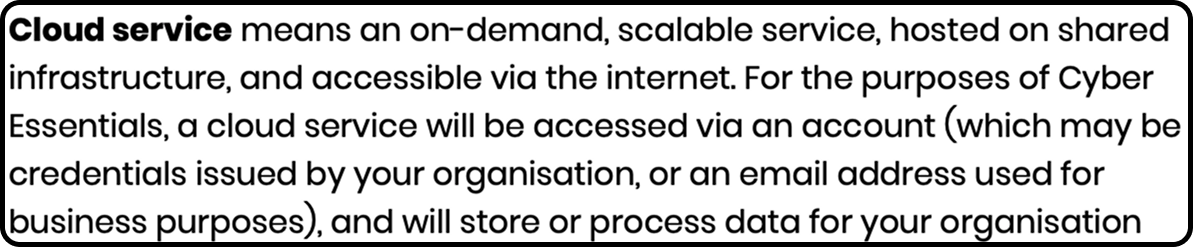
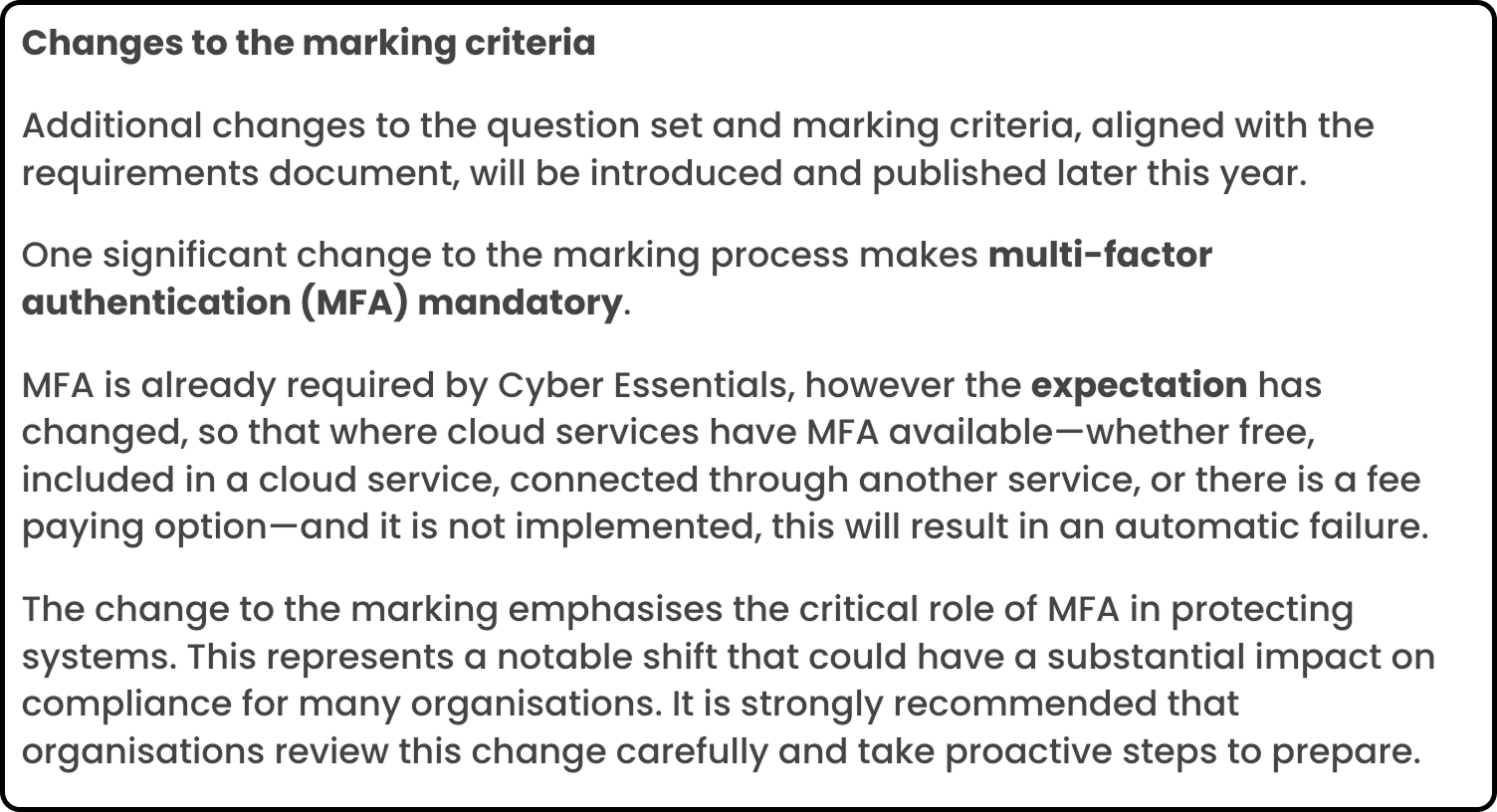
This means that:
Any service accessed via a business email or account is considered in-scope. It doesn’t matter whether this is a “free” tier account on a SaaS service or a fully managed enterprise cloud platform.
If a service offers MFA, it must be enabled for all users. (Apps that don’t offer MFA are incredibly rare).
If a service offers MFA only as a "paid add-on" or part of a higher subscription tier (e.g., "Enterprise" vs. "Basic"), you are now required to pay for and enable it.
If the service doesn't have native MFA but allows you to sign in via a provider that does (like "Sign in with Microsoft" or Google), you must use only that method.
This means that if "shadow" apps and accounts are identified — e.g. they find that your team is using a SaaS tool that doesn't have MFA, and it wasn't listed in your submission — you will be non-compliant.
This has significant ramifications for the attestation process that requires comprehensive visibility of every app, login method, and MFA factor.
Don’t worry, Push Security has the solution
Push provides you with visibility of every single cloud app your employees access and how they’re authenticating to them, giving you the controls needed to automatically enforce MFA and strong, unique passwords on all your corporate accounts.
Push is able to do this by deploying into your employees’ existing browser, from where it observes the actual login process in real-time. This allows Push to capture 100% of cloud app usage, including free-tier apps and those accessed via personal email addresses or local credentials, which centralized SSO logs would miss.
Here’s a short interactive demo that shows you how Push helps you to prepare for Cyber Essentials by capturing all your cloud services and making sure MFA is enabled on all your user accounts.
This isn’t all Push does — we also detect and stop browser-native attacks like zero-day phishing, AitM toolkits, ClickFix attacks and account takeover — but more on that later.
But all our apps are managed and accessed via SSO…
Most organizations work on the assumption that their employees are using SSO to access the suite of business apps they use on a daily basis. Apps go through an onboarding process where they are configured to use the preferred SSO method (e.g. SAML, OIDC) from the preferred identity provider (Okta, Microsoft, Google, etc.). By enforcing secure login requirements on how employees login to their IdP account, you essentially secure the downstream logins to all of the business apps in use.
The reality is quite different.
Apps are routinely self-adopted by users. Most enterprises are using hundreds of apps across their workforce, for a variety of business purposes.
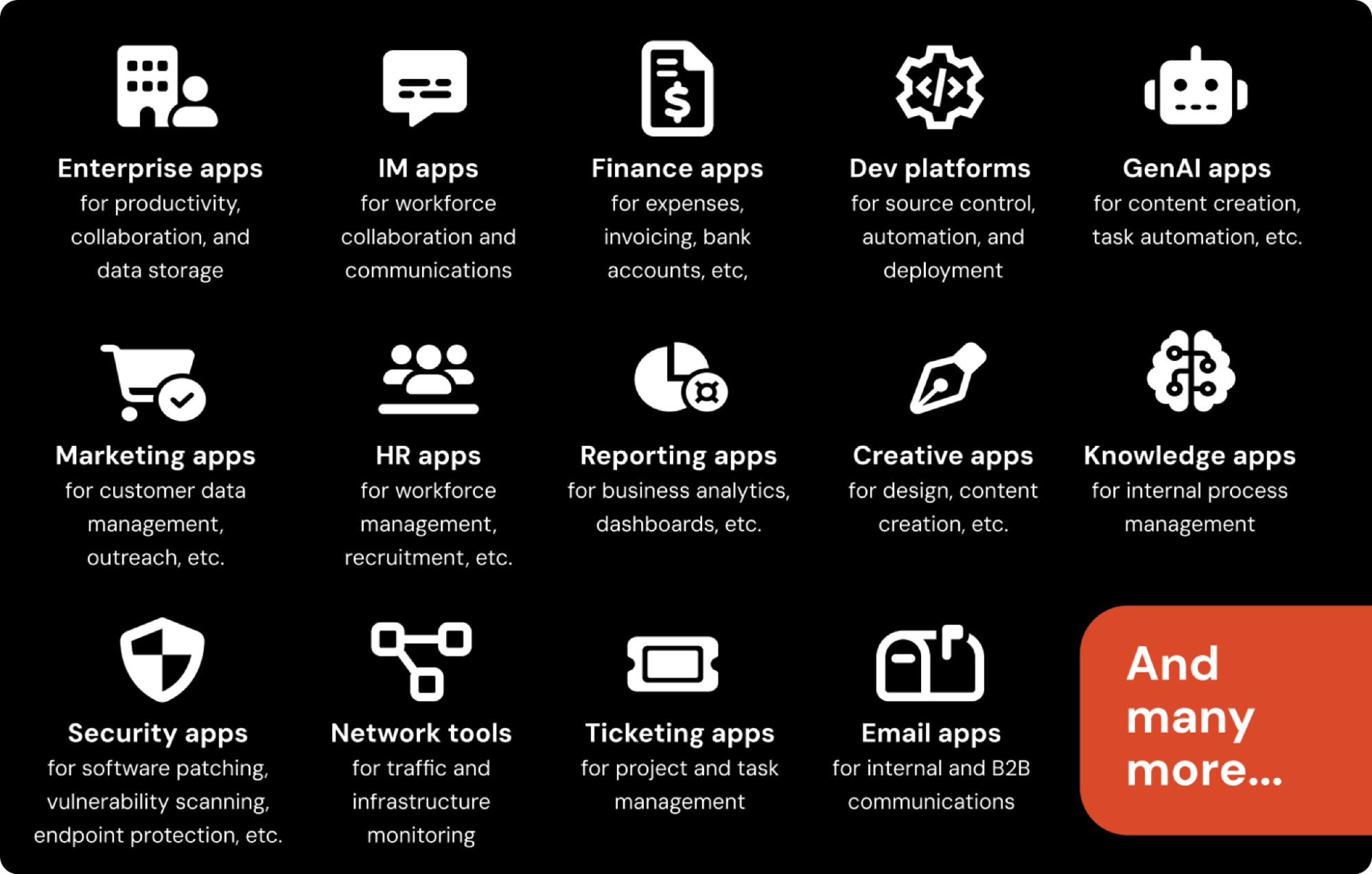
Apps typically allow multiple, simultaneous login methods to exist. Many apps don’t allow you to restrict this even with admin-level controls (or needing to pay extra for the privilege). A huge number of apps don't even allow you to configure SAML SSO without paying extra for the privilege (if they offer it at all).
This means you can have a local password active at the same time as a secure SSO login option — we call these ghost logins. The worst part is that you can have an SSO login protected by MFA, at the same time as a local password without. This is one of the key reasons why we see that 2 in 5 accounts are missing MFA.
Under the new regulations, this would be an automatic fail if discovered.
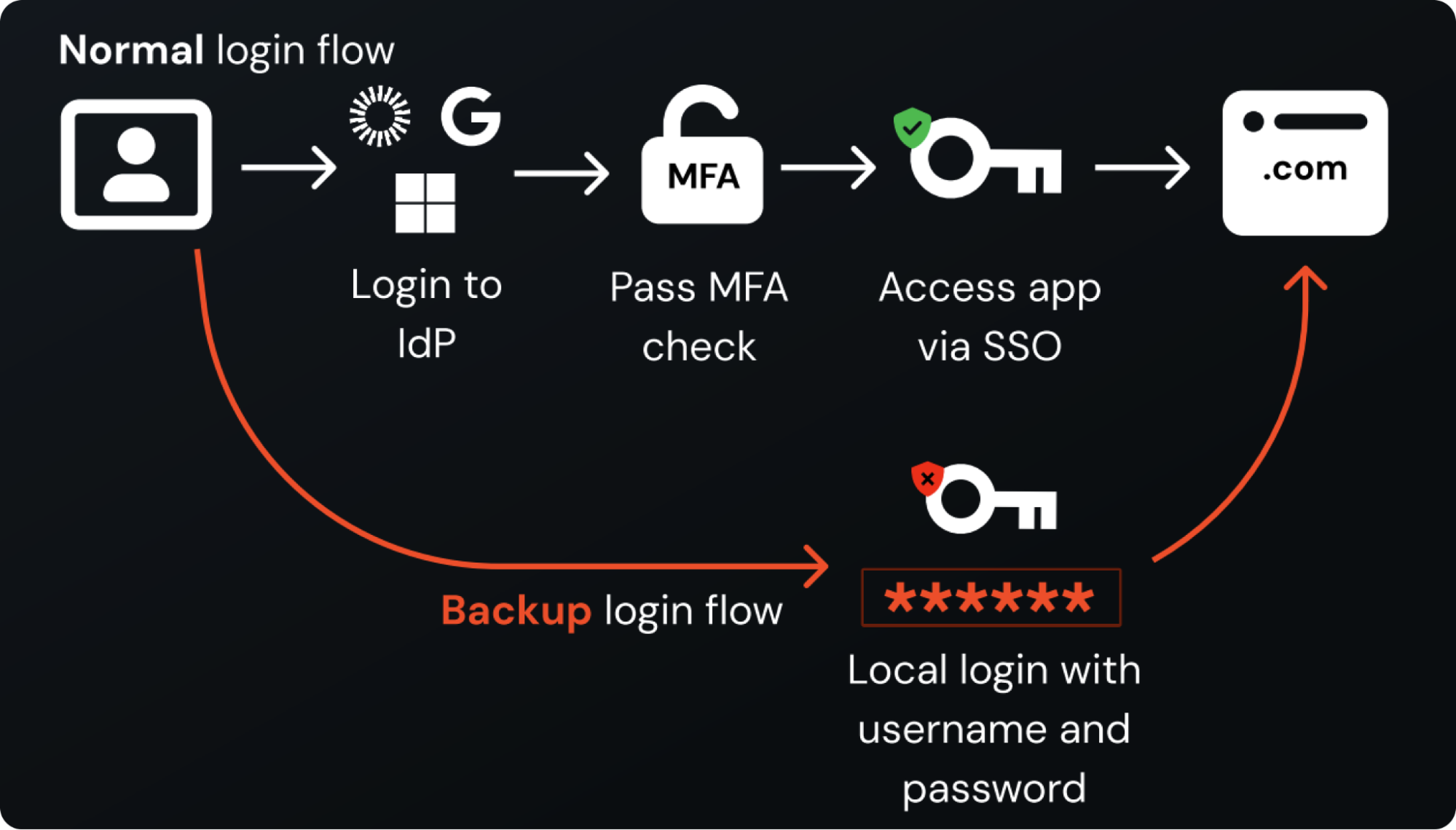
Even more complexity comes in how MFA can be enforced. Some SaaS services only allow MFA to be self-adopted rather than centrally enforced by admin controls. This can often be linked to the product tier, with a higher level subscription required for tenant-level security features. Similarly, some apps do not provide admin-level visibility of MFA configuration for individual accounts. How each vendor chooses to set up their app is very inconsistent.
Combining the lack of SSO support with the ease of self adoption and issue of concurrent login methods, we're in a world where passwords aren't going anywhere fast. And if you think your employees are using only one password at best (to log into their enterprise SSO) you're in for a big surprise.
The ripple effect
The nature of the changes to the scope means that areas you were previously comfortable attesting to become way more complex.
You have to enforce password policies and account lifecycle management on a long tail of SaaS, not just previously identified “core” apps.
This applies to external contractors too.
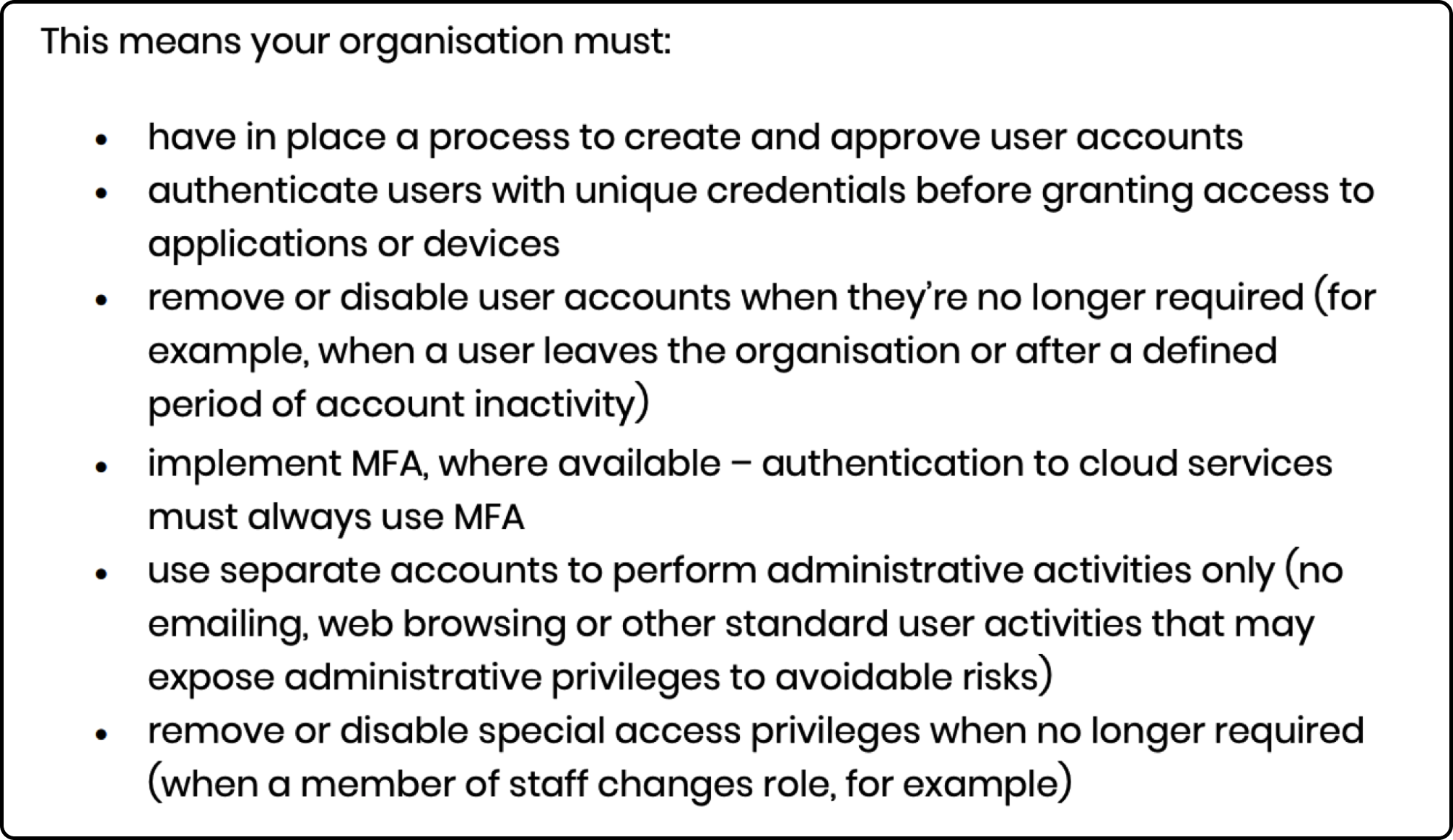
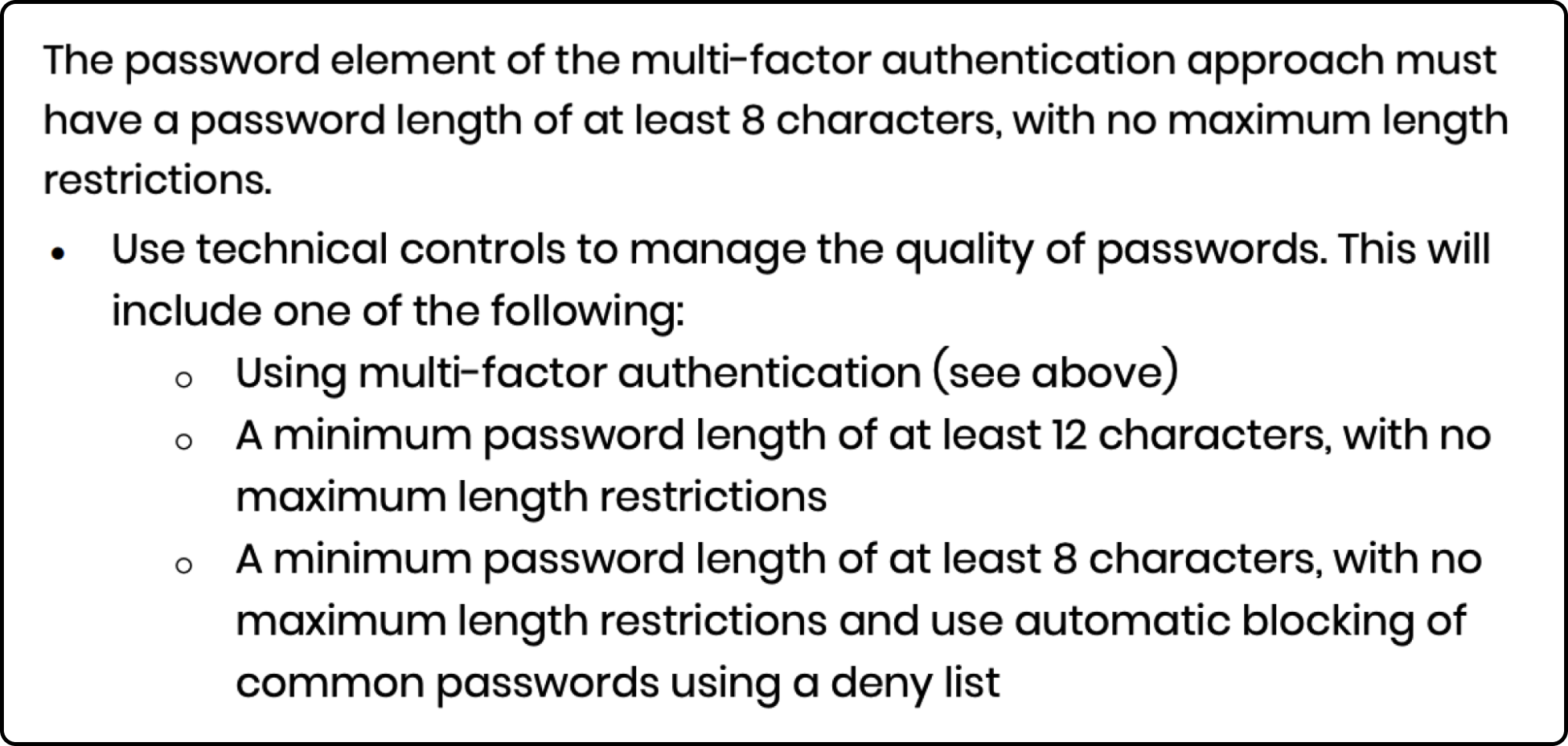
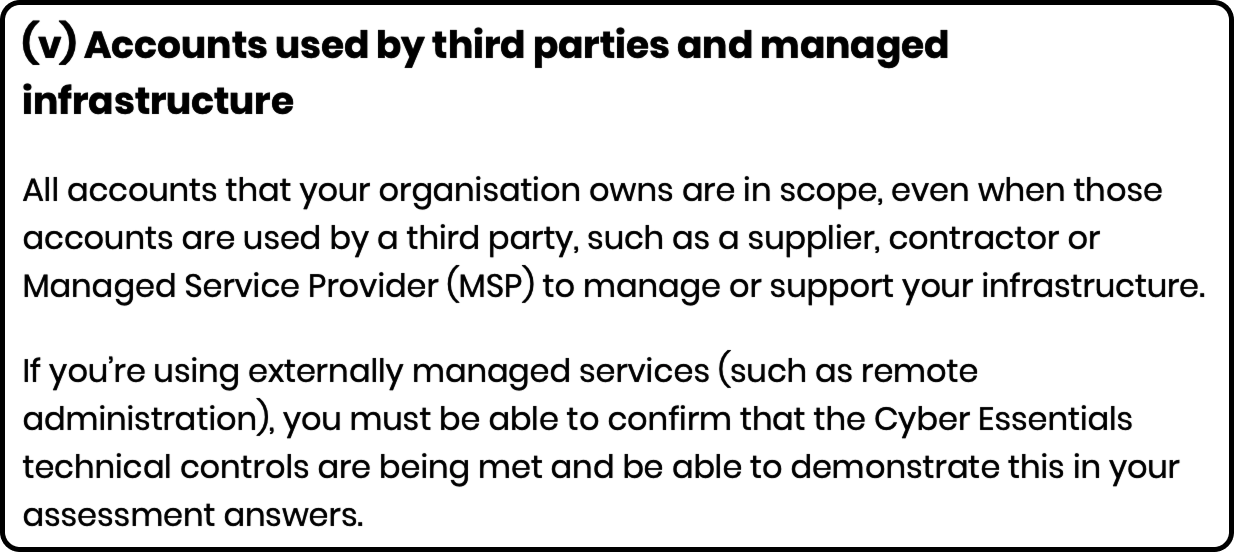
Will your assumptions stand up to scrutiny?
Previously, the approach to an audit would have been to show that the IdP dashboard is configured to require mandatory MFA, and all business apps are accessed securely via the IdP interface.
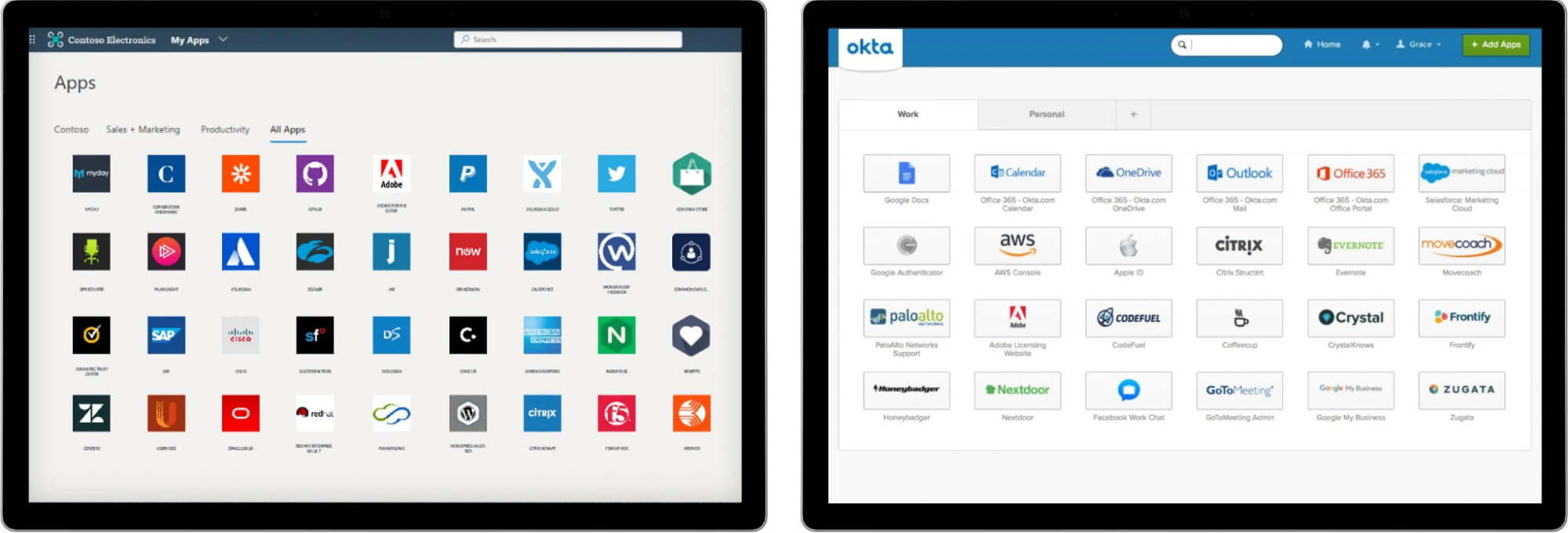
But this only shows part of the picture. Cyber Essentials auditors typically interview employees and ask them to demonstrate logging into a variety of apps to show the MFA status and overall login process (e.g. are they using a password manager, do passwords meet the requirements, etc.). If the auditor discovers an app you were unaware of, that is accessed without using MFA, you’ve failed.
This isn’t just a compliance concern — it’s a real security threat
The reason that compliance is being forced to evolve is that this kind of security gap is being routinely exploited by attackers in the wild. Compromised credentials are available online in their billions, and that’s all an attacker needs to log into an account without MFA.
The recent criminal campaigns against Snowflake and Jira customers demonstrate this risk.
The 2024 Snowflake breaches resulted in billions of records being stolen from 165+ Snowflake tenants. Attackers simply logged into accounts without MFA at scale — >80% of the credentials had been leaked online as early as 2020.
Criminals went on a Jira hacking spree, compromising 10 organizations publicly — including Jaguar Land Rover. The same attackers were then involved in the Scattered Lapsus$ Hunters ransomware operation that went down as the most economically consequential cyber breach to affect a G7 economy.
You can read more about these Scattered Lapsus$ Hunters attacks and the bigger picture here.
The reality is that this has been happening for years. Regulation is always slow to catch up. It’s important that organizations understand why these changes are being made — to tackle the threat.
Achieving compliance (and more importantly, security) with Push
Here’s how you can use Push to comply with Cyber Essentials v3.3 onwards, as well as safeguard your business and users from threats.
Discover apps and get them behind SSO: Push captures every login from the browser, regardless of whether it’s federated or shadow. It builds a full map of your organization’s true identity footprint, including all accounts, apps, authentication methods, and SSO gaps. This allows you to spot apps that have been self adopted and take action.
Review MFA status and enforce MFA: You can see the MFA status of every app, both at the IdP and local app level, as well as the type of MFA method used to assess security strength. This allows you to find and eliminate “ghost logins” not protected by MFA — by configuring MFA at the app level, or removing the local credential. You can also prompt employees to register an MFA method in real time as they access an app in their browser.
Find and fix weak, breached, and reused passwords: Push check the posture of all your employee passwords. The browser agent accomplishes this by creating a salted hash of a user’s observed password and then taking the first 8 characters of that hash to store locally in the browser, checking it against a list of 10,000 common basewords and common permutations); flagging if it is reused across accounts (i.e. not unique) and has appeared in a data breach or compromised credential feed.
Easily deploy to contractors and third-parties: Push’s lightweight extension is easy to deploy to any machine, including those you don’t directly manage. Deploying Push into a dedicated contractor browser profile means you can track third-party logins to your apps exactly like you would an internal employee.
Final thoughts
Cyber Essentials has taken a meaningful step toward addressing the real threat organizations face in the form of compromised credentials and MFA gaps, but they’re not alone. When missing MFA has led to a cyber breach, it has been met with both regulatory fines and insurance non-payment, with NYDFS in particular leading the charge.
But this isn’t the only threat organizations face. Modern, browser-native attacks are dominating the breach headlines, with attacks like AiTM phishing, credential stuffing, malicious browser extensions, ClickFix, ConsentFix, and session hijacking.
Push tackles all of these attacks using behavioral threat detection controls, powered by deep browser telemetry, to provide broad detection and blocking capabilities against attacks happening in the browser. This means analyzing the end-to-end process of a webpage loading/running in the browser, and how the user interacts with the page, to spot universal indicators of bad activity.
Want to learn more about Push and how we can help? Check out our latest product overview, visit our demo library, or book some time with one of our team for a live demo.