If you're building a shortlist of browser security vendors, one of the first decisions you hit is an architectural one: full-stack enterprise browser, or browser security extension?
If you're building a shortlist of browser security vendors, one of the first decisions you hit is an architectural one: full-stack enterprise browser, or browser security extension?
At first, it may seem like an obvious choice, partly because the category name "Secure Enterprise Browser" implies the answer is a full-stack browser. Plus, the most visible vendors in the space have spent the past few years marketing that exact choice as the only one.
But the market tells a different story. The majority of vendors Gartner places in the SEB category are now extensions rather than full browsers, and Gartner explicitly notes that extensions have become the preferred option.
The buyer-side data tells the same story: In Omdia's 2026 survey of 400 IT and security professionals, 48% of organizations cited the ability to use their existing browsers as an important attribute in a secure browsing solution.
The truth is: Full-stack enterprise browsers and browser security extensions like Push aren’t competing products. They serve different needs for different teams, though they often get evaluated against each other.
Full-stack enterprise browsers serve the IT team's need to control the workspace. Browser security extensions like Push meet the security team's need to protect their users as they work in their browsers — a fundamentally different problem.
In this article, we’ll cover why a feature-by-feature checklist is the wrong approach when selecting a secure browser platform, and what questions to consider instead. We’ll also discuss what each type of solution excels at, where Push fits in, and how to map your needs to the right solution.
Full-stack enterprise browsers meet the IT team's need to control a workspace
Full-stack enterprise browsers like Island, Prisma Browser, and SURF Security are best understood as managed workspace platforms rather than browsers in the conventional sense.
Island's own CEO Mike Fey has described the company's strategy as transforming the browser into "a centralized, enterprise-grade platform, eliminating layers of legacy IT infrastructure by building more functionality in the browser."
Chrome Enterprise and Edge for Business occupy a related space as productivity-suite browsers extended with native security controls, sold as part of the broader Google and Microsoft workplace stacks. Different products with different lineage, but all of them converge on the same owner: an IT organization solving for workspace control.
The IT team is trying to achieve workspace policy compliance and access governance. Their primary use case is typically reducing reliance on legacy IT tools like VDI, VPN, remote browser isolation, DaaS, web filtering, and CASBs. In this world, the use cases look like:
Securing third-party contractors or BYOD where the workspace itself is the access control.
Regulated populations like call centers, BPO workforces, finance teams handling sensitive material, where output controls like watermarking, screenshot restriction, and print blocking need to be enforced at the OS rendering layer.
Legacy app support including IE-mode rendering for applications that have never been modernized.
For these use cases, the architecture is well-suited, and there are numerous full-stack SEB solutions that address them well. Where the full-stack approach runs into trouble is in getting users to migrate onto a new browser and in justifying the cost of doing so. Both problems scale with the size of the workforce.
Cost of deployment is a significant blocker for full-stack browsers
The migration costs are easy to predict: deployment and configuration effort, help desk volume and — biggest of all — user resistance. But it’s the license cost that limits deployments in many organizations going from a free consumer browser to a paid replacement for the first time.
In fact, Gartner notes that most buyers start with a single use case like covering contractors and rarely pursue organization-wide deployment for a full-stack enterprise browser.
For organizations that do achieve a full-coverage deployment for these full-stack browsers, the need to manage drift in employee behavior over time gets harder. Agentic browsers like Comet, Atlas, and Dia are already starting to pull users toward AI-native workflows that consumer browsers don’t offer and full-stack enterprise browsers don’t currently match.
What a browser security extension built for the security team looks like
Most browser security extensions on the market were built to address this migration hurdle. They attempt to take as many of the features of a full-stack browser as possible, but make it possible to deploy into users’ existing browsers, sidestepping a lot of the cost and rollout problems.
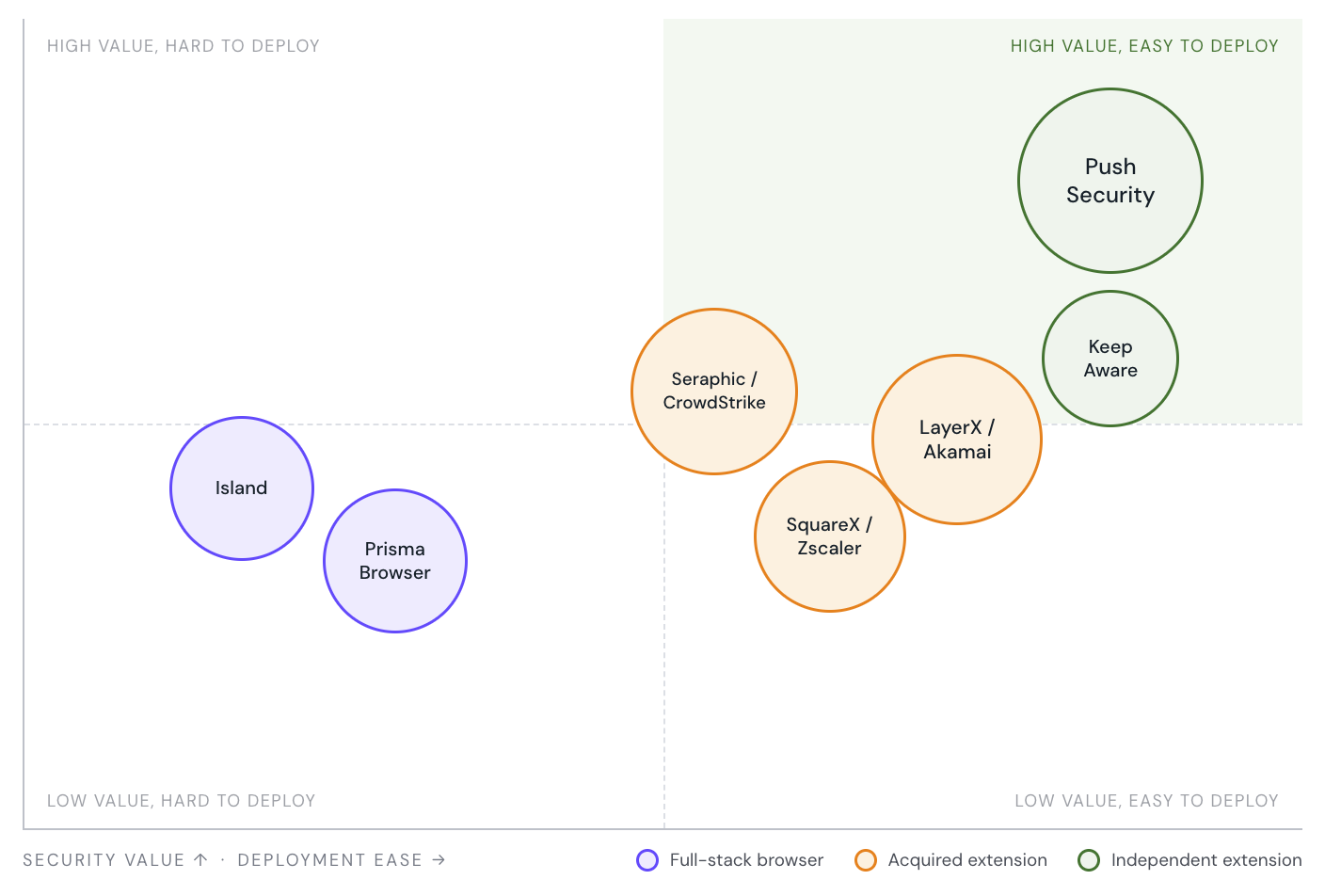
LayerX, Seraphic, SquareX, and Keep Aware have all at some point echoed this approach in their product descriptions with the line "make any browser an enterprise browser."
Ultimately, that approach is still aimed at solving problems for the IT team more than the security team.
Push is different — we built a browser extension to meet the security team's needs
Push set out to meet a different need. Our team's background has always been in defending organizations against advanced attacks. We spent our careers working in red and blue teams throughout the network and endpoint eras of cyber attacks. The mission we started with in 2022 was to defend organizations against the new era of damaging cyber attacks that originate in the browser.
We chose a browser extension as the approach for our solution, not because we wanted to build an easier-to-deploy enterprise browser, but so we could use it as a security agent to collect high-fidelity telemetry for TTP-based detections, and apply real-time controls to stop attacks at the earliest opportunity in the modern — browser and identity native — kill chain. In effect, we created EDR, but for the browser. This is what gives Push the edge compared to other Secure Enterprise Browser solutions when it comes to tackling the highest priority threats in the browser — we’re optimized for this problem area.
For a security team using Push’s extension, this means attacks get stopped at the earliest opportunity in the kill chain and before they cause harm.
When a user lands on a phishing page built to harvest their credentials, Push sees the page rendering and the JavaScript executing inside the DOM, and can block the credential submission before the form posts. When a user is being walked through a ClickFix or ConsentFix social engineering flow, Push sees the clipboard writes and the OAuth consent flow parameters being prepared, and can intervene before the user completes the action. When a session token is stolen and replayed against a different device, Push sees the session activity and surfaces the compromise. Push does all of this from a browser extension, without needing to replace the user's browser.
The same underlying technology also addresses other high-value security use cases: Visibility and control over AI usage; hardening identities and surfacing shadow IT; and supporting insider investigations and preventing data loss.
The highest-value use cases the browser can address are all powered by the same underlying technical capability, which is why Push's single extension can address four major security use cases rather than four separate tools needing four separate deployments. The success metric for security teams using Push is attacks averted or stopped, cyber risk reduced, and security posture and resilience strengthened — not workspace policy compliance.
Proven at scale: What security leaders are saying
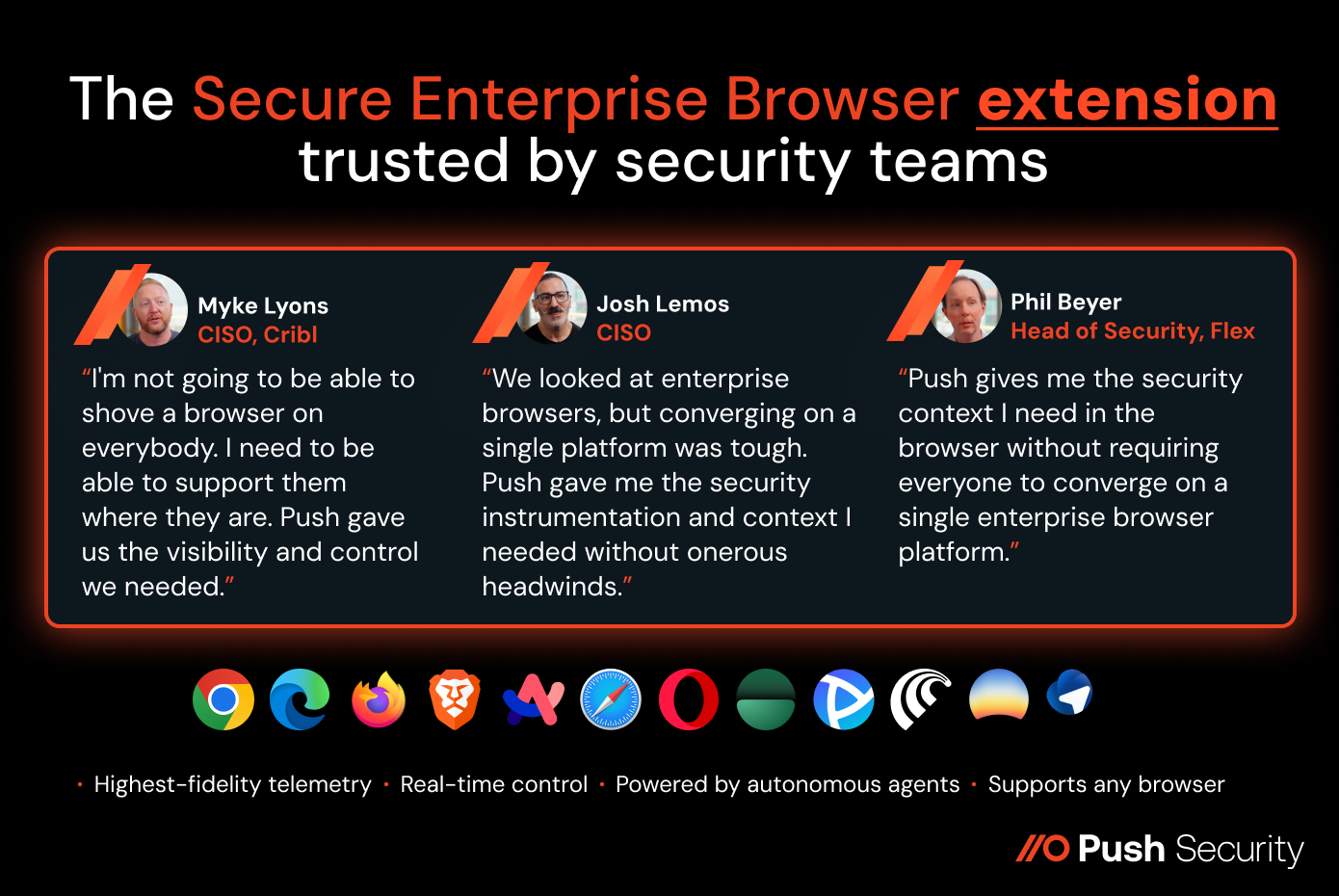
Push launched its browser extension in 2022, making it one of the first and longest-running browser security extensions in the category, and it is now deployed across more than three million browsers worldwide.
Many Push customers were initially considering full-stack enterprise browsers, but found that Push provided all the visibility and control they needed without the migration headache.
The extension matters, but it's what we built around it that really counts
The extension is the most visible part of the Push platform, but what Push has built around it makes the solution the most powerful security tool in the browser:
In-house threat research that discovers attack techniques as they emerge. Push researchers track real-world adversary activity and discover new techniques as they appear, including ConsentFix, InstallFix, and creating the Browser & Identity Attacks Matrix. Detection is only as good as the threat understanding behind it, and research is what keeps that understanding ahead of what attackers are doing in the wild.
Agentic threat hunting and detection engineering at machine speed. Push's agentic detection pipeline operationalizes the research, generating new behavioral detections in minutes rather than quarterly releases — covering the techniques behind the Scattered Spider, Scattered Lapsus$ Hunters, and ShinyHunters breaches of the past three years. Attackers are using AI to accelerate the pace at which they generate new lures, kits, and infrastructure; Push keeps security teams in front by advancing the capability at machine speed and scale.
Collecting the right telemetry to surface both attacker behavior and risky user action. Telemetry by itself is just data — the value comes from knowing what to collect, why it matters, and how to turn it into detections and controls. Push combines deep instrumentation of the browser with the expertise to use what we collect: the same browser-layer telemetry that detects AiTM kits, ClickFix and ConsentFix lures, and session token replay also surfaces what users are pasting into AI tools, which SaaS apps they're logging into outside the IdP, which OAuth grants are being made, and which extensions are running in their browsers. The threat detection and the identity, AI, and DLP use cases are not separate features — they are different applications of the same underlying telemetry, surfaced because Push knows what to look for.
Enforcing the right controls at the right place at the right moment. Visibility without actionability is only half a solution. Push turns the browser into a strong control point for stopping attacks and risky user behaviors in real time — reusing passwords, intercepting credential submission to non-IdP domains, blocking ClickFix clipboard payloads before paste-execute, prompting MFA enrollment at the point of login, warning on weak or breached passwords at credential entry, and surfacing app banners that communicate policy at the moment of use. The same control surface that stops attackers stops the user's mistakes that lead to the next breach.
Balancing security and privacy. Push is designed to give security teams the telemetry they need without monitoring personal browsing. By default, only logins to configured corporate domains are observed; personal browsing is not collected. (Though administrators have the option to observe personal account logins to work apps, and identify where browsers are being synced to personal accounts, which can result in password loss.) Plaintext passwords and form inputs are never transmitted — passwords are analyzed locally using salted partial hashes. Broader browser metadata is stored on the device and only transmitted when it matches a detection rule. Push does not train AI models on customer telemetry.
Full-stack enterprise browsers and Push’s browser extension are not mutually exclusive
It’s worth pausing on a point that often gets lost in the way the market discusses this choice. Full-stack enterprise browsers and Push’s extension-based solution are not mutually exclusive. They do different things for different teams, and they run together.
Push supports enterprise browsers like Island and Prisma Browser. Many of Push’s customers use a full-stack browser for the contractor population or regulated workload where the IT team needs workspace controls, and Push across the rest of the workforce to provide the deep security capabilities that the IT team is not measured on but the security team is. The right framing for many enterprises is not whether to choose full-stack or extension. It is full-stack for the IT use cases that need it, and Push everywhere else.
Which one is right for your security team?
The answer follows from the need you are trying to meet. The scenarios below cover the most common real-world situations and the approach that fits each.
Is your priority detecting and stopping attacks in the browser? Go with Push. Push detects and stops the threats actually breaching enterprises — AiTM phishing, ClickFix, OAuth abuse, malicious browser extensions. It also provides valuable additional insight during investigations to understand incidents better and decide how to respond to them.
Do you have a large contractor or third-party population needing locked-down workspace controls? Use a full-stack enterprise browser for that population and Push for everyone else. Watermarking, screenshot blocking and print restriction are OS-level controls that extensions cannot reliably replicate.
Do you have a multi-browser estate including a mix of consumer and agentic browsers? Push will provide the coverage you need to secure users. The browser options are growing, and locking your workforce into a single corporate browser becomes harder every time a new productivity-shaping browser ships. Push regularly adds support for emerging browsers.
Is significant BYOD or unmanaged-device coverage required. Push is a great option, particularly if you also have Chromebooks that fall outside of your EDR coverage. The extension can easily be installed via email or landing page self-enrollment, with options to enforce coverage through conditional access policies. This provides full threat detection and policy enforcement on devices the organization does not own.
In short, if you are solving for workspace control, the right tool is a full-stack enterprise browser. If you’re solving for protecting users as they work in their browsers, Push is the tool built specifically for that need — with the research depth, detection engineering, and operational scale to do the job.