/
Can Push prevent password entry in username fields?
Yes. By enabling the control Password logging prevention, you can prevent users from mistakenly entering their password into non-password fields such as username or email fields when they're signing in to the app that password is associated with.
You may wish to prevent the entry of passwords into non-password fields particularly for core applications like your identity provider. By blocking incorrect password entry, you can avoid inadvertently recording passwords in your app logs, which can introduce security risk.
Note that this control works by preventing password entry for configured apps into non-password fields for those apps. For example, if a user enters their Okta password into a non-password field for Okta, it would be blocked according to your configuration. To prevent the entry of Okta passwords on any other app (e.g. such as password reuse on other legitimate apps or on phishing sites), you would need to configure the Password protection control.
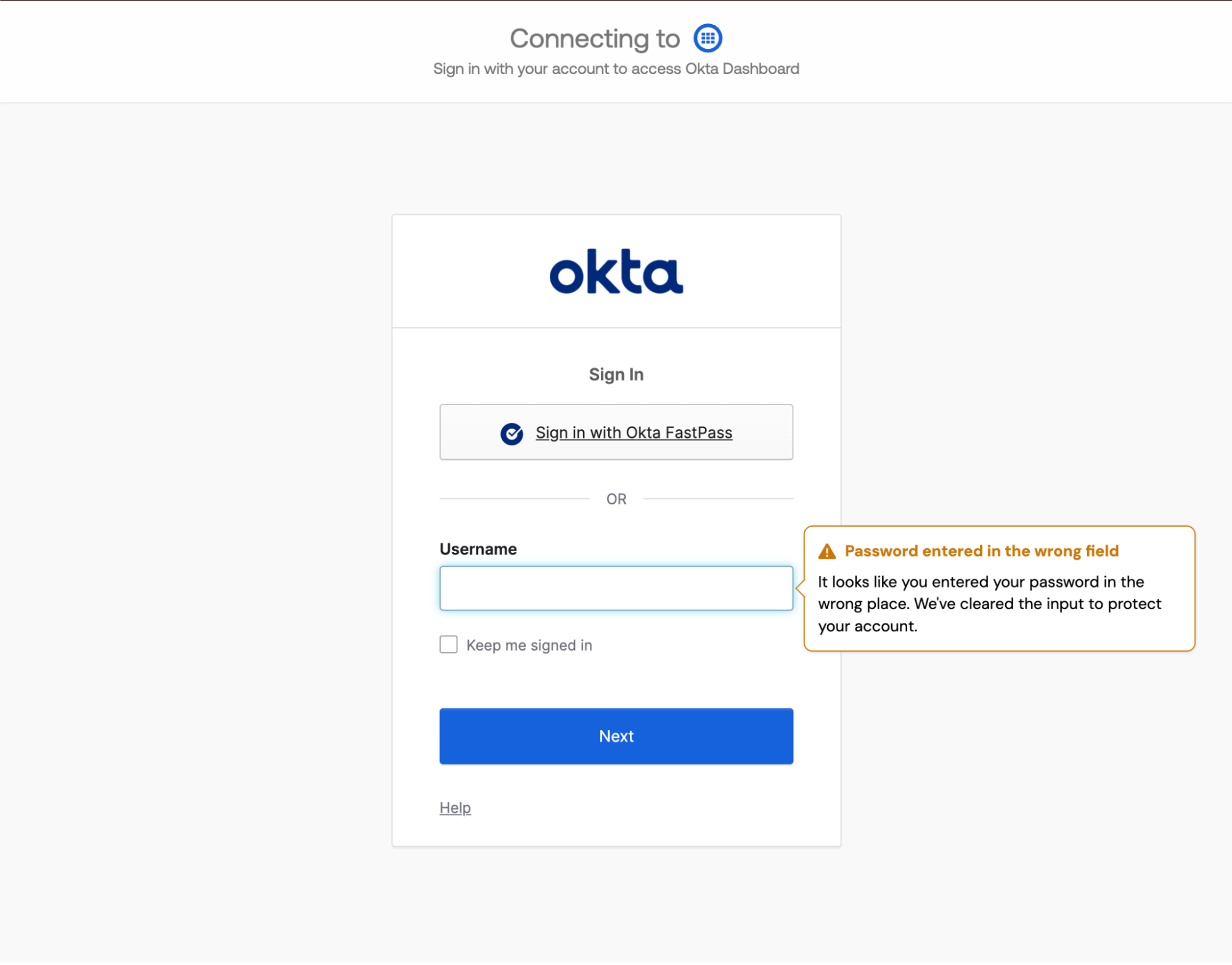
When Push detects that an employee has entered their password into a non-password field, a webhook event will be emitted. In Monitor mode, the event will simply be recorded. In Block mode, the user’s input will be cleared and a tooltip message will appear to let them know they entered their password in the wrong place. The tooltip style will adhere to your Branding configuration.
How to create a configuration rule
You can configure this control to apply to all employees, employee groups, or specific individuals. You can also create an exception for specific employees or employee groups who should be exempted from this control.
When you enable the control, you’ll create a configuration rule that sets the Mode (Off, Monitor, or Block), the Scope (all employees, specific groups, or specific individuals), and which Apps the rule should apply to (all apps, specific apps, or apps based on attributes like labels)
To exempt an individual or group, create a rule where the Mode is set to Off and then choose the group or people who should be exempted.
Recommendations on using Block mode
We recommend running the control in Monitor for a while to understand your event volume and identify any apps where employees are frequently entering passwords into non-password fields.
Then, when you’re ready, enable Block mode with your custom end-user message.
Markdown for styling custom message
The custom message field for the blocking tooltip message supports link and email syntax using markdown, but no other formatting.
Example markdown:
[Push Security](https://pushsecurity.com)
[Steph](mailto:steph@ctrlaltsecure.com)