/
Can I use Push to help protect against device code phishing scenarios?
Yes, Push can help warn users during the device code authentication process to make sure they initiated the sign-in process.
You can do this by using Push’s App banners feature applied to your identity provider’s device code authentication URLs.
Push also provides other layered anti-phishing controls, including detection of phishing kits that may use device code phishing methods. Because the use of device codes is a legitimate authentication mechanism you may not want to outright block, we strongly recommend adding additional controls around their use, like using App banners and monitoring when those banners are acknowledged by end-users.
What are device codes?
OAuth supports multiple authentication flows that can be used to grant access to an app. One of these is the device authorization grant. It’s intended for use with input-constrained devices, such as smart TVs and printers.
This flow works by supplying the user with a unique code and instructing them to visit an identity provider (e.g. Microsoft or Google) in a browser on a different device to enter the code in order to authorize the device.
What is device code phishing?
Initiating a device code flow does not require authentication or authorization, and adversaries can initiate the process and generate a code.
Next, they can send the code to a target, convincing them to visit their authentication provider and enter the code, thereby granting access to their account.
Recommended configuration
You can configure App banners to warn users when visiting device code authentication pages to ensure they’re aware of the action they are taking, especially if they were prompted to complete authentication through a suspicious message.
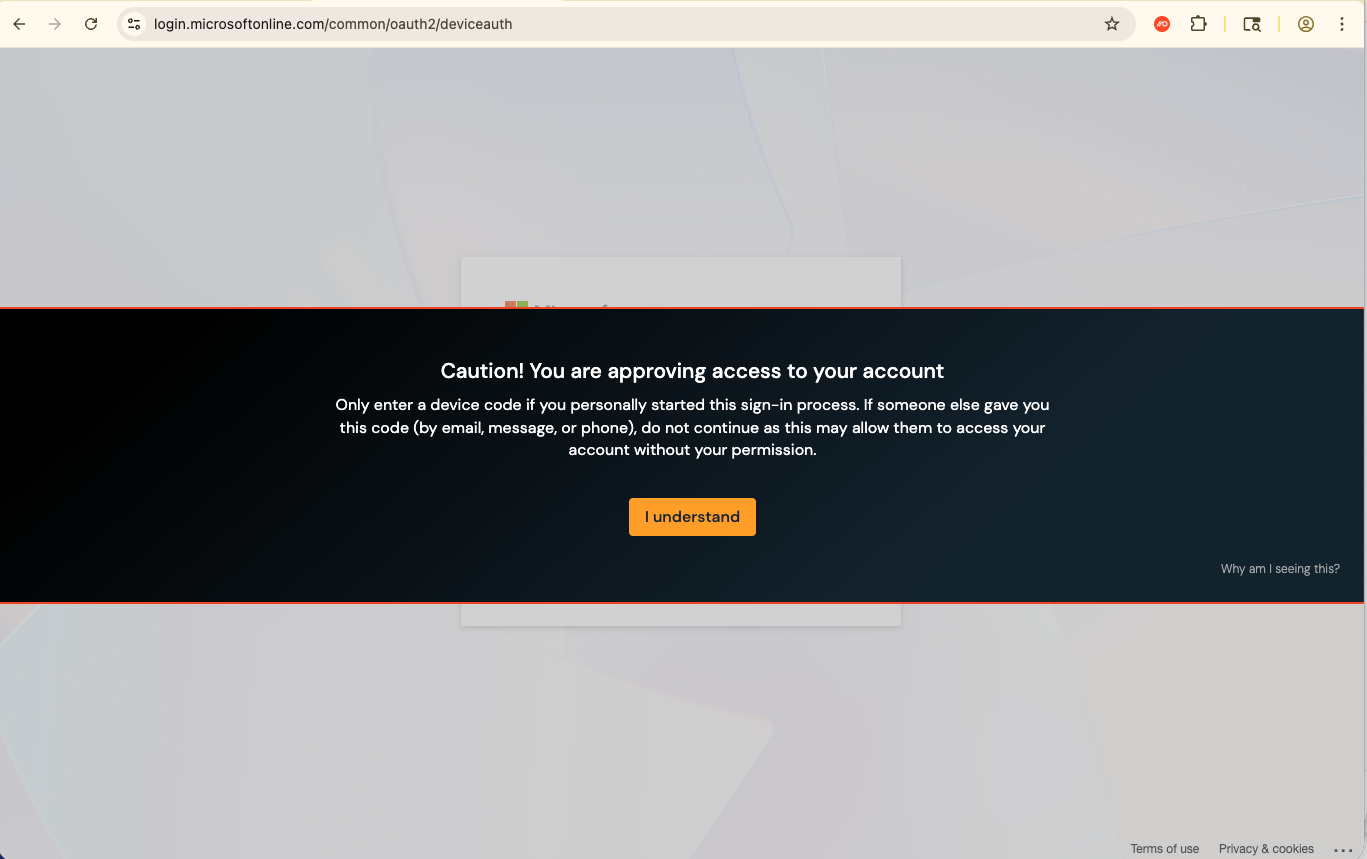
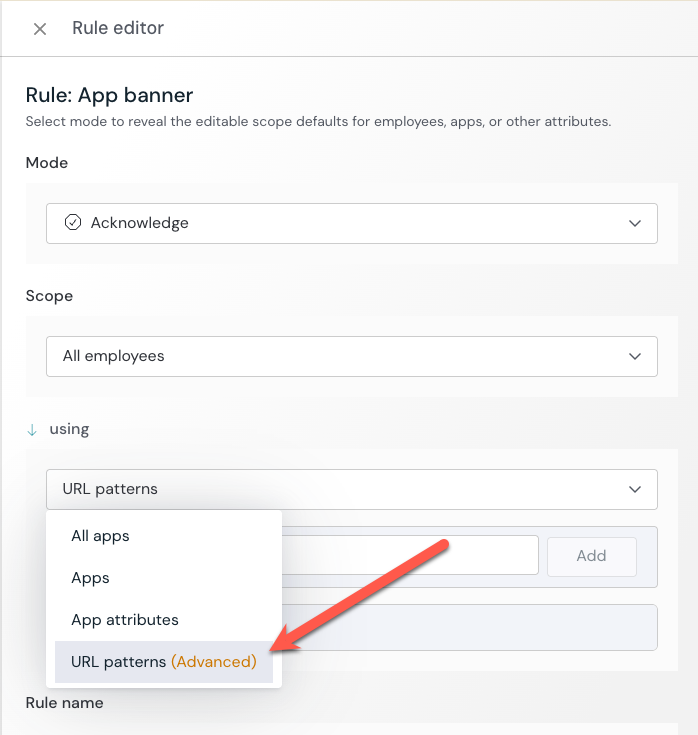
From the Push admin console, go to Controls > App banners and create a configuration rule to add a banner to the following URL patterns for your relevant IdP:
microsoft.com/devicelogin (optional - serves as a redirect)
login.microsoftonline.com/common/oauth2/deviceauth
google.com/device (optional - serves as a redirect)
accounts.google.com/o/oauth2/device/usercode
github.com/login/device
gitlab.com/oauth/device
If your identity provider is not listed above, you should add the URL associated with its device code authentication page.
Push recommends using the Acknowledge mode banner, so you can receive webhook events when a user acknowledges and dismisses the banner.
Related resource: