We recently investigated a large-scale phishing campaign that demonstrated a number of advanced detection evasion techniques and social engineering tactics, specifically targeting accounts used to manage business ads. Here’s what you need to know.
We recently investigated a large-scale phishing campaign that demonstrated a number of advanced detection evasion techniques and social engineering tactics, specifically targeting accounts used to manage business ads. Here’s what you need to know.
We recently investigated a sophisticated phishing campaign targeting Google Workspace and Facebook Business accounts with Calendly-themed phishing lures, based around a fake job opportunity.
We were first alerted to the campaign when a Push customer was hit with a highly targeted email-based attack, where the attacker used an Attacker-in-the-Middle (AiTM) phishing toolkit to target the customer’s Google Workspace account.
In this case, Google was the customer’s primary enterprise IdP account, used to access native Google suite apps as well as SSO to downstream apps — effectively, the front door to their business IT stack. Despite this, the attacker’s MO was specifically the takeover of accounts used for the management of digital ads.
Disclaimer: This campaign uses the names and images of real employees working for various companies that the attacker was impersonating. We have opted to redact any personally identifiable information, which extends to screenshots of the phishing pages with names and profile pictures, as well as names included in the phishing page URLs.
In this blog post, we break down the various TTPs used by the attacker across the campaign, and consider why ad management platforms are being specifically targeted.
Variant 1: Targeting Google Workspace with a sophisticated email phish
The first phishing variant we analyzed began with a multi-stage phishing email lure, framed as a job opportunity for LVMH (Louis Vuitton Moët Hennessy), which oversees more than 75 brands across sectors like fashion, cosmetics, watches, and spirits. The specific delivery address is impersonating “Inside LVMH”, the talent acquisition and training arm of LVMH.
This lure is notable for multiple reasons. It is highly targeted, well-written, populated with information from the victim, and coming from what appears to be a legitimate employee of LVMH. Even if the victim was initially suspicious, searching for the recruiter’s name would appear to confirm their identity.
It is possible, even likely, that this interaction was operated using AI, using information scraped from the internet — but in any case, the outcome achieved is highly convincing.
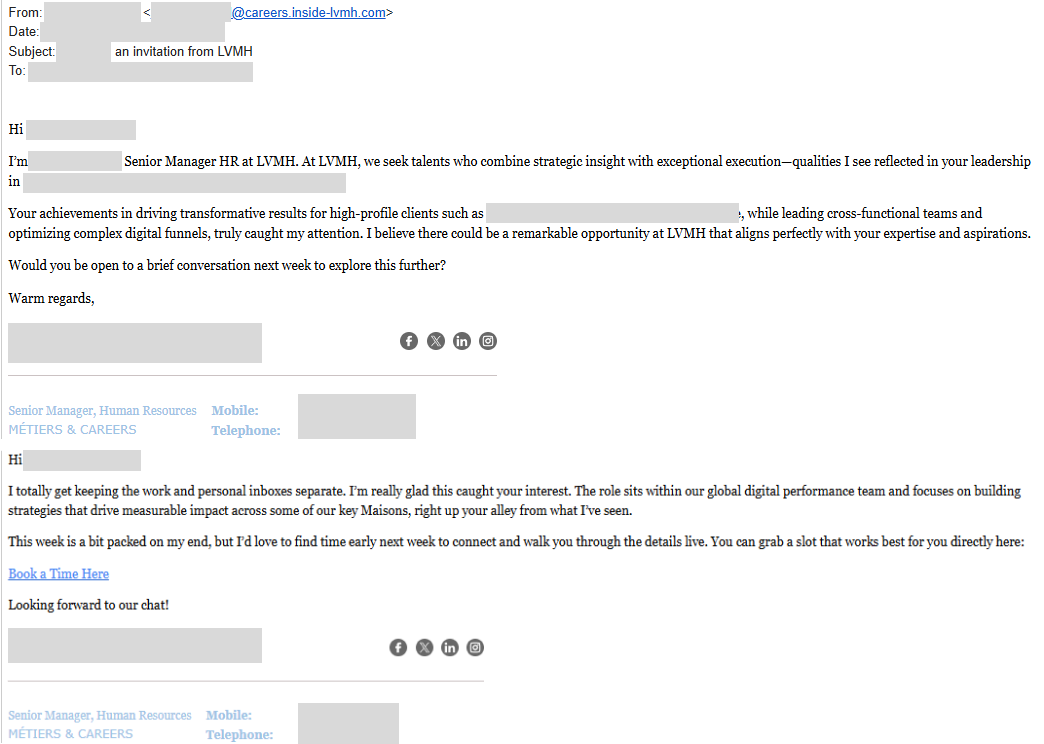
Only after the victim has responded to an initial email was the phishing link delivered under the guise of a Calendly link to book time for a call.
This approach is intentional. The multi-stage message is likely designed to defeat email content scanning tools looking for messages containing a link requesting an urgent response.
Clicking the link takes the victim to an authentic-looking page impersonating a Calendly landing page.
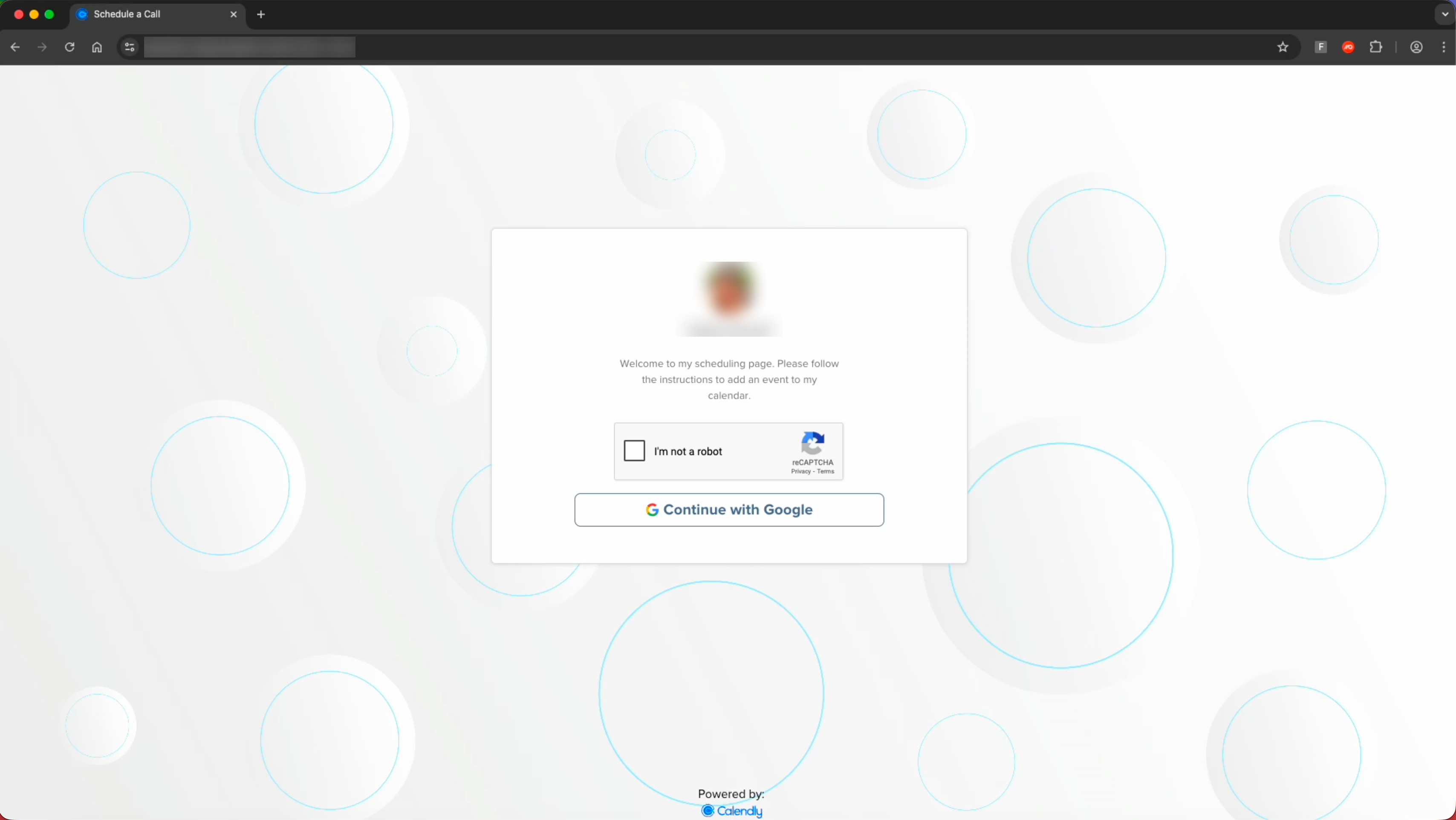
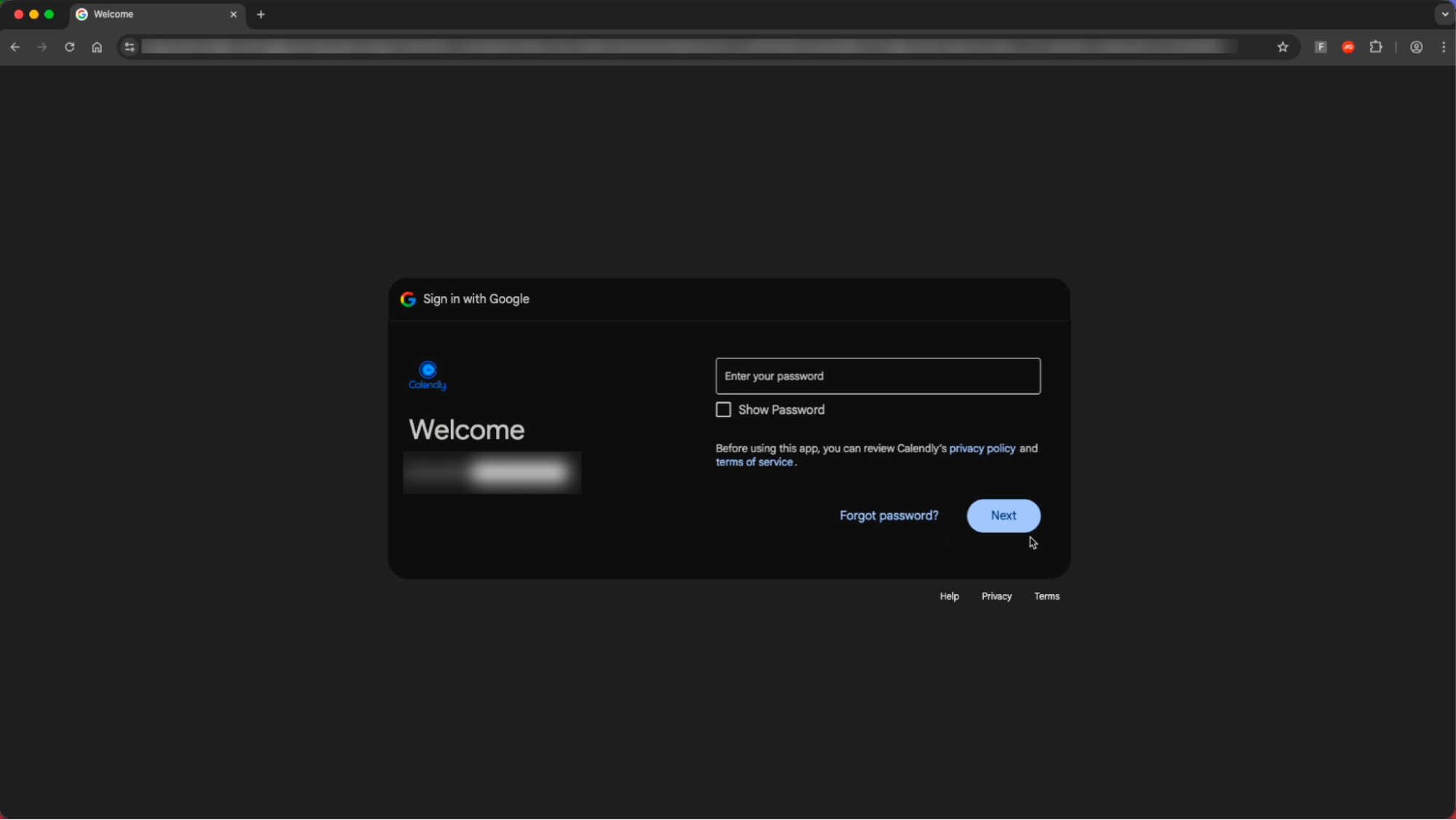
After completing the CAPTCHA check and selecting "Continue with Google” the victim is redirected to an AiTM phishing page designed to capture Google Workspace credentials, with specific branding impersonating Calendly — making this visually distinct from most common Google-themed phishing pages.
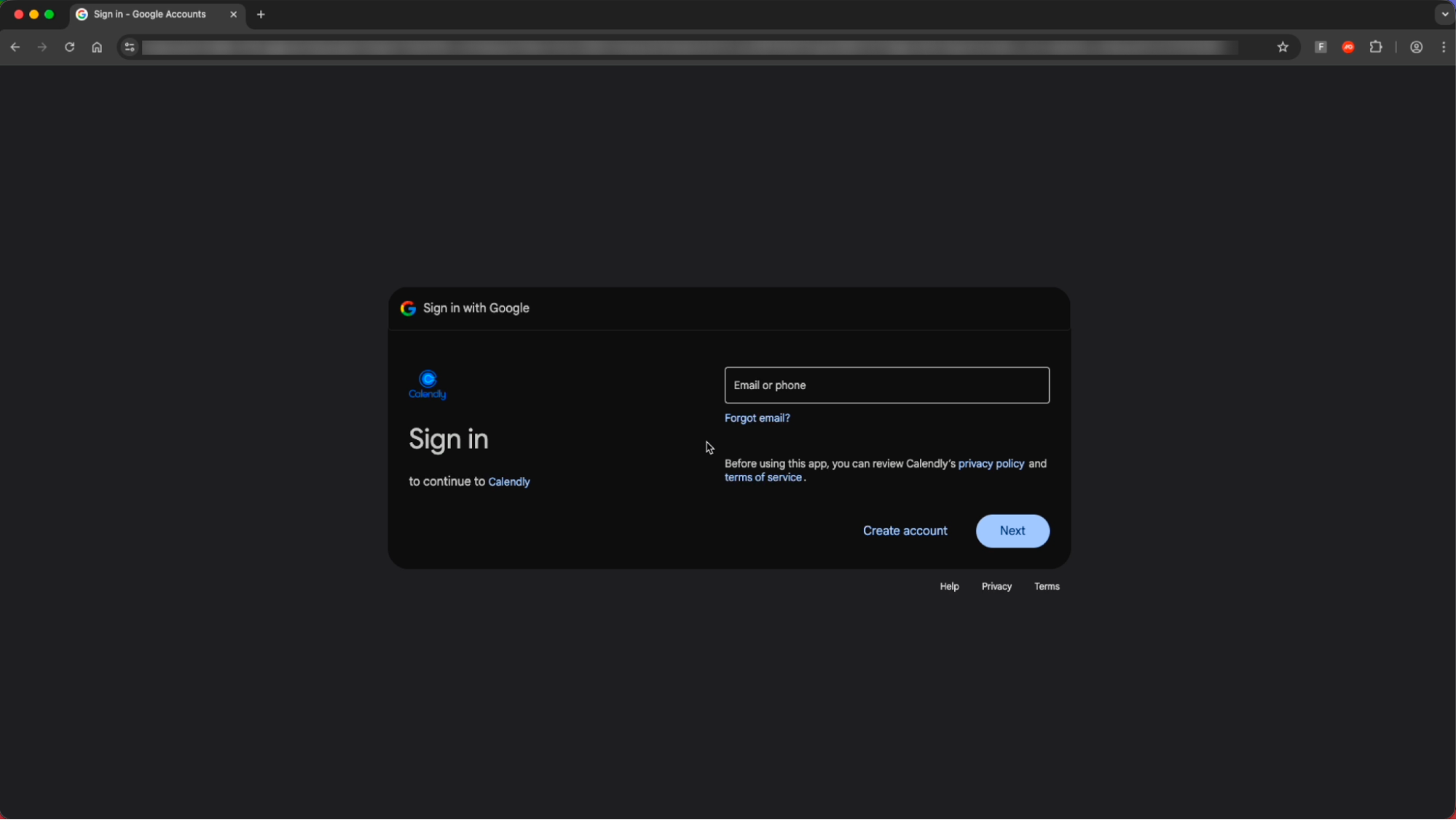
This page uses specific targeting parameters to ensure that only the intended recipient is able to access the page’s malicious functionality — a well-known detection evasion technique to prevent security analysts from being able to fully analyse the page (as malicious elements are not rendered until this check is completed).
As you can see in the example below, attempts to use any email other than the intended victim’s email domain are blocked.
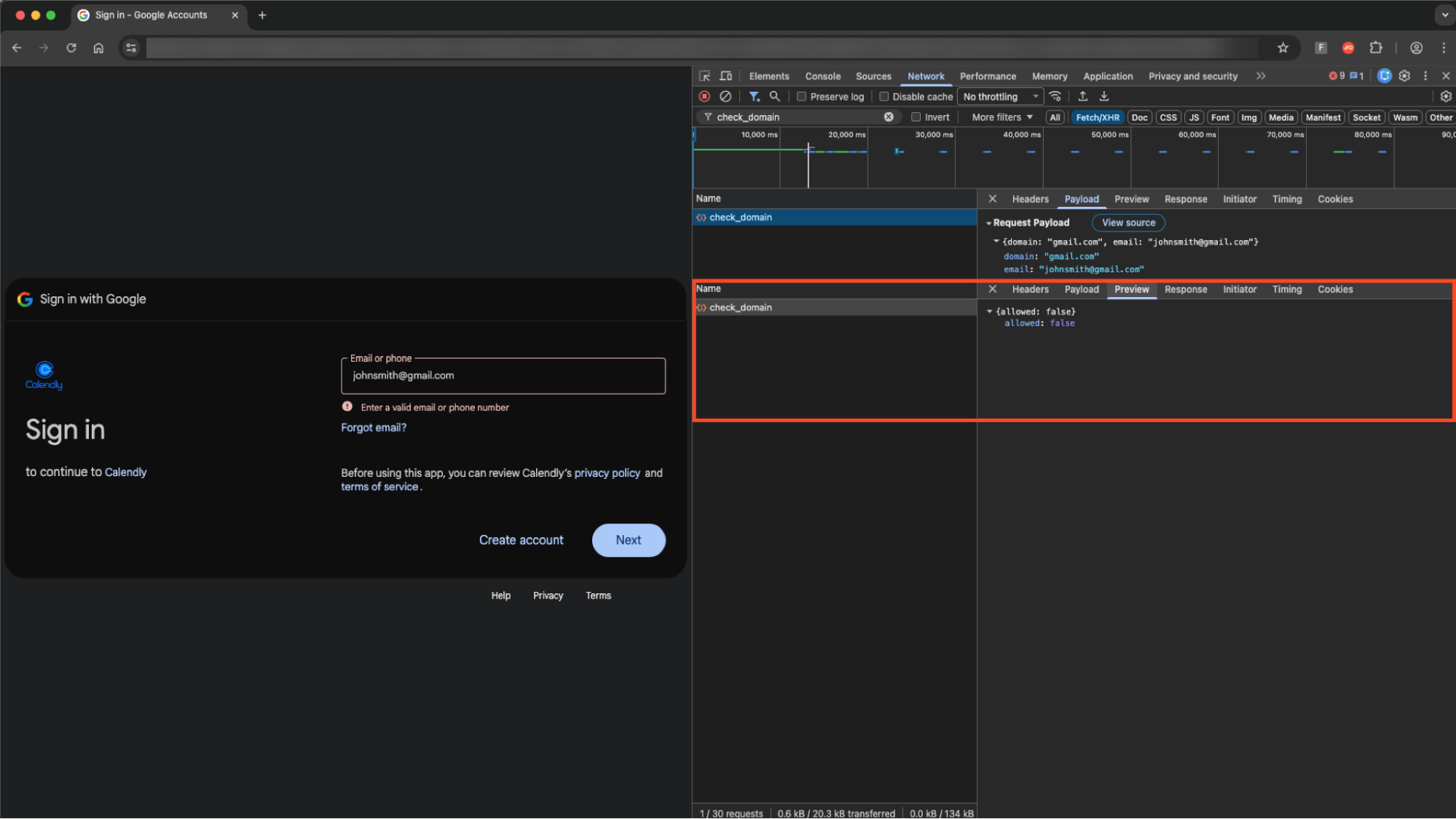
Only entering an allowed email domain loads the password entry field.
We identified a number of pages that appear to be part of the same campaign. All these pages have the same visual style, Calendly-themed lure targeting Google Workspace accounts, and appear to match real employees of the respective companies being impersonated.
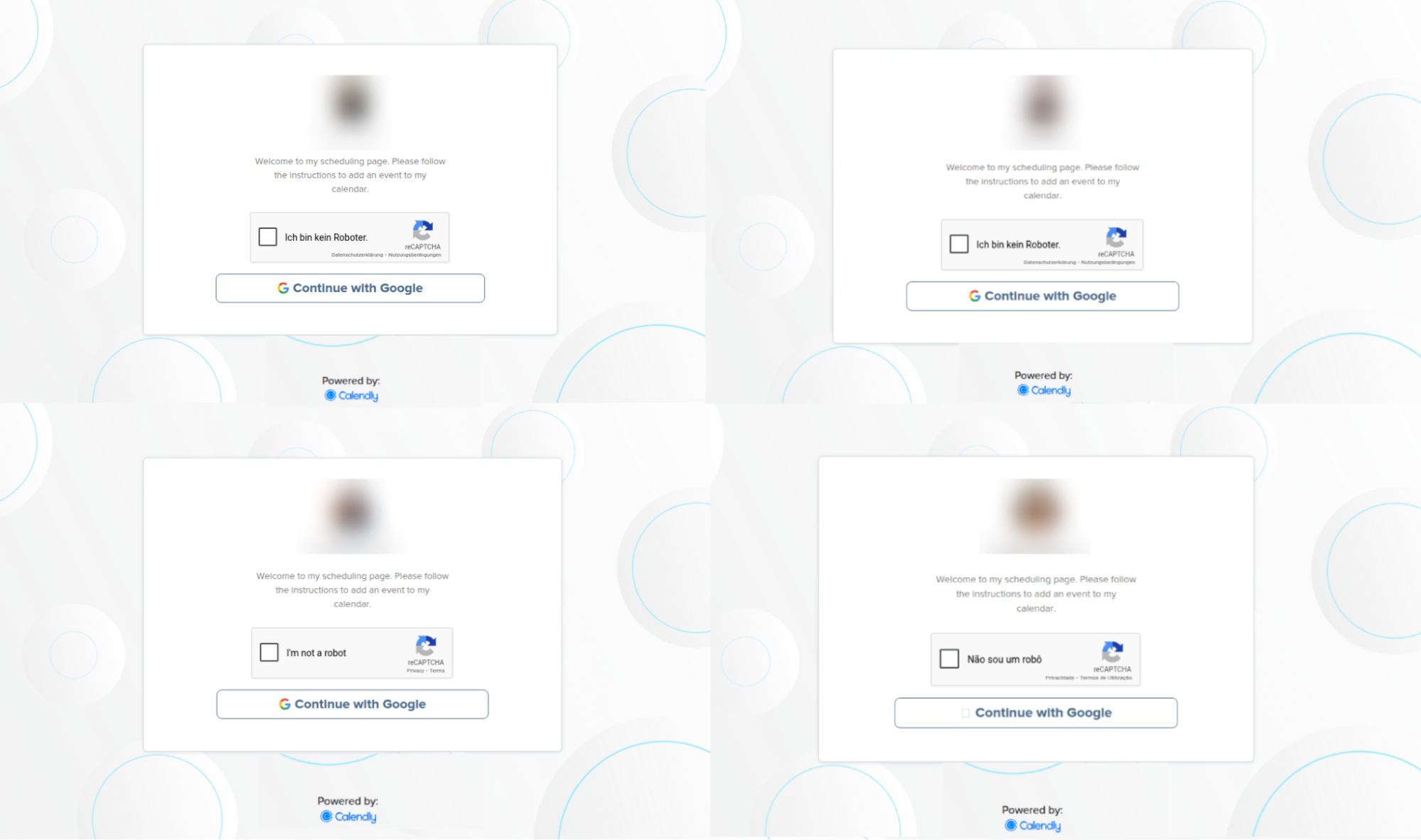
The different pages include:
A different visual match for the LVMH page.
A Lego recruitment themed page.
A Mastercard HR themed page.
An Uber recruitment themed page.
Variant 2: Targeting Facebook Business accounts
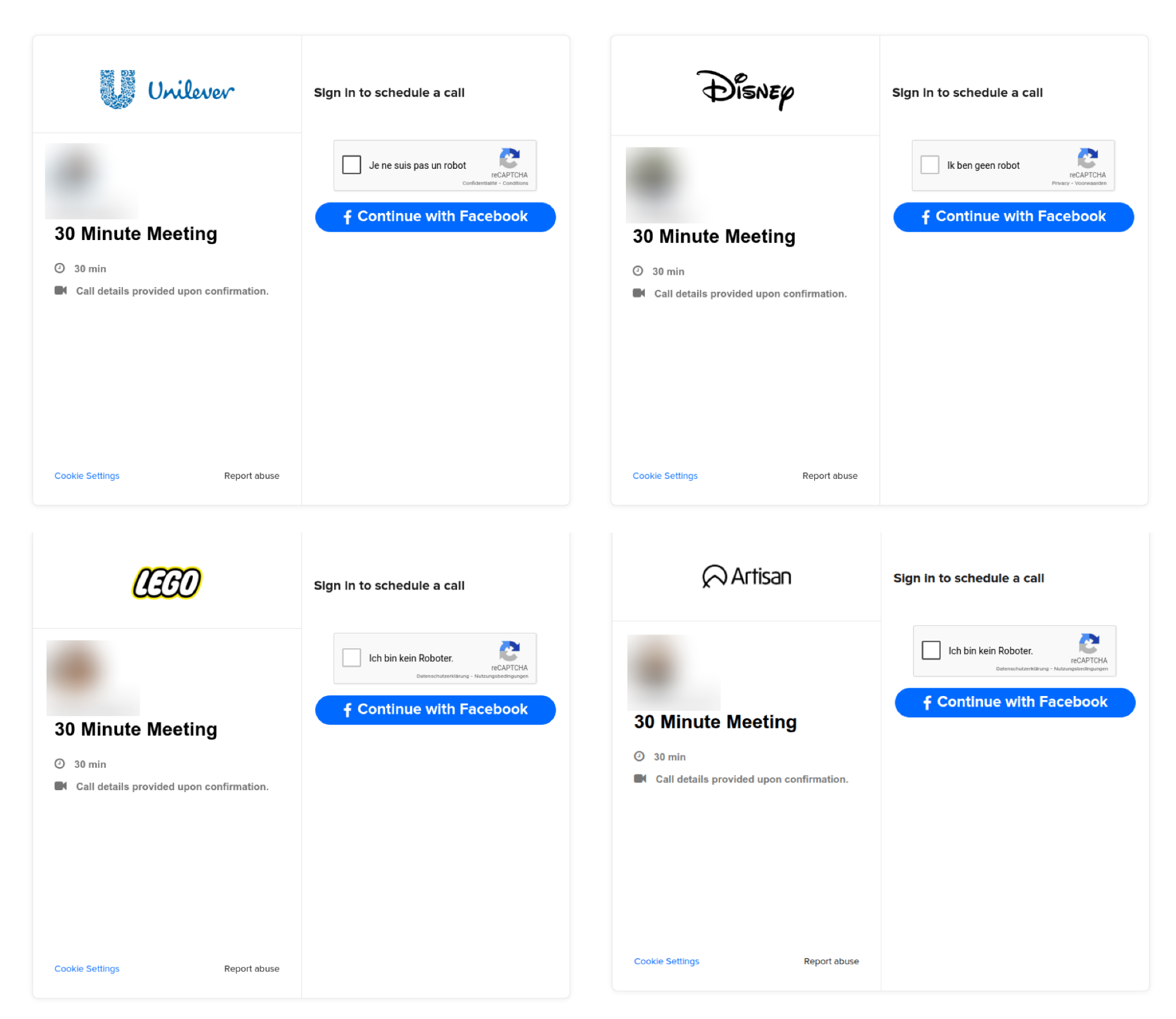
Upon further investigation, we found links to a second phishing page style that appears to be part of a longer campaign targeting Facebook accounts, dating back more than two years.
In total, we identified 31 unique URLs associated with the same campaign, many of which were recycled over time to impersonate different brands.
Since most of these pages appeared to be older (and no longer live) they could not be analysed further, beyond giving an indication of how the phishing campaign has evolved over time.
Variant 3: Targeting both Google and Facebook accounts
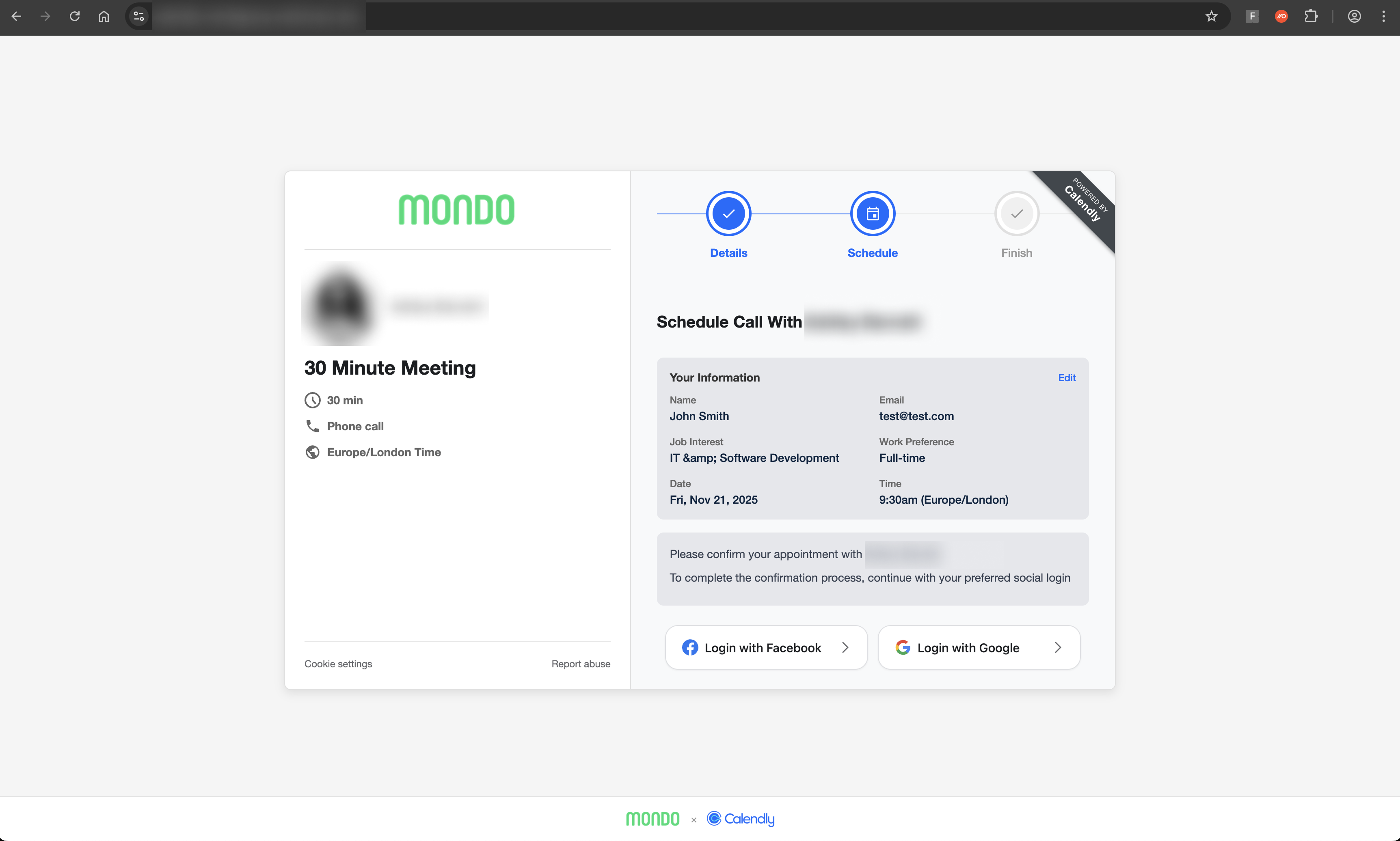
We also discovered a third, more recent variant targeting both Google and Facebook accounts with Calendly-styled pages.
This variant looks to leverage a Browser-in-the-Browser style pop-up window similar to the Sneaky2FA attacks we reported on recently. BITB allows the attacker to mask the phishing page URL by presenting a fake URL set by the attacker, inside a pop-up login window.
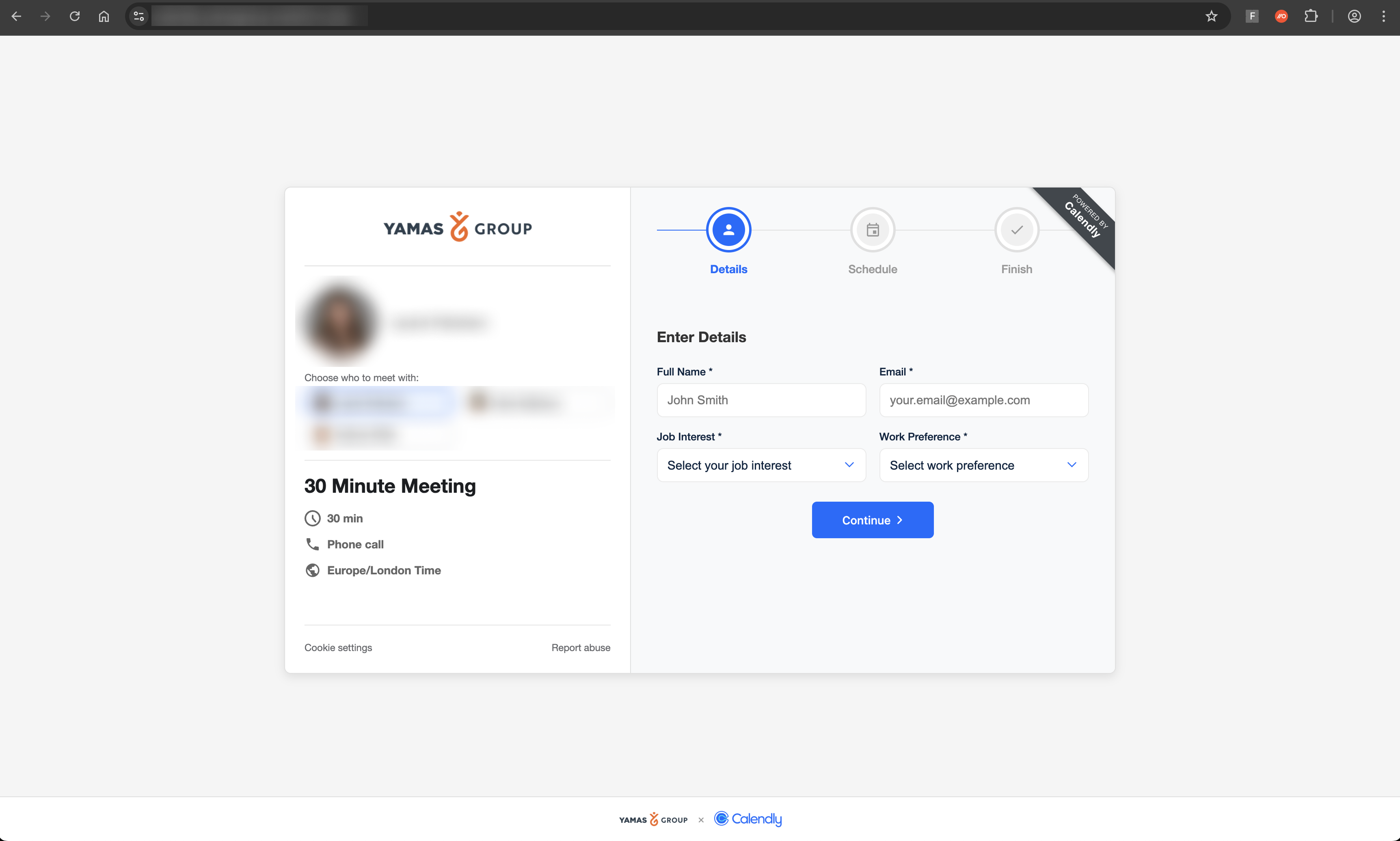
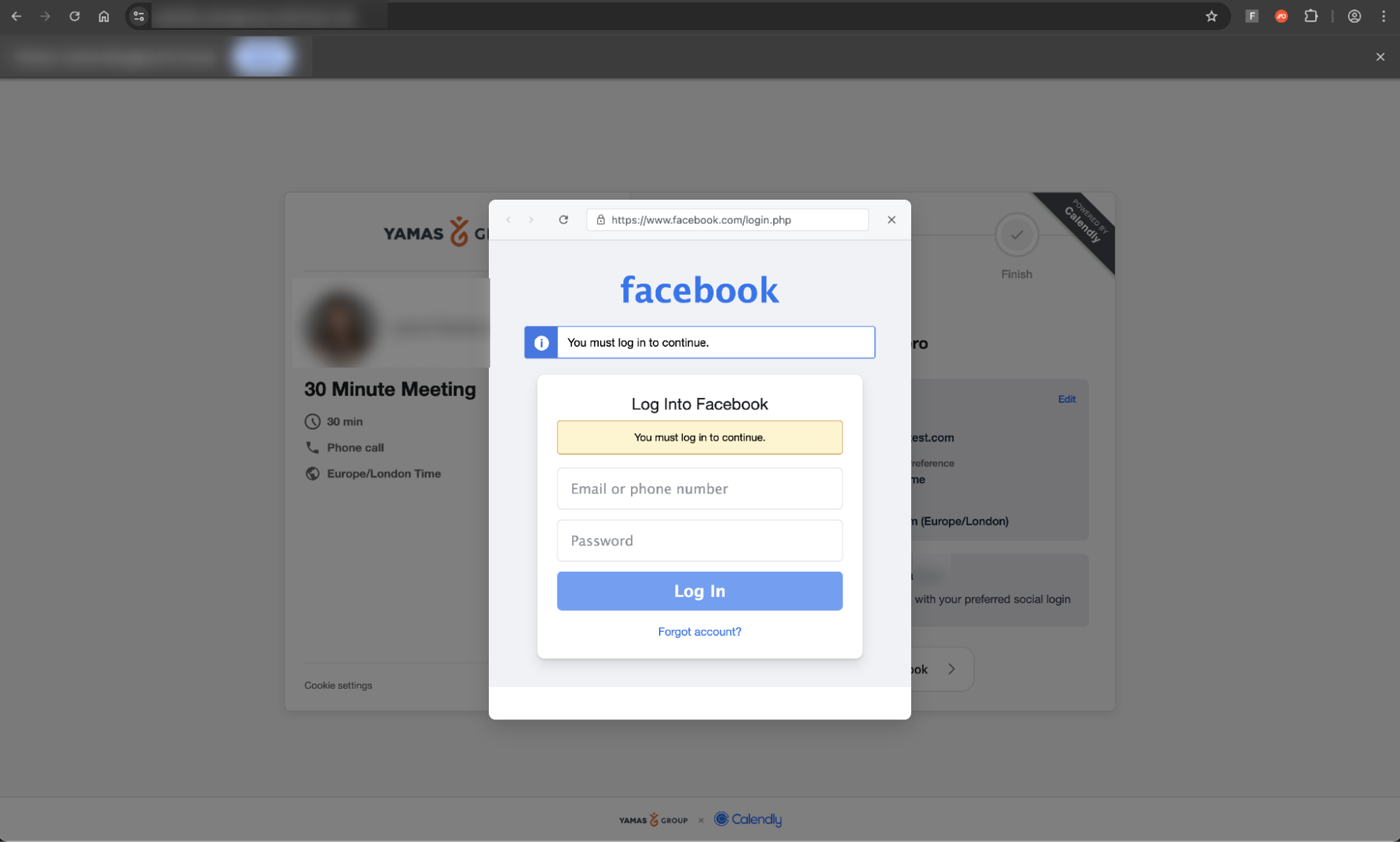
The attacker also implemented additional anti-analysis functionality, beyond the specific domain targeting we observed in the first page variant — the result of which meant the page IP blocked us from interacting with it further.
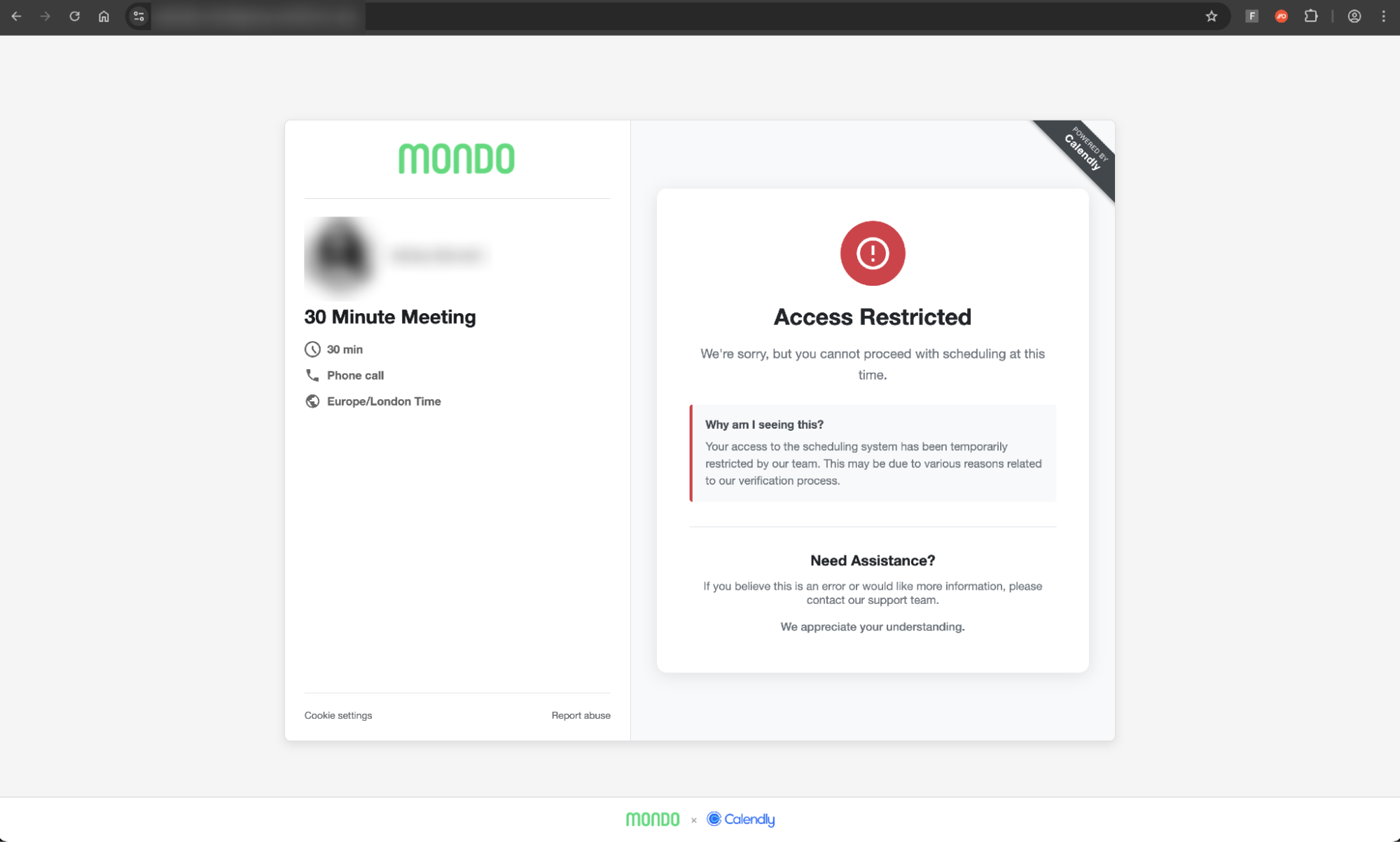
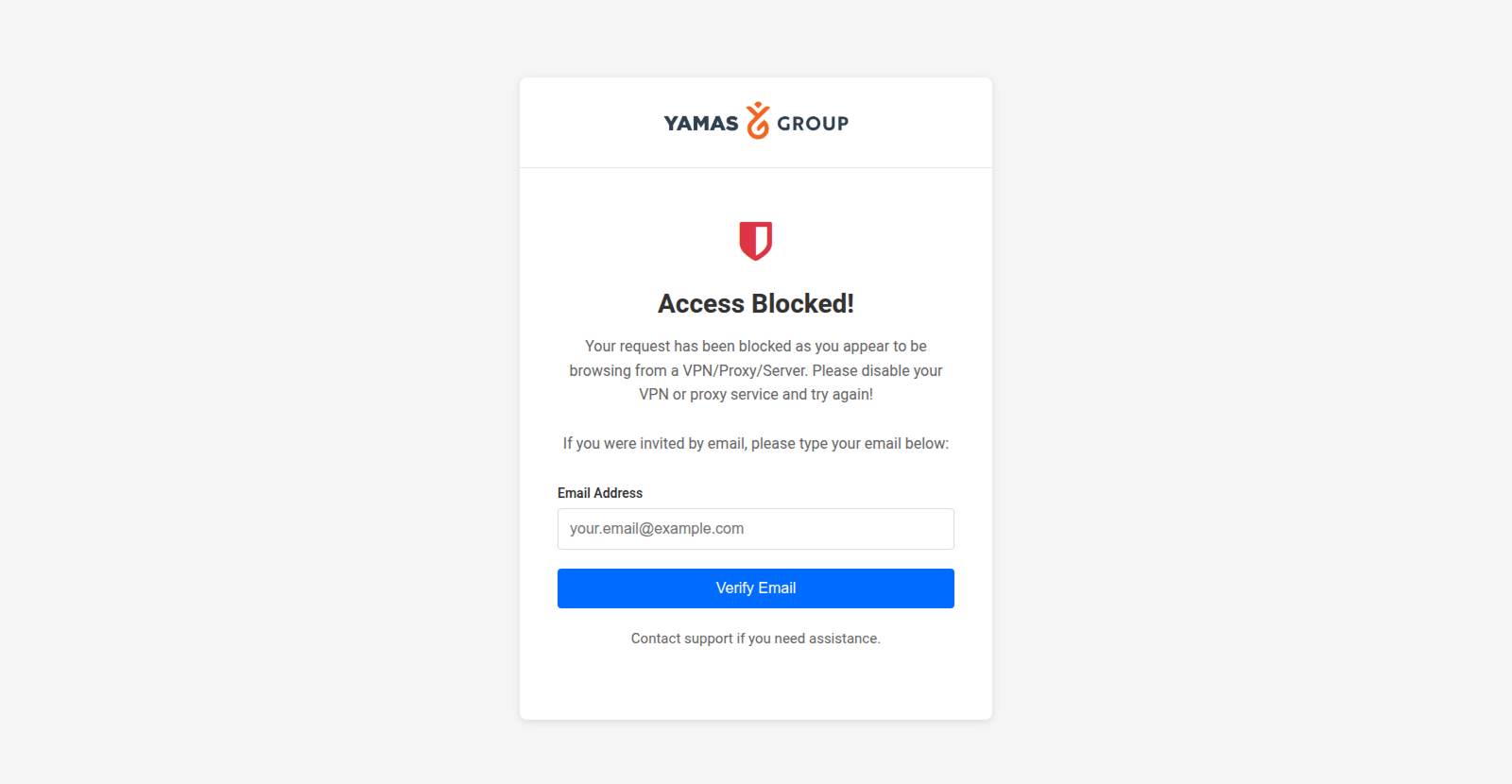
Often accessing dev tools on a page is enough to trigger this, specifically targeting security analysts and web-crawling security bots/tools.
Why are attackers targeting business ad management accounts?
The campaign shows signs of being a long-running, targeted initiative focused on compromising accounts responsible for managing digital ads on behalf of businesses. The attackers have demonstrated that they are continuing to iterate on their TTPs, introducing new page styles with increased sophistication, and new detection evasion techniques to defeat security analysis tools.
Campaigns targeting Google accounts specifically are becoming increasingly common. Sublime discussed a similar job lure focused campaign impersonating Google Careers (which we’ve spotted recently too), while we also identified a campaign targeting Google Ad accounts via malvertising on Google Search around the same time that this attack was identified.
We also discovered that Google recently issued a security warning specifically for agency organizations managing ads for a number of businesses, urging them to create security alerts whenever a new account is added to a Manager Account (MCC) used to view and manage multiple Google Ads accounts from a single view.
With malvertising on the rise as an increasingly popular attack vector for the delivery of AITM phishing, malware downloads, and ClickFix (4 in 5 ClickFix attacks intercepted by Push were delivered via Google Search), it makes sense that attackers are looking to increase their web of accounts from which to launch malicious ads.
Why are attackers turning to malvertising?
Malvertising attacks delivered over search engines (e.g. Google Search) and social media apps (Facebook, LinkedIn, etc.) are a great way to catch victims unawares while also evading typically email-based anti-phishing controls.
The flipside of this is that malvertising attacks are less likely to be targeted than phishing delivered directly to the victim via a direct message (i.e. email, social media DM, instant messenger app, SMS, etc.).
However, that isn’t to say that malvertising attacks can’t be targeted. For example, Google Ads can be targeted to searches coming from specific geographic locations, tailored to specific email domain matches, or specific device types (e.g. desktop, mobile, etc.). If you know where your target organization is located, you can tailor the ad to that location. Even more precise ad targeting can be achieved on social media platforms.
Malvertising is an effective way to launch “watering hole” style attacks, casting a wide net to harvest credentials and account access that can be re-sold to other criminals for a fee, or leveraged by partners in the cybercriminal ecosystem as part of major cyber breaches (such as the recent attacks by the “Scattered Lapsus$ Hunters” criminal collective, all of which began with identity-based initial access). For this reason, credentials and access are an increasingly profitable commodity for cyber criminals.
Additional considerations
As previously mentioned, compromising a Google Workspace account (particularly where it is the primary enterprise cloud platform used by the organization) provides comprehensive access to business apps, data, and functionality that can be exploited by attackers — effectively, it’s the access point to modern business IT. There’s a good chance that attackers establishing a foothold in this way would look to leverage this access further, or at least sell on that access to a criminal group looking to take the attack further.
Even for organizations using a different primary cloud platform but with more than one IdP account per user (e.g. having a Microsoft and Google account) this can be abused by attackers taking advantage of overly permissive SSO configurations (also known as Cross-IdP impersonation) which we covered in research last year.
IoCs
We have opted not to provide the domains associated with that campaign to preserve the privacy of the individuals being impersonated by the attacker. In many cases, their full name was included in the URL for the phishing page, while their name and profile picture (most likely scraped from LinkedIn) are also visible on the landing page.
However, with the rate at which these domains were spun up and subsequently taken down (by the attacker or the site hosting the links) IoC-based detections for campaigns such as this are of limited value.
Learn more about Push
Push researchers are continuously analysing and developing new detections based on the latest phishing kits and TTPs which enables us to stay two steps ahead of attackers.
Push’s browser-based security platform provides comprehensive detection and response capabilities against attacks like AiTM phishing, credential stuffing, malicious browser extensions, malicious OAuth grants, ClickFix, and session hijacking. You don’t need to wait until it all goes wrong either — you can use Push to proactively find and fix vulnerabilities across the apps that your employees use, like ghost logins, SSO coverage gaps, MFA gaps, vulnerable passwords, and more to harden your attack surface.
To learn more about Push, check out our latest product overview or book some time with one of our team for a live demo.