Custom detections, file download telemetry, and more
Custom detections, file download telemetry, and more
What’s new this month
Custom detections
File download telemetry
Prevent password entry into non-password fields
Expansion of Events window to 30 days
Create your own custom detections
You can now write your own detections using Push’s real-time detection engine to target specific elements of the page DOM, web requests and responses, HTTP headers such as cookies, and a lot more.
Rules are written in YAML in the Push admin console. You can define a response action (e.g. Warn or Block) and customize the end-user message, similar to other Push controls.
Example use cases:
Detect a specific IOC or TTP for campaigns targeting your organization.
Partner with your red team to detect custom tooling during pen testing.
Alert on specific user behaviors on webpages that point to risk or violate policy.
Block unauthorized MCP connections.
Stream telemetry on file download events
You can now consume a feed of file download events into your SIEM or SOAR. These events report file metadata, such as file name, download URLs, and MIME type, as well as whether the download was considered unsafe.
Events are generated for traditional network-based downloads, but also downloads of files constructed in the browser, such as those via blob or data URLs.
You can enable this feed for all employees, employee groups, or specific individuals; and for all profiles, profiles logged in with a company domain, or profiles logged in with a non-company domain. Go to Settings > Telemetry > File downloads to configure it.
Next, we’ll be adding a control that allows you implement a policy around which downloads are permitted from where, so you can block unwanted or potentially malicious files directly at the point of download.
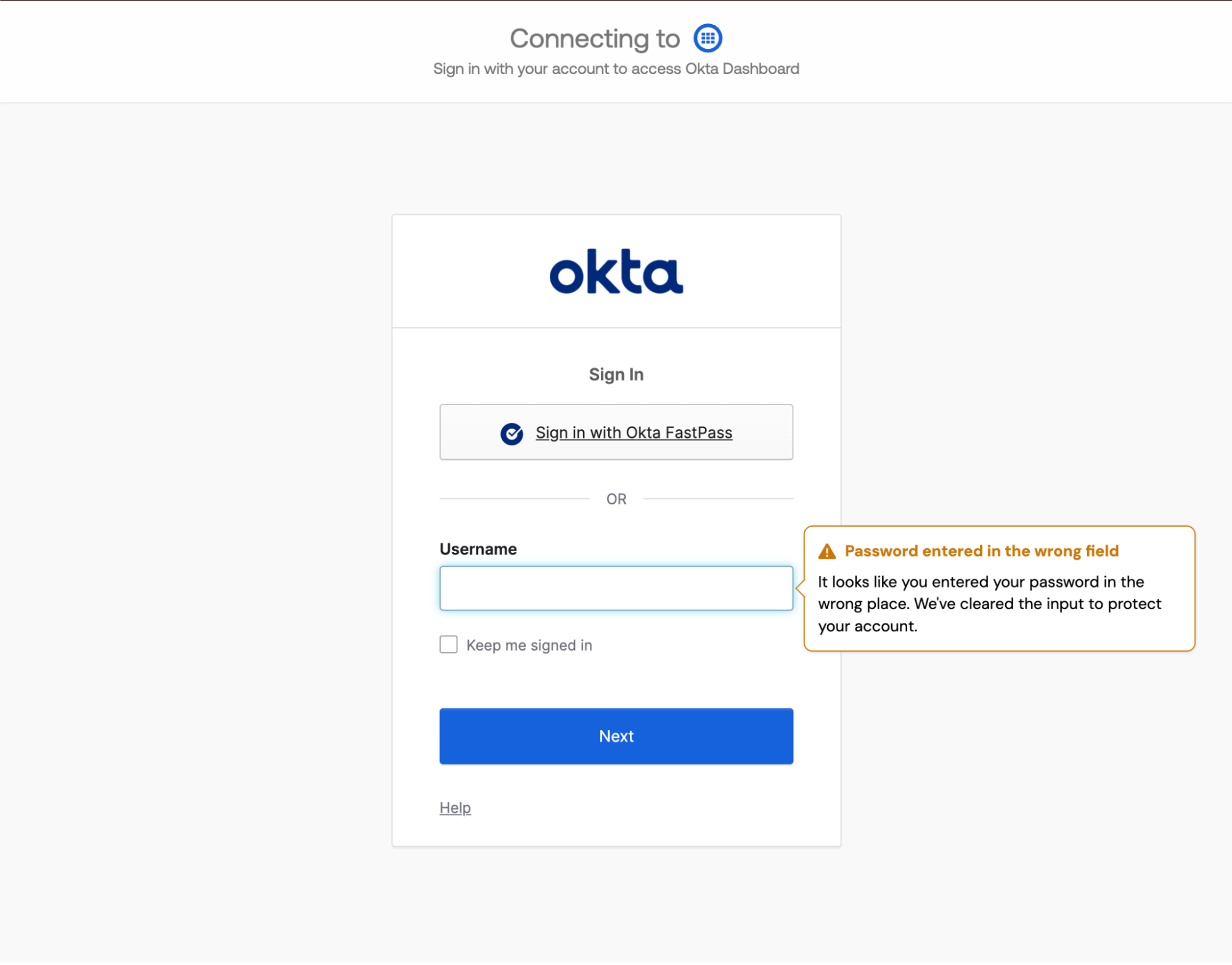
Prevent password entry into non-password fields
You can prevent users from mistakenly entering their password into non-password fields such as username or email fields when they’re signing in to the app that password is associated with.
You may wish to prevent the entry of passwords into non-password fields particularly for core applications like your identity provider. By blocking incorrect password entry, you can avoid inadvertently recording passwords in your app logs, which can introduce security risk.
Events page now displays up to 30 days of data
We’ve expanded the storage window for events viewable on the Push admin console Events page to assist with quick triage. It is now 30 days, instead of 7.
As before, we recommend ingesting Push events into your SIEM for longer-term storage, querying, and correlation.