Malicious extension detection, block ClickFix-style attacks, custom branding and more
Malicious extension detection, block ClickFix-style attacks, custom branding and more
What's new this month:
Detect malicious browser extensions
Create a blocklist or allowlist for browser extensions
Block ClickFix-style attacks and collect payloads for investigation
Custom branding for employee-facing banners and block pages
Collect additional metadata to support threat detection
And a few other things …
Detect malicious extensions
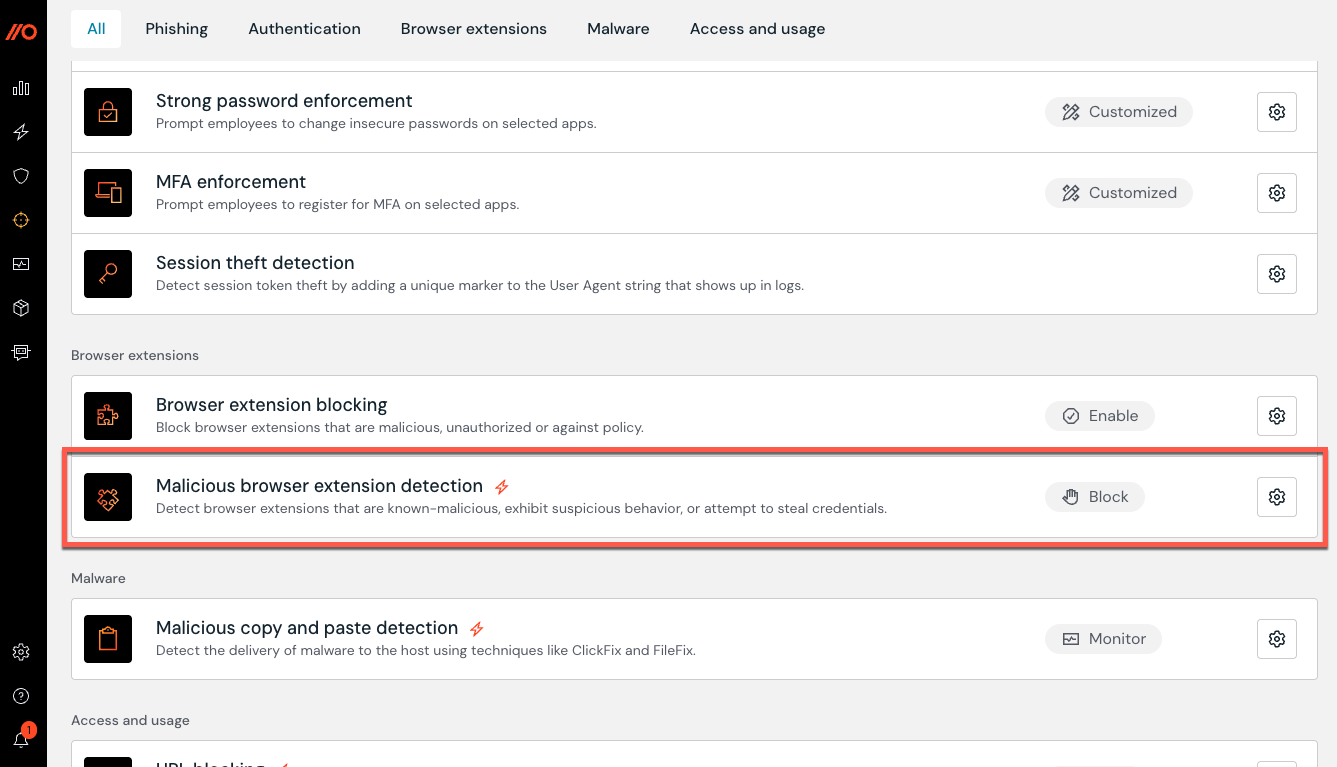
Push can now detect and block malicious browser extensions found in your environment.
Push maintains a global list of malicious extensions based on our own threat research and publicly available threat intelligence. When an extension in your environment matches a malicious extension ID, Push will raise a detection on the Detections page of the Push admin console. You can also configure the control to warn or block users automatically.
To enable malicious extension detection, go to the Controls page in the Push admin console.
Create a blocklist or allowlist for browser extensions
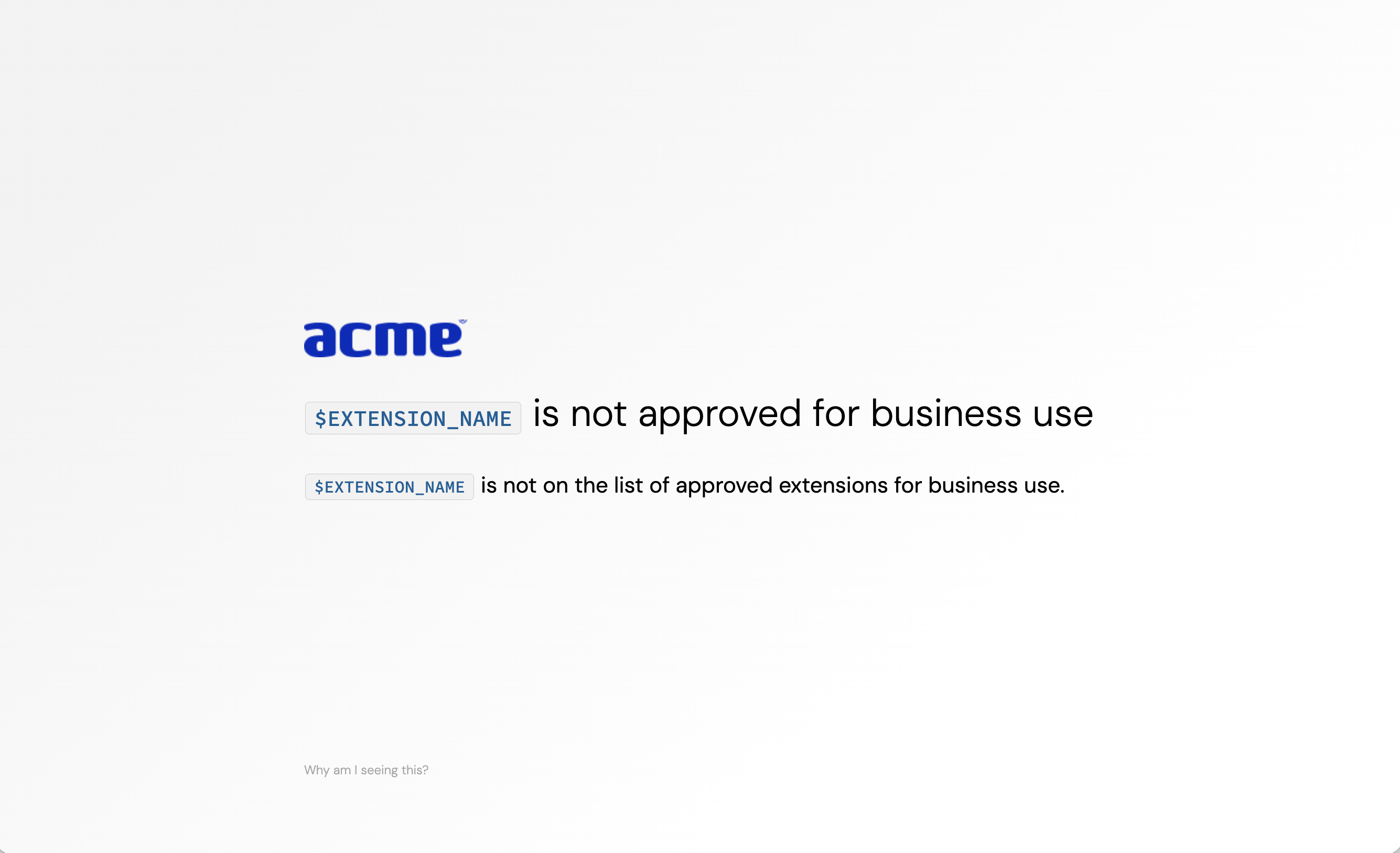
You can also block unwanted extensions or allowlist only the extensions you want in your environment, using Push’s Browser extension blocking control.
End-users will see a block page if they attempt to enable a blocked extension or install one via the Chrome or Microsoft extension stores.
Block ClickFix-style attacks and collect payloads for investigation
You can now block ClickFix-style malicious copy and paste attacks using Push. These are one of the fastest-growing browser-based attacks. You can also choose to collect the payload for your security team to investigate.
From the Push admin console, go to Controls > Malicious copy and paste detection. Then create a configuration rule to select the Mode and Scope. If you’ve enabled payload collection, Push will collect the malicious payload and include it in the detection event.
Custom branding for employee-facing banners and block pages
Customize the look and feel of employee-facing banners and warn or block pages by adding your company logo, accent color, and choice of light or dark mode themes.
To add your brand elements, go to Settings > Branding.

Collect additional metadata to support threat detection
The Push browser extension can now collect additional metadata and store it locally for up to 30 days, powering more diverse and precise detections, including for emerging threats.
Detections informed by this metadata will be raised on the Detections page. Note that these detections do not block end-user activity and are Monitor mode only.
We recommend you enable Browser event storage to take advantage of this capability. Go to Settings > Telemetry > Browser event storage in the admin console.
And a few other things ...
Other new features or improvements to the platform include:
You can now configure the frequency with which app banners will be displayed: either per-tab or per-browser. Learn more
You can now define an Owner role as part of Push’s RBAC options. Only Owners can edit roles, delete your team (e.g. tenant), change default SAML roles, or update your team name.
Webhook events now include detection details, for greater context. Learn more
Push now uses static IP addresses to emit webhook events. These IP addresses are in the same range we previously used, but if you wish to update your network filtering to these new, narrower IP addresses, you can. Learn more