
'%3e%3cpath%20d='M248.027%20159.993C292.176%20159.993%20328.105%20124.1%20328.105%2079.996C328.105%2035.892%20292.191%200%20248.027%200C203.863%200%20167.95%2035.892%20167.95%2079.996C167.949%20124.101%20203.878%20159.993%20248.027%20159.993ZM213.969%2045.973C223.069%2036.882%20235.155%2031.873%20248.027%2031.873C260.899%2031.873%20272.986%2036.882%20282.086%2045.973C291.186%2055.064%20296.2%2067.154%20296.2%2079.997C296.2%2092.84%20291.186%20104.93%20282.086%20114.021C272.986%20123.112%20260.899%20128.12%20248.027%20128.12C235.155%20128.12%20223.069%20123.111%20213.969%20114.021C204.869%20104.93%20199.871%2092.84%20199.871%2079.997C199.871%2067.154%20204.884%2055.063%20213.969%2045.973Z'%20fill='%23EE4323'/%3e%3cpath%20d='M150.16%200L57.6821%20159.993H94.5381L187%200H150.16Z'%20fill='%23EE4323'/%3e%3cpath%20d='M92.478%200L0%20159.993H36.856L129.334%200H92.478Z'%20fill='%23EE4323'/%3e%3c/g%3e%3cdefs%3e%3cclipPath%20id='clip0_296_834'%3e%3crect%20width='328.105'%20height='159.993'%20fill='white'/%3e%3c/clipPath%3e%3c/defs%3e%3c/svg%3e)


Every single AI interaction in your environment starts in the browser.
Good thing Push gives you AI security visibility.
Push gives security teams complete visibility into how users and AI agents are interacting with AI tools, and the controls you need to act on it.
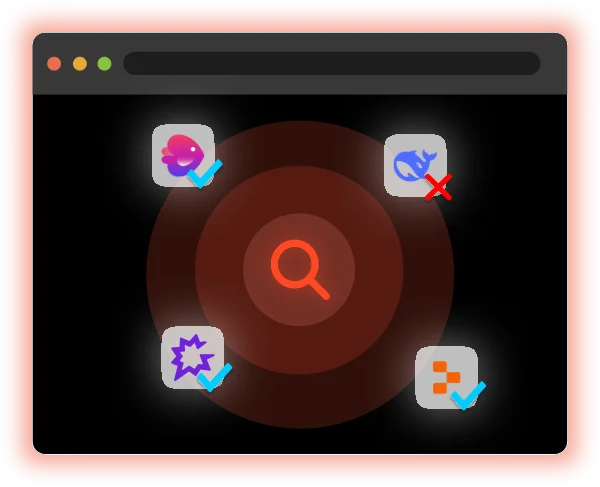







Why traditional security tools miss AI risk
AI use is browser-based activity. A user accessing an LLM, pasting data into a prompt, authorizing an AI agent, installing an AI extension, it all happens inside a browser session.
Your existing tools observe that from the outside. The Push extension observes it from within. That’s why Push can tell you not only that a user visited an AI tool, but, more importantly, what they did there.
What Push sees
(and helps you secure)
Fine-grained browser telemetry gives you real-time visibility into every dimension of AI use.

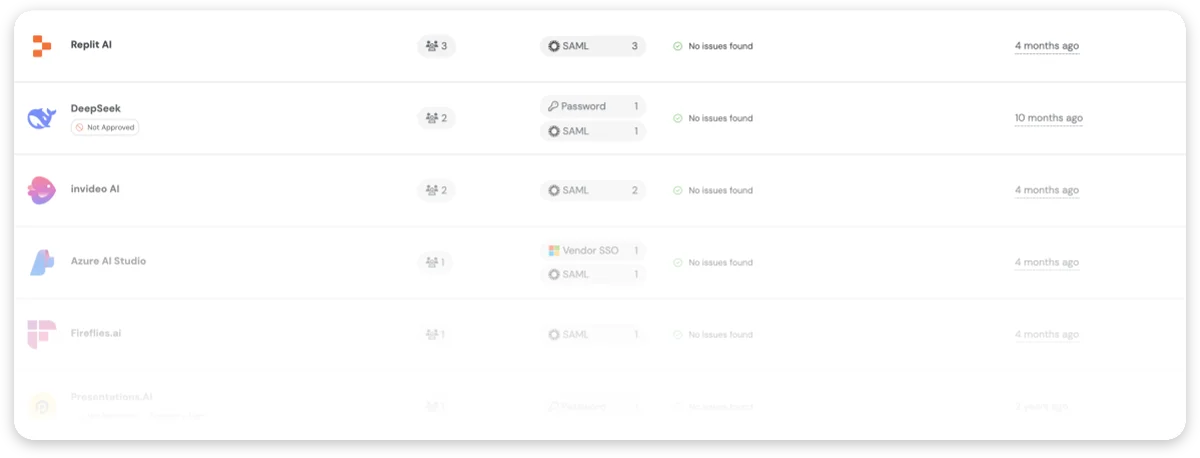
AI app access
Know every AI tool your users interact with, sanctioned or otherwise. See who's using what across your environment, and block access where your policy requires it.
Data inputs to AI apps
See what users paste and upload into AI tools as it happens. Not just files. Prompts, snippets, credentials, internal docs. The things that actually matter.


AI browsers
New AI-first browsers operate with full user-level access to apps and sessions. Push gives you visibility and control without forcing users into a different environment.
AI browser extensions
AI-powered extensions introduce broad access to page content, sessions, and data. Push detects what’s installed, what it can access, and lets you shut it down.
Desktop AI application downloads
Users download local AI applications from one place, the browser. Get visibility into who’s downloading what.
AI agent OAuth connections
When an AI tool asks for access to your systems, you see exactly what’s being granted, who approved it, what it can reach, and whether it should even exist at all.

Detect phishing at the edge
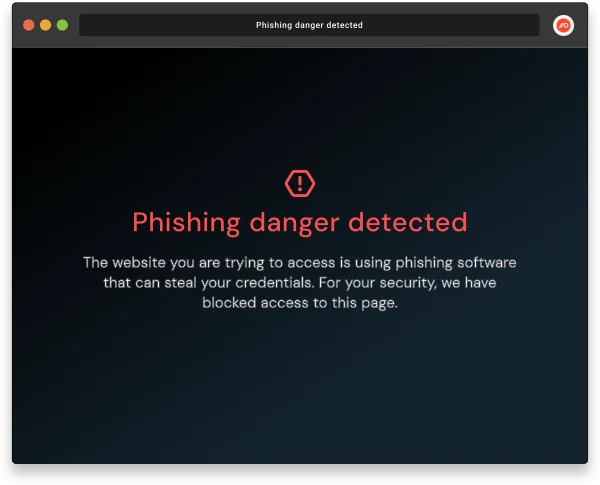
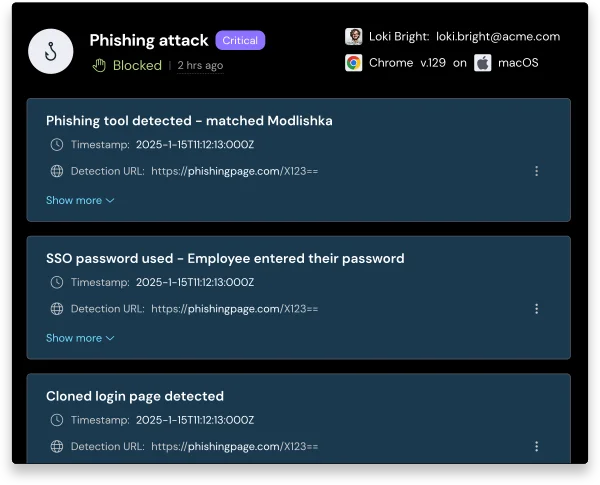
Push uses industry-first telemetry to detect phishing based on behavior, not static indicators. By analyzing how phishing pages behave and how users interact with them, Push uncovers fake logins, credential theft, and phishing kits the moment they load in the browser.
Go beyond blocklists and IOCs
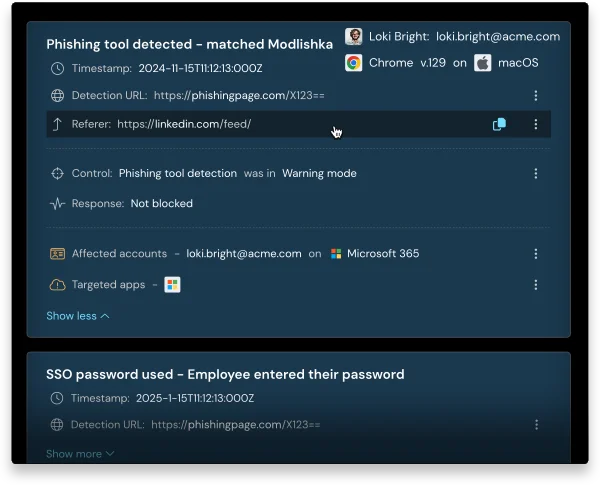
Push goes beyond URLs and easy-to-change indicators. It reads the full phishing playbook like script behavior, session hijacks, DOM changes, user inputs, then connects the dots in real time. This gives your team a complete picture of how the phishing attempt worked, not just an alert.
Enhance your phishing response
When phishing enters your environment, speed matters. Push gives you instant access to the telemetry that counts like session data, user behavior, and page activity, so you can investigate fast, trigger in-browser prompts, or forward alerts to your SIEM or SOAR for response. All in real time, right from the browser.
Why the browser is the right layer for AI security
AI didn’t create a problem. It exposed one.
Every meaningful interaction, like prompts, permissions, or data movement, happens inside a browser session. Until you can see inside that session, you’re guessing.
Push gives you visibility in minutes, inside the browsers your team already uses, with nothing disruptive to roll out.
