/
Why do I see a timestamp on a detection different from when the event occurred?
Occasionally, you may receive a detection where the First seen timestamp and the timestamp in the event timeline are different. In these cases, if you check the timeline, you’ll see a label of Threat detected for the detection description.
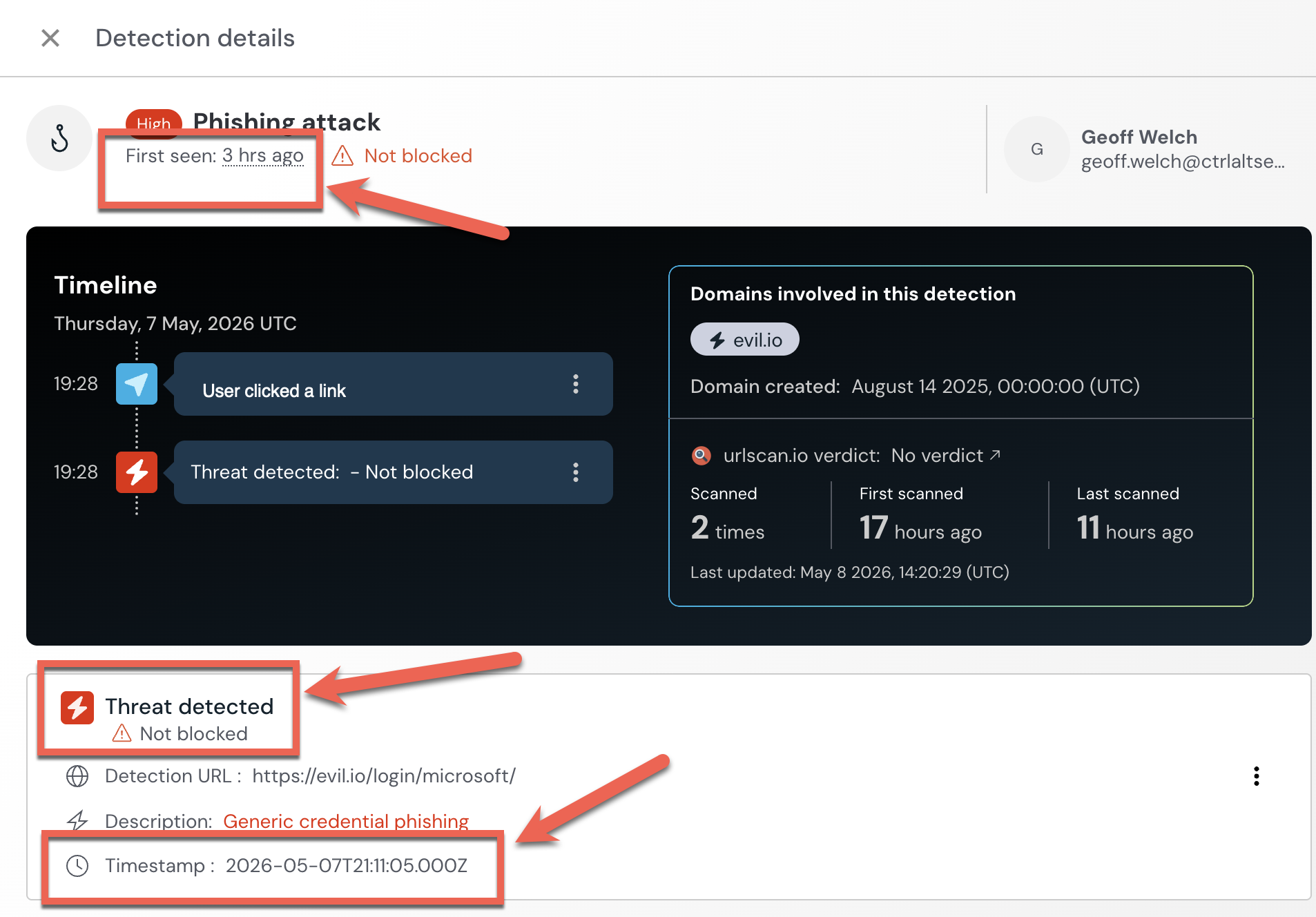
These kinds of detections are raised during our continuous threat hunting process and usually indicate an emerging threat or a new variation of a known TTP. Because these are new techniques we’ve identified through threat hunting, they can’t immediately be blocked.
The First seen timestamp is when the detection was raised in your tenant by Push. The timestamp in an event timeline is when the event actually occurred.
When we see new threats, we raise a detection as soon as we discover something so that you can investigate an incident that you may not have otherwise known about. These emerging threats do not correlate to an existing Push detection, which is why your existing controls will not fire. However, you should review these carefully and respond quickly, as they are high-fidelity alerts reviewed by our research team.
In addition to raising these immediate detections, Push will develop new detection rules to add to our detection engine wherever possible. These rules will apply your existing configured response actions (e.g. Block).