/
How does Push detect attacks like ClickFix and FileFix?
Overview
An increasingly common form of browser-based attack tricks users into running malicious scripts on their devices — often in the guise of a CAPTCHA or a message prompting them to “fix an error on this webpage.” These attacks are known by names such as ClickFix, FileFix, or fake CAPTCHAs.
Push provides Malicious copy and paste detection to identify these kinds of attacks. It works by looking for indicators of suspicious payloads being copied onto a user’s clipboard.
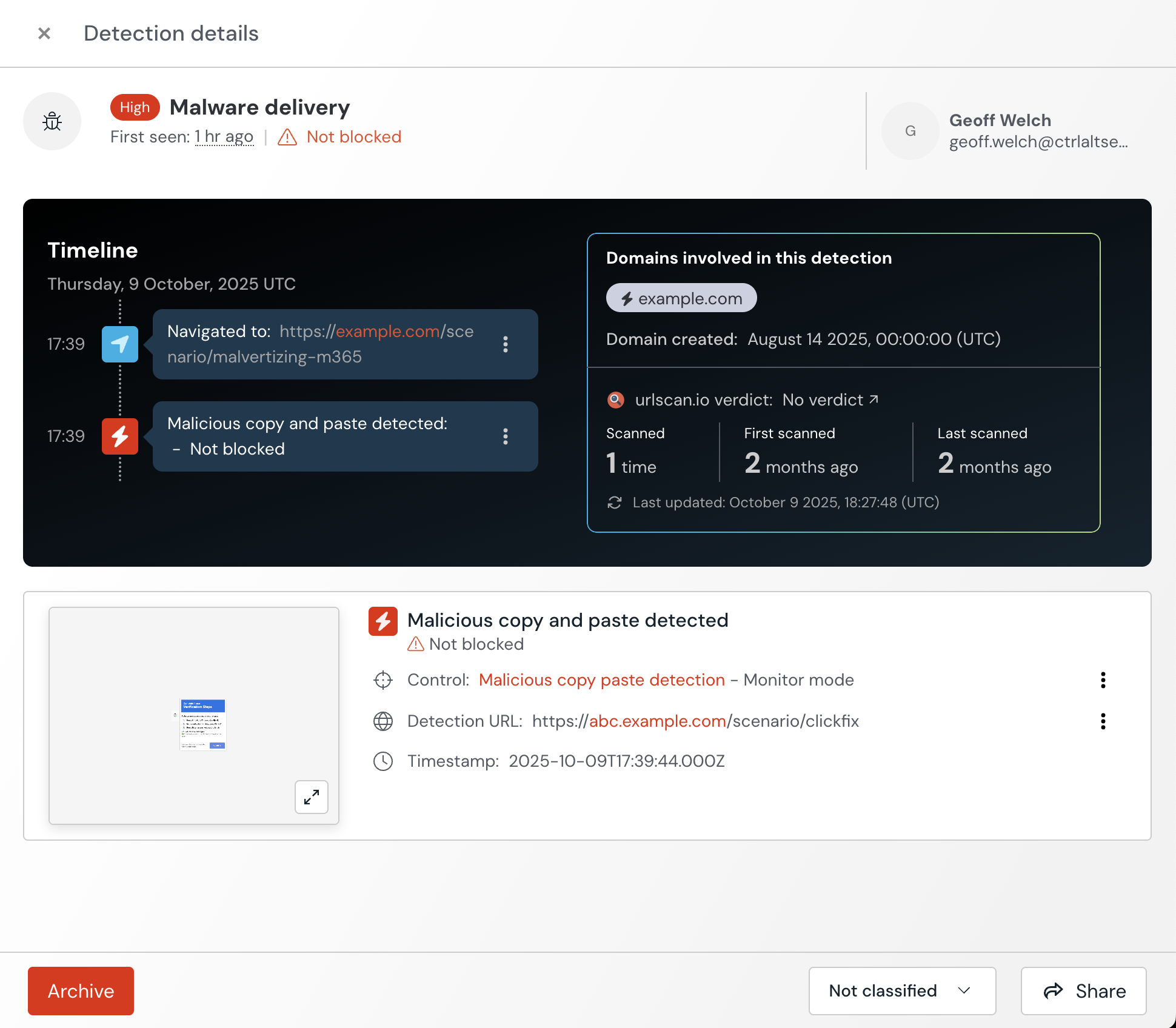
Detections will appear on the Detections page of the Push admin console and include a timeline of events, a detection URL, optional screenshot and additional enrichment about a detected domain, if available.
How to create a configuration rule
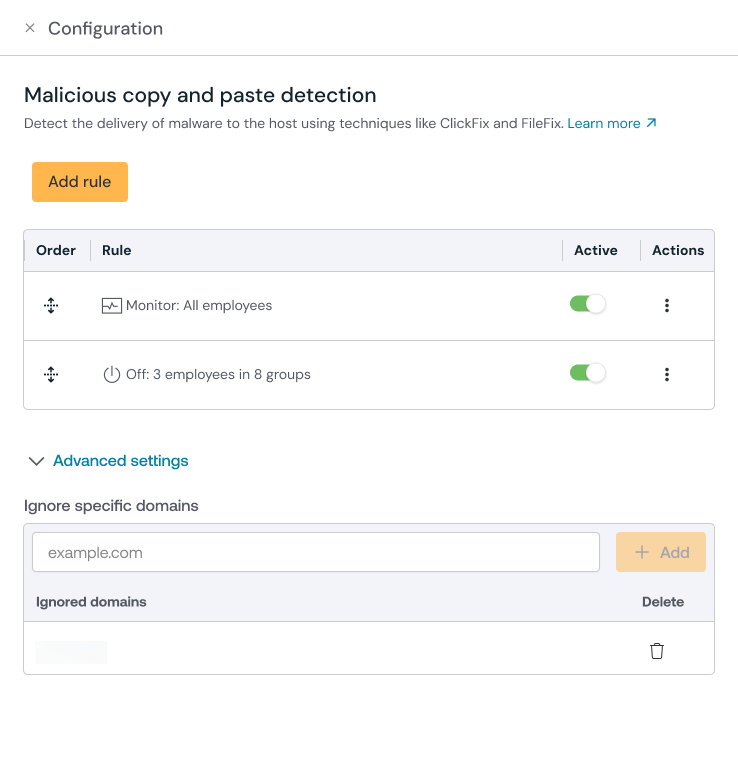
Configure this control in the Push admin console by going to Controls and selecting the tile for Malicious copy and paste detection.
Create a configuration rule and set the Mode (Monitor, Warn, or Block) and the Scope. Using the Scope, you'll select which employees the rule covers (all employees, employee groups, or specific individuals), as well as which types of payloads are in scope (Windows-targeted payloads, macOS / Linux-targeted payloads).
Note: Detection of macOS / Linux-targeted payloads is in the experimental (pre-release) stage. Experimental detections may result in higher-than-usual false positives.
In Monitor, the control will silently report to Push administrators that a malicious copy-and-paste attack was detected.
In Warn, the control will replace the clipboard payload with safe text and warn employees that a malicious copy-and-paste attack was detected. Employees can opt to click through the warning, which will restore the original payload.
In Block, the control will replace the clipboard payload with safe text and block the page where the malicious copy and paste was detected.
You can select the safe text you want to use when you configure the control. Note: The replacement of clipboard contents with safe text is not supported in Firefox. In Block mode, the block page will still display but the clipboard contents will not be replaced.
Malicious copy and paste detection is in Monitor mode by default.
Push recommends creating an exception rule for employees who regularly deal with malicious payloads, such as SOC staff. To create an exception group, select Add rule and set the Mode to Off, then select which individuals or employee groups should be excluded from the detection.
How to enable payload collection
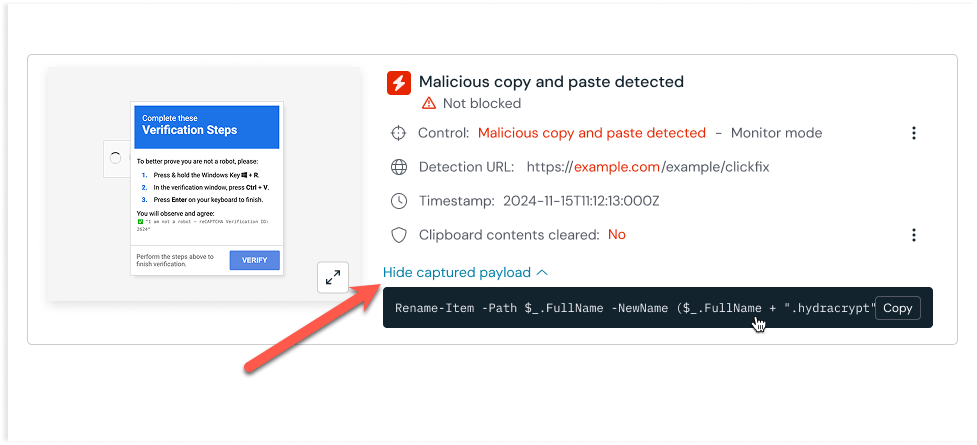
Push can collect the clipboard contents when a malicious copy-and-paste attack is detected. You can view the payload in the admin console for the individual detection on the Detections page. Push will also emit a webhook event for the payload.
Payload collection is enabled by default when creating a configuration rule. Use the toggle to disable it, if you wish.