We’ve identified a new wave of AITM phishing pages designed to hijack TikTok accounts. This seems like a weird target at first glance, but TikTok accounts are ripe for abuse in malvertising scams.
We’ve identified a new wave of AITM phishing pages designed to hijack TikTok accounts. This seems like a weird target at first glance, but TikTok accounts are ripe for abuse in malvertising scams.
We recently detected and blocked a new style of phishing page targeting TikTok for Business accounts — used by company marketing teams to manage ad campaigns.
On closer analysis, we identified a cluster of linked pages featuring both TikTok themes, and Google themed “Schedule a Call” imitation pages, similar to a campaign reported late last year, suggesting a continuity of this previous campaign.
We’ve reported extensively about malvertising scams in the past — particularly targeting Google Ad Manager accounts. Attackers take over Ad Manager accounts and use them to deploy even more malicious ads, harvesting account credentials via AITM phishing pages and ClickFix-style malware delivery (dropping infostealers and remote access tools). They also run ad fraud campaigns siphoning company ad budgets into their own pockets.
Campaign breakdown
Push researchers have identified a cluster of newly registered phishing pages all registered on the 24th March within a 9-second window. All of the pages are hosted behind Cloudflare with the same registrar (Nicenic International Group, commonly abused for bulk phishing domain registration).
The pages feature a common naming convention, being various derivations of welcome.careers*[.]com. A full list of identified domains is provided later, but we expect this to grow significantly as the campaign ramps up.
Victims are tricked into clicking a malicious link that takes them to one of two page styles.
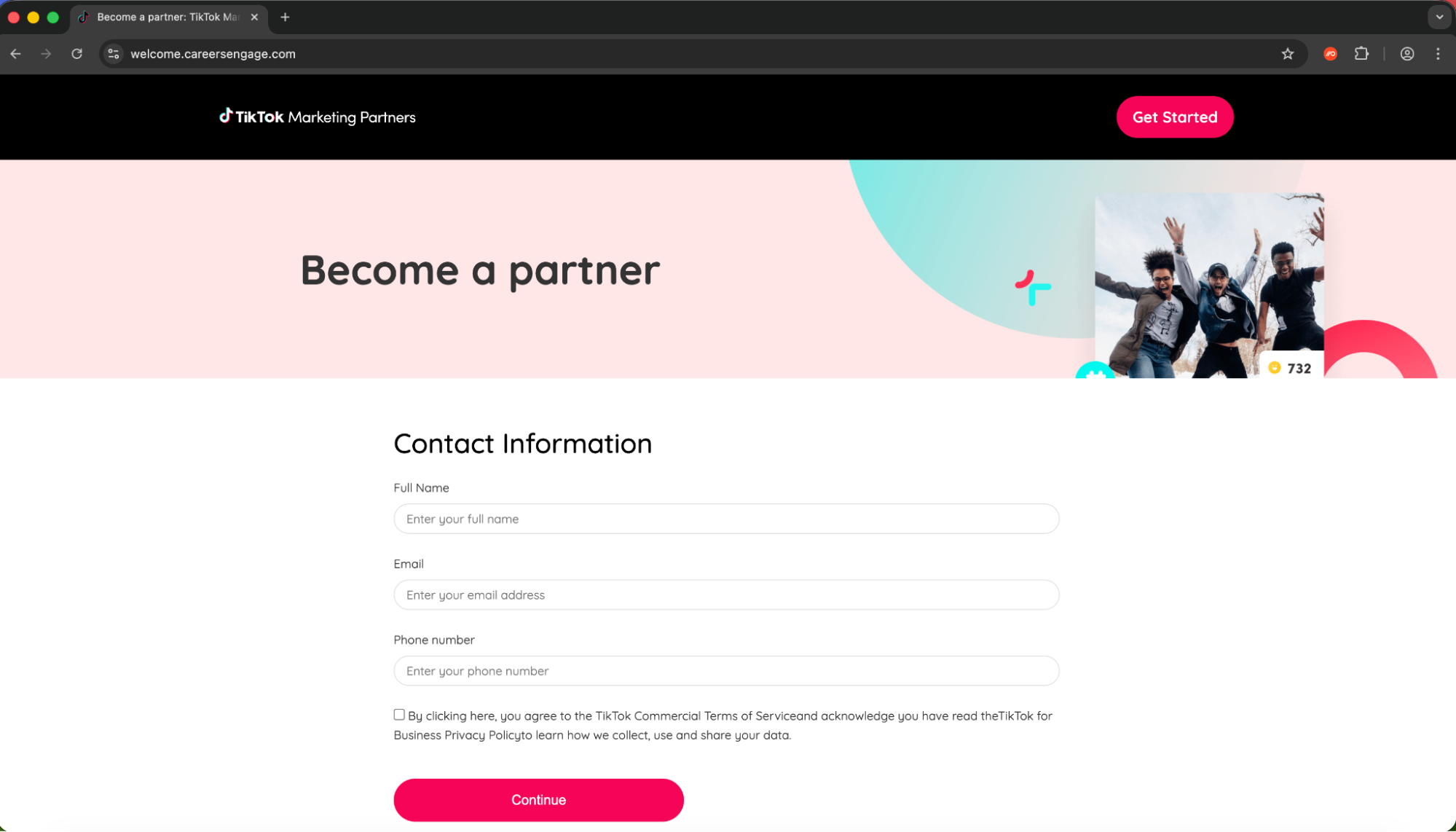
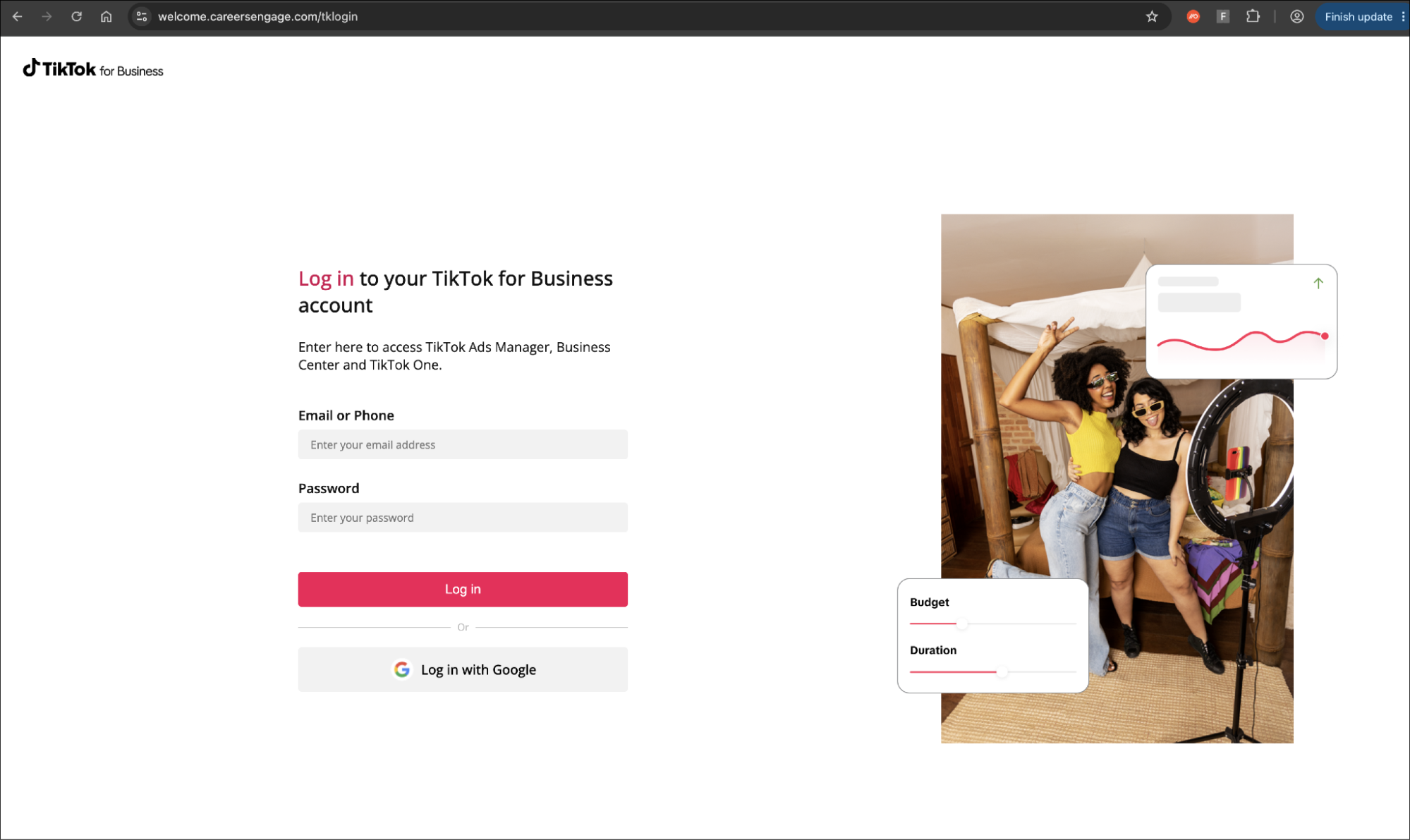
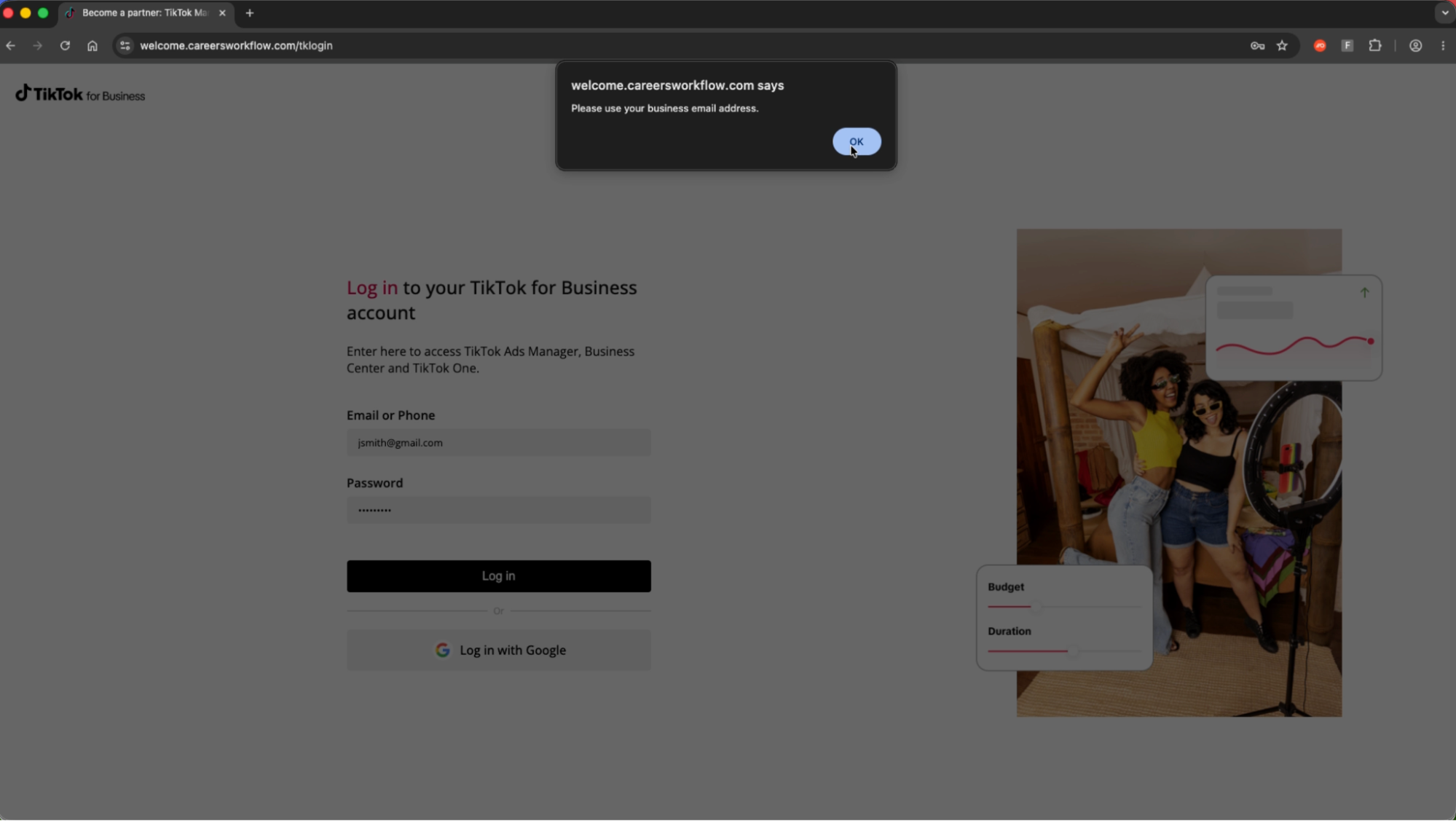
A TikTok for Business cloned page
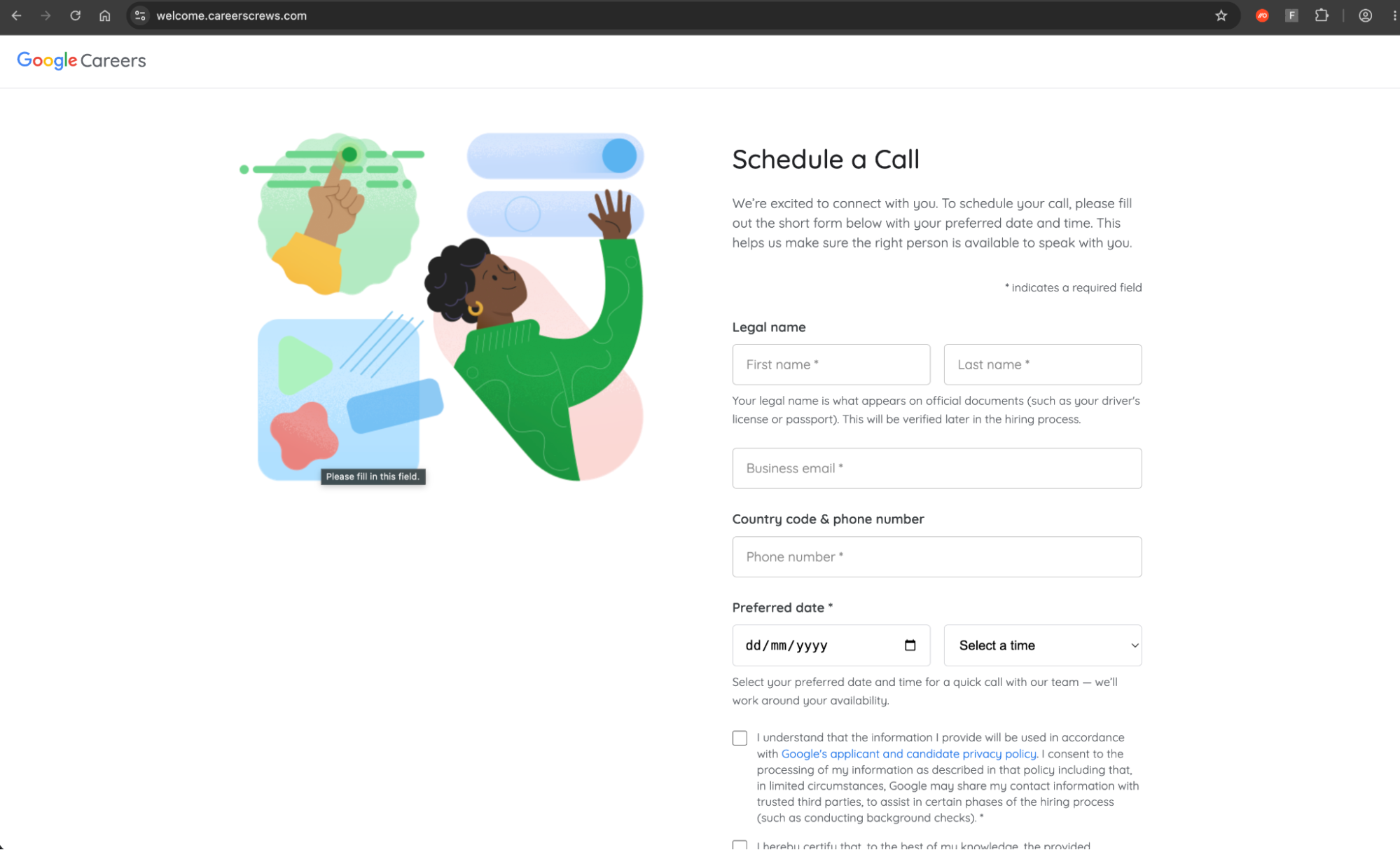
A Google careers “Schedule a call” cloned page
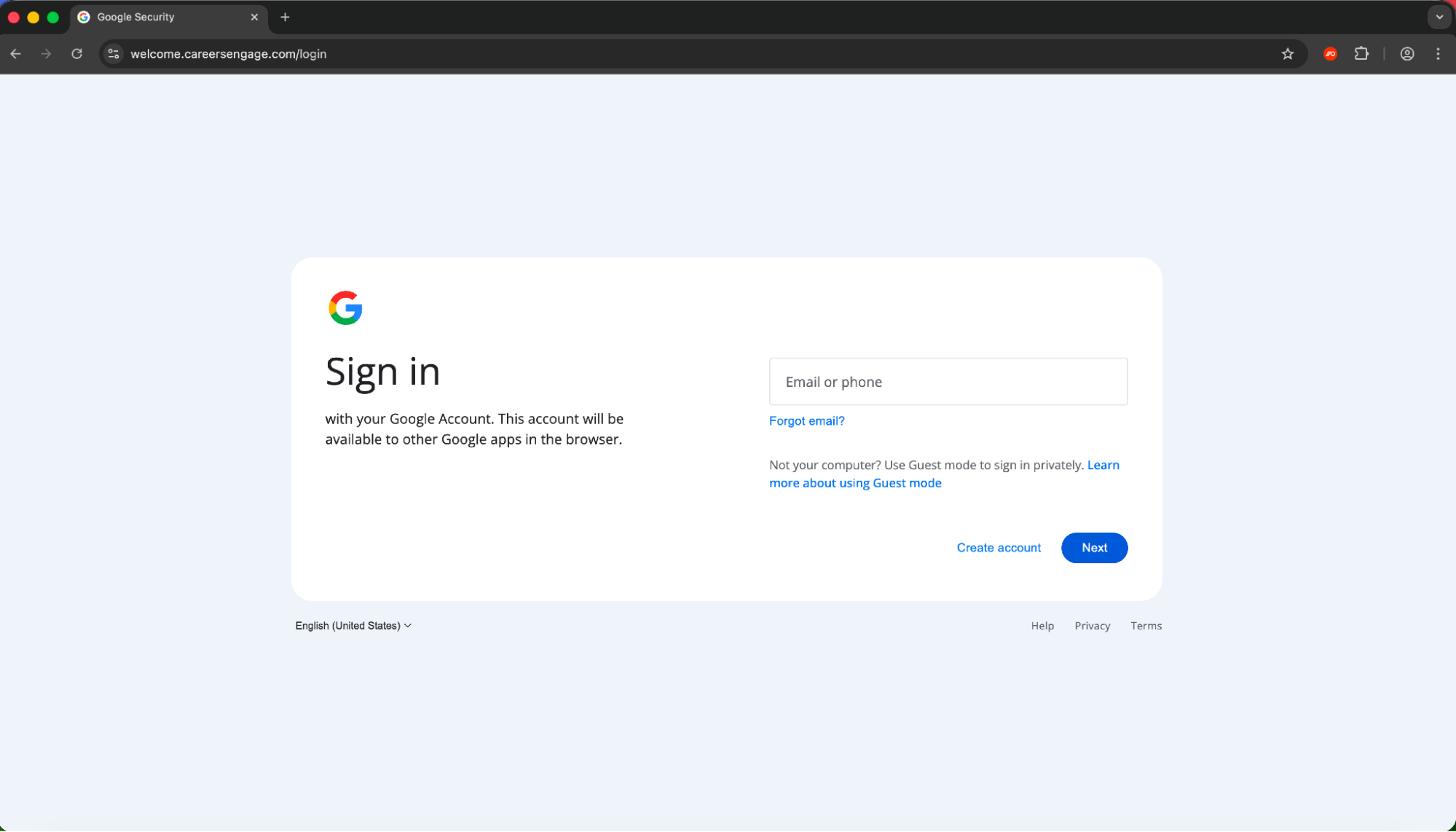
In both cases, the victim is required to complete a basic information form before being served with a malicious login page that is in fact fronting a reverse proxy AITM phishing kit.
While Push has limited visibility of the initial delivery mechanism in this case, we can assume that a similar method of dynamically generated email is being used to the previously identified campaign reported by Sublime in October, featuring a similar Google Careers cloned page.
You can see an example of the page load below.
Attack flow
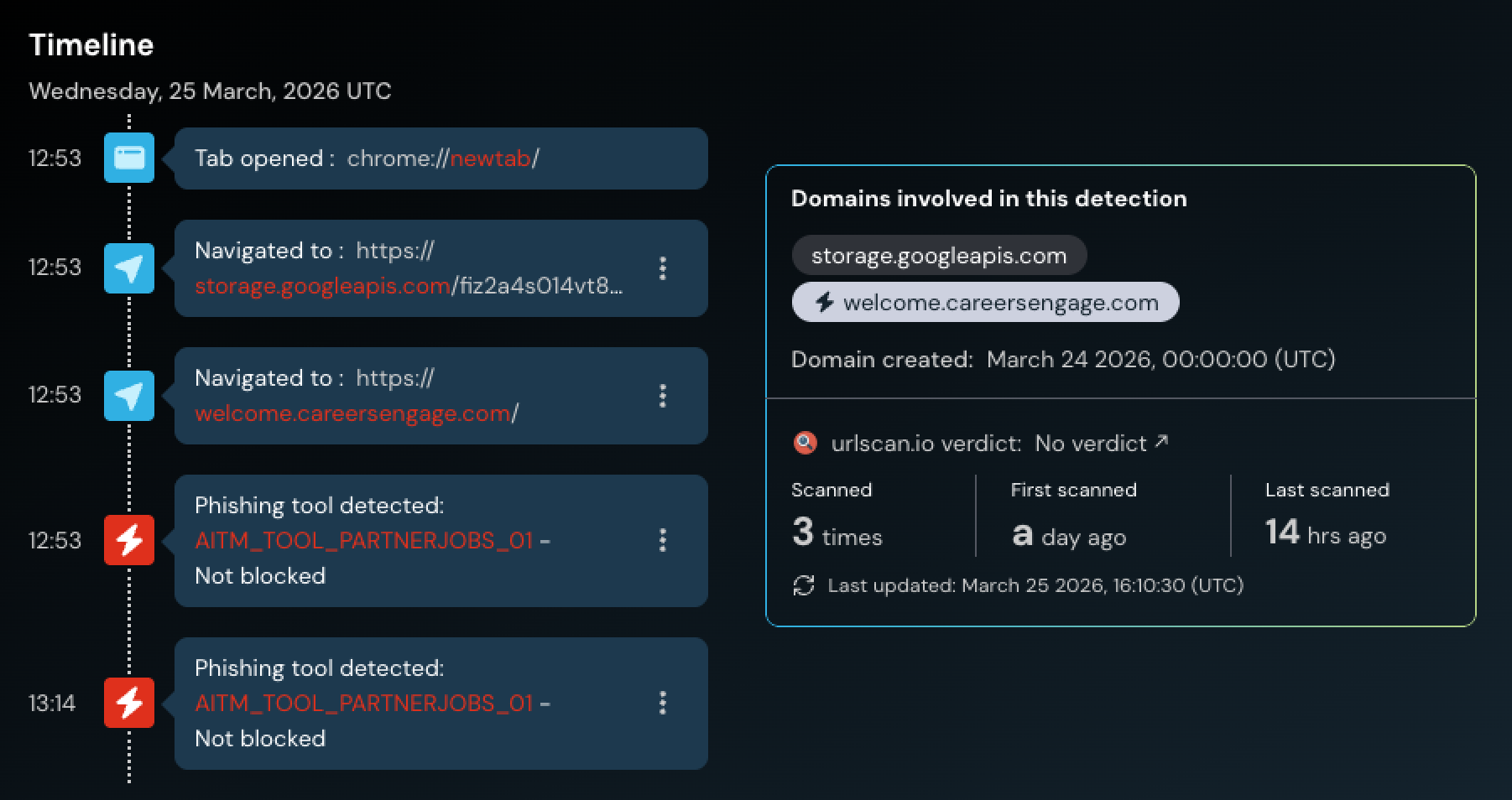
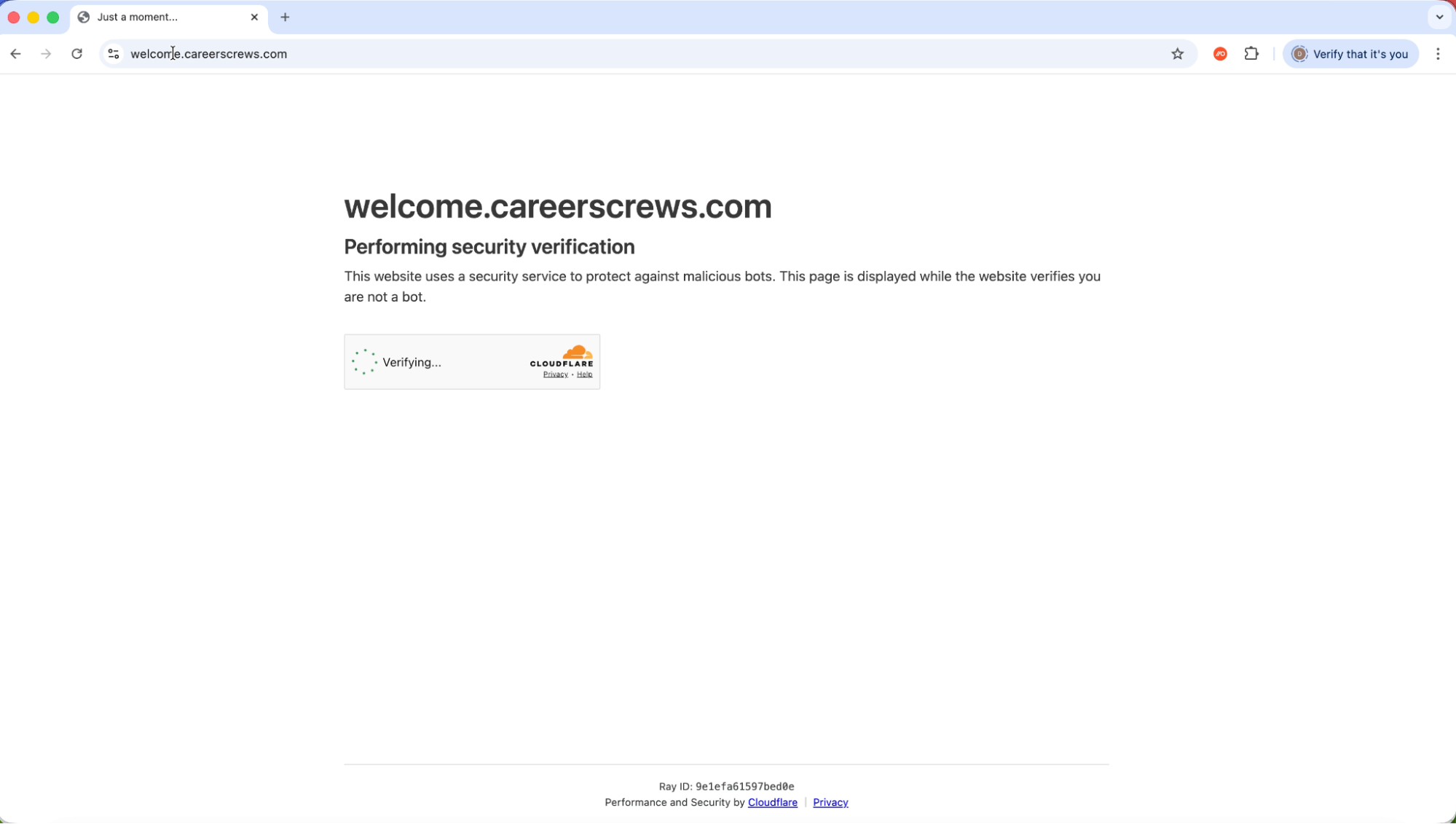
When the link is first clicked, the page is silently redirected from a legitimate Google Storage site before loading the page. A Cloudflare Turnstile check is used to prevent security bots from analyzing the page, before loading either a TikTok or Google themed page. Progressing through the forms ultimately serves up an AITM phishing page.
Why TikTok???
Given that the majority of phishing pages intercepted by Push tend to replicate core SSO platforms like Google and Microsoft, targeting TikTok is a notable development, though not entirely uncommon.
TikTok seems a weird choice at first glance. But it makes more sense when we consider that TikTok has been historically abused to distribute malicious links and social engineering instructions.
This includes multiple infostealers like Vidar, StealC, and Aura Stealer delivered via ClickFix-style instructions with AI-generated videos posed as activation guides for Windows, Spotify, and CapCut. They instructed viewers to open PowerShell and paste commands that downloaded infostealers from bulletproof hosting infrastructure. One video alone hit ~500,000 views and 20,000+ likes.
It’s also a common hunting ground for crypto scammers, like many other social platforms have historically been abused (most commonly Twitter/X). Many of these are done with the full knowledge and consent of “influencers”, but there are also overtly malicious examples such as deepfaked videos of Elon Musk with overlaid AI-generated audio promoting fake exchanges. TikTok DMs, like other social media apps, are also a place where attackers can target victims.
Ultimately, it’s easy to see how access to verified and trustworthy business accounts on TikTok could be abused in the wrong hands.
It’s worth pointing out too that many/most business users will opt to “log in with Google.” This means that anyone using Google to login to their TikTok account will effectively have both accounts used to distribute ads compromised in one go, opening up the typical Google Ad Manager exploitation playbook — as well as accessing any further apps accessible via SSO for data theft and extortion. This has become the standard MO for attackers, in campaigns such as the Scattered Lapsus$ Hunters AITM phishing spree earlier this year, and their recent spate of device code phishing attacks.
IoCs
Short-lived IoCs are of limited value when tackling modern phishing attacks due to the rate at which attackers are able to quickly spin up and rotate the sites used in the attack chain, often dynamically serving different URLs to site visitors.
That said, the domains observed in the initial cluster were:
welcome.careerscrews[.]com
welcome.careerstaffer[.]com
welcome.careersworkflow[.]com
welcome.careerstransform[.]com
welcome.careersupskill[.]com
welcome.careerssuccess[.]com
welcome.careersstaffgrid[.]com
welcome.careersprogress[.]com
welcome.careersgrower[.]com
welcome.careersengage[.]com
welcome.careerscrews[.]com
Since the pages are all hosted in a single Google Storage bucket, any linked pages/files should be considered to be malicious.
storage.googleapis[.]com/fiz2a4s014vt8q4l5i0m1m7b0gl/
Push customers do not need to take any further action.
About Push Security
Regardless of the delivery channel, whether it's a phishing email, a malvertising lure, or a fake install page, all roads lead to a web page loaded in the user's browser, and that's where Push operates.
Push Security's browser-based security platform detects and blocks browser-based attacks like AiTM phishing, credential stuffing, malicious browser extensions, ClickFix, and session hijacking. You don't need to wait until it all goes wrong either — you can use Push to proactively find and fix vulnerabilities across the apps that your employees use, like ghost logins, SSO coverage gaps, MFA gaps, vulnerable passwords, and more to harden your attack surface.
To learn more about Push, check out our latest product overview, view our demo library, or book some time with one of our team for a live demo.