Push recently detected and blocked a malvertising attack impersonating TradingView, designed to hijack Google Workspace accounts via Attacker-in-the-Middle phishing. Here’s what you need to know.
Push recently detected and blocked a malvertising attack impersonating TradingView, designed to hijack Google Workspace accounts via Attacker-in-the-Middle phishing. Here’s what you need to know.
We recently detected and blocked a particularly well-crafted malvertising attack targeting one of our customers.
The employee had searched for “tradingview” on Google and been served a malicious ad impersonating the real site, which they had clicked.
As well as being a highly convincing clone of the real site, this attack demonstrated a number of creative detection evasion techniques designed to prevent security tools, analysts, and web scraping bots from flagging it as malicious.
You can see a narrated clickthrough of the end-to-end attack in the video below.
Attack breakdown
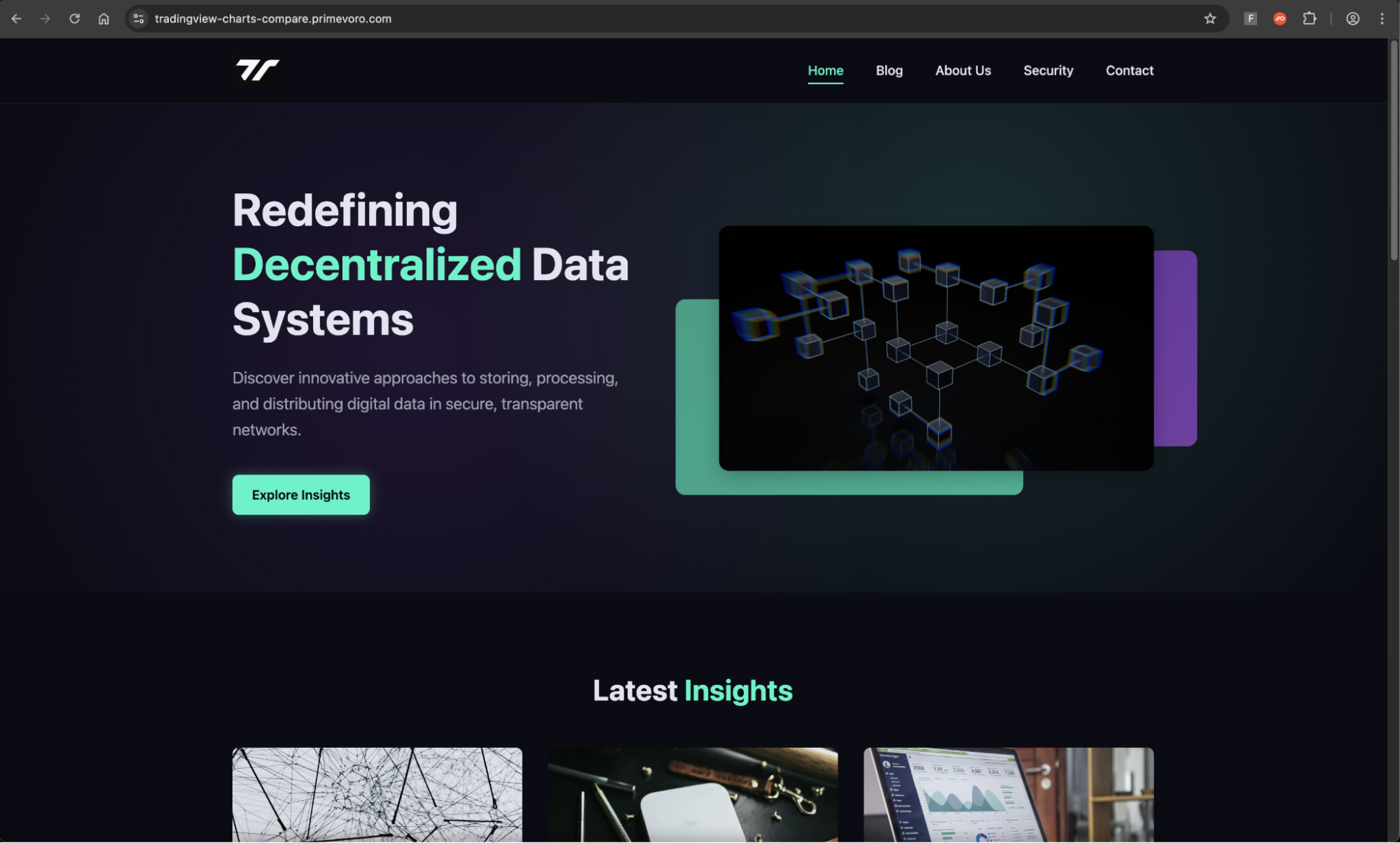
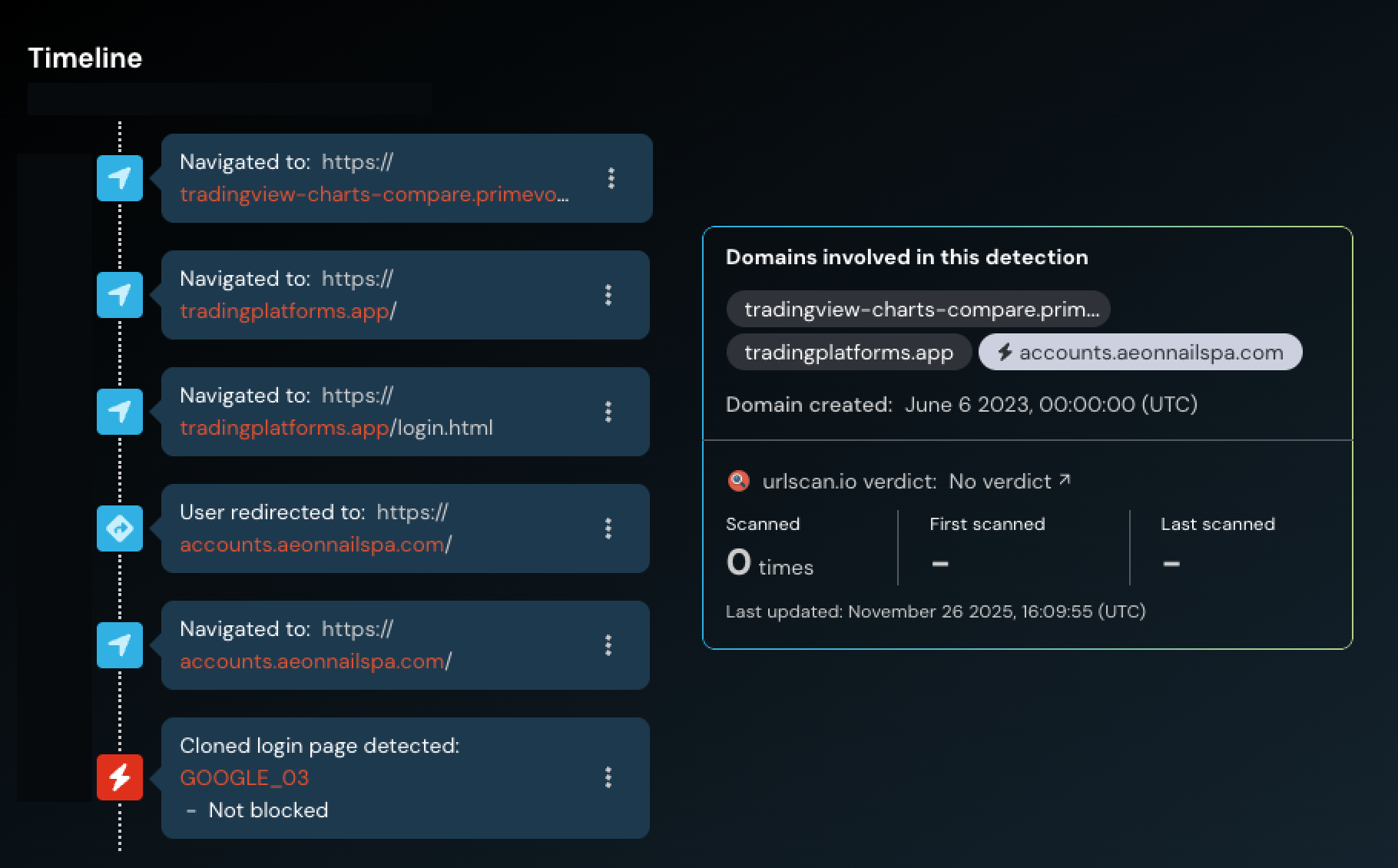
When the victim clicked the malicious ad, they were initially directed to tradingview-charts-compare.primevoro[.]com, but then immediately redirected to a second site. In effect, the victim would never see this initial page — it is simply used as a benign site that only forwards the victim on if certain parameters are supplied from the initial Google ad link.
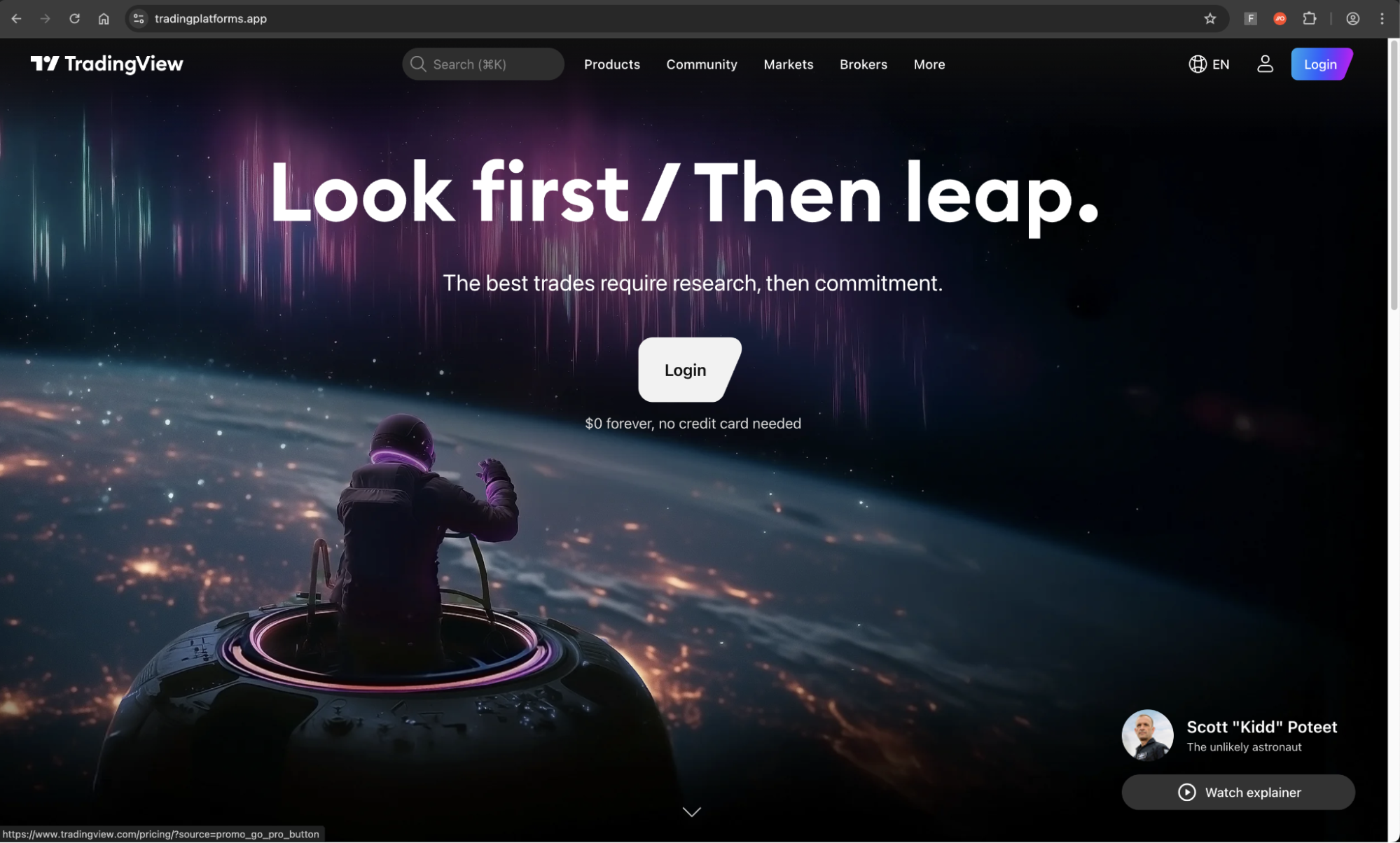
The first site that the victim would see is visually identical to the real TradingView site, at tradingplatforms[.]app.

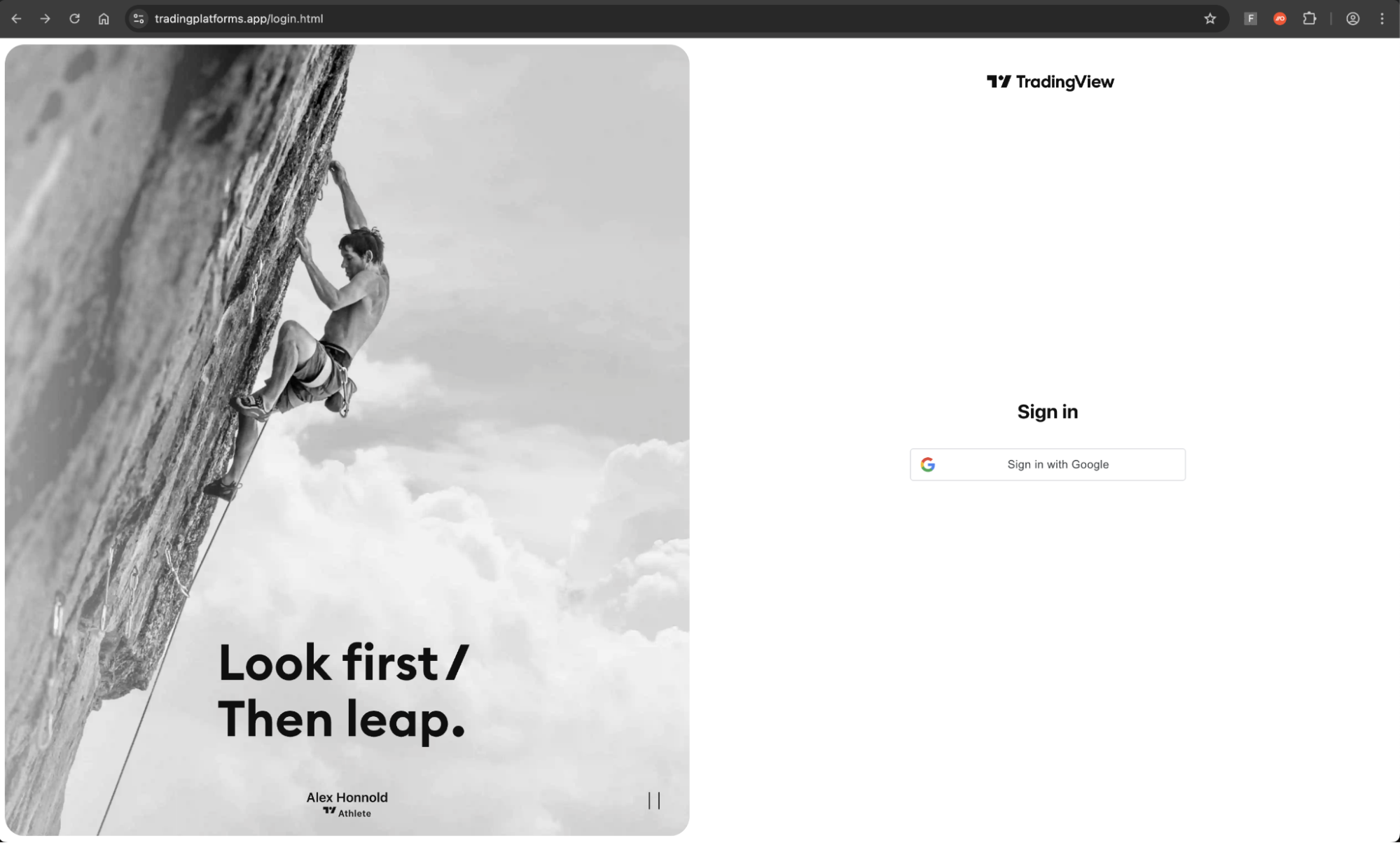
Upon clicking the login button, they are taken to another convincingly designed page, where the victim is prompted to sign in with Google.
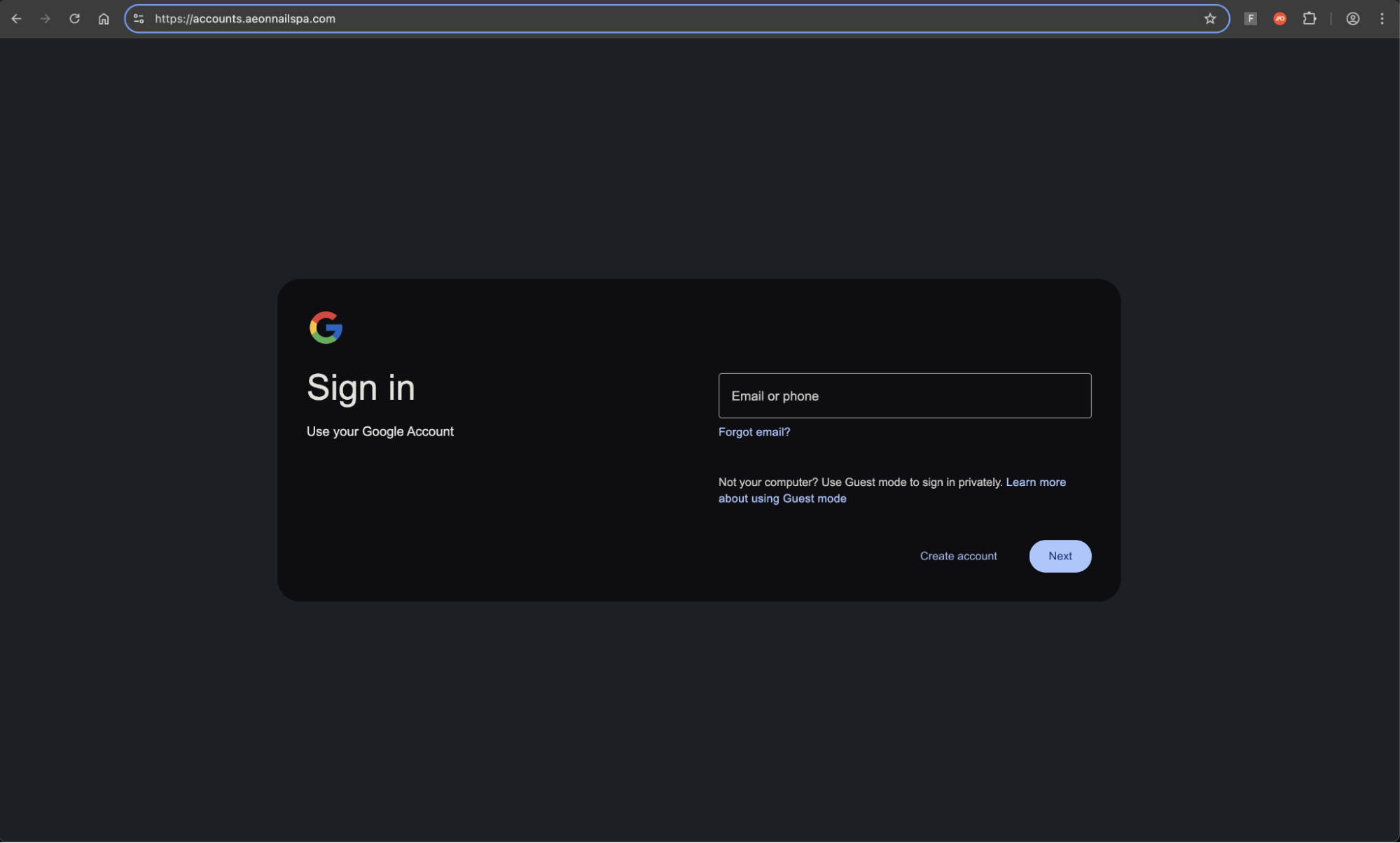
Upon clicking the sign in with Google button, the victim is finally taken to the reverse proxy Attacker-in-the-Middle phishing page targeting Google. If the victim logs in, their credentials and live session is stolen by the attacker.
You can see the timeline of URLs accessed in the chain captured in Push’s timeline feature, below. When we investigated, the phishing page had no user reports on urlscan.
How did this attack evade standard detections?
It’s increasingly common for malicious sites to fly under the radar because of the effective use of detection evasion techniques, designed to defeat traditional security tools and web-scraping security bots.
Malvertising completely bypasses email-based controls
By delivering the lure via malvertising, the attacker was able to completely bypass the most common phishing detection surface — email.
Malvertising via channels like Google Search is an effective way to launch “watering hole” style attacks, casting a wide net to harvest credentials and account access that can be re-sold to other criminals for a fee, or leveraged by partners in the cybercriminal ecosystem as part of major cyber breaches (such as the recent attacks by the “Scattered Lapsus$ Hunters” criminal collective, all of which began with identity-based initial access). For this reason, credentials and account access are an increasingly profitable commodity for cyber criminals.
We’ve noticed a significant increase in malvertising attacks for the delivery of phishing links, malware downloads, and ClickFix-style attacks (4 in 5 ClickFix attacks intercepted by Push were delivered via Google Search).
At the same time, attacks targeting ad management accounts used to propagate malicious ads are also on the rise, indicating that this is an area of focus for attackers.
Conditional loading parameters prevented the site being flagged as known-bad
The attacker used clever conditional loading techniques to prevent the page being accessed unless the correct steps were followed. This means that security analysts attempting to load one of the pages in isolation would either be served with a benign page, or be blocked from accessing the page in order to analyse it for malicious content.

Further, the attacker tightly scoped the initial malvertising lure to prevent unwanted visitors. Google Ads can be targeted to searches coming from specific geographic locations, tailored to specific email domain matches, or specific device types (e.g. desktop, mobile, etc.). If you know where your target organization is located, you can tailor the ad to that location.
Further observations
According to security researchers, attackers have been recently observed running ClickFix malvertising campaigns over Google Search that also impersonated TradingView. These attacks attempted to deliver malware to Mac users, harvesting sensitive information stored in the browser, cryptocurrency credentials, and exfiltrating to the command and control server.
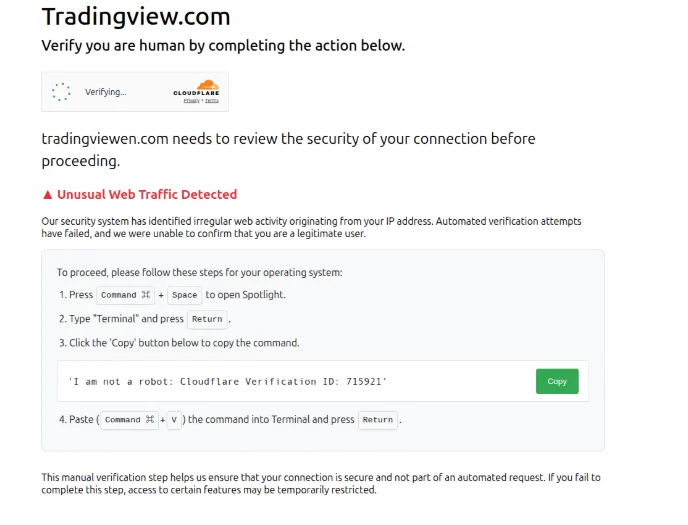
Attackers have been known to target investment and cryptocurrency accounts, particularly those aligned with North Korean state-sponsored operations. This is both targeting individual users as well as business accounts used in operating exchanges themselves, such as in the massive Bybit hack earlier this year.
IoCs
Short-lived IoCs are of limited value when tackling modern phishing attacks due to the rate at which attackers are able to quickly spin up and rotate the sites used in the attack chain, often dynamically serving different URLs to site visitors.
That said, the domains observed in this chain were:
hxxps://tradingview-charts-compare.primevoro.com
hxxps://tradingplatforms.app
hxxps://accounts.aeonnailspa.com
How Push stopped the attack
Push doesn’t detect the redirect tricks or rely on outdated domain TI feeds. The reason we detect these attacks (which make it through all the other layers of phishing protection) is that Push sees what your users see. It doesn’t matter what delivery channel or camouflage methods are used, Push shuts the attack down in real time, as the user loads the malicious page in their web browser.
This isn’t all we do: Push’s browser-based security platform provides comprehensive detection and response capabilities against the leading cause of breaches. Push blocks browser-based attacks like AiTM phishing, credential stuffing, malicious browser extensions, malicious OAuth grants, ClickFix, and session hijacking. You don’t need to wait until it all goes wrong — you can also use Push to proactively find and fix vulnerabilities across the apps that your employees use, like ghost logins, SSO coverage gaps, MFA gaps, vulnerable passwords, and more to harden your identity attack surface.
To learn more about Push, check out our latest product overview or book some time with one of our team for a live demo.